MT5 Close All Fast
-
MT5 has the Close All function which is fast, using "async" mode, faster than the fxdreema Close Position option.
I am sure it requires custom code.I have seen some links, but not sure how to implement it in fxdreema. I got the error message that CTrade is unidentified but I am not sure how to resolve this since thsi si not a variable but a class.
This is a simple project I use to test.
https://fxdreema.com/shared/A1rkQPnwd
This is the discussion on the aync mode.
https://www.mql5.com/en/forum/457067Any suggestion on how to implement it in fxdreema? I am not familiar with mql4 or 5.
Thanks in advance
-
To get this working in FX you need to create a custom block:
I have done that here: https://fxdreema.com/shared/GVIxc5AZ. But I haven't tested it, so I don't know if it works. You will need to set the condition to activate it
This is how I created:
in the 1st section (on tick in this case)
{
startTime = GetMicrosecondCount(); // Record start time
sTrade.SetAsyncMode(true); // Enable asynchronous trade operationsCloseAllPositions(); // Call function to close all positions PrintPerformance(startTime); // Monitor performance}
In the global variables section:
#include <Trade/Trade.mqh>
ulong startTime; // To store the start time for performance measurement
CTrade sTrade; // Trade object used for operationsIn the custom function section:
void CloseAllPositions() {
for (int cnt = PositionsTotal() - 1; cnt >= 0 && !IsStopped(); cnt--) {
if (PositionGetTicket(cnt)) {
sTrade.PositionClose(PositionGetInteger(POSITION_TICKET), 100);
uint code = sTrade.ResultRetcode();
Print("Close result code: ", IntegerToString(code));
}
}
}void PrintPerformance(ulong startTime) {
for (int i = 0; i < 100; i++) {
Print("Elapsed time: ", IntegerToString(GetMicrosecondCount() - startTime), " microseconds. Open positions: ", IntegerToString(PositionsTotal()));
if (PositionsTotal() <= 0) { break; }
Sleep(100);
}
} -
Wow, this is great. Thanks!
I have never used custom block before.
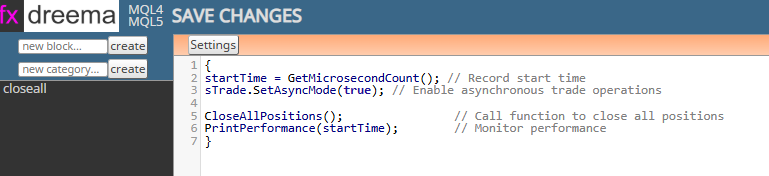
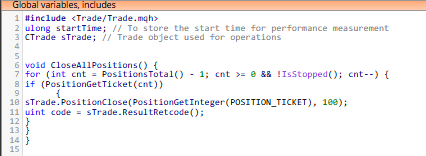
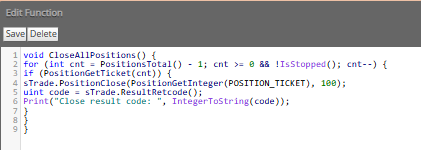
When trying to compile, I got this message, I wonder what I did wrong.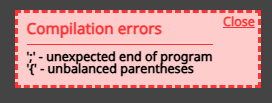
-
I do not know, the link I put above compiles for me.
You are using on MT5?
Here is the code again
on tick section:
{
startTime = GetMicrosecondCount(); // Record start time
sTrade.SetAsyncMode(true); // Enable asynchronous trade operationsCloseAllPositions(); // Call function to close all positions PrintPerformance(startTime); // Monitor performance}
In the global variables section::
#include <Trade/Trade.mqh>
ulong startTime; // To store the start time for performance measurement
CTrade sTrade; // Trade object used for operationsIn the custom function section::
void CloseAllPositions() {
for (int cnt = PositionsTotal() - 1; cnt >= 0 && !IsStopped(); cnt--) {
if (PositionGetTicket(cnt)) {
sTrade.PositionClose(PositionGetInteger(POSITION_TICKET), 100);
uint code = sTrade.ResultRetcode();
Print("Close result code: ", IntegerToString(code));
}
}
}void PrintPerformance(ulong startTime) {
for (int i = 0; i < 100; i++) {
Print("Elapsed time: ", IntegerToString(GetMicrosecondCount() - startTime), " microseconds. Open positions: ", IntegerToString(PositionsTotal()));
if (PositionsTotal() <= 0) { break; }
Sleep(100);
}
} -
@jstap Yes, I am using mt5.
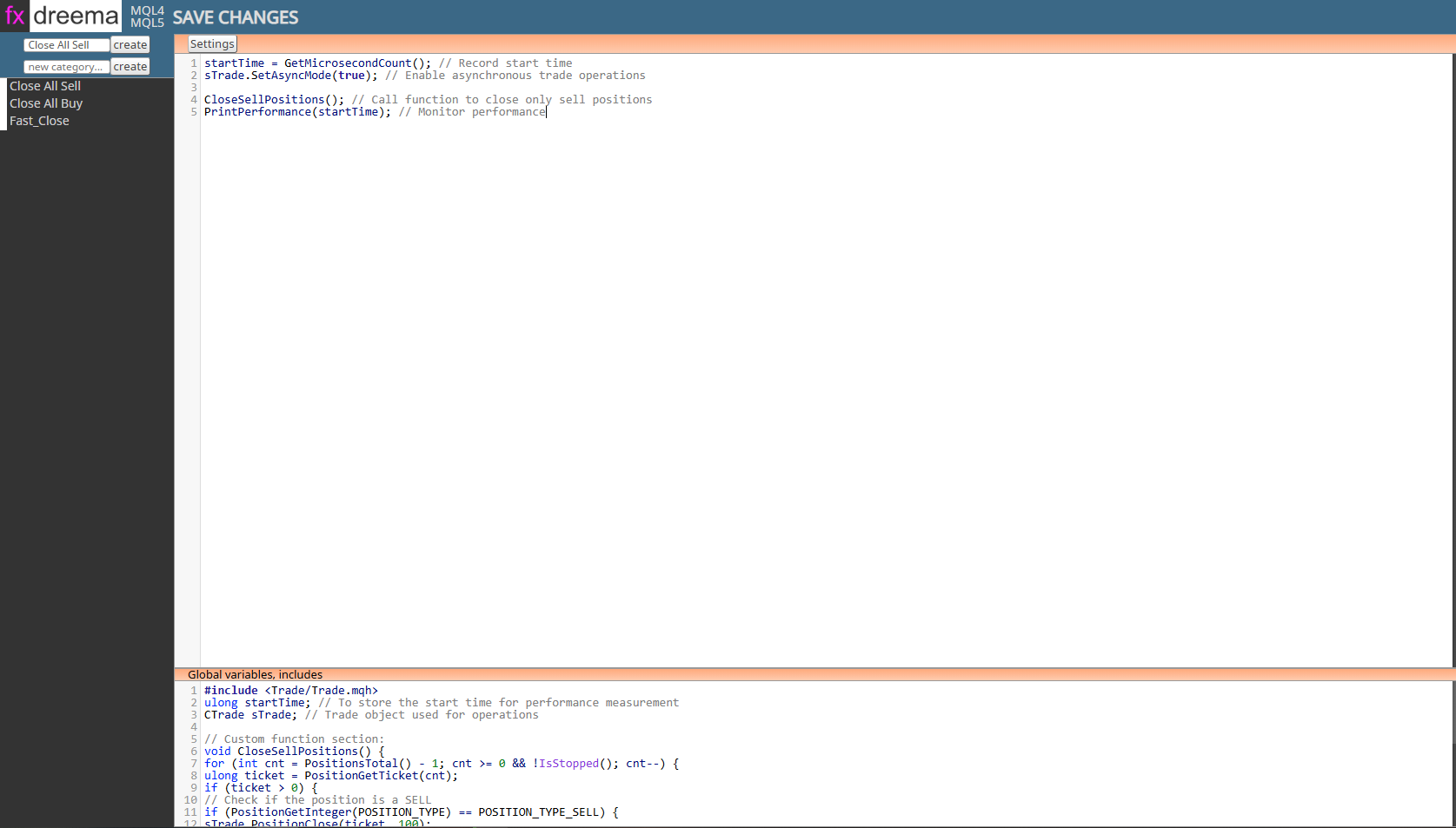
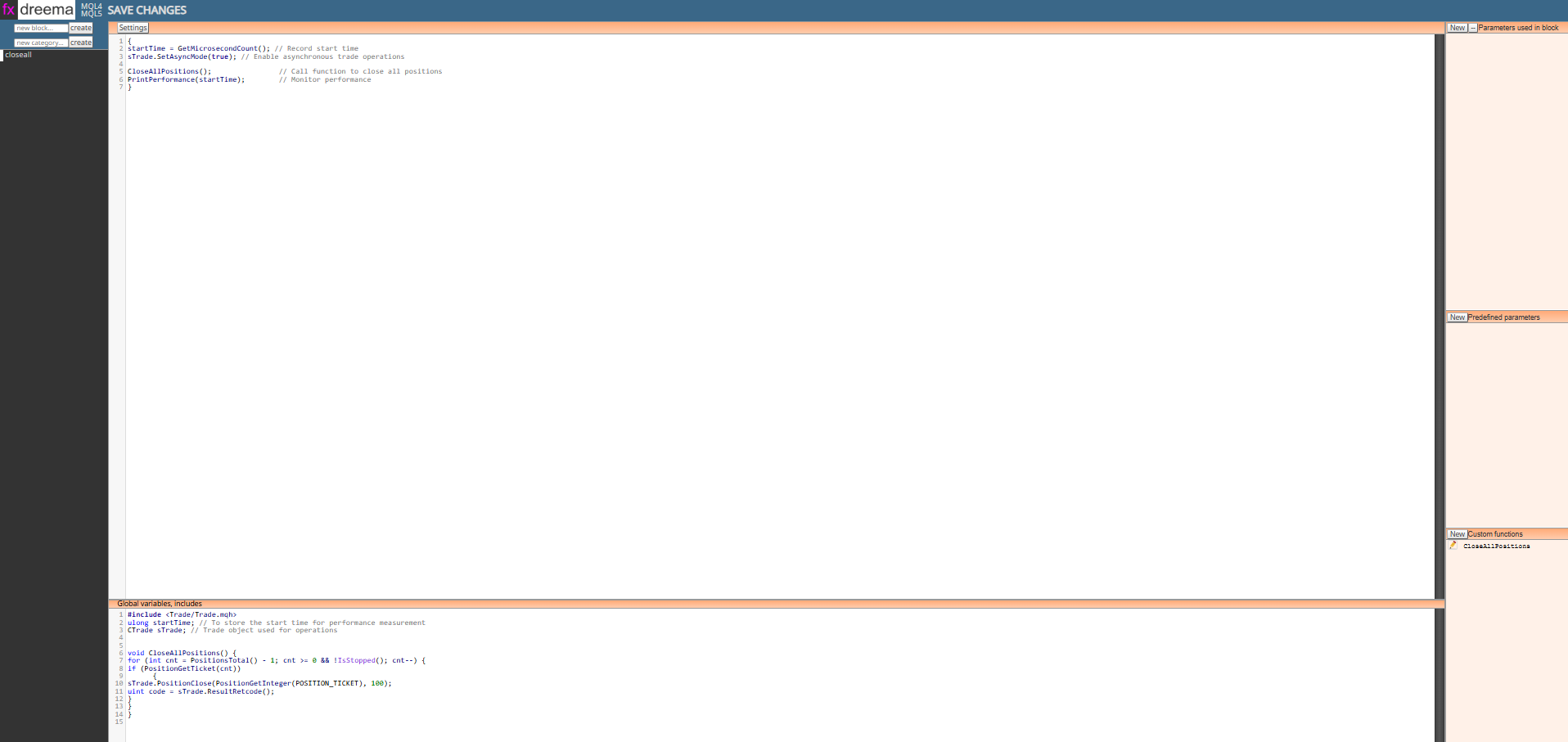
May I ask where the tick section is? As in the image below, I see Settings ( I assume it is the tick you mention). I can see the Global Variables and Custom functions. Sorry, I have not used Custom Block before.
-
The 1st section (under settings) it is where the action code goes, I called it on tick for this but
it depends on where the block is used. -
@jstap Great! I made a mistake previously, thanks a lot, it works now.
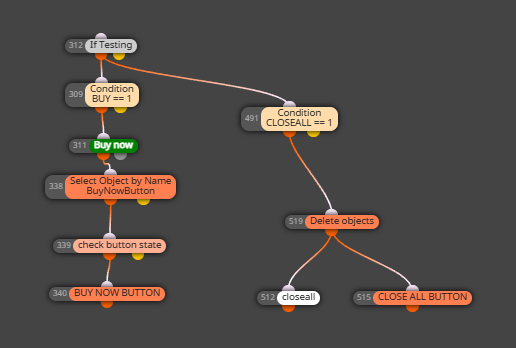
However, it doesnt move to the next step, i.e proceed with the next block. I have tested a few times and can confirm thsi is the case.
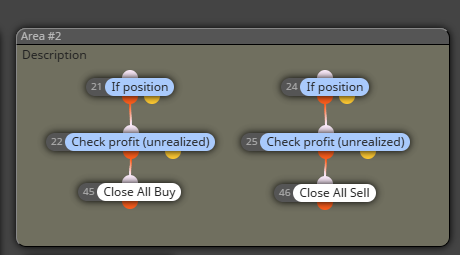
Anything I need happening around that time, I have to put it in prarellel, so this is a workaround, but it is not perfect and may not work all the time, especially if the trades must be closed first. Example is in the image below or in this prijecthttps://fxdreema.com/shared/ds59n1pEc
Is there a way I can ensure it moves to the next block after the custom block is executed?
-
Good point, I think you need to add ~next~ into the 1st section like this:
startTime = GetMicrosecondCount(); // Record start time
sTrade.SetAsyncMode(true); // Enable asynchronous trade operationsCloseAllPositions(); // Call function to close all positions
PrintPerformance(startTime); // Monitor performance~next~
-
@jstap Thanks a lot! It works
-
@zentex74 You are welcome
-
@jstap How to seperate close BUY/SELL position?
-
@eaforexcenter_All Do you mean in this block?
-
@jstap yes. how to select CLOSE ALL BUY / CLOSE ALL SELL ?
-
You will have to create 2 blocks, 1 to close buys, and 1 for sells, haven't tested but should work.
Buys:
// On tick section:
startTime = GetMicrosecondCount(); // Record start time
sTrade.SetAsyncMode(true); // Enable asynchronous trade operationsCloseBuyPositions(); // Call function to close only buy positions
PrintPerformance(startTime); // Monitor performance// Global variables section:
#include <Trade/Trade.mqh>
ulong startTime; // To store the start time for performance measurement
CTrade sTrade; // Trade object used for operations// Custom function section:
void CloseBuyPositions() {
for (int cnt = PositionsTotal() - 1; cnt >= 0 && !IsStopped(); cnt--) {
ulong ticket = PositionGetTicket(cnt);
if (ticket > 0) {
// Check if the position is a BUY
if (PositionGetInteger(POSITION_TYPE) == POSITION_TYPE_BUY) {
sTrade.PositionClose(ticket, 100);
uint code = sTrade.ResultRetcode();
Print("Close BUY result code: ", IntegerToString(code));
}
}
}
}void PrintPerformance(ulong startTime) {
for (int i = 0; i < 100; i++) {
Print("Elapsed time: ", IntegerToString(GetMicrosecondCount() - startTime),
" microseconds. Open positions: ", IntegerToString(PositionsTotal()));
if (PositionsTotal() <= 0) { break; }
Sleep(100);
}
}Sells:
// On tick section:
startTime = GetMicrosecondCount(); // Record start time
sTrade.SetAsyncMode(true); // Enable asynchronous trade operationsCloseSellPositions(); // Call function to close only sell positions
PrintPerformance(startTime); // Monitor performance// Global variables section:
#include <Trade/Trade.mqh>
ulong startTime; // To store the start time for performance measurement
CTrade sTrade; // Trade object used for operations// Custom function section:
void CloseSellPositions() {
for (int cnt = PositionsTotal() - 1; cnt >= 0 && !IsStopped(); cnt--) {
ulong ticket = PositionGetTicket(cnt);
if (ticket > 0) {
// Check if the position is a SELL
if (PositionGetInteger(POSITION_TYPE) == POSITION_TYPE_SELL) {
sTrade.PositionClose(ticket, 100);
uint code = sTrade.ResultRetcode();
Print("Close SELL result code: ", IntegerToString(code));
}
}
}
}void PrintPerformance(ulong startTime) {
for (int i = 0; i < 100; i++) {
Print("Elapsed time: ", IntegerToString(GetMicrosecondCount() - startTime),
" microseconds. Open positions: ", IntegerToString(PositionsTotal()));
if (PositionsTotal() <= 0) { break; }
Sleep(100);
}
} -
It error when i complied.
-
Custom function is not global variables, there 1/2 way down on the right side, there are 3 sections and there all labelled on tick (for this) is the top section, custom functions is on the right, global variables is on the bottom
-
How can i set group for fast close
Thank you
-
@zentex74 Hello friend, sorry for the question, could you please share the thread of the button that closes quickly, it does work, thank you very much for your help
-
@jstap

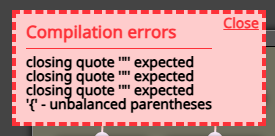
Hi. I got this error when creating 2 blocks: Close Buy and Close Sell.
Can you help me fix it? thanks -
Not really, but you may be trying to call the same function in two blocks. If so, create a separate function with a different name and use in other block..