@l-andorrà Perhaps just linking to the old topic would be better. I'm looking for the answer to this question and can't find it.
V
Latest posts made by Voodoogodman
-
RE: Buy above fractal up, sell below fractal downposted in Questions & Answers
-
invalid EX5 file (7)posted in Questions & Answers
Is anyone else getting this error recently in their MT5 when attempting to attach an EA to a chart?
-
RE: market properties -> timeframe use in output.posted in Questions & Answers
@l-andorrà It did not work unfortunately. Only came up with errors and would not compile on the web or in MetaEditor. I declared variable as shown. Set var in a modify variables box. and attempted to display contents of the variable in an alert box. it wouldn't compile, though
-
RE: market properties -> timeframe use in output.posted in Questions & Answers
How would I set that up? I assume a var loaded with the tf found in market properties info would just read the same as an ouput alert that displays tf.
-
RE: market properties -> timeframe use in output.posted in Questions & Answers
@xfire I have done this and it is what i want, though i don't know how to create an output alert that will tell me what tf the condition was found on.
AUDCAD is searched on h4,h6,h8,h12,D1 using the "repeat this block" how do I create an alert that tells me which TF the condition was found on?
-
market properties -> timeframe use in output.posted in Questions & Answers
How does one use the time frame option in the market properties section? When I add it to an Alert box, it gives me an output of 16392 or something when I'm trying to get it to say 4h chart.
My goal is to be able to use "set current timeframe" in MT5 and have the EA check multiple time frames and give me an output of which time frame the situation happened on. Any tips?
-
RE: How can I set a stop loss based on ATR%posted in Questions & Answers
@jzfusion quick and dirty is to use the "adjust" tab under the atr and enter *1.5 or whatever
*2
*1.5
*0.33
etc(enter percent as a decimal) 100% == 1.00 52.8% == 0.528
-
RE: Bug in PASS blocks replacing * with c:: in the codeposted in Bug Reports
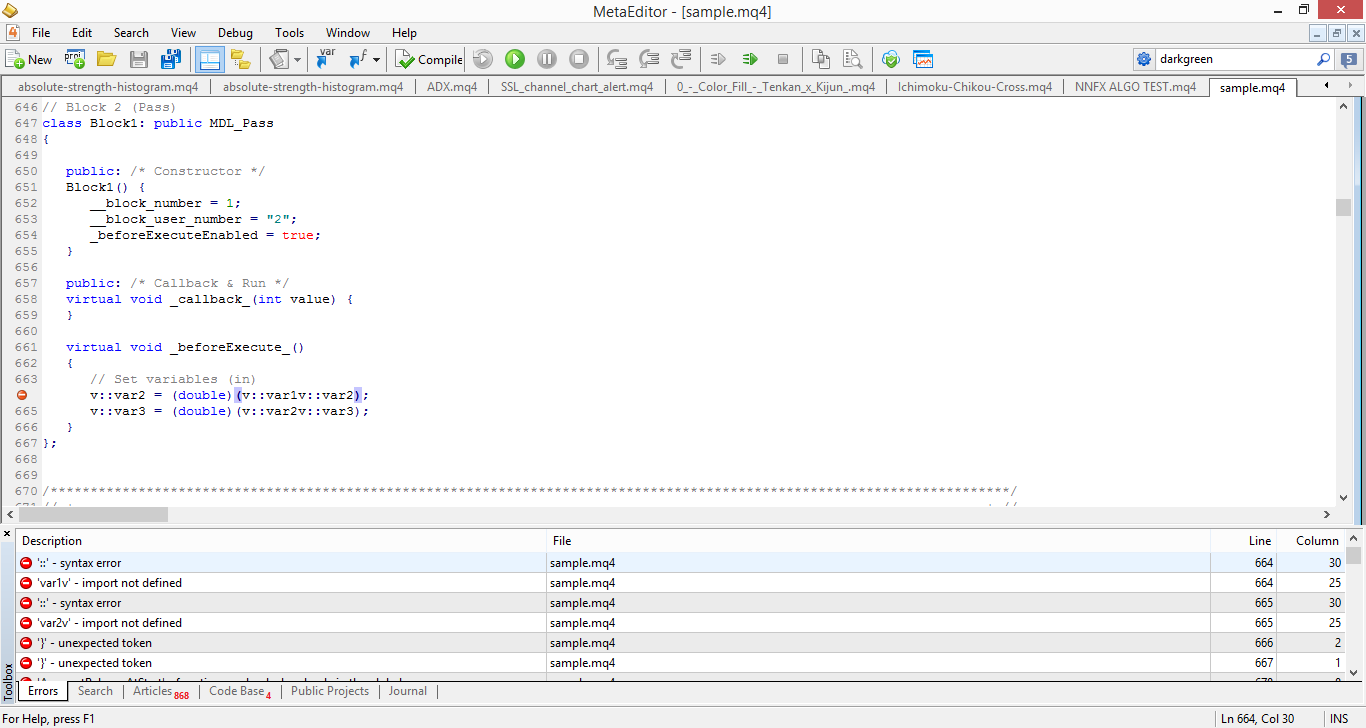
MQL RESULTS ON COMPILE ATTEMPT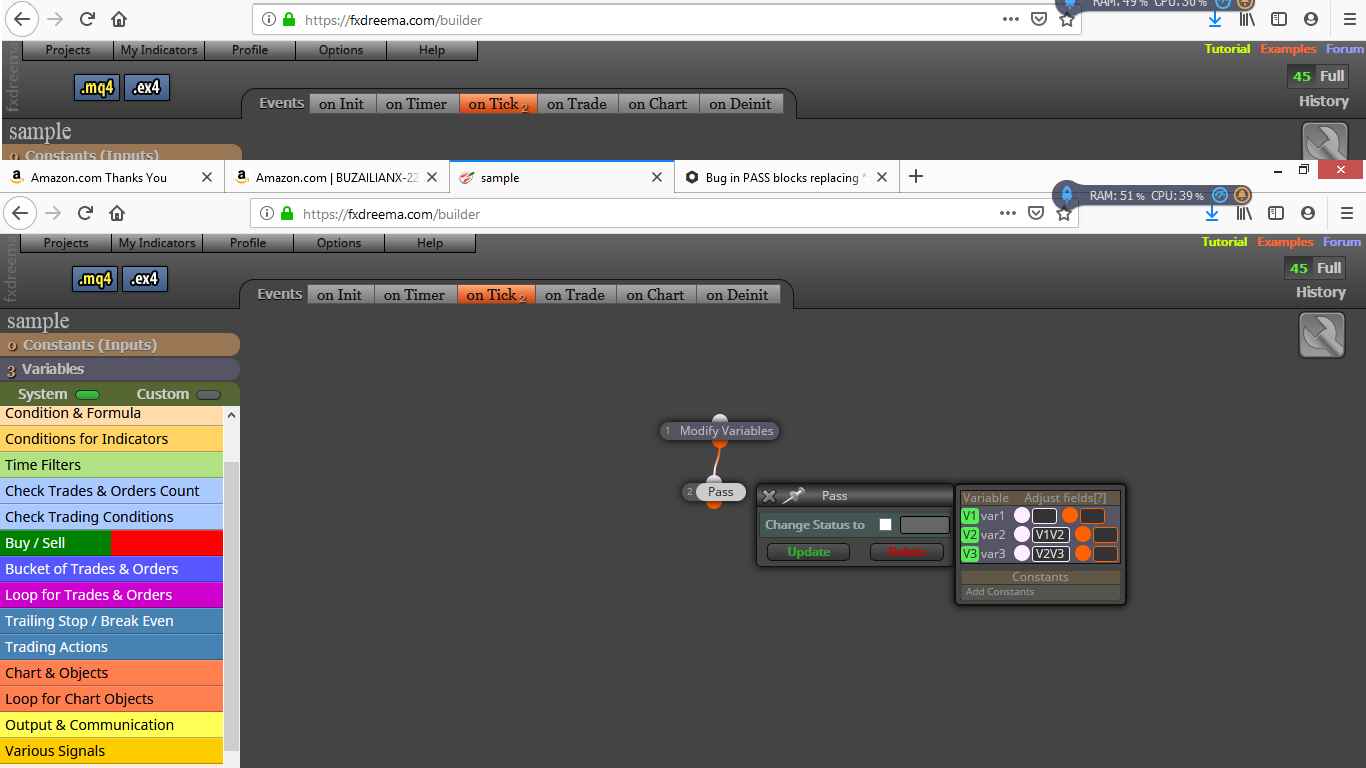
result after pressing update and reopening module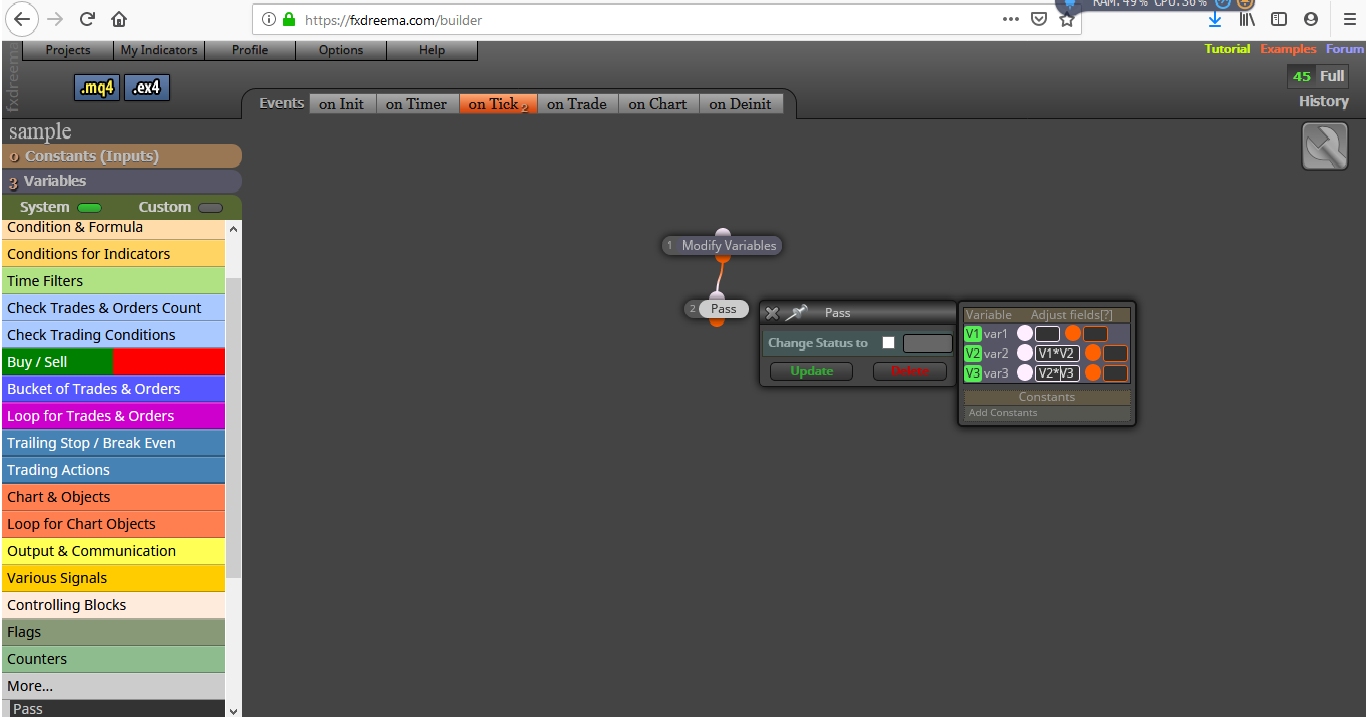
first entering values and multiplying themhttps://fxdreema.com/shared/unyj3VFab
(multiple post edits for formatting as I'm not good at posting)
-
Bug in PASS blocks replacing * with c:: in the codeposted in Bug Reports
Something weird happening in PASS blocks. When attempting to multiply two variables, on pressing update button and reopening, * is gone leaving only the two variables. In mql the * is replaced by c::
-
RE: A little help making my EA simpler (formula or custom code)posted in Questions & Answers
Here you are, my friend. Hope it helps.