Hi @BHovens and @trader-philipps,
-
Were you referring to this one?

-
If it's not such a hassle, could you kindly provide an example of how you used it?
-
Did you connect it to "Check age" block?
-

Hi @BHovens and @trader-philipps,
Were you referring to this one?
If it's not such a hassle, could you kindly provide an example of how you used it?
Did you connect it to "Check age" block?
@roar ohhh, I got it. Yeah, the example was nicely done so I was able to grasp at least 80% of it. Thank you for this awwweeeesome example. 
@roar Thanks for the example.
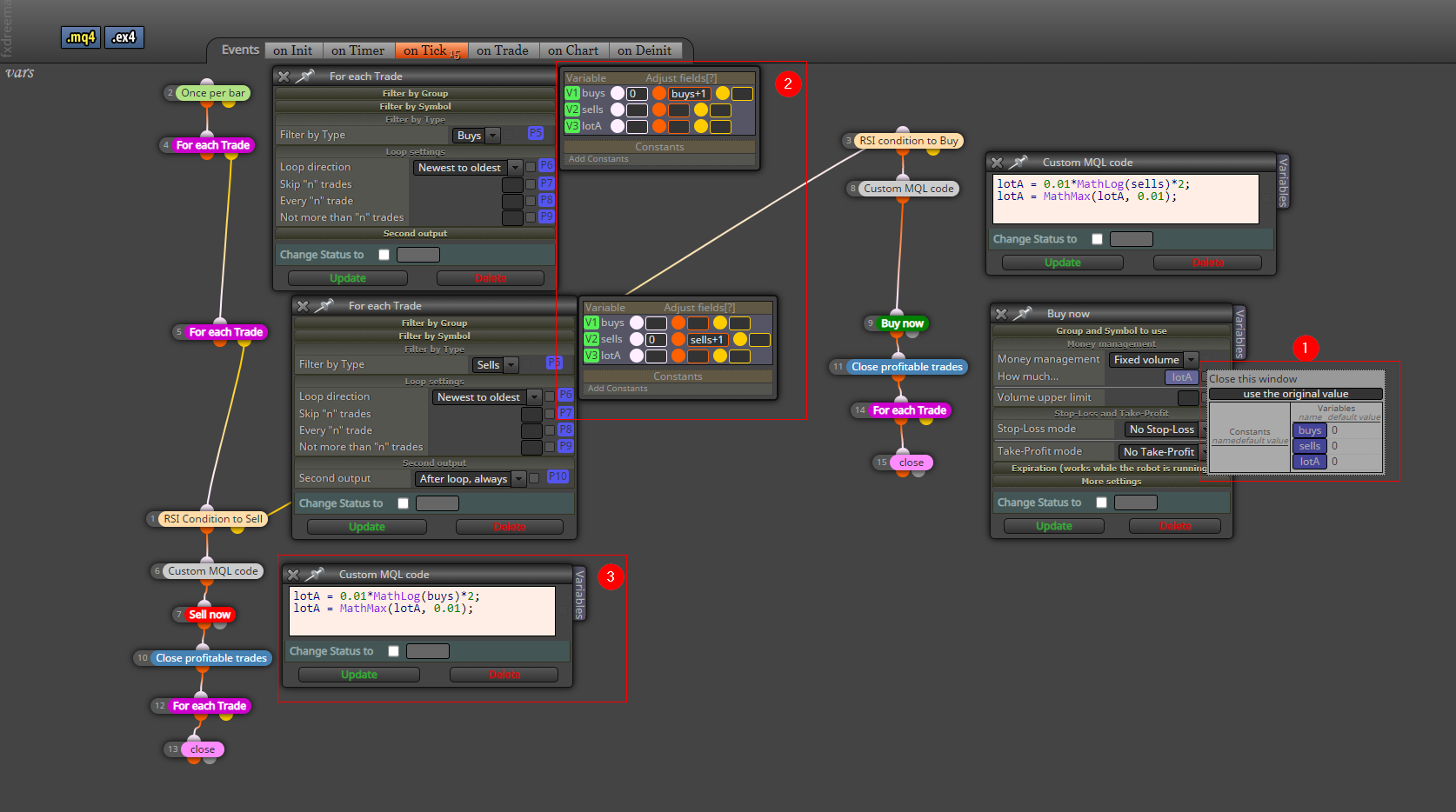
Let's see if I got it right ...
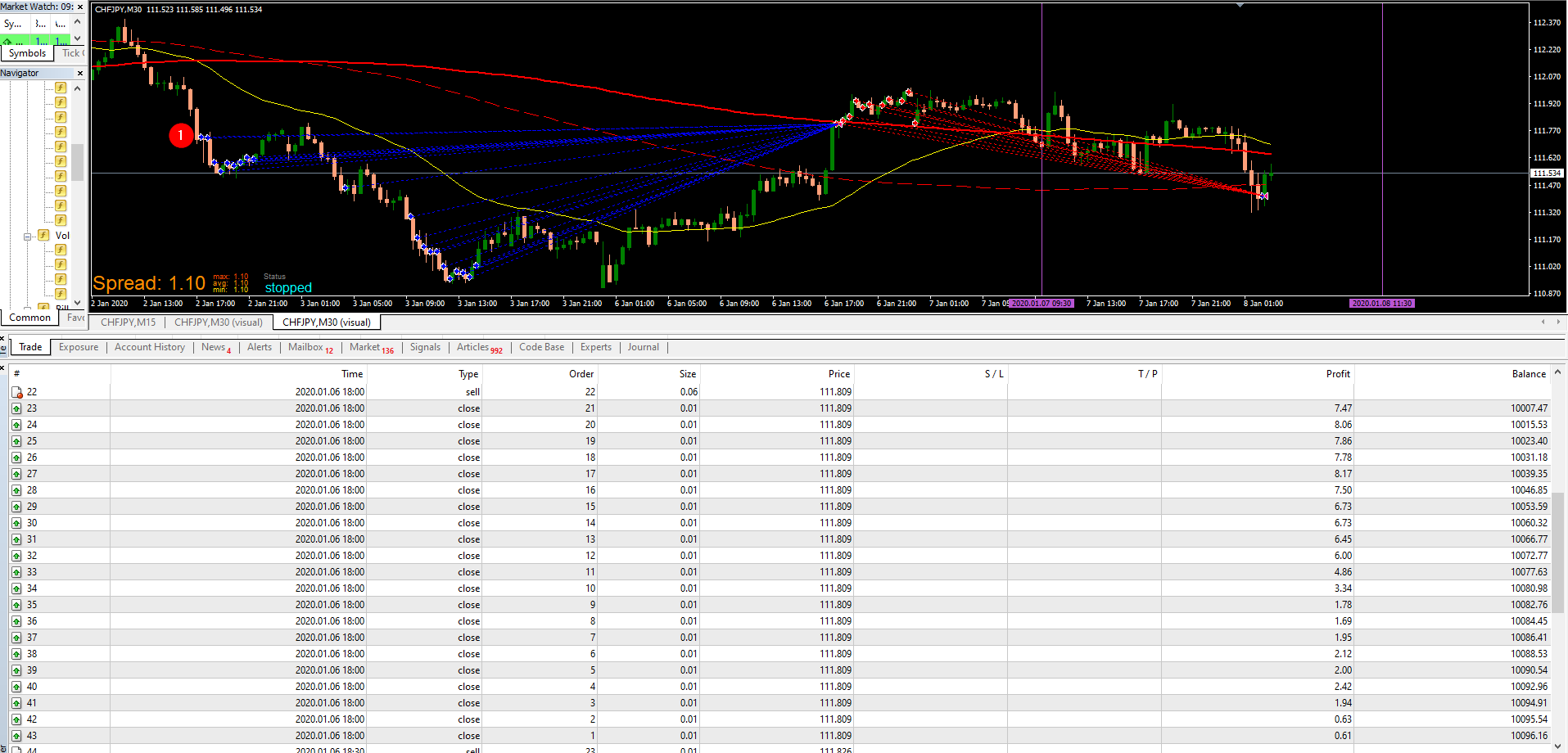
For reference as well, this is the closed trades for Buy.
@roar Yeah, that 100x possibilities are what I'm actually looking for. The kind of like the, "Ahhh" moment. Maybe I'm looking for how to use variables because ... Where I am right now is kind of the basic stuff. I know if I get more examples using variables then maybe I could get ideas or inspiration that I could use on my current project or future project. Do you have some kind of a variable related example on how to open trade or close a trade?
@jstap Yeah, I actually tried to separate them, but I don't think I got the syntax of it right.
 !
!
Hi @jstap and @TipsyWisdom,
I got a question, so I would like to also get the H1, H0, L1, and L0 Awesome Oscillator values. I just wanted to make sure as when I temporarily turned off the Original Draw Text H2 and so on and turned on my version for testing, it is not showing any text on the chart. Do you think what I did was correct or there should be a better approach to this?
The original was like this:

My version is something like this, I boxed them in red for faster reference.

@jstap I'm painfully waiting. Hahaha! It iz what it iz.
@jstap "Skip to" to do a fast backtest. Not sure if zigzag is really not compatible with backtesting. So what I do is look for different patterns and run it there.

@jstap Though, my current issue right now is doing backtesting. When I do the "Skip to," the EA stops unless I drag it to go forward. lol.
Hi @jstap @TipsyWisdom,
Just wanted to update you that I found the latest version of Zigzag by Miro. That was the project I needed as it was more detailed and clear. Also, I was able to do what I wanted to happen. Anyways, I just wanted to thank you for responding.
Miro's latest project(2 years ago)
https://fxdreema.com/forum/topic/8898/zizzag-trendlines
Regards,
Hi FxDreema Community,
I would like to seek your assistance again relating to this Zigzag indicator. What I want to happen is to get the value of H1, H2, L1, L2, and so on. Use their values to determine the trend of the market whether it is going up or down. I know this may involve variables and such, so I do hope for your help as I am just an ordinary person.

I saw two post relating to Zigzag, but it is for another use case.
https://fxdreema.com/forum/topic/6412/aaaaand-the-zigzag-indicator-again
https://fxdreema.com/forum/topic/5060/how-to-use-zigzag-advanced
Also, I know that the current leg is repainting. Thus, I am only interested on the previous legs at the moment.
Regards,
@l-andorrà Well, would you look at that. It actually worked. Thanks for the assist as always.

@l-andorrà Do you have an example? Not exactly sure what to add there. Should it be something like Symbol = 0?
Hi FxDreema Community,
Seeking your insights on how I can use a one generic template EA that I could put into AUDUSD, GBPCAD, EURCHF, etc. It would indicate that the trigger happened on that exact currency pair?
I already enabled phone notifications for this and it is working. However, I do not know how to set it to also indicate what currency pair it triggered. I know I could just customize the comment, but if for example I put that to a lot of pairs, then I would need to create multiple EAs.

I also tried something like this, but it is not working as I hoped for.
