Forum update
-
I'm planning to make an update to the forum to its latest version, and I will do it maybe tomorrow. I tested this locally, it's a little bit tricky, but not too much. I don't expect problems, but I also expect problems... if you know what I mean.
The forum is where the user profiles are, and it also manages the sessions (deals with the session cookie), so I can imagine problems like the need to login again or maybe clean the cookies.
If there are problems that last longer than... let's say an hour, write here about them or send me an email.
-
By the way, I wrote a plugin for the new version to prevent posting links for new accounts. This is mostly inspired by the spammers. New registrations will not be able to make posts with links to other websites when they are newer than some days, and also if they don't have some number of posts. I'm thinking about 60 days and 20 posts, but I can change the numbers. I can also change which websites to Not be counted and be allowed, but initially I will start with just fxdreema.com.
-
@fxdreema THANK YOU VERY MUCH!!!!!!!!!!!!!!!
-
Ok, I upgraded it. There were login issues for a few minutes, I got 2 emails about that, then I fixed it... I think. I wonder if the login process works fine now. And I mean the login from the main site - https://fxdreema.com/account/login.
If someone is having problems logging in (not an error, but not remembering that you are logged it), write to me an email. Or, logging in here from the forum should work.
-
It's very quiet in the forum and I guess there is a problem. I noticed some email confirmation things appearing... to be honest I have no idea what is this for.
In one of my browsers the /forum link started redirecting to /register/complete page, which I also don't know why it happens.
I disabled some GDPR shit in the admin panel, but who knows what else should I disable in this new version.
-
@fxDreema my account is working fine, just had to login again.
-
@fxDreema login is fine now
-
Kinda odd that by default I get notifications of post edits, but not posts themselves.
Can't add image attachments, btw:
ERROR
Something went wrong while parsing server response -
Here are the user settings:
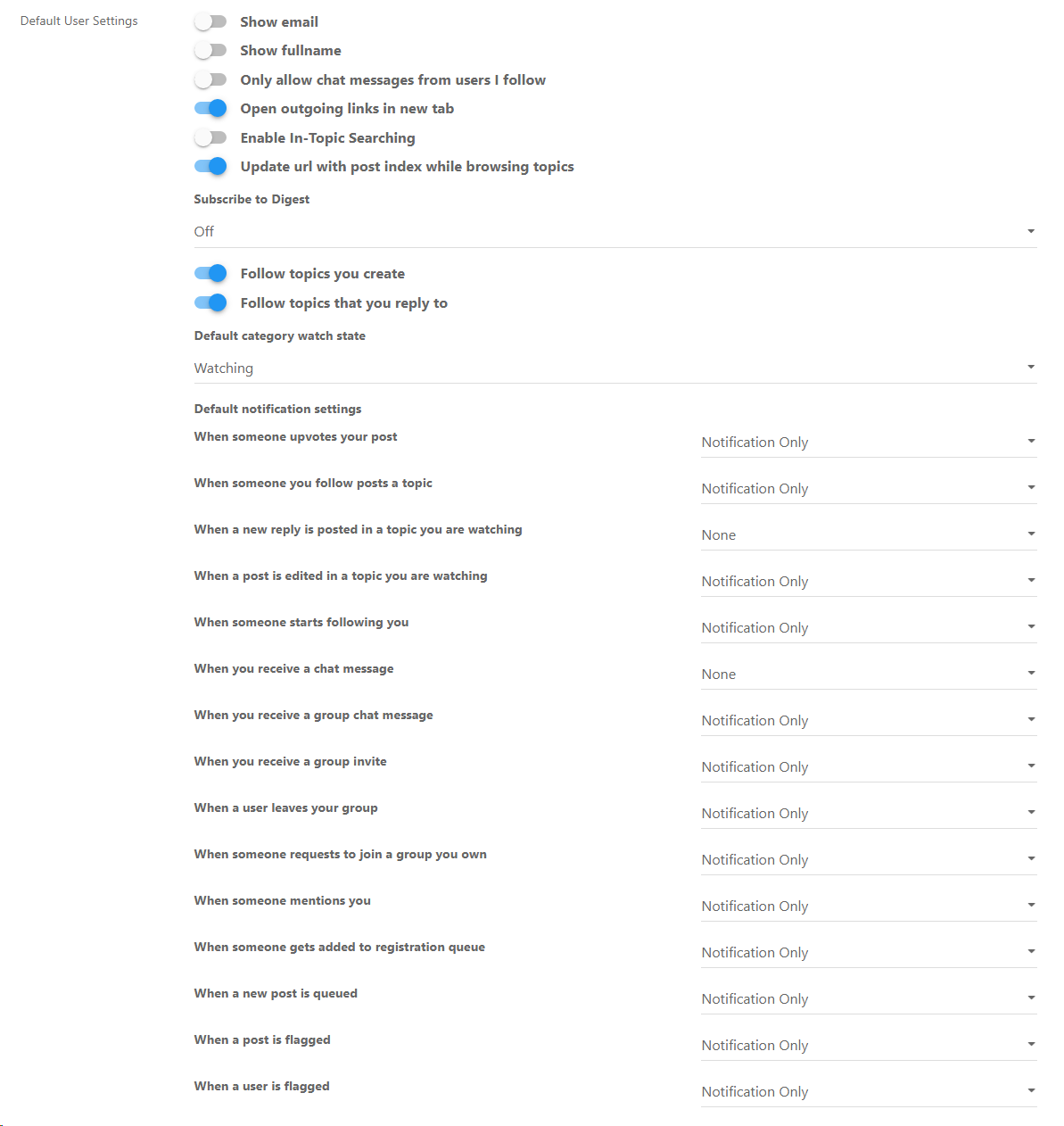
I remember changing only that "Follow topics you reply to". I see there are two "None" settings, I will set them to "Notification Only".About the image upload, I knew why it broke and I fixed it.
-
@fxDreema I just meant that it may be annoying to get a notification every time someone fixes a typo in their post

-
I turned off "When someone upvotes your post" and "When a post is edited in a topic you are watching".
-
@fxDreema Have you thought about creating a block that uses artificial intelligence?
-
@Alan-paredes2 You are overestimating me
-
When writing quick reply, sometimes the page jumps up as if I scrolled it. Maybe it happens when someone edits a post, or when a notification comes, or some other reason..
-
@roar Maybe, I don't know. This quick reply field is an option and by default it's not shown. If it makes more problems, I can remove it or maybe change the theme.
-
@fxDreema Hello, it seems favicon is missing, or it looks changed. Using Safari.
-
@CPxiom said in Forum update:
@fxDreema Hello, it seems favicon is missing, or it looks changed. Using Safari.
Favicon is that small icon that now looks like mirrored blue letter B. This is just the default NodeBB icon. I'm not sure whether I want to change it, because my icon is very stupid

The logo thing appears from time to time, and this is how it happened even before. I think it's because of two broken <meta> tags in the <head>, which seems to prefer to stay broken.
-
 But this one is such a classic
Need small help? Tag me in your post
Need big help? https://www.fiverr.com/big_algo/automate-your-winning-strategy-in-mql4-or-mql5 -
I too think the original should be kept, when other tabs are open you know what to click
-
@roar said in Forum update:
But this one is such a classic Wait, that black thing was the favicon before? I don't remember it
I think it was the candle-rocket-cock favicon But now that I look into files, I see only the black circle


