fxDreema

    • Register
    • Login
    • Search
    • Back to the main page
    • Categories
    • Recent
    • Tags
    • Popular
    • Search

    Two Grid System

    Questions & Answers
    3
    23
    1598
    Loading More Posts
    • Oldest to Newest
    • Newest to Oldest
    • Most Votes
    Reply
    • Reply as topic
    Log in to reply
    This topic has been deleted. Only users with topic management privileges can see it.
    • B
      bigfoot last edited by

      How to reverse grid order?

      You will see it works in the direction (above buy and below sell) as designed but I want to add an additional grid logic to:

      buy order opens a sell when price goes x pips below the last open (not closed) order and vice versa for sell.

      https://fxdreema.com/shared/u1V1Z7VJd

      original code is used from boxxocode so credit to him šŸ™‚

      1 Reply Last reply Reply Quote 0
      • jstap
        jstap last edited by jstap

        I think you need a - in front of the value this will turn a positive into a negative, or a negative into a positive

        Learn fxDreema Without the Wait!

        My comprehensive book, available on Amazon, is packed with examples and invaluable insights to help you fast-track your learning journey.

        The paperback and hardback editions include MT4 & MT5 QR codes for easy access to all prebuilt projects and robots, including my latest gold trading robot!

        Don’t miss out

        Click hereāž”ļø https://mybook.to/fxDreema to get your copy today!

        Enjoy! 😊

        B 1 Reply Last reply Reply Quote 0
        • B
          bigfoot @jstap last edited by

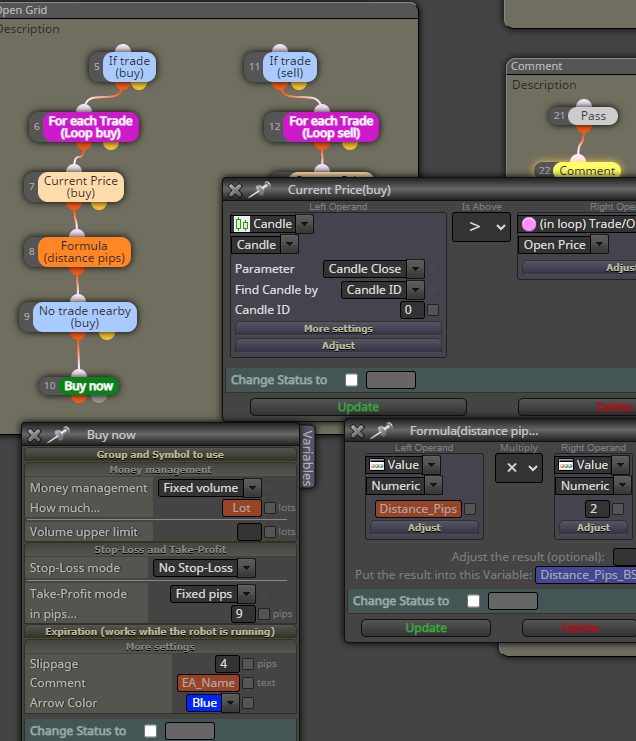
          @jstap Hi, it uses a formula and constant so I can't easily alter that. i think i'll need to build a separate open grid order logic.
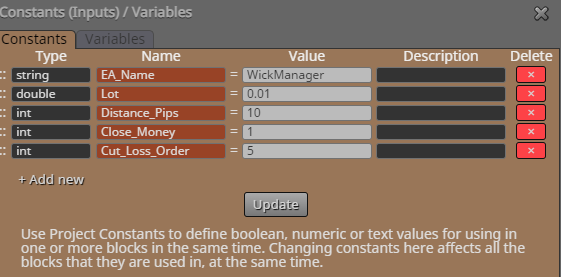
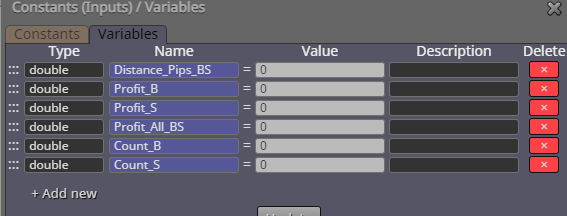
          ec12f7d3-5b76-4025-82df-08f201b182de-image.png

          7384f314-11c5-44be-b009-bcbdc960937a-image.png

          1 Reply Last reply Reply Quote 0
          • B
            bigfoot last edited by

            image.png

            1 Reply Last reply Reply Quote 0
            • jstap
              jstap last edited by

              You can do it separately but instead of right clicking and adding a content/variable write the name instead, like -variable, if you add a shared link everything can be seen without needing pictures

              Learn fxDreema Without the Wait!

              My comprehensive book, available on Amazon, is packed with examples and invaluable insights to help you fast-track your learning journey.

              The paperback and hardback editions include MT4 & MT5 QR codes for easy access to all prebuilt projects and robots, including my latest gold trading robot!

              Don’t miss out

              Click hereāž”ļø https://mybook.to/fxDreema to get your copy today!

              Enjoy! 😊

              B 1 Reply Last reply Reply Quote 0
              • B
                bigfoot @jstap last edited by

                @jstap i struggling to understand where I write that as I have to input a variable?

                I've added a second grid called 2nd Grid opposite which is just copied across from the other one. So using this grid I would switch the logic of the conditions (but his isn't working)

                Sorry this must be really difficult to follow. Basically when a sell is running but not it target a buy is triggered N pips above the sell is what I'm trying to achieve as well as the original "in direction" grid, so sell hits profit reopens another sell.. when it reverses a buy is opened, I guess this is a basic grid?

                https://fxdreema.com/shared/L3gxO0pdd

                1 Reply Last reply Reply Quote 0
                • jstap
                  jstap last edited by

                  To be honest I am not sure of where you want it but you would use it something like this picture:
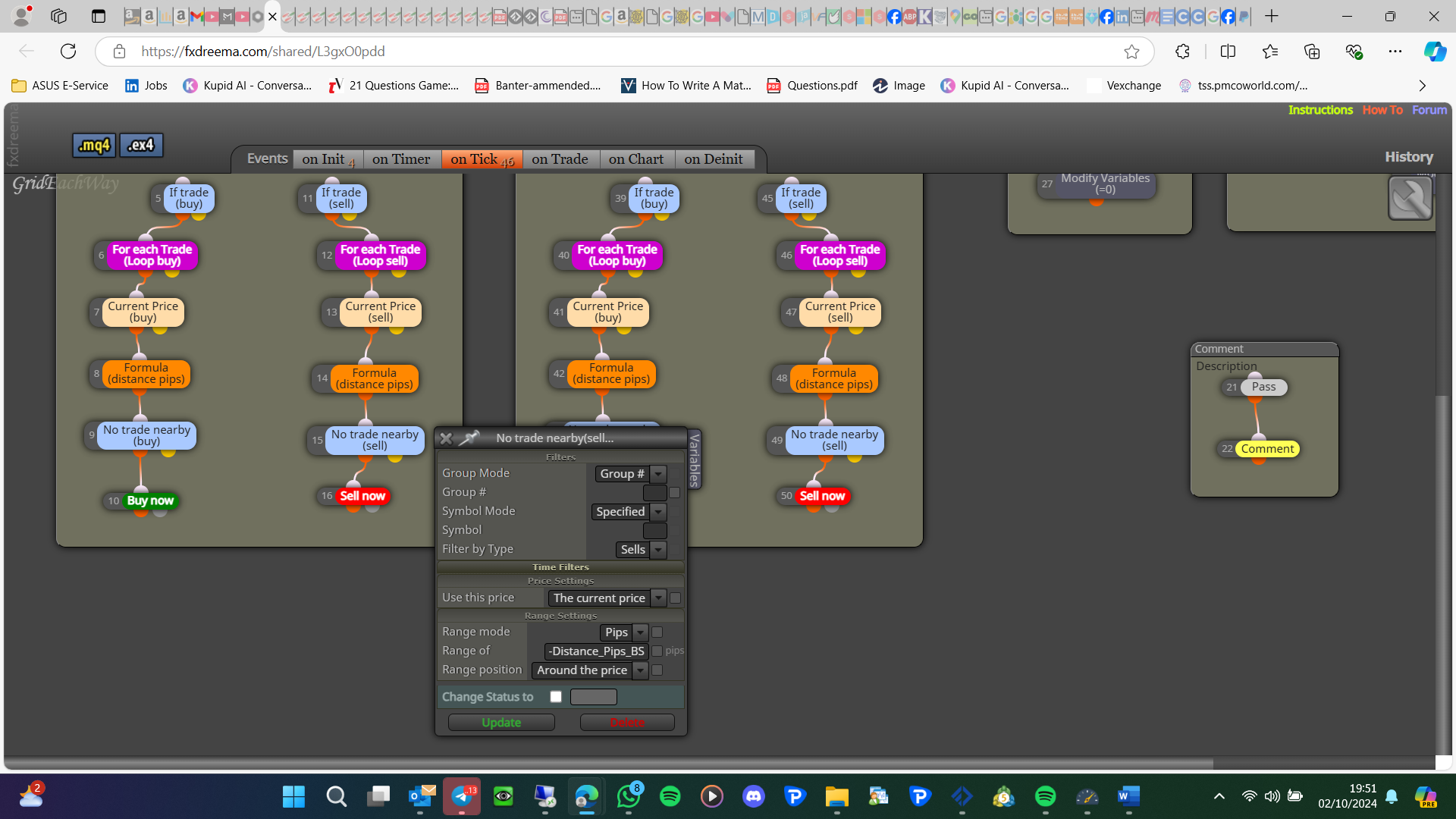
                  image.png

                  Learn fxDreema Without the Wait!

                  My comprehensive book, available on Amazon, is packed with examples and invaluable insights to help you fast-track your learning journey.

                  The paperback and hardback editions include MT4 & MT5 QR codes for easy access to all prebuilt projects and robots, including my latest gold trading robot!

                  Don’t miss out

                  Click hereāž”ļø https://mybook.to/fxDreema to get your copy today!

                  Enjoy! 😊

                  B 1 Reply Last reply Reply Quote 0
                  • B
                    bigfoot @jstap last edited by

                    @jstap Oh I see now thanks!

                    I might be over thinking it. I'll try the "if buy grid and if sell" and swap the buy now sell now it should work...

                    Thanks for the tip, no doubt I'll be back again šŸ™‚

                    jstap 1 Reply Last reply Reply Quote 1
                    • jstap
                      jstap @bigfoot last edited by

                      @bigfoot You are welcomešŸ‘

                      Learn fxDreema Without the Wait!

                      My comprehensive book, available on Amazon, is packed with examples and invaluable insights to help you fast-track your learning journey.

                      The paperback and hardback editions include MT4 & MT5 QR codes for easy access to all prebuilt projects and robots, including my latest gold trading robot!

                      Don’t miss out

                      Click hereāž”ļø https://mybook.to/fxDreema to get your copy today!

                      Enjoy! 😊

                      1 Reply Last reply Reply Quote 0
                      • B
                        bigfoot last edited by

                        I'm trying to add a grid open sell trade beneath a current open sell but it's not working? Using 29 to 30 so it should open sells from n pips away from my current open sell, any ideas, please?

                        https://fxdreema.com/shared/qX5dNdZcc

                        1 Reply Last reply Reply Quote 0
                        • jstap
                          jstap last edited by

                          Do you mean to place a pending trade above or below? What blocks don't seem to be doing as required?

                          Learn fxDreema Without the Wait!

                          My comprehensive book, available on Amazon, is packed with examples and invaluable insights to help you fast-track your learning journey.

                          The paperback and hardback editions include MT4 & MT5 QR codes for easy access to all prebuilt projects and robots, including my latest gold trading robot!

                          Don’t miss out

                          Click hereāž”ļø https://mybook.to/fxDreema to get your copy today!

                          Enjoy! 😊

                          1 Reply Last reply Reply Quote 0
                          • B
                            bigfoot last edited by

                            Blocks 29 to 34 should open sell orders below the 1st sell trade. I've not used pending orders, just open order when n pips away from current open sell.

                            1 Reply Last reply Reply Quote 0
                            • jstap
                              jstap last edited by

                              It is on the on trade tab, move it to the on tick tab

                              Learn fxDreema Without the Wait!

                              My comprehensive book, available on Amazon, is packed with examples and invaluable insights to help you fast-track your learning journey.

                              The paperback and hardback editions include MT4 & MT5 QR codes for easy access to all prebuilt projects and robots, including my latest gold trading robot!

                              Don’t miss out

                              Click hereāž”ļø https://mybook.to/fxDreema to get your copy today!

                              Enjoy! 😊

                              B 1 Reply Last reply Reply Quote 0
                              • B
                                bigfoot @jstap last edited by

                                @jstap Thank you I'll give it a try šŸ™‚

                                1 Reply Last reply Reply Quote 0
                                • B
                                  bigfoot last edited by

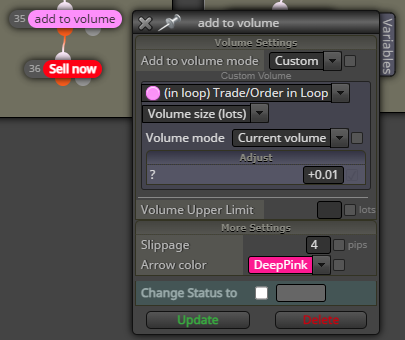
                                  I need to increase volume x a selected constant, so each running trade increase buy that constant for example 0.01+ Constant = 0.02 next trade would be 0.02+contstant = 0.03 and so on. I've trade adding to volume block but it opens an additional order which is not required.

                                  The buy/ sell will be coming from blocks 43 and 51
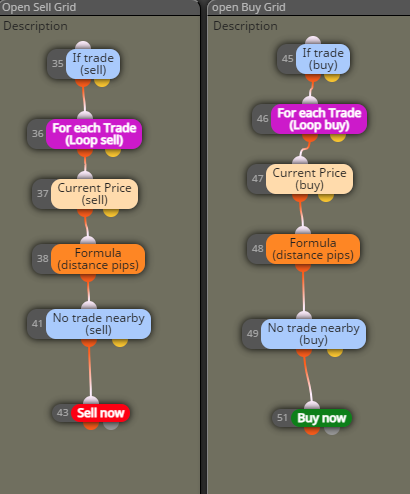
                                  image.png

                                  Shared link:

                                  https://fxdreema.com/shared/jyaciblRd

                                  1 Reply Last reply Reply Quote 0
                                  • l'andorrĆ 
                                    l'andorrĆ  last edited by

                                    You should remove blocks 35 and 45. They are redundant. Then move blocks 41 and 49 to those positions on top. Otherwise your variables will be modified avery single tick. That's why values don't match your expectations.

                                    (English) I will try to help everyone in these fxDreema forums. But if you want to learn how to use the platform in depth or more quickly, I can help you with my introductory fxDreema course in English at https://www.theandorraninvestor.eu.

                                    (CatalĆ ) MirarĆ© d’ajudar tothom en aquests fòrums d’fxDreema. Tanmateix, si vols aprendre a fer servir la plataforma amb mĆ©s profunditat o mĆ©s de pressa, t’hi puc ajudar amb el meu curs d’introducció a fxDeema en catalĆ  a https://www.theandorraninvestor.eu/ca.

                                    (Español) Intentaré ayudar a todo el mundo en estos foros de fxDreema. Sin embargo, si quieres aprender a usar la plataforma en profundidad o mÔs deprisa, te puedo ayudar con mi curso de introducción a fxDreema en español en https://www.theandorraninvestor.eu/es.

                                    B 1 Reply Last reply Reply Quote 0
                                    • B
                                      bigfoot @l'andorrĆ  last edited by

                                      @l-andorrĆ  Hi great thank you for the advice, I will give it a try šŸ‘

                                      1 Reply Last reply Reply Quote 0
                                      • B
                                        bigfoot last edited by

                                        I've tried this and it has cleared up some of the code however I still get increasing lot size on the next trade, I have tried a formula to get the on chart volume (not ideal as I only want buy or sell volume) and put that value into a constant + starting value lot using blocks 34, 35 and 41, 42 but still getting same size opening lot volume?

                                        https://fxdreema.com/shared/7Az475npc

                                        1 Reply Last reply Reply Quote 0
                                        • B
                                          bigfoot last edited by

                                          I think I've figured this out:

                                          image.png

                                          One question though? How can you put a + constant in the box instead of a number?

                                          B 1 Reply Last reply Reply Quote 0
                                          • B
                                            bigfoot @bigfoot last edited by

                                            @bigfoot Actually this isn't working as I thought. It just placing an extra trade with the actual trade. Back to the drawing board!

                                            1 Reply Last reply Reply Quote 0
                                            • 1
                                            • 2
                                            • 1 / 2
                                            • First post
                                              Last post

                                            Online Users

                                            F
                                            A
                                            H
                                            A
                                            S
                                            M

                                            13
                                            Online

                                            146.7k
                                            Users

                                            22.4k
                                            Topics

                                            122.6k
                                            Posts

                                            Powered by NodeBB Forums | Contributors