Missing block on next day
-
Hello,
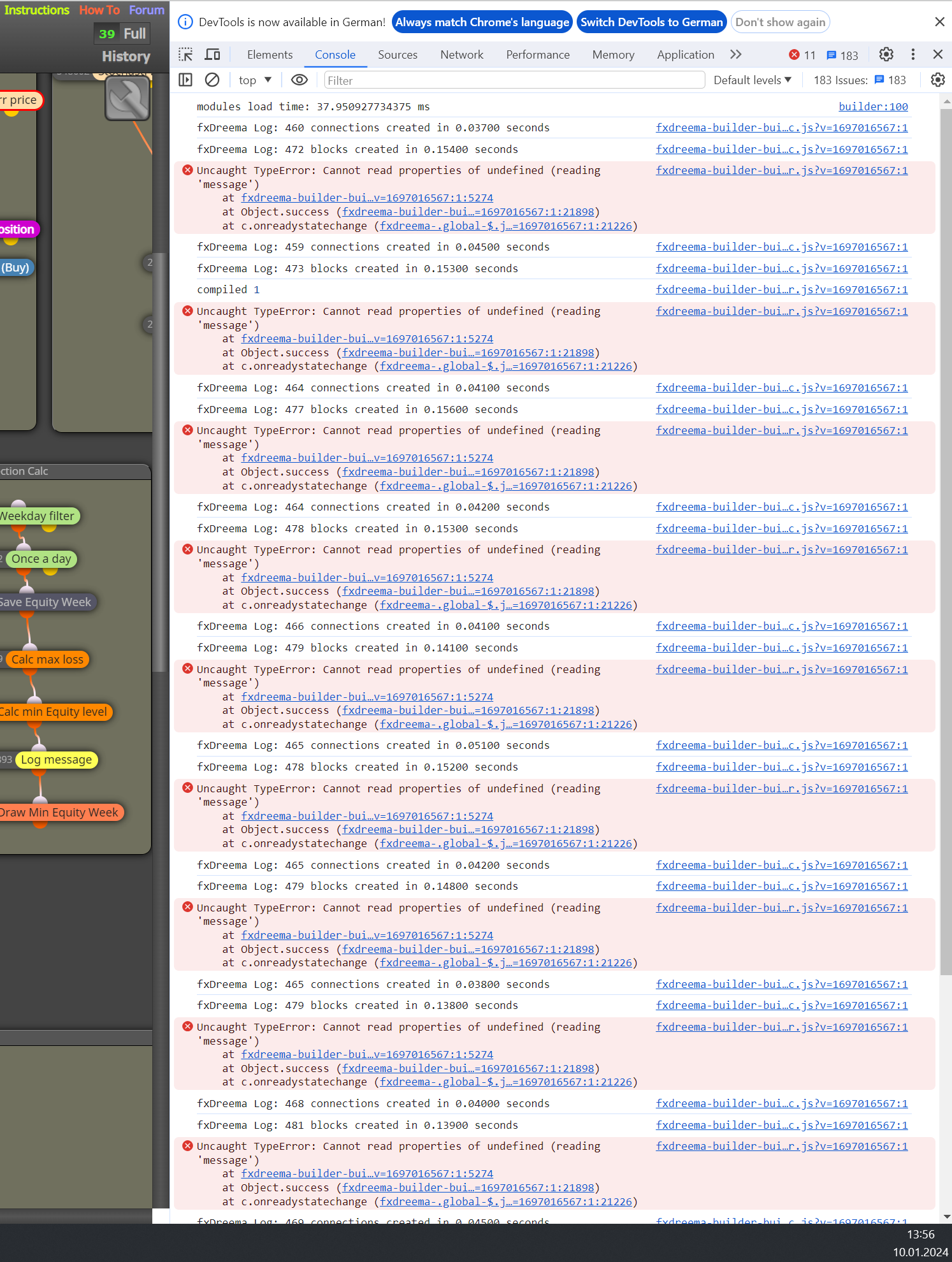
after opening the browser today two areas with multiple blocks are missing in my project. Using of history will not bring back the blocks. So I tried to delete de referring constants, but that is not possible, because I get the message, that there is a block using this var. I have searched in the browser on all tabs for the block numer and the browser shows one result, but there isn't this block visible.
Could it be, that there has been blocks hide?
I have seen often in the past after deleting a block, that I was still not able to delete in this block used constants. So it looks like that there a reference table will be not updated correctly.
Compiling will not solve the problem so far.
Thanks for any help in advance.
Robert
-
Share your project, normally only things that are there cause errors (occasionally you will be better off restarting the project).
-
@fisfro
Recently I also have similar problem that undo by history don't work, as well as some glitch in modifying or deleting block.Try export to mql4/mql5, then import it back. This may help in some occasion. (I suspect it is some kind of file corruption/bug problem in server side)
-
@fisfro what do you mean with restarting the project? Do you mean to start from beginning?
-
@fisfro Yes, you can use a process of elimination to find fault, sometimes it is quicker to start again.
-
I’m running into the same problem with exporting my projects. I used to be able to export the ex4 files, but now I’m getting an error about ‘PERIOD_CURRENT’ being undefined with some of my previous projects. I even tried exporting around 10 older versions of an EA from a year to a few weeks ago, which worked before, and I’m having the same issue with those too having the exact same error. It’s like something changed recently. I can’t even export the EA that I successfully exported last night. I also tried checking the history, but no luck there either. I attempted to export the mql4 and re-export it, but that didn’t work either. By the way, I attempted to remove 10 blocks at each time to locate the problematic block. After narrowing it down and finding the problematic block, I deleted it, but when I undelete the other blocks to export again, I encountered the same error. It’s strange because no matter which block I delete, the issue seems to move to another block. Weird, right? I’ve been using fxdreema for about 5 years, almost every day for around 12 hours, so I’m pretty familiar with it. Any ideas on what could be causing this?
-
I will see here a lot of errors in the web app in the console- so I think the problem is not on my side
-
Add a shared link to look at, I have used FX for years, and use it daily but I do not get errors like this.
-
@fisfro
Please don't get me wrong, but I'm not that excited about sharing my project in this case, which has already consumed hundreds of hours of development. In this case, sharing won't be of much helpfull except you know the source code and can interpret the console errors correctly. And I think I'm confident that I can search for a block id on three tabs. If I need help with that, I can quit my job as a programmer....
I've also noticed in other projects that some variables that were referenced in deleted blocks cannot be deleted and it looks like I'm not the only one here in the forum who has problems with this. Otherwise there wouldn't be any tips like creating a new project or exporting and importing etc. here .
Also I think nearly nobody here can explain, why my project is missing blocks next morning when there is no delete-action for these blocks in history . So sharing of project will also not help for solving this problem I think.For the missing blocks I have one idea for a problem on my side:
Working on two computers , on one i add the blocks and on the second I started changes without refresh of the Chrome tabs. Usually I would expect an error message, that I would try to change an old version. But maybe there is no error msg. I will check that...Anyway thanks for your support.
-
@fisfro
Be careful when 2 PC working on the same project. I used to do this and ran into strange error -
The choice is yours, the chances of your project being different to what has been seen before are very low. I was trying to help other wise create each section separately and try to replicate the problem.
-
@jstap
thanky you very much for your help- I have just checked again. I cant delete vars which are not referenced anymore.
The search for the block id's will also show no result. So I guess the App will have a internal reference update problem. I guess the project has gone corrupt, which is not very funny.....Anyway- think positive....
-
I still need to see the project, if you are that worried about others seeing it, you an PM it to me