How to set Flag to true/false after consecutive losses?
-
Hi there,
I'm trying to "Set Flag" to FALSE or to TRUE depending on which "Group" made consecutive losses. I thought it will be easy, but I can't figure it out
I have created an example:
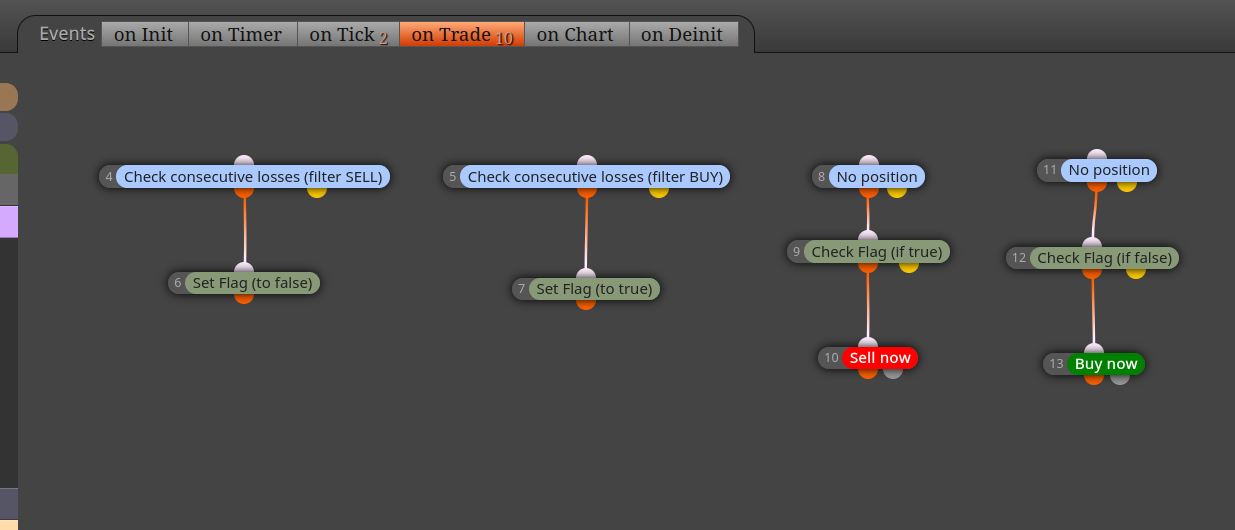
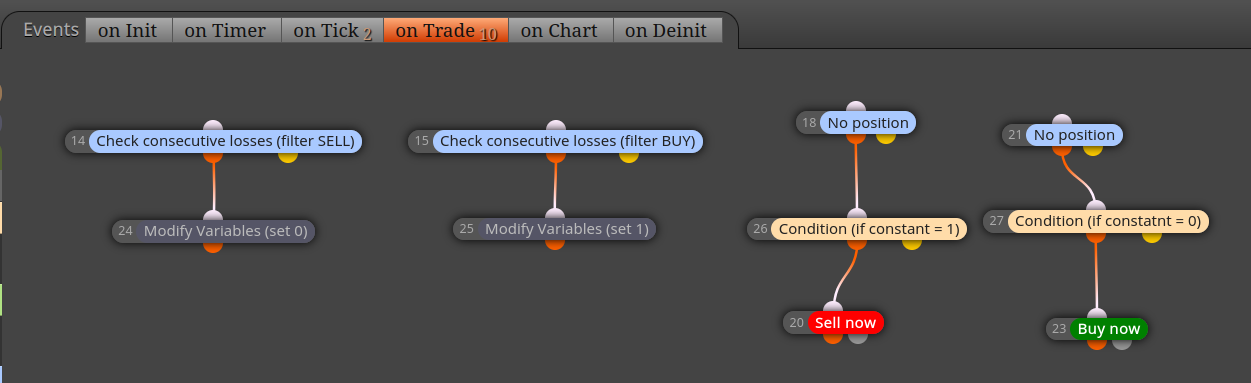
Project link: https://fxdreema.com/shared/DPKkMvWxcIn this example if SELL orders closes with loss - it should set flag to FALSE and BUY position should open.
And vice versa, if BUY closes with loss - it should set flag to TRUE and SELL position should be opened.But in my tests Flag is not updated event for this simple robot.
Could anybody advise what I'm doing wrong? -
Use a bool constant instead of a flag, you can then put this into a comment and if it changes.
-
Tried to use "modify variables" and use Constants instead, but results are the same - Constants are still not updated.
Can it be that "Consecutive losses" blocks should be modified, because it seems they are not triggered (specifically 14 block seems not to be triggered)?
-
This should be a variable not a constant, and how do you know what the value is?
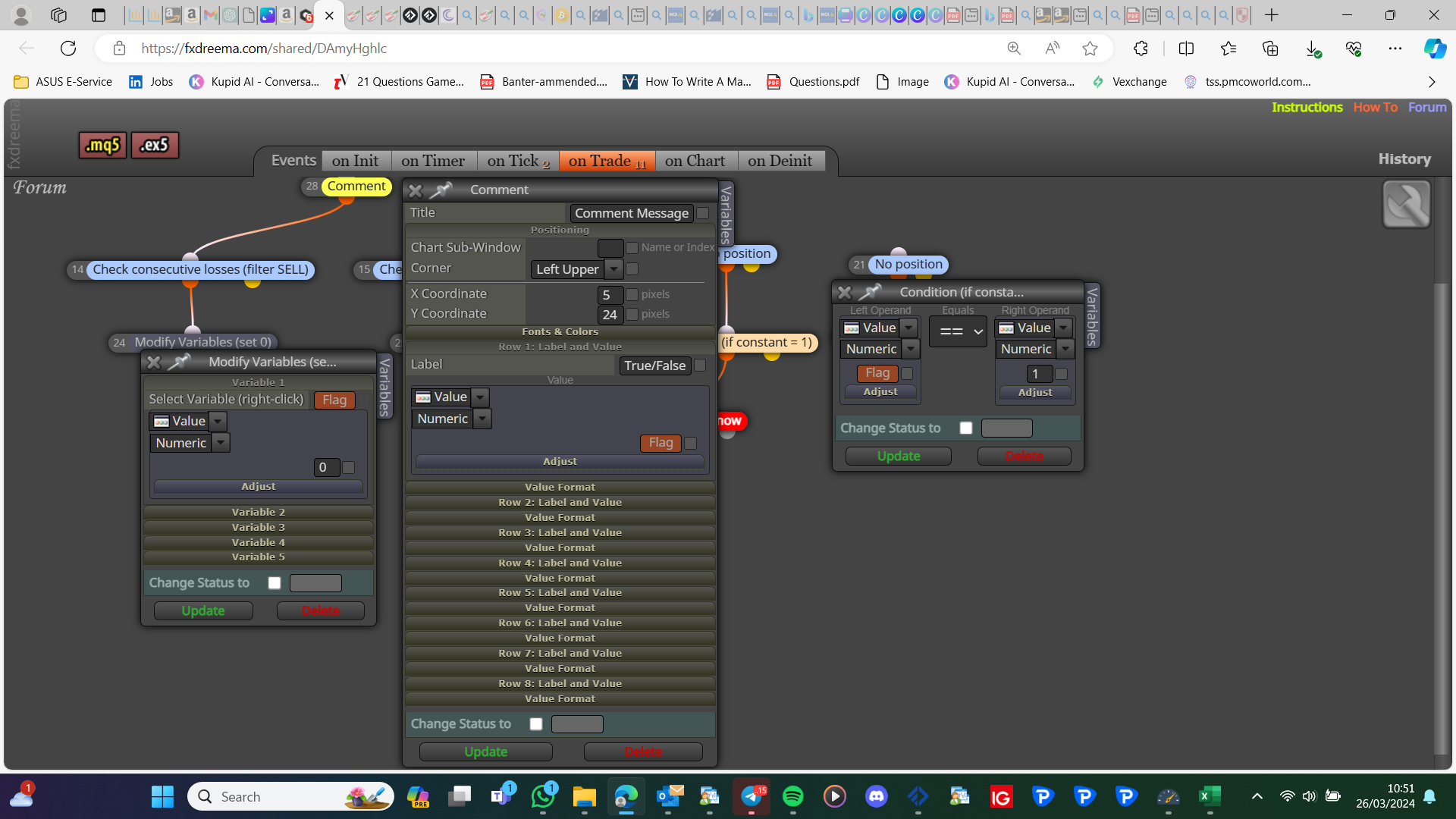
-
Thanks for your time to answer.
Unfortunately.
I have tried variables also and result is the same. Consecutive block is not updating it.how do you know what the value is?
I see that it creates just SELL orders, which means that FLAG variable always stays the same (if it helps here is a link with variables instead of constants: https://fxdreema.com/shared/fm1emww6b)
Normally I would add Comment inside Order settings to see how that order was created, though good idea with Comment block to visualise it on chart.But still, consequence block somehow is still not triggered.
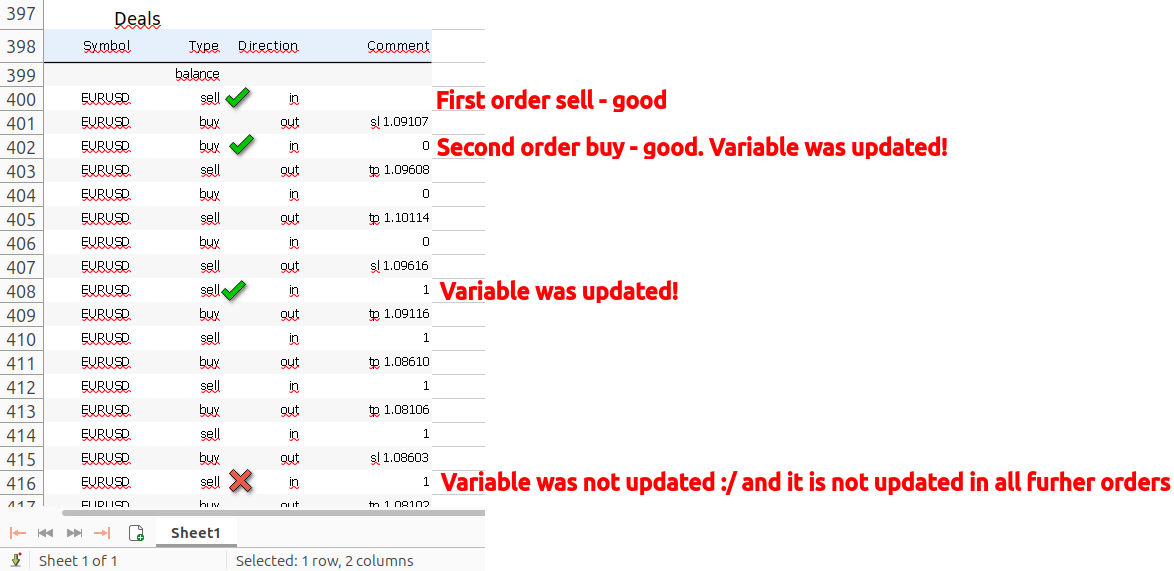
To be fair - variable is updated two times (15th block runs once and 14th block runs once) but after that variable is not updated any more. It was the same with FLAGS and with Constants.Any other ideas what could be wrong with my precious and a lot of nerves consuming robot : D ?
-
Create a comment so you can see the result
-
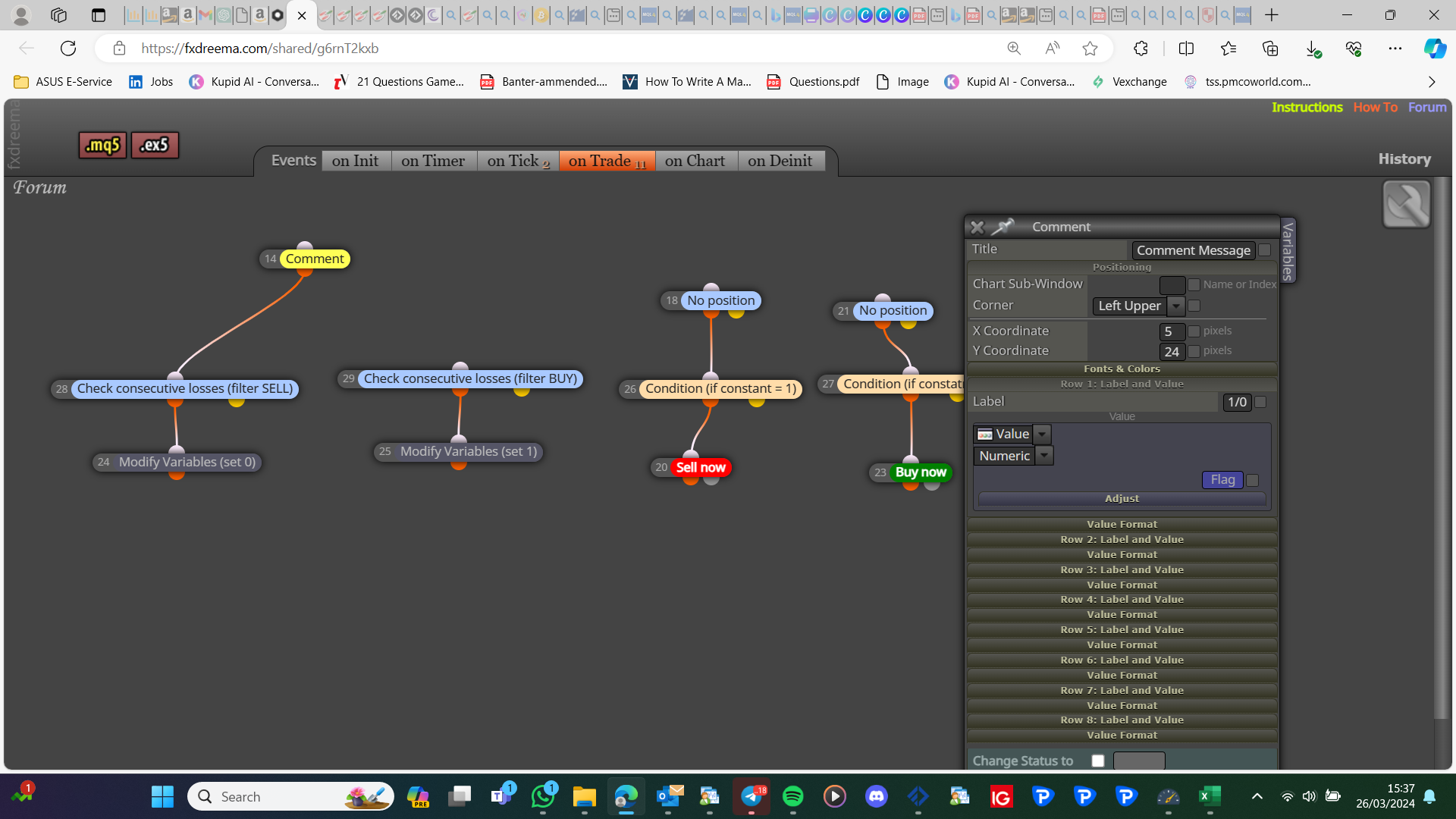
Created it. Tried to run a backtest, but it is not printing anything on chart.
https://fxdreema.com/shared/g6rnT2kxbOr you have something else in mind?
-
You do not need 2 comments, this is why I showed it above as 1, this will show you what is happening. This is not ideas, it is a proven and tested way to do things
-
Sure. I've updated and there is just one comment now https://fxdreema.com/shared/skrwkXjFb
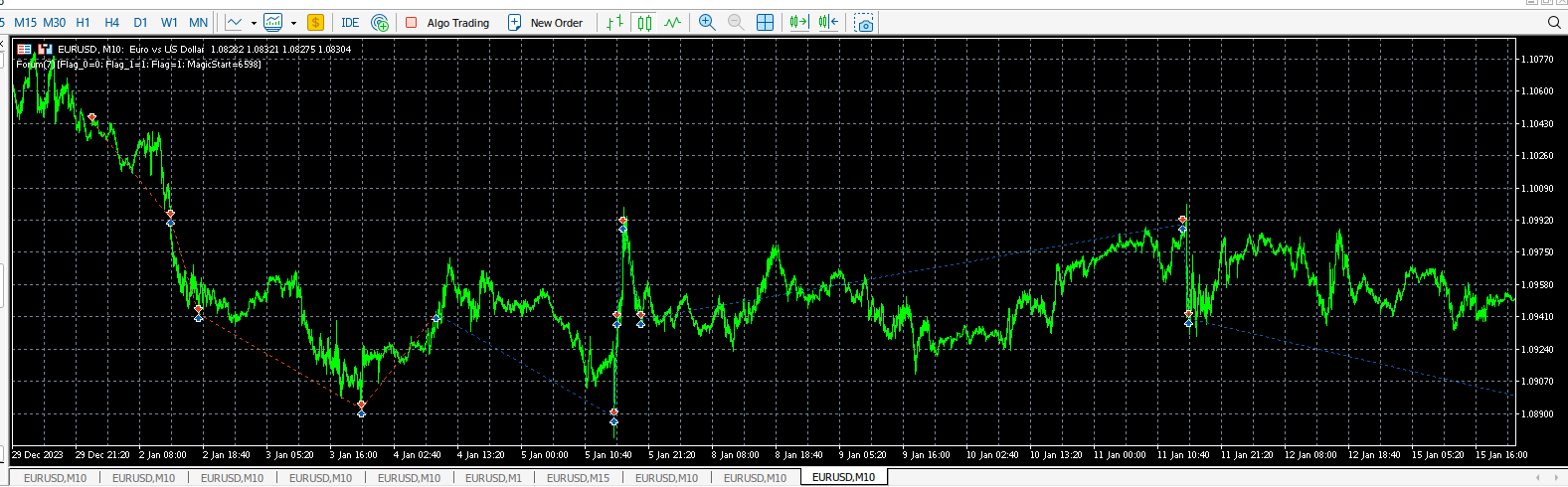
When backtesting still don't see it on chart
-
Move everything that's on chart onto on tick, on chart only works on live/demo, and only on tick works on backtest
-
Moved the comment block.
From it I see that my variable changes once and then it's not changing any more.I also tried to print on chart my variables every time variable is updated, but basically the result was the same - variable is updated just once.
Not sure how to troubleshoot it further
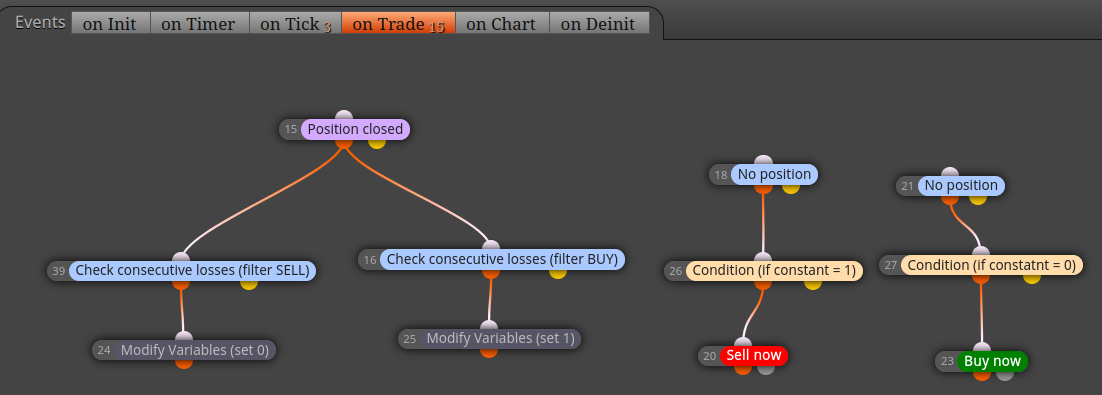
On trade
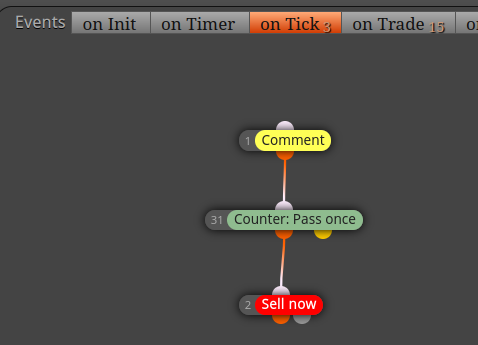
On tick
-
Move your no position trees to on tick, then if not working, add your latest shared link
-
Still the same result
Here it is: https://fxdreema.com/shared/BJdjOClC -
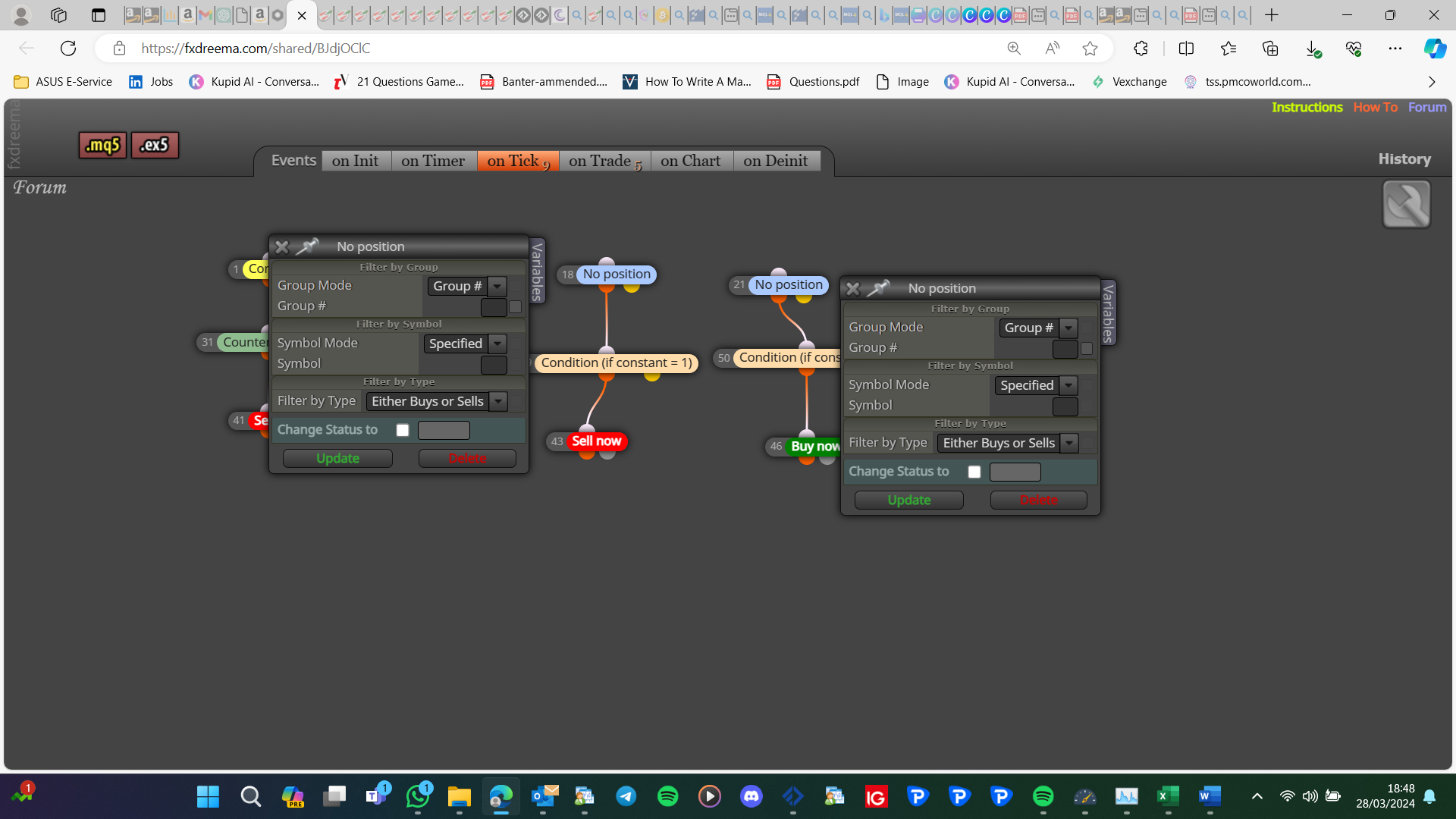
Shouldn't these be set to sell and buy?
-
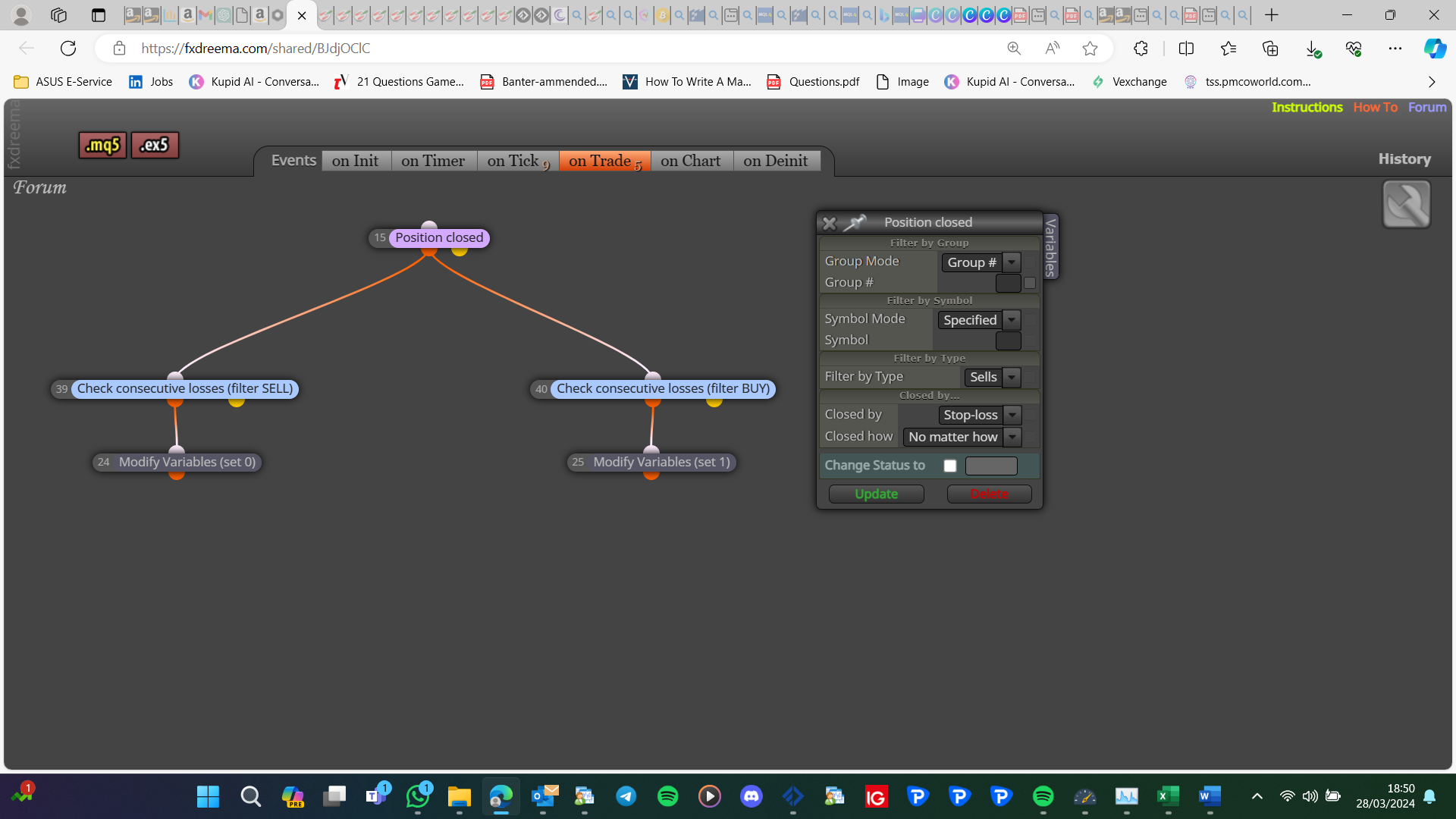
Shouldn't this be set to buys&sells?
-
"No position" blocks (18 and 21) I think shouldn't be updated. I tried it, but somehow then both orders are opened at once every time the variable is updated.
Position closed block - I have updated it. Sorry for missing it.And I got "interesting" results. It's very close, but something missing.
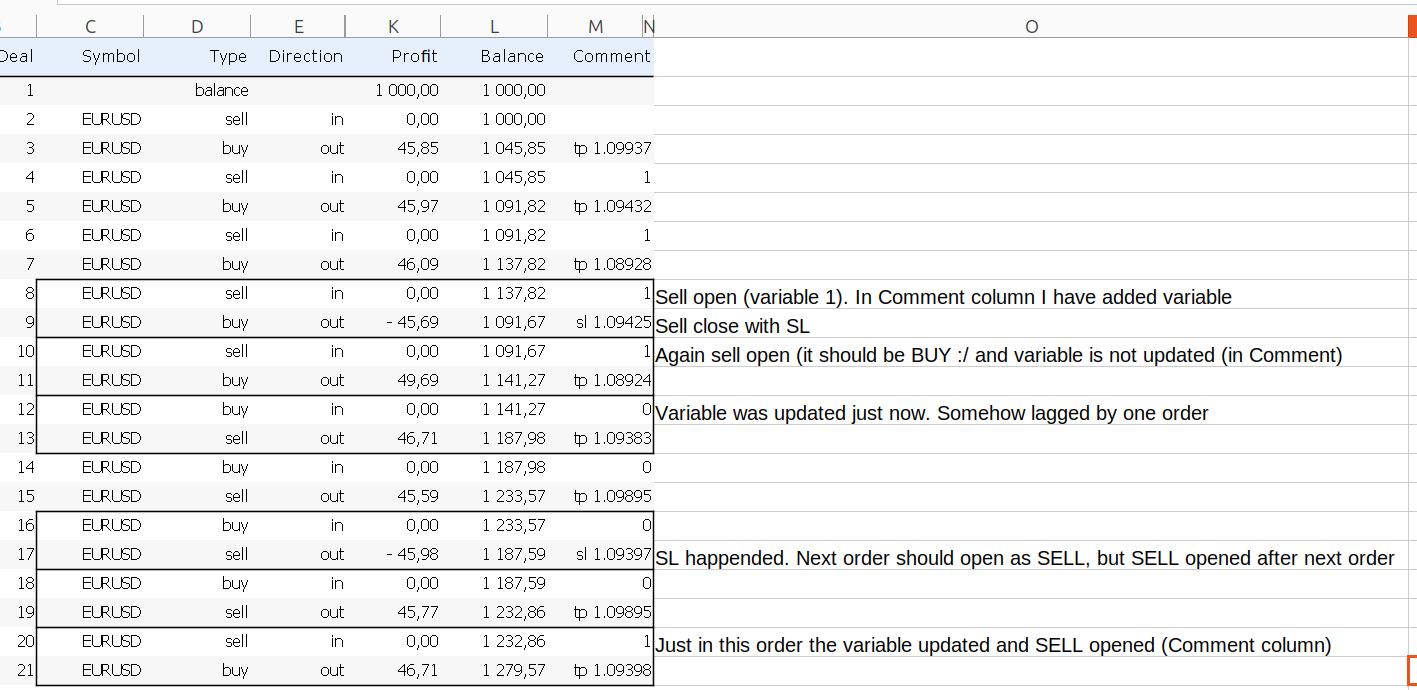
The variable is updated (yey), but the update is lagging by one order.Tried to update sequence of blocks, tried to put everything in on Tick, and tried to put just position closed tree on tick - nothing worked. It is as close as never was, but still something missing
-
No position blocks only pass if there is no position. I think you need to start this again. on tick tab place buy or sell under a no position block, on trade tab buy position closed-sell, sell position closed-buy. 3 trees total 1 on tick, 2 on trade
-
Here is the version with your suggestions: https://fxdreema.com/shared/7juuaLhOd
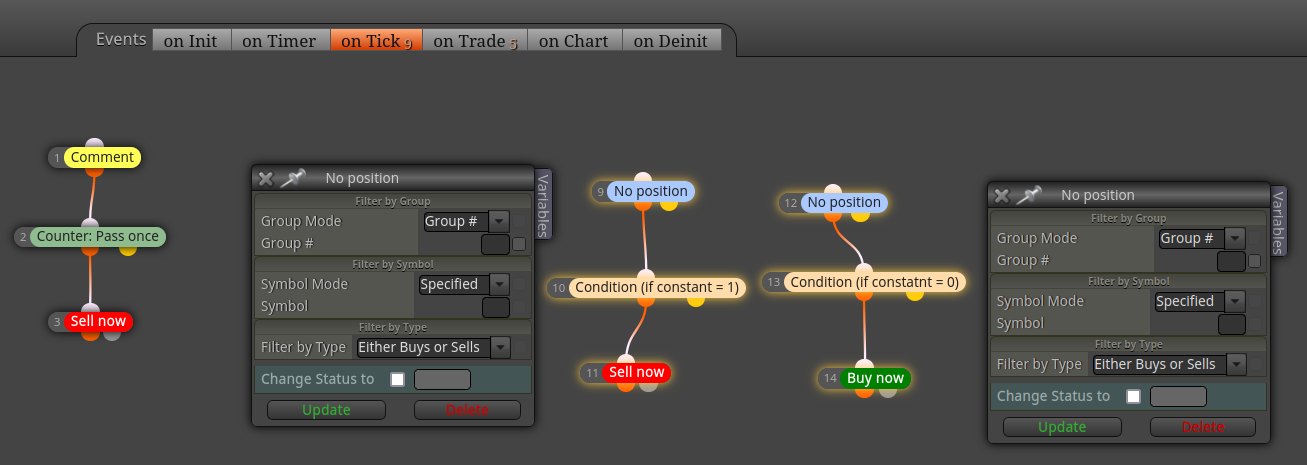
I just left No Position blocks to filter Either Buy Or Sell, because otherwise it is opening both orders at once.The only issue left with this EA is shown in excel screenshot in previous comment.
When I was looking visually into backtest, it seems that things happen in this sequence:- Order closed with SL
- New order opened with old variable (though it should be opened as according new variable)
- Right after 2nd step (milliseconds pass) the variable is updated
- Next order is opened according new variable
-
Hi, just wonder is there anything else left to try in this path, or I need to go in total other way if I want to achieve what I'm seeking for?
-
This is what I meant: https://fxdreema.com/shared/Ys0Kwkpac