Multiple Charts, ONE EA...merging values!!!
-
Hi...
I've been trying to use my created EA on multiple charts using drag and drop. I would like to set individual settings for each pair (chart)
I've tried changing the magic numbers, trade entries get merged.
I've tried using the Set "Current Market for next blocks...after my no trade block, results get merged.
I've then used a use input for set current market for next blocks and used individual pair input for each chart (example typing EURUSD for that setting for that pair) and assigning different magic numbers.... results get merged.
Is there no conquering what should be something so simple!!!

-
Wow! que interesante esta este tema...
-
@DragonZueloTrends Es un problema constante que enfrentan muchas personas.
-
Precisamente por eso me llama la atension y al igual que tu me interesa mucho ver cuales son las posibles soluciones que daran los mas experimentads de este foro
-
I am not sure what you are saying, add a shared link to look at, generally blocks set to symbol will only allow EA to work with the asset of the chart it's on.
Learn fxDreema Without the Wait!
My comprehensive book, available on Amazon, is packed with examples and invaluable insights to help you fast-track your learning journey.
The paperback and hardback editions include MT4 & MT5 QR codes for easy access to all prebuilt projects and robots, including my latest gold trading robot!
Don’t miss out
Click here➡️ https://mybook.to/fxDreema to get your copy today!
Enjoy! 😊
-
@jstap I've taken the time to explain my problem in detail yet your not sure what I'm saying. Not good lol.
What I'm saying, in a very basic way for you to understand is that I want to use my EA on multiple charts. Trades open with mixed calculations. I hope this is simple enough for you to understand
-
-
@DragonZueloTrends Parece que una solución fácil es crear asesores expertos individuales para cada par. Es un proceso tan largo y, aun así, existe la posibilidad de que los cálculos se fusionen.
-
@jstap basically, one EA to be used on multiple charts (EURUSD, GBPJPY etc) but the calculations get merged and trades do not open at the right entry values (sorry if I came across aggressive in my previous replies)
-
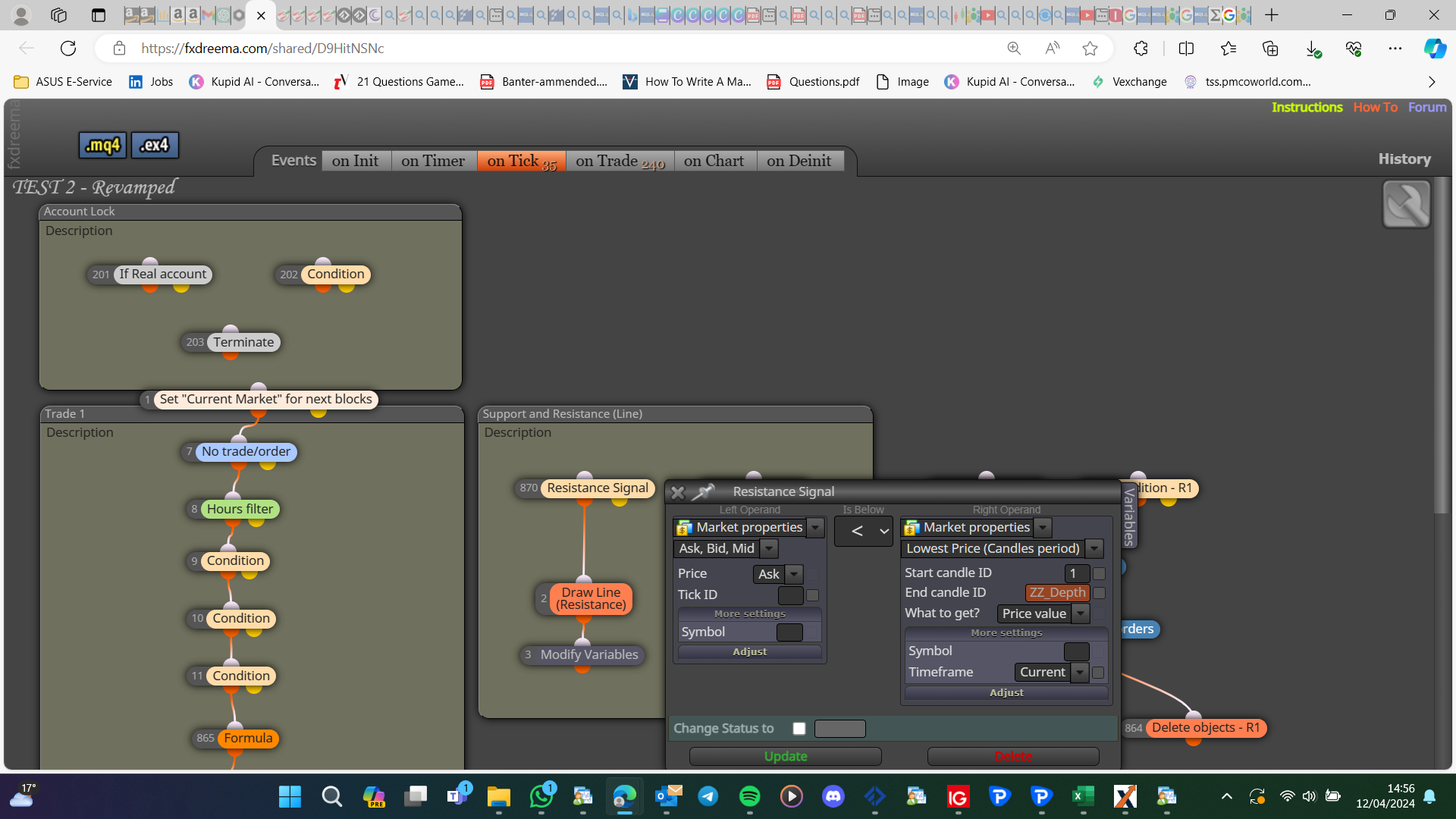
I don't personally use the set market for next blocks, and I would get this working on a single chart first, then add the set next market. As it is your variables are not changed by the set market block (this is one reason I add the same EA to separate charts), to use the set market you need to put the modify tree into the buy/sell tree, so before these values are used they are changed to the relevant value.
Most blocks use the current symbol as standard:
Learn fxDreema Without the Wait!
My comprehensive book, available on Amazon, is packed with examples and invaluable insights to help you fast-track your learning journey.
The paperback and hardback editions include MT4 & MT5 QR codes for easy access to all prebuilt projects and robots, including my latest gold trading robot!
Don’t miss out
Click here➡️ https://mybook.to/fxDreema to get your copy today!
Enjoy! 😊
-
@jstap so according to your explanation (do forgive me if I've misunderstood)...
By placing the set market block before the initial orders (buy pending and sell pending blocks) instead of before the "no trade" then the issue should be theoretically resolved?
-
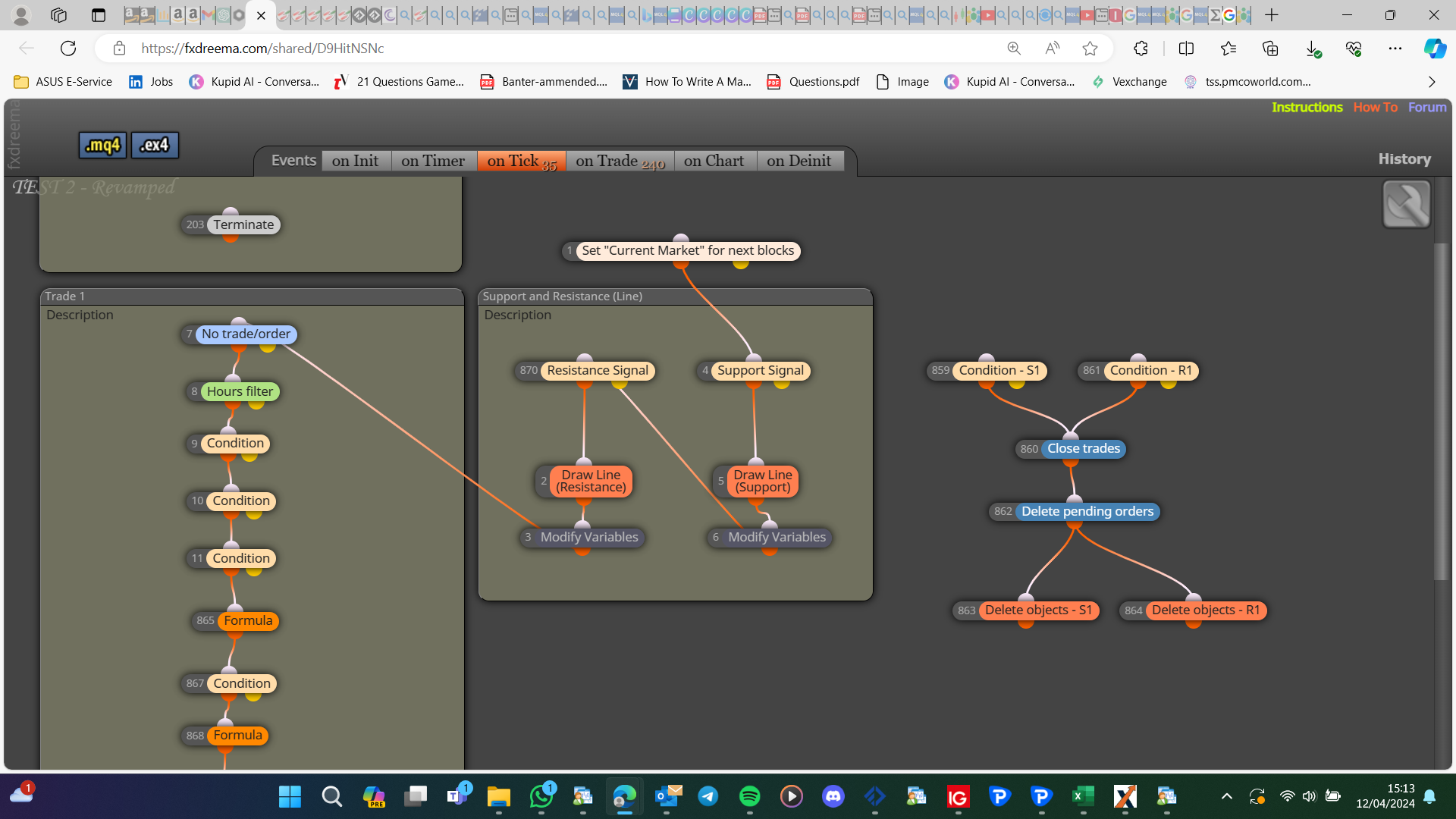
Set the values before using, close will also have a similar problem:
Learn fxDreema Without the Wait!
My comprehensive book, available on Amazon, is packed with examples and invaluable insights to help you fast-track your learning journey.
The paperback and hardback editions include MT4 & MT5 QR codes for easy access to all prebuilt projects and robots, including my latest gold trading robot!
Don’t miss out
Click here➡️ https://mybook.to/fxDreema to get your copy today!
Enjoy! 😊
-
@jstap ahhh! I think I understand. Thank you very much!
I shall try this later (when I have access to my PC) and give an update.
-
@jstap made the relevant changes and got it plugged in but unfortunately cannot test (market closed)...
Will test out as per Monday post the outcome (thanks again)
-
@jstap I've decided to make the relevant changes as per your suggestions. Later orders for other pairs (apart from the first order) are still opening at wrong values....
I've tired re-routing the "Set Market Block" in several different ways to pick up the initial tick but still no luck.
-
Add your latest link
Learn fxDreema Without the Wait!
My comprehensive book, available on Amazon, is packed with examples and invaluable insights to help you fast-track your learning journey.
The paperback and hardback editions include MT4 & MT5 QR codes for easy access to all prebuilt projects and robots, including my latest gold trading robot!
Don’t miss out
Click here➡️ https://mybook.to/fxDreema to get your copy today!
Enjoy! 😊
-
@jstap https://fxdreema.com/shared/hbp0uTETc
The EA opens trades and closes them for all pairs...but their opening positions (entry values) are totally wrong
-
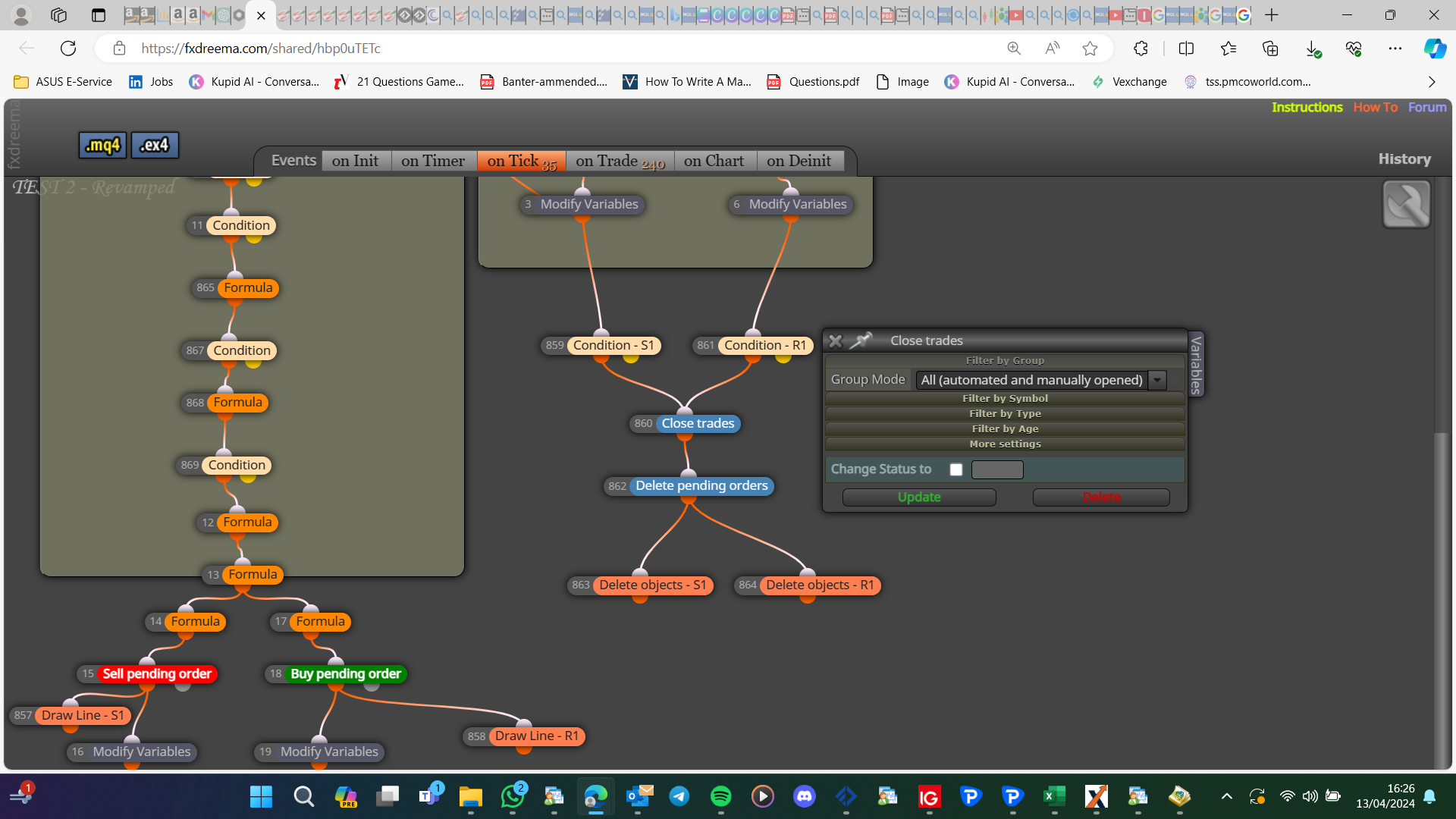
I do not know if changing for closer works, typicily these blocks go on tick for a constant symbol. Having all in close will eliminate this:
Learn fxDreema Without the Wait!
My comprehensive book, available on Amazon, is packed with examples and invaluable insights to help you fast-track your learning journey.
The paperback and hardback editions include MT4 & MT5 QR codes for easy access to all prebuilt projects and robots, including my latest gold trading robot!
Don’t miss out
Click here➡️ https://mybook.to/fxDreema to get your copy today!
Enjoy! 😊
-
@jstap my friend the closing bit I'm not too worried about...
My main concern is having an EA where it opens the pairs (that EA is dragged and dropped to) at it's correct calculation (position) and not some miscalculated figure

When I do single chats, regardless of the pair it's opening at the correct figure.
When I put multiple pairs the first pair is correct but all other pairs open at some bogus figure.
-
Possibly not running threw blocks and, relying on time could be a problem, to get things working as I want I would set this up on a small project, just doing a few pairs, then expand to cover more.
Learn fxDreema Without the Wait!
My comprehensive book, available on Amazon, is packed with examples and invaluable insights to help you fast-track your learning journey.
The paperback and hardback editions include MT4 & MT5 QR codes for easy access to all prebuilt projects and robots, including my latest gold trading robot!
Don’t miss out
Click here➡️ https://mybook.to/fxDreema to get your copy today!
Enjoy! 😊


