Strategy Tester Error
-
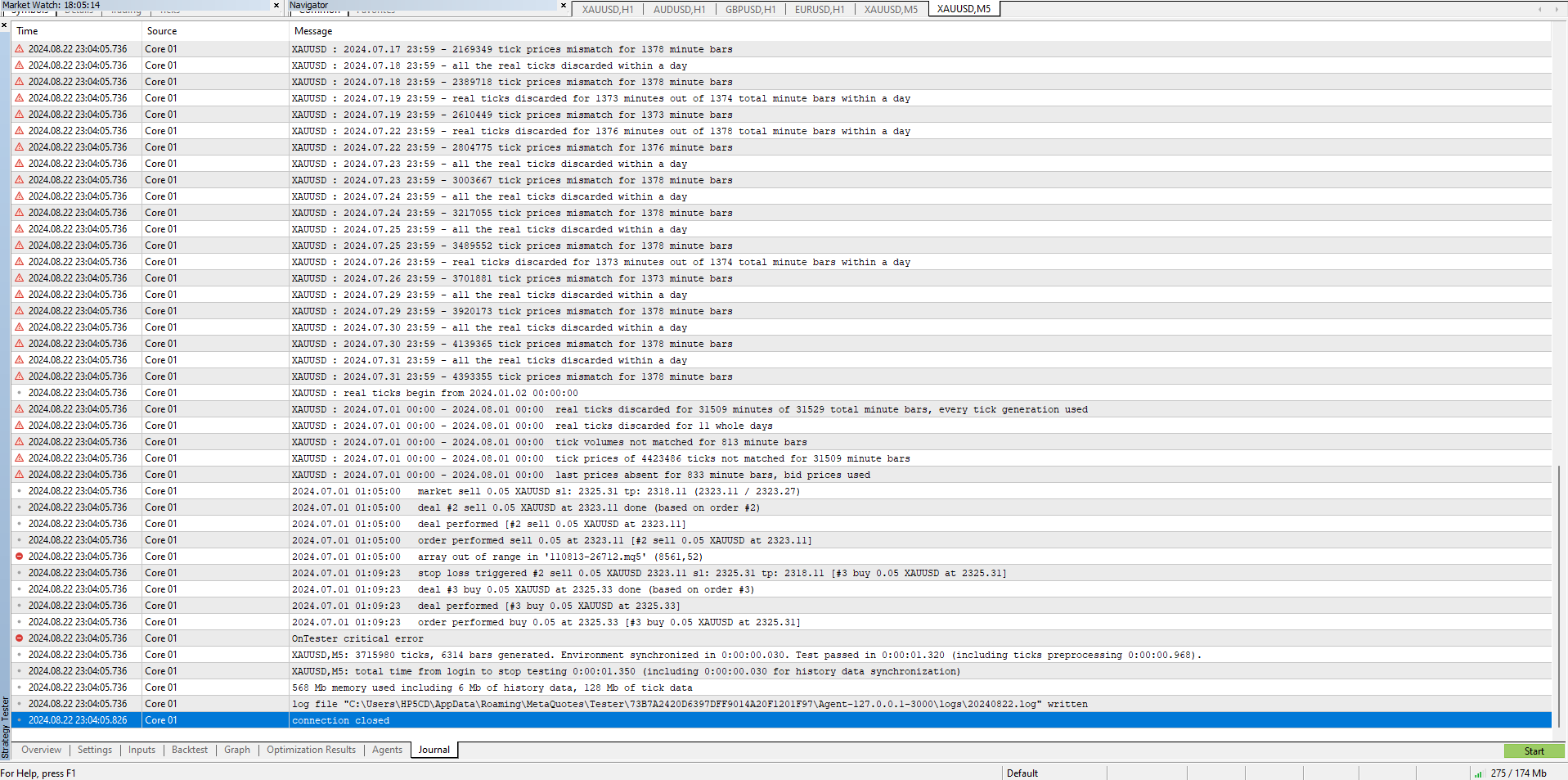
Hi guys, how to solve this error? I have tried different period, different pair and EA but still having same problem. Customer service just said they don't have data during 23:59 - 00:01. I have tested few times before with same period and same EA but suddenly popped out this error but until now I still can't solve this. Pls help🥲
-
I don't think this is an EA problem, I think from what you say your broker doesn't have the data, maybe try another broker and see if this resolves the problem
-
Before this error appeared, i used same settings to test the EA at least 10 times so I also believe that not my EA problem. I have tried another platform but it could not run the EA as the script too long ( my script around 3700 lines)
-
FX code does contain a lot of a lot of unused lines that's not used in your project, but this should work with all brokers.
-
2024.08.23 21:57:49.849 Core 01 2024.08.01 03:00:00 array out of range in '110813-14855.mq5' (8426,52)
I saw this error
and the line is this:
double EventValueProfit() {return eventValues[eventValuesQueueIndex].profit;}Complete part:
double EventValueCommission() {return eventValues[eventValuesQueueIndex].commission;}
double EventValuePriceOpen() {return eventValues[eventValuesQueueIndex].priceOpen;}
double EventValuePriceClose() {return eventValues[eventValuesQueueIndex].priceClose;}
double EventValueProfit() {return eventValues[eventValuesQueueIndex].profit;}
double EventValueStopLoss() {return eventValues[eventValuesQueueIndex].stopLoss;}
double EventValueSwap() {return eventValues[eventValuesQueueIndex].swap;}
double EventValueTakeProfit() {return eventValues[eventValuesQueueIndex].takeProfit;}
double EventValueVolume() {return eventValues[eventValuesQueueIndex].volume;}string EventValueComment() {return eventValues[eventValuesQueueIndex].comment;} string EventValueSymbol() {return eventValues[eventValuesQueueIndex].symbol;}};
Is my code got problem?
-
https://fxdreema.com/shared/yJxuBSrLc
can refer to this too
if any error pls let me know so I can improve it
-
The yellow no position is if position so the multiple blocks are pointless. The purple on trade (event data) in your condition can only work on the on trade tab:
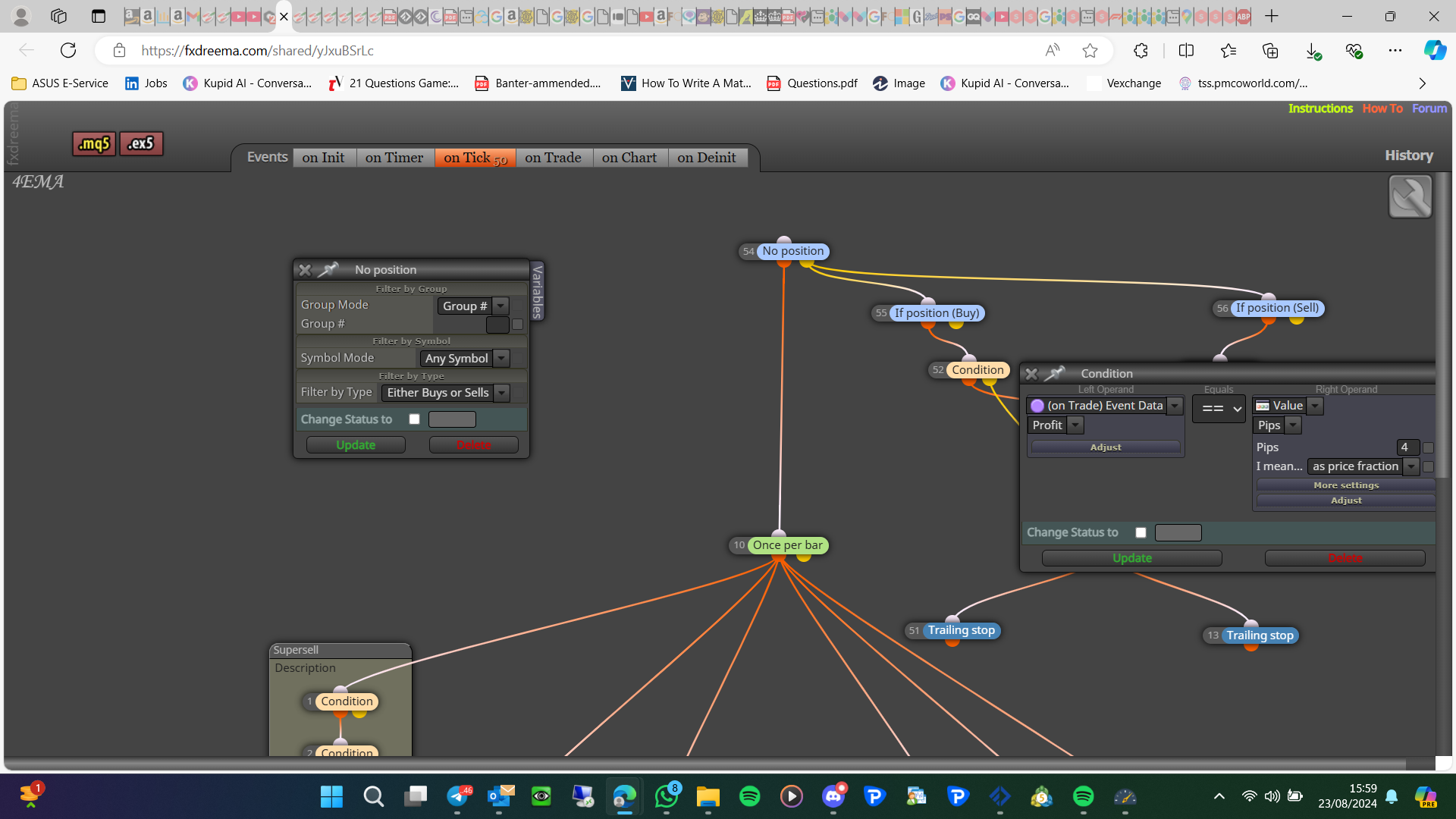
Once per bar is normally better underneath conditions, if 1 is false for a second the once per bar will stop EA from working until the next candle. -
How should I arrange the modify stop loss for first level of profit achieved then the start to trailing the stop loss? Should it be linked after the buy/sell block? For the purple on trade, I don't know how to set the profit of the trade then I saw this option then only pick it so what should I choose to make the profit value to be compared? Hence, the once per bar should be correct right as I only need to open trade at the start of the candle. Sorry if I misunderstanding.
-
Ok but what if on the 1st tick of a candle 1 of your conditions is false, but then by the second tick it's true, so the once per bar has stopped the EA?
With trail I would use the blue block, set it up in a separate tree, you can set up a small test project to see if as you want works on backtest.
-
@jstap said in Strategy Tester Error:
Ok but what if on the 1st tick of a candle 1 of your conditions is false, but then by the second tick it's true, so the once per bar has stopped the EA?
Nope, the EA will continue to proceed the buy/sell order if one of the condition is fulfilled
-
@jstap said in Strategy Tester Error:
With trail I would use the blue block, set it up in a separate tree, you can set up a small test project to see if as you want works on backtest.
May I know what is blue block? (I just joined this 3rd day) Is it "Bucket of position or orders"? If it is in separate tree without linking to the order condition, the trailing will still continue to update the stop loss for the order?
-
It can be in a separate tree but will need to be connected to a block to work
-
But may I know what is blue block?
-
Blue blocks are loops set to work specifically with the information you have set. Some loops are set in 2 parts q to select a relevant trade (or trades) and 1' to get the information.
-
https://fxdreema.com/shared/Z8vtTyVnd
Am I correct? If not could you show me the correct version? Thanks
-
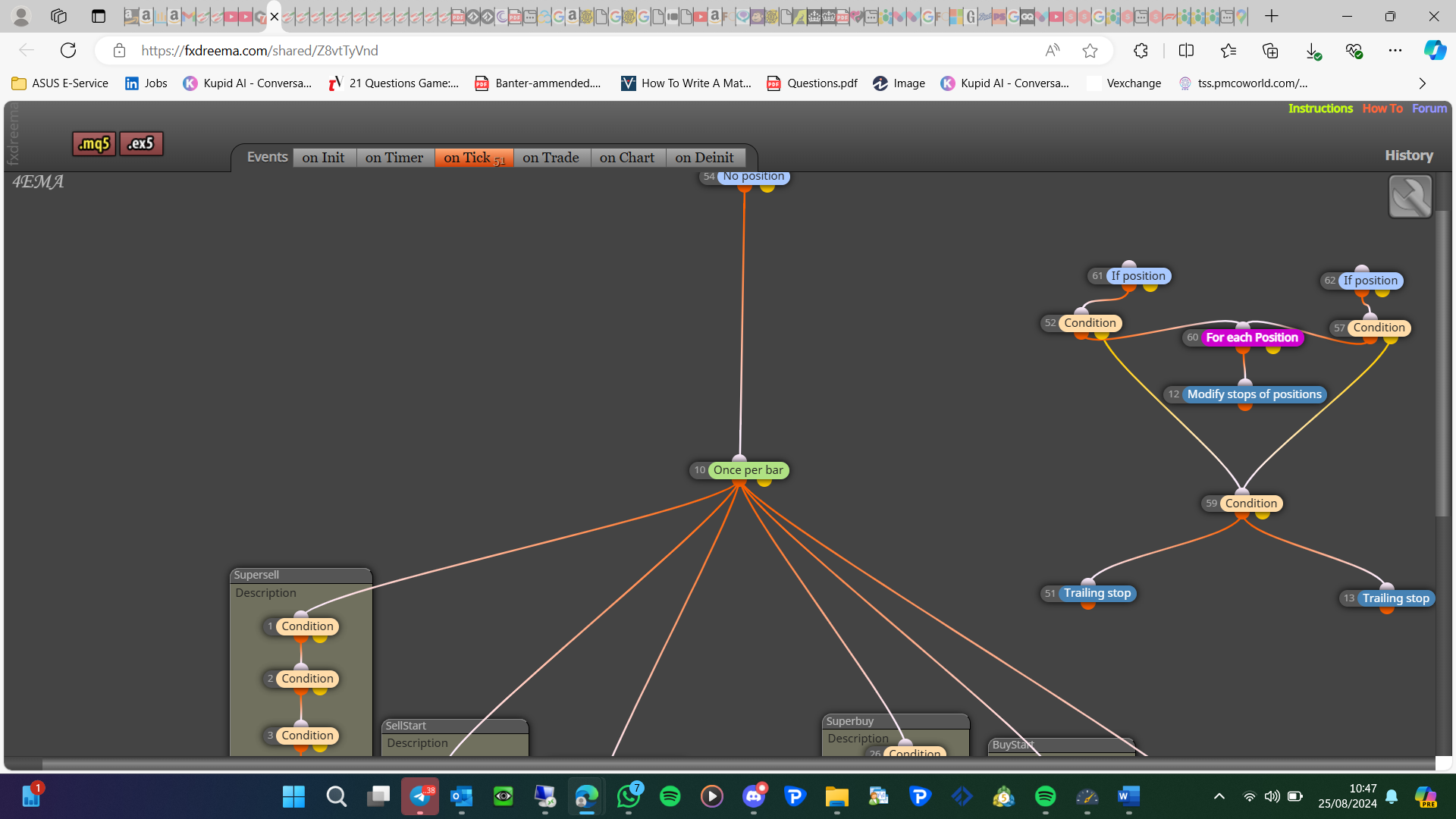
I am not sure exactly which blocks you are talking about, is easier to set up a test project only using a few blocks, so you can work on that one element without other blocks potentially causing problems.
-
I have followed the method how u put the right side tree block, then I realized that my trailing part is not working. They only modify the stop loss once.
-
https://fxdreema.com/shared/wBxa2mqhc
Hi sir, here is the updated version, my trailing are not working but my first modify works with similar tree blocks, thanks
-
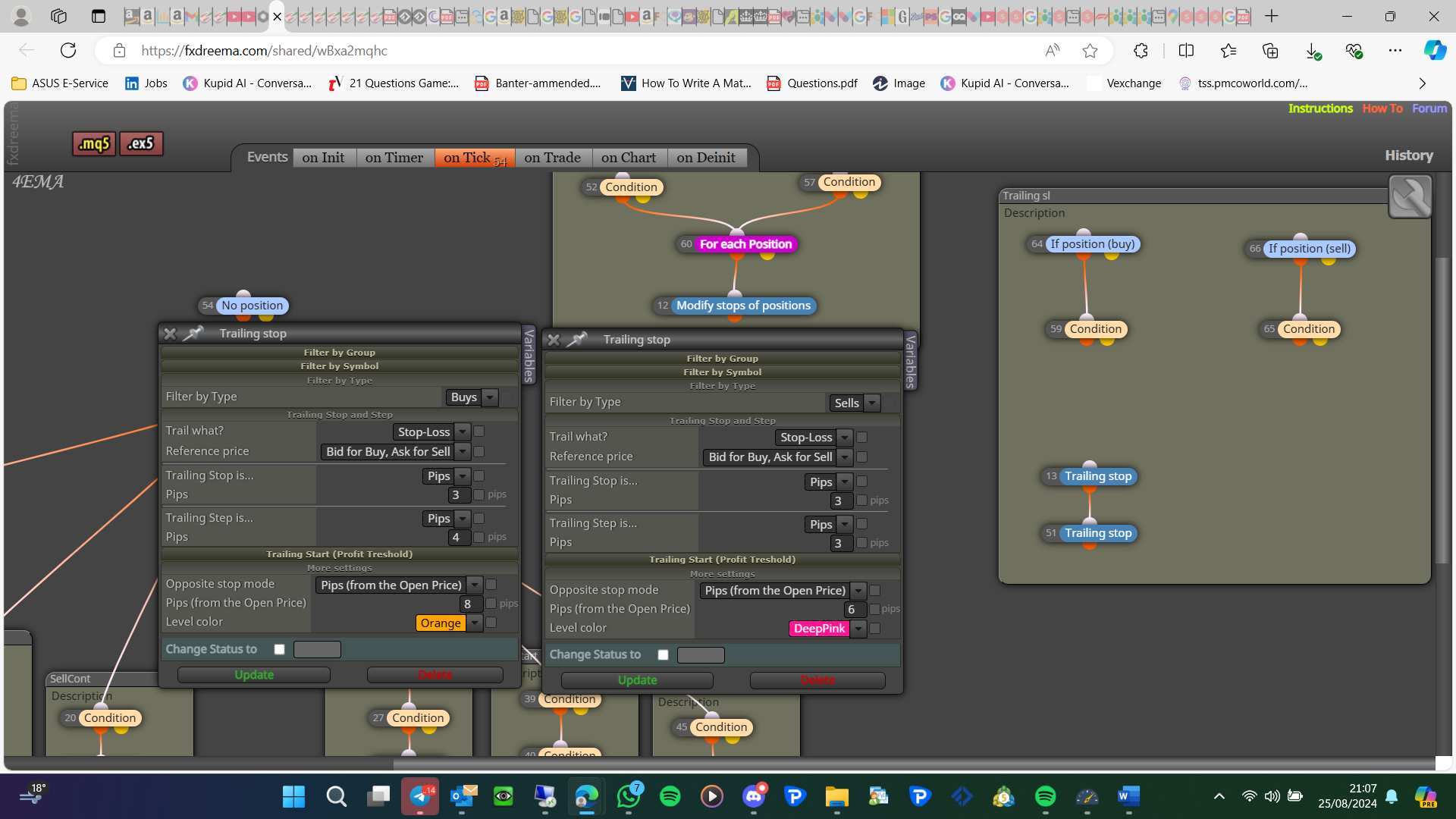
You don't need a pink block above the trail block:
-
I followed how u arrange but I still face some minor problem, trying to solve it btw thanks jstap for helping
If can't solve will ask for help

