Comment Block Date Format
-
Hi folks,
I would like to use the Comment Block to display me a few date settings of the EA. Does anyone have a clue how to fix this?
Thanks!
And a similar thing with periods:
-
Yes, you can do all this, instead of pictures just ask how to display something specific.
-
You are selecting objects to visualize hour times. You need to use the 'time' display menu under 'value' instead.
-
Hey guys,
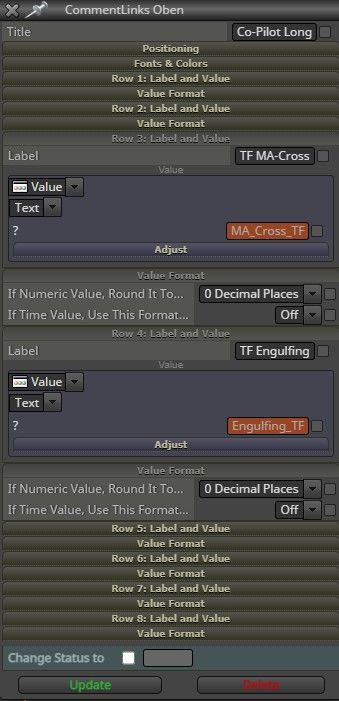
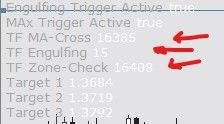
I could solve the second part of my question. The selected candle periods are displayed correctly as soon as I use "Value - Text(code input)". All time format display missleading values. "Period_M15" is displayed as "15:00" in format HH:MM.
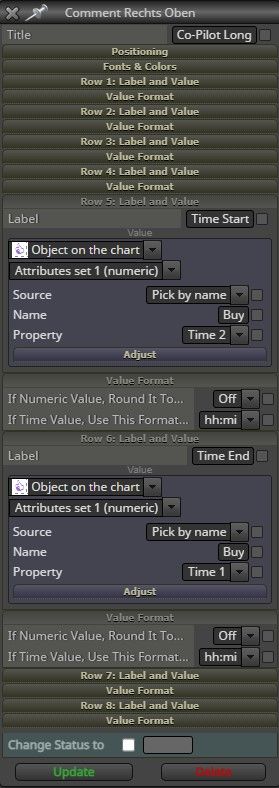
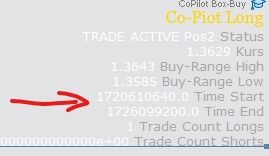
But I couldn't find a setting to display me the starting and end time of a rectangle I drawed into the chart. In other words: I would like to see via the comments at what time my rectangle starts and ends in a time format. Any ideas?
-
FYI I draw a rectangle into the chart to determine an "area of interest" where the EA ia allowed to enter positions.
-
@Pascal-0 You need this configuration to find info related to both vertical and horizontal lines on a rectangle. Those vertical are the times you are looking for:
-
@l-andorrà Thanks for sharing the example. Imho my settings (see first screenshot) are like this. Do you see any difference?
I am wondering why the desired formatting (hh:mi) is not applied.
-
@Pascal-0 No. They are completely different. You are selecting texts as the origin of the information while I selected the object (your rectangle).
-
@l-andorrà But on the first screenshot (Comment Rechts Oben) is the object selected. Sorry, I'm not getting what should be changed
 Could you pleaser mark it on the screenshot?
 -
@Pascal-0 Sure! Mean this:


