fxDreema

    • Register
    • Login
    • Search
    • Back to the main page
    • Categories
    • Recent
    • Tags
    • Popular
    • Search

    Distance In Time*

    Questions & Answers
    2
    15
    471
    Loading More Posts
    • Oldest to Newest
    • Newest to Oldest
    • Most Votes
    Reply
    • Reply as topic
    Log in to reply
    This topic has been deleted. Only users with topic management privileges can see it.
    • Morpheus_0
      Morpheus_0 last edited by

      Hi all. Once again I am stuck!

      I want to turn on my News Filter 5 mins before the line on the chart, and turn it off again 5 mins after the line....

      How do I do this...??
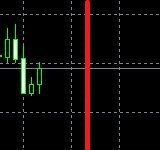
      Line.JPG

      1 Reply Last reply Reply Quote 0
      • jstap
        jstap last edited by

        You have the time of line? -x:xx and +x.xx minutes from or to the time to complete the required action

        Learn fxDreema Without the Wait!

        My comprehensive book, available on Amazon, is packed with examples and invaluable insights to help you fast-track your learning journey.

        The paperback and hardback editions include MT4 & MT5 QR codes for easy access to all prebuilt projects and robots, including my latest gold trading robot!

        Don’t miss out

        Click here➡️ https://mybook.to/fxDreema to get your copy today!

        Enjoy! 😊

        1 Reply Last reply Reply Quote 0
        • Morpheus_0
          Morpheus_0 last edited by

          Yes the line has a time stamp being a vertical line...

          I've tried Candle Time with no luck.....*

          1 Reply Last reply Reply Quote 0
          • jstap
            jstap last edited by

            Use time now, when => or =< the bot will know if it should do something or not, if you put these values into a comment you can see what to do with it.

            Learn fxDreema Without the Wait!

            My comprehensive book, available on Amazon, is packed with examples and invaluable insights to help you fast-track your learning journey.

            The paperback and hardback editions include MT4 & MT5 QR codes for easy access to all prebuilt projects and robots, including my latest gold trading robot!

            Don’t miss out

            Click here➡️ https://mybook.to/fxDreema to get your copy today!

            Enjoy! 😊

            1 Reply Last reply Reply Quote 0
            • Morpheus_0
              Morpheus_0 last edited by Morpheus_0

              So I'm using: For Each Object> Value Time Candle Time Shift Forward 5 minutes = Object Picked In Loop Time 1 > Action....

              What's weird is sometimes it works and sometimes it doesn't....

              SO frustrating.... :-((

              1 Reply Last reply Reply Quote 0
              • jstap
                jstap last edited by

                Unlucky, I have found over the years that things decide not to work sometimes

                Learn fxDreema Without the Wait!

                My comprehensive book, available on Amazon, is packed with examples and invaluable insights to help you fast-track your learning journey.

                The paperback and hardback editions include MT4 & MT5 QR codes for easy access to all prebuilt projects and robots, including my latest gold trading robot!

                Don’t miss out

                Click here➡️ https://mybook.to/fxDreema to get your copy today!

                Enjoy! 😊

                1 Reply Last reply Reply Quote 0
                • Morpheus_0
                  Morpheus_0 last edited by

                  Yes my friend...However as usual you were right....

                  When dealing with Time values you have to use <= or =>, not =.....

                  So I will update soon......

                  1 Reply Last reply Reply Quote 0
                  • Morpheus_0
                    Morpheus_0 last edited by Morpheus_0

                    @jstap @l-andorrà - Update: So yes the problem was I was trying to use = instead of <= or => which as you know, can't be done when dealing with Time Values as the time can skip, especially around candle openings....So that's that solved....

                    So how about this little problem: When dealing with a Button, why does it have to change to white when pressed?
                    I want it to stay black.....
                    https://fxdreema.com/shared/AwqWyT7eb

                    1 Reply Last reply Reply Quote 0
                    • jstap
                      jstap last edited by

                      I am unsure but you could redraw the button under where it is used

                      Learn fxDreema Without the Wait!

                      My comprehensive book, available on Amazon, is packed with examples and invaluable insights to help you fast-track your learning journey.

                      The paperback and hardback editions include MT4 & MT5 QR codes for easy access to all prebuilt projects and robots, including my latest gold trading robot!

                      Don’t miss out

                      Click here➡️ https://mybook.to/fxDreema to get your copy today!

                      Enjoy! 😊

                      1 Reply Last reply Reply Quote 0
                      • Morpheus_0
                        Morpheus_0 last edited by

                        So essentially you'd have to have 2 buttons and be drawing and deleting them under the On Tick tab right....?

                        Don't buttons need to be sitting under the On Innit tab...?

                        1 Reply Last reply Reply Quote 0
                        • jstap
                          jstap last edited by

                          I thought I sent this yesterday, on init creates from the start, any tab that uses it can redraw as you want. So create more than one, I normally copy and paste.

                          Learn fxDreema Without the Wait!

                          My comprehensive book, available on Amazon, is packed with examples and invaluable insights to help you fast-track your learning journey.

                          The paperback and hardback editions include MT4 & MT5 QR codes for easy access to all prebuilt projects and robots, including my latest gold trading robot!

                          Don’t miss out

                          Click here➡️ https://mybook.to/fxDreema to get your copy today!

                          Enjoy! 😊

                          1 Reply Last reply Reply Quote 0
                          • Morpheus_0
                            Morpheus_0 last edited by

                            I guess I can have a mess around with it but I don't want 2 buttons on the chart....

                            It's strange and a pity the thing has to turn white when you press it.....*

                            1 Reply Last reply Reply Quote 0
                            • jstap
                              jstap last edited by

                              You only have 1 button on the chart, each tab can re-draw

                              Learn fxDreema Without the Wait!

                              My comprehensive book, available on Amazon, is packed with examples and invaluable insights to help you fast-track your learning journey.

                              The paperback and hardback editions include MT4 & MT5 QR codes for easy access to all prebuilt projects and robots, including my latest gold trading robot!

                              Don’t miss out

                              Click here➡️ https://mybook.to/fxDreema to get your copy today!

                              Enjoy! 😊

                              1 Reply Last reply Reply Quote 0
                              • Morpheus_0
                                Morpheus_0 last edited by

                                I've decided to leave it as White when Pressed because this means you can see at a glance from across the room whether or not it is pressed.

                                Thanks Again*

                                jstap 1 Reply Last reply Reply Quote 0
                                • jstap
                                  jstap @Morpheus_0 last edited by

                                  @Morpheus_0 👍

                                  Learn fxDreema Without the Wait!

                                  My comprehensive book, available on Amazon, is packed with examples and invaluable insights to help you fast-track your learning journey.

                                  The paperback and hardback editions include MT4 & MT5 QR codes for easy access to all prebuilt projects and robots, including my latest gold trading robot!

                                  Don’t miss out

                                  Click here➡️ https://mybook.to/fxDreema to get your copy today!

                                  Enjoy! 😊

                                  1 Reply Last reply Reply Quote 0
                                  • 1 / 1
                                  • First post
                                    Last post

                                  Online Users

                                  A
                                  M
                                  T
                                  M
                                  A
                                  E
                                  K
                                  J
                                  J
                                  G

                                  19
                                  Online

                                  146.7k
                                  Users

                                  22.4k
                                  Topics

                                  122.6k
                                  Posts

                                  Powered by NodeBB Forums | Contributors