Condition block misses applied to indicator option
-
Hi,
in the condition block there is a drop down option missing.
The right hand parameters can only apply to price and not to indicators like in MT4/MT5.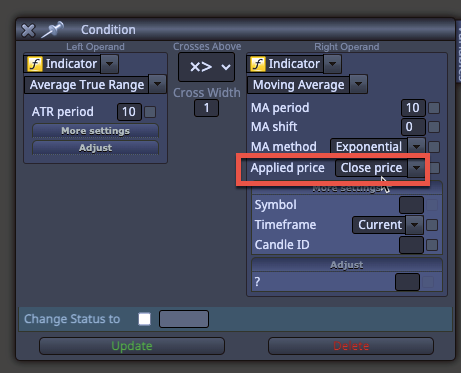
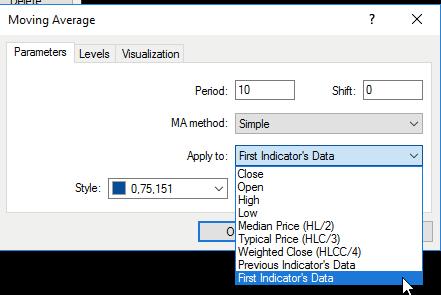
I want to use a moving average on an ATR indicator. That's not possible.
Is there a workaround?
-
You need to use an ENUM type variable to do it. However, I'm not a programmer, so I can't provide the technical solution. You can search on the forum for ENUM tags and you'll fins some threads explaining of to do it.
-
That's interesting! Thanks
I'm wondering how this may work by having an indicator on the indicator.I was playing with a custom code step, which finally brought some results. It's not sexy yet, but it works somehow.
-
Interesting. Because I'm not a programmer, I have no idea if that can be the best solution or not.
-
@Domeonline
Interesting. What you did was like coding a custom indicator using the MQL block -
@sktsec
Yes AI opens up a full new dimension now. Which is amazing!
I would call it a hybrid. Since we can use a light and simple code similar to easy language.
I played also a bit with creating a custom indicator out of it. Chat GPT created the code straight away without even an error. I thought that's pretty impressive!
But like the 80/20 rule to then really find the problem one needs to be a programmer.
For example here. The first Subwindow is what I want. The second is the custom indicator
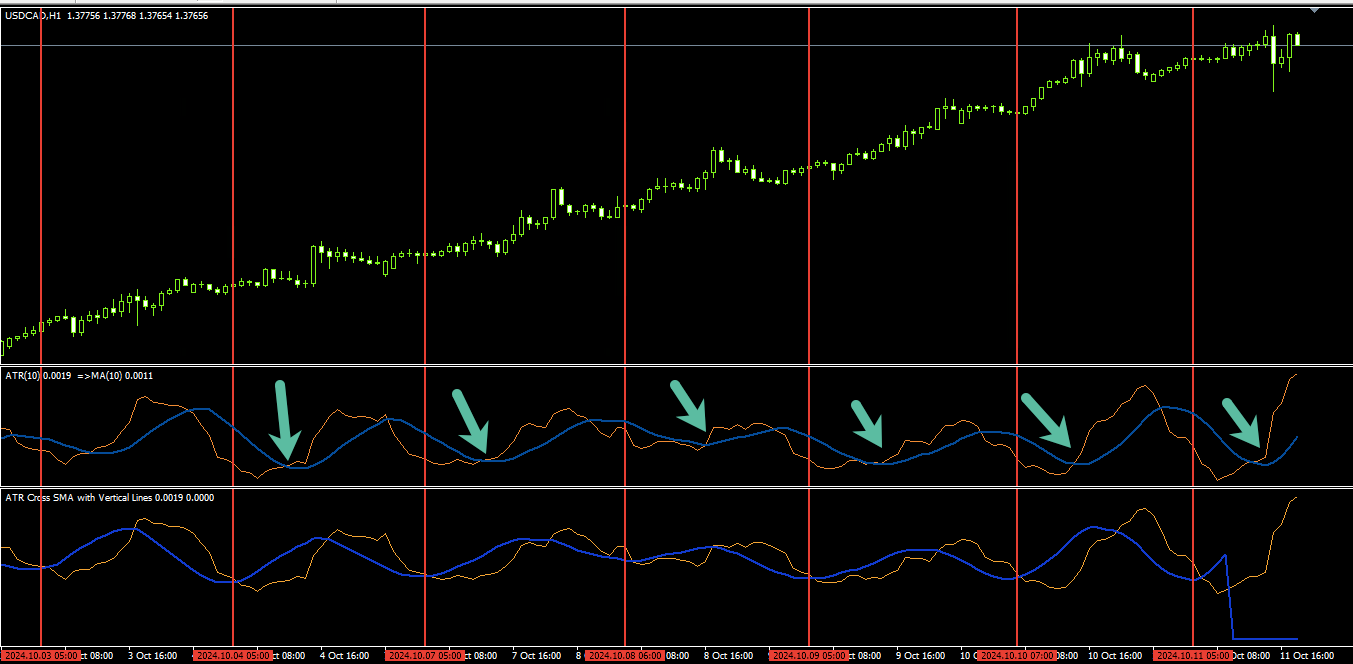
You see there is a difference in how the MA is plotted. So this was the end for me...
With the custom code step I have more flexibility and now can use different outputs like a line in the indicator or an arrow and if I like it just create a buy / sell order ... pretty easy and straight forward.
This is the current version of the project.
The strategy just uses 2 conditions. Since the BB Stop is working I now just need to add the ATR cross and the signal is already finished...
https://fxdreema.com/shared/ka8BBMMze

