modify stoploss
-
hello i am trying to modify the stoploss of trades
i am using a Dot indicator , which places the dot on the after calculating the atr and adding 2 pips extra
let say ATR value is 0.0012 then it places the dot 14 pips (12 pips from atr value and 2 extra pips) below or above the the candle low or high
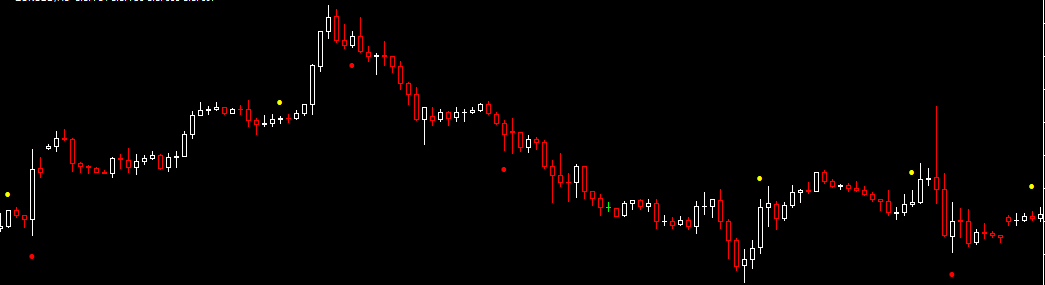
and this is what i did in the modify stops block

its working perfectly
let say when a buy is opened on the current candle it places the SL at the dot of the current candle and when there is a new low in that candle it modify the stop accordingly
but when that current candle (on which the trade is opened ) closes, the stoploss is automatically removedcan anybody tell me what am i doing wrong
===>Jennifer Syn<===
-
@Jennifer (I wrote the answer first where you linked to this page. I should have written it here, so I copy it here now)

Hi Jennifer! No answers? I would try doing it with one block instead...
I'd say there could be a problem with using "If trade". I seldom need to use it myself, and I use pretty advanced stuff. Why complicate using two blocks in this situation, when you only need one, I'd say?
Try using "Trading Actions / Modify stop of trades" directly. That should do the same thing, that you used two blocks for. But you might need to connect it after something at the top, or at least a Pass block.
I don't know if it will work for you, but that's how I would try to set it up first, if I would do it.
Hope it works for you trader friend. Good luck Jennifer.
-
@fxfun
Thanks a lot Fxfun I am gonna try it and really hope that it works
otherwise i have to drop a very good idea just because the SL is not getting modified -
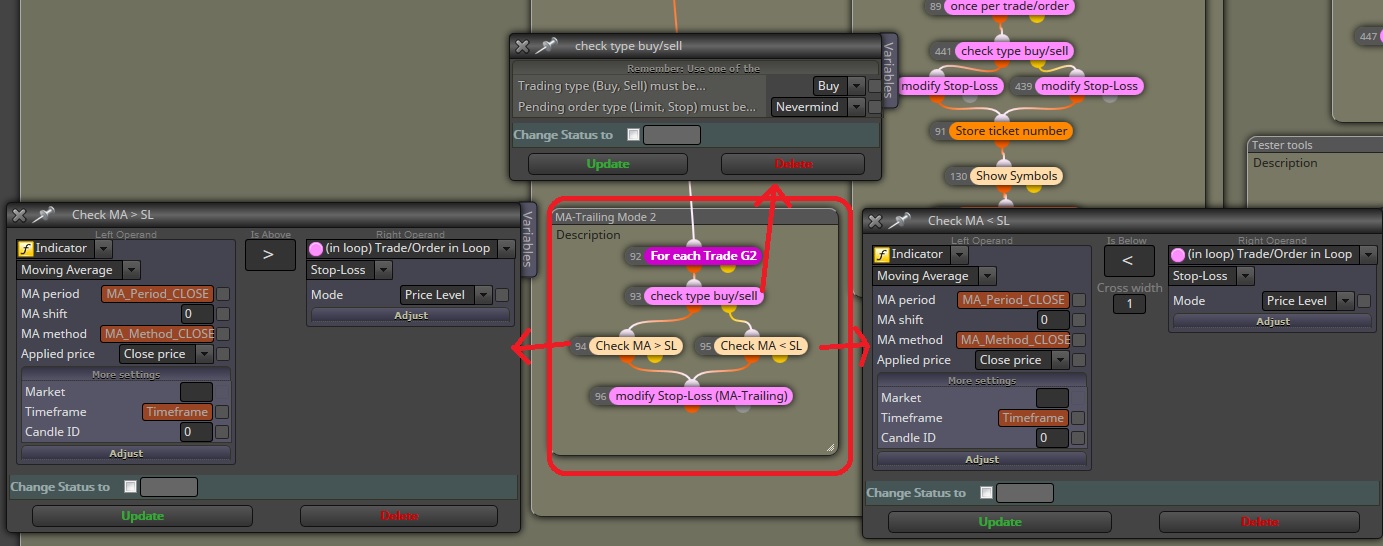
@Jennifer it sound for what you say that your indicator throws value 0 at the start of every candle (if you try to moidify a SL with value 0 it just deletes the SL). You can confirm if it is the case by using a comments block in output & communication section to show every tick the output of the indicator and if that's the case (or you can just go for it anyways) you will need to add a filter to check if the value is greater than the SL in case of long trade or lower than SL in case of short trade and always positive (to rule out 0 value and thus deleting the SL).
EDIT:
This is an example of a custom trailing stop loss where I had to apply such filters for it to work (although you will still need to add the "SL > 0" condition)
-
@Andermaiden2nd
thanks for your reply
can you show me the settings of the modify sl block?===>Jennifer Syn<===
-
@Jennifer sure,

Here the MA trailing is set to close on the 20 periods SMA in H1 (having opened at 50 SMA). The measures I explained before were needed because otherwise I would have a trade in break even but the moving average trailing would set it backwards when said MA had not yet reached the price of the stop loss. With these measures it only moves in the direction of profit (as any trailing SL). -
@Andermaiden2nd
thanks a lot


