Are groups necessary when running multiple EAs?
-
Aloha,
Do the 'Trailing Stop', 'Close Positions' and other similar blocks all act globally on all trades unless you use groups?
Am I required to use groups if I don't want EAs messing with each other?More documentation would be nice.
Thanks,
Richard -
Correct.
Group# are used to be very specific in which trades you want to do anything. For that, there is avalaible different kind of filters going from a general group (sells or buys) to a specific one (#1, #2,... and so on).
In addition to this, Group# is a part of the MagicNumber used by the EA to control a specific trade.https://fxdreema.com/tutorial/builder/groups-and-magic-numbers
-
Ouch.
Is there a better write-up for this feature? It seems a bit nightmarish in the default usage.
If I create a simple EA with 'Buy now' and 'Trailing stop' blocks included and don't specify grouping I've just created a very poorly mannered EA that will go out wanting to police trailing stops on all others. I hope this is not the way it actually works. That's nasty.
As with most things here I guess I'll have to test it for myself.

That's not easy. That's what manuals are for.Defaults are usually expected to be least expansive and most safe.
If I build a simple EA that buys and sells, using all defaults it should never touch trades from elsewhere. Not without specifically addressing them or in some way verifying that I'm reaching outside my EA. Not by default.
Thanks
-
It's not as complicated as you think. When you get the enough knowledge about fxDreema builder you will find that it is a nice way to build your strategies.
Look at some examples:
https://fxdreema.com/examples#
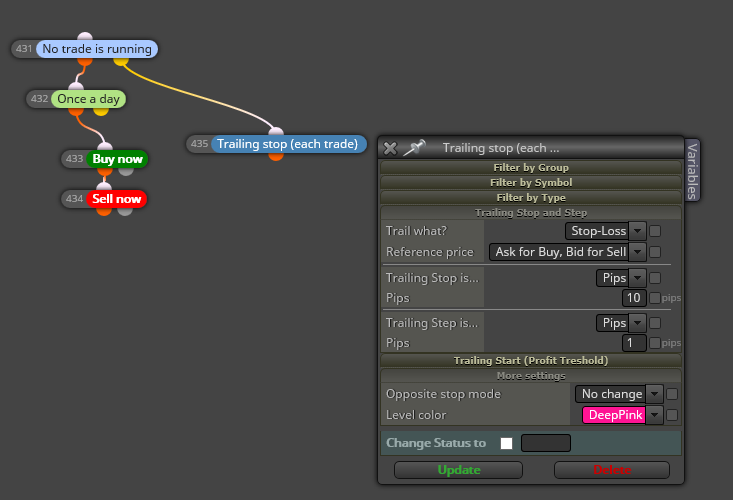
- Trailing stop (all trades)
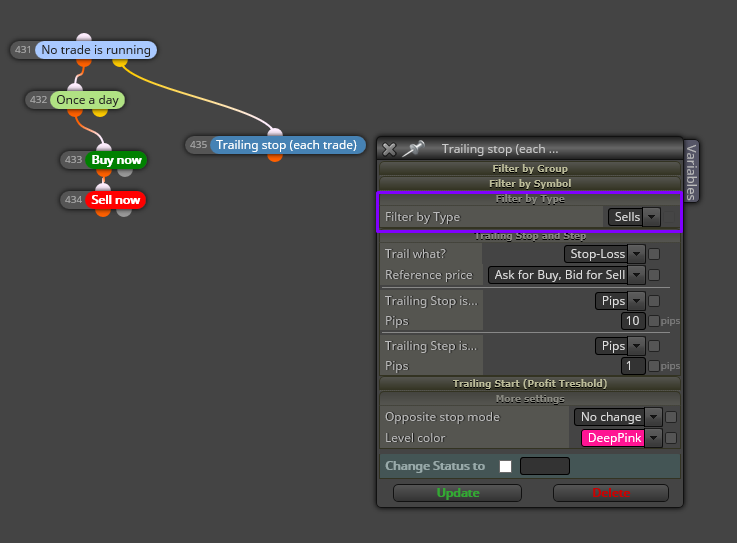
Trailing stop (sells)
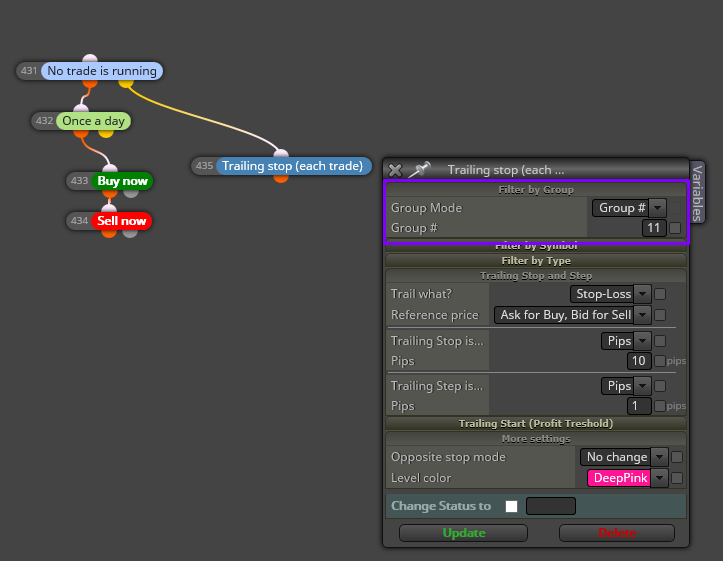
Trailing stop (one specific trade)
Trailing stop (just trades manually opened)
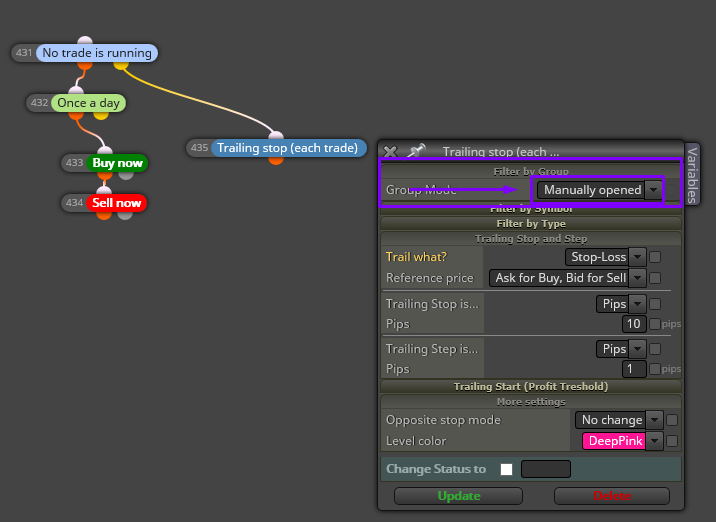
Might be you want to trade manually but having an EA that is taking care of the Trailing Stop moves. Or, ,may be you have investigate and for your project it is better to have a TS step for sells and other different for buys. Or, you have opened several trades on the same pair and you want different TS conditions for each one (pips, indicator, levels, etc.) The possibilities that fxDreema brings to you to code an EA are huge and mainly simple.
In addition to this, the fórum is plenty of info and example. You Will find people that loves to help and take part of what the people is asking. Just because they want to help and also learn.
Of course, none of us has born with the skills of using fxDreema. Then, it is required some time of learning and practice. So it is better to start with simple projects to go ahead step by step to get more complicated projects.
-
Thanks for your response. I appreciate that there's power within the tool. I'm just used to having defaults more carefully chosen. So you can whip up a simple EA and touch the least number of options. And fall prey to fewer unexpected side-effects.
fxD is a power saw without the blade guard. Even experienced carpenters make mistakes from time to time.When the defaults are well chosen the operator needs to keep fewer issues in mind and can focus better on their current strategy.
Having an EA unexpectedly reach outside itself and modify other running EAs is troubling. Every simple fxD example EA I've seen online makes this mistake. That's not good.
The simple case should be automatically self-contained, not touching other EAs. To touch other EAs should require consciously making that choice.
fxD makes 'badly behaved' EAs by default.