fxDreema

    • Register
    • Login
    • Search
    • Back to the main page
    • Categories
    • Recent
    • Tags
    • Popular
    • Search

    How can I change the stop loss before I buy?

    Questions & Answers
    4
    7
    1695
    Loading More Posts
    • Oldest to Newest
    • Newest to Oldest
    • Most Votes
    Reply
    • Reply as topic
    Log in to reply
    This topic has been deleted. Only users with topic management privileges can see it.
    • T
      thomas_stock last edited by

      How can I change the stop loss before I buy?
      Let's say I have a stop loss of 200 pips as a constant.

      My stop loss from an indicator has 160 pips.

      I now want to use the lower stop loss from my indicator to buy.

      How can I query this in Mql?

      Or is there another way?
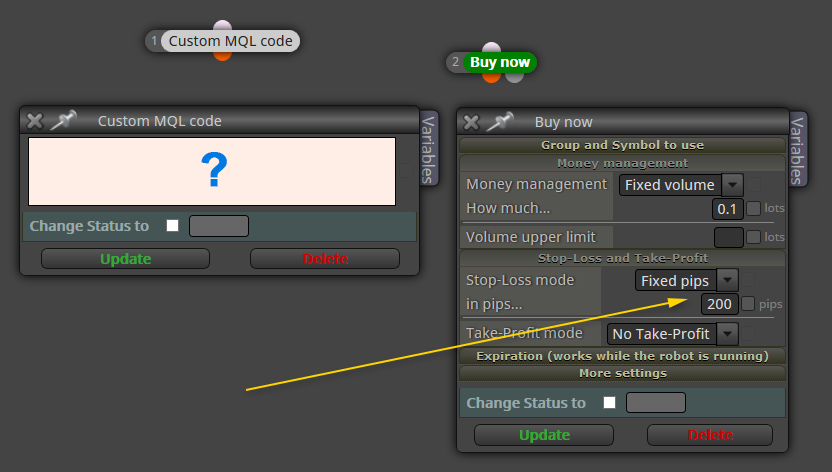
      0_1533799174096_mql.jpg

      C 1 Reply Last reply Reply Quote 0
      • isp00rt
        isp00rt last edited by

        I don't know hoe to do it with custm mql4 code. I suggest you to vompare both SL levels on a Condition block and then put it into a variable. Maybe there is a more efficient way, but I don't know.

        1 Reply Last reply Reply Quote 0
        • R
          richard96816 last edited by

          That Stop-Loss box can take input from all kinds of other fxDreema logic.

          You came all the way to the Buy now block and skipped over all the good stuff.

          Go back. Replicate your indicator logic in fxD and let it plug the right number in for you.

          I think you have different questions to ask. 🙂

          Good luck.

          C 1 Reply Last reply Reply Quote 0
          • C
            casper @thomas_stock last edited by

            @thomas_stock

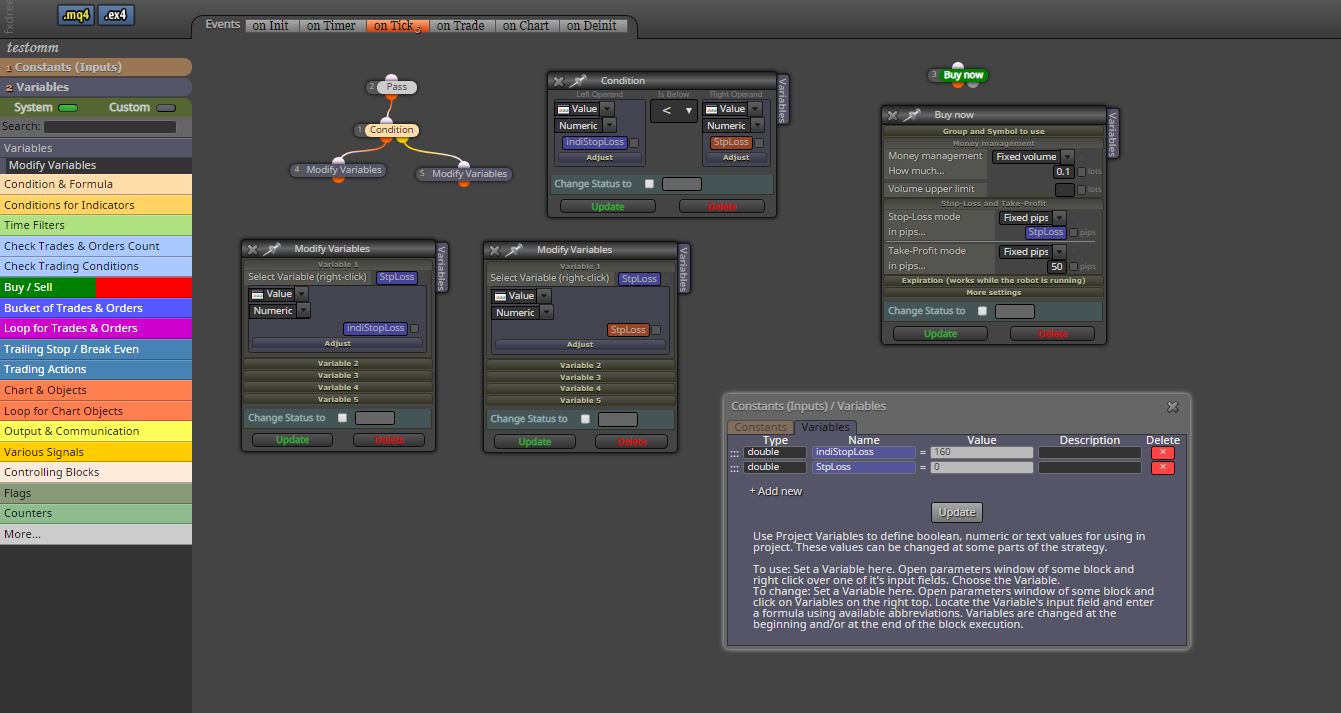
            Hi, you must use variable to stoploss.

            Stoploss (Constant) = 200
            İndicator Stoploss (Variable)=160
            Stoploss (Variable) =0
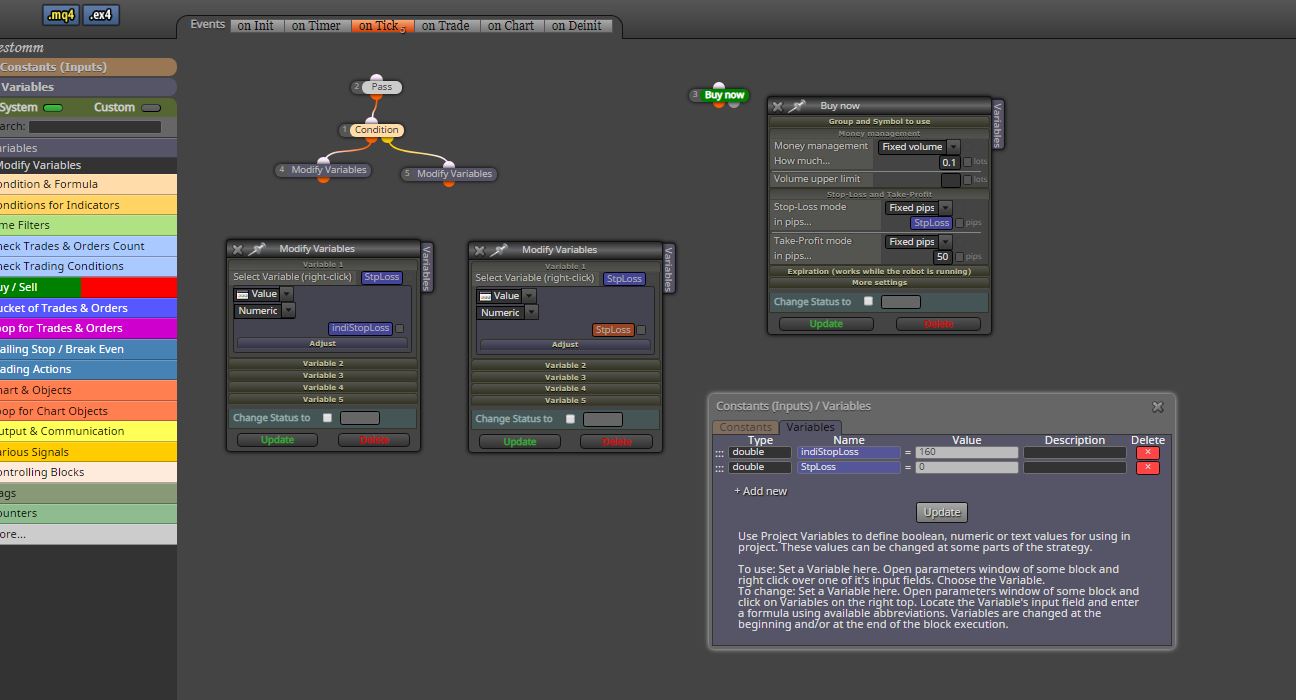
            0_1534009105115_yardim.JPG

            1 Reply Last reply Reply Quote 0
            • C
              casper @richard96816 last edited by

              @richard96816 0_1534009213096_yardim1.JPG

              1 Reply Last reply Reply Quote 0
              • R
                richard96816 last edited by

                Okay. Constants are for you to set. Variables are for your program to set.

                Take a look at the orange Formula block. Its purpose is to create interesting values and stuff them into variables. Some things are easy, some a bit more involved.

                It is much more powerful than the help suggests.

                Someone should make a half dozen videos ...

                Good luck!

                1 Reply Last reply Reply Quote 0
                • T
                  thomas_stock last edited by

                  Thanks. I check it out.

                  1 Reply Last reply Reply Quote 0
                  • 1 / 1
                  • First post
                    Last post

                  Online Users

                  R
                  P

                  9
                  Online

                  146.7k
                  Users

                  22.4k
                  Topics

                  122.6k
                  Posts

                  Powered by NodeBB Forums | Contributors