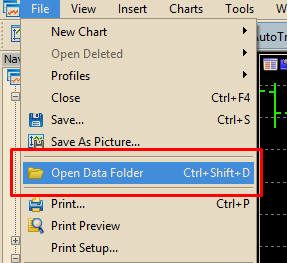
How can i save the robot in the mt5 platform ?
-
I have tried to save my robot but it does not appear in the mt5 screen even if i refresh the folder... what can i do?
-
@dfx "refresh" is not good with MT5, you have to restart the platform
-
But how can i install the code as .mq4 file?
-
you must save the .mq4 file in the expert folder
C:\Users\ambrogio\AppData\Roaming\MetaQuotes\Terminal\A6DFBB1B8DE9672D2328FF3445436DEC\MQL4\Experts
-
@ambrogio Refresh works fine for me on MT5. In Navigator right click on the folder your file is in and hit Refresh there, then it will show up in Strategy Tester. Works every time.
-