Change semi-colons to commas in Write to file
-
How do I change the semi-colons to commas in Write to file output?
Also, can I get rid of the two extra fields at the beginning of each record, Time (local) and Time (server)?
Thanks
Edit: Write to file sends lots of duplicates of all trades to the file. Would be nice to clean that up too.
-
This block is old, there are people using it and I don't feel like I want to change something in it that could break something for someone

You can try to make a custom block if you know a little bit of MQL
At least you will be able to customize it as you wish. Here is how the current block looks like in https://fxdreema.com/studio/MQL4This is the code:
string filename = Filename + ".csv";
int handle      = FileOpen(filename, FILE_CSV|FILE_READ|FILE_WRITE, ';');

if (handle == INVALID_HANDLE)
{
   Print(filename," OPEN Error: ",ErrorMessage());

   ~error~
}
else
{
   FileSeek(handle,0,SEEK_END);

   if (FileSize(handle)==0)
	{
      FileWrite(handle,"Time (local)","Time (server)",C1Title,C2Title,C3Title,C4Title,C5Title,C6Title,C7Title,C8Title,C9Title,C10Title);
   }

   if(handle > 0)
   {
      FileWrite(handle,TimeToString(TimeLocal()),TimeToString(TimeCurrent()),~Column1~,~Column2~,~Column3~,~Column4~,~Column5~,~Column6~,~Column7~,~Column8~,~Column9~,~Column10~);
      FileClose(handle);
   }

   ~next~
}
The input parameters look like this:
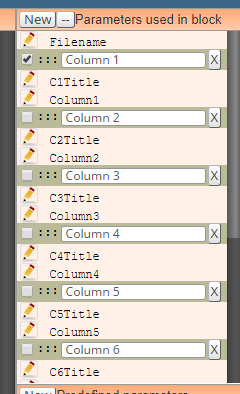
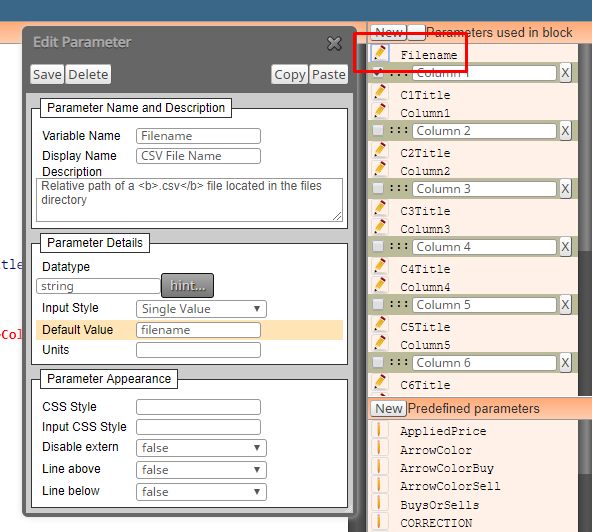
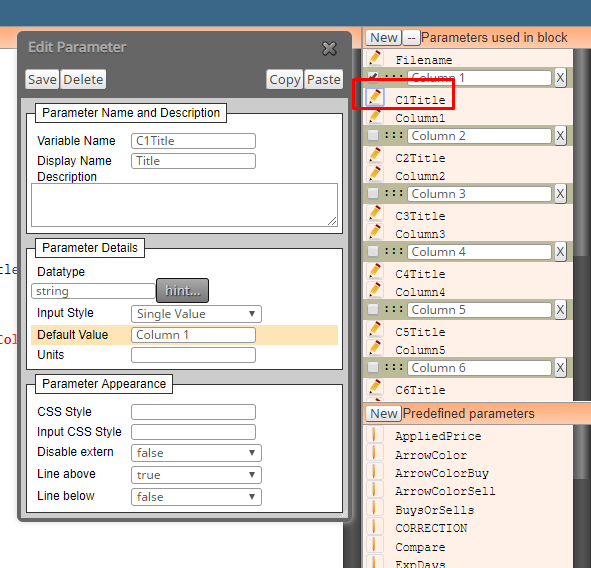
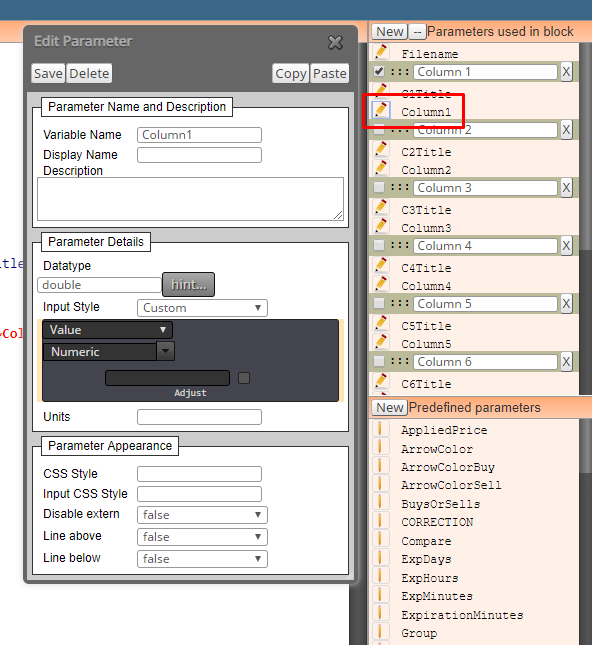
... and for the others it is similar, only "Variable Name" has different number.... C2Title, Column2, C3Title, Column3 and so on.
Parameters are added with that "New" button and separators are added with that "--" button




