Finally , Integration of News Filter :) [ MT4 Only ]
-
Hello folks,
i saw many people here asking for adding News filter to their EA made by fxdreema , So out of my admiration of fxdreema I have edited the one I use in my manual made EAs to be compatible with FxDreema , until now it's only for MT4 , and If you tried to make it works with MT5 with Conversion tool , it wouldn't . Even after fixing all errors it will give you Stack Overflow due to the conversion method , May be @fxDreema can do this ( MT5 Version ) and even convert all this tutorial in one block so it would be easy for everyone as it will give a huge boost for fxdreemaFirst of all , The Origin is from an open source code from mql5 from this link Here
I have to mention that to save that guys's copyright , delete it if it's against the rules . That's what i use and edited the code to work with blocks system in fxdreemaHere's the link for the Project
https://fxdreema.com/shared/sSJwC65ObYou will have to copy that 2 block from Oninit() and other 2 also from Deinint() , and you will have to make a variable called " trade " it's a boolean one with "true" value
in OnTick() tab you will find a separated block called " On Global Scope " it's of no value in the compiling you can delete it normally but YOU HAVE to Copy it's contents and put in the first of the EA on the local Compiler in the Global scope
It contains the Variabes and all custom function included in the Project
I hope @fxDreema in the future give us a tab called global scope and we could add anything in it .The Condition block checks if the trade allowed or not by checking news function , if it passed you should connect it to your trading function , if not remember that you should connect the yellow part to any managing function you have in the code otherwise if there's news , you trading will stop ( as it should be ) but also your managing order functions as Trailing or Breakeven will be suspended also and that would be a problem
Also remember to connect the route of Trading with the route of managing to also allow managing whether there's news or not
it's done in the example by connection of "If trade" block to "no trade" blockDon't forget to put both links of http://www.dailyfx.com/ and http://ec.forexprostools.com/ To your trusted URLs in the Terminal so your EA can check for the News
I hope that help you guys , and hope @fxDreema to convert this work to single block and also make it compatible with MT5
Thanks
-
Remember : Don't Compile it online , get mq4 version first then add what in "On Global Scope" tab in the global scope of the file then compile it locally
-
Nice. Did someone try this?
-
Interesting, but I can't get it running.
A lot of compilation issues.
Don't know, whats meant, with compile locally.
If I can't change the trading rules .... -
@traderz Hi!, and thank you for your precious work, but I need to understand better how to use it. Do I have to copy something in the file by opening it with Metaeditor?
-
@ambrogio
Yes, Don't Compile it with FXDreema but export the file as .mq4 then open it with Metaeditor and added what's in the block " Global Scope "
in the global scope section of the file ( it's the very first beginning of the file just after you name the variables and constans and before any functions ) -
@traderz
thank you very much, copy and paste and compiling .ex4 everything ok, in the coming days I will test -
great ! did someone test it? it seems promising!
-
Hi @Traderz , it seems that Dailyfx.com does not work, I'm wrong?
0_1535097400204_MY_NEWS_FILTER.ex4
0_1535097406475_MY_NEWS_FILTER.mq4There are no errors in the journal but does not draw vertical lines.
Please, can you check?
Thanks -
@ambrogio maybe it's server problem itself , I use investing.com always it's better
-
@traderz said in Finally , Integration of News Filter
 [ MT4 Only ]:
@ambrogio maybe it's server problem itself , I use investing.com always it's better
-
May I know what is the purpose of the function "IsTradeAllowed()"?
I cannot find logic of this function. Please kindly advise.
-
OK now. Found that it is MQL5 function for checking if the Expert Advisor is allowed to trade and trading context is not busy.
-
It is great! , but can you make a short video about how you put the news filter to the EA, Please?
cause it will help alot people, much appreciate -
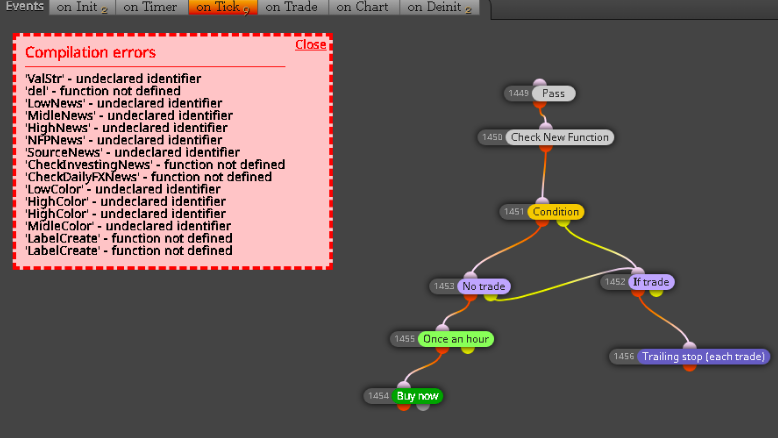
@traderz Hello, this project had been 3 years ago. Is is still working? Because I just tried and there is error as this pic
-
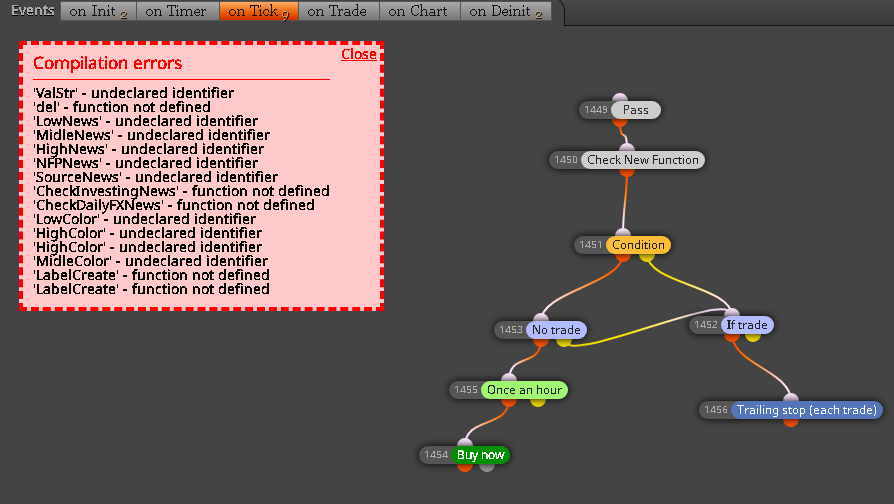
@ambrogio !Hello, this project had been 3 years ago. Is is still working? Because I just tried and there is error as this pic
0_1608354902687_8c3ffa49-a73e-4391-afe2-9d06e64231f7-image.png
-
@zedeai2 Hello, you don't have to compile trough fxdreema builder, read well all topic.
-
@ambrogio Hello, thank you for reply. And is this you link working properly? https://fxdreema.com/shared/sSJwC65Ob
Otherwise do you have the final project that working well?
Because I don't undersand the compilation steps.
1...
2...
3.. etcThank you very much for your attention
-
@zedeai2 I don't remember at all if that link works, but in my projects I found this one that MUST BE TESTED
https://fxdreema.com/shared/twV9ZV9zb
This file should be your template to always use when you want to integrate the news filter.

I highlighted where to start with your expert, and also the block # 2020 that we will need after.
STEP 1) When you have finished your expert, save it through the .mq4 button
STEP 2) With the MetaEditor application, open the file you just saved
STEP 3) Copy and paste the content of block #2020 in the place i have indicate in this screenshot
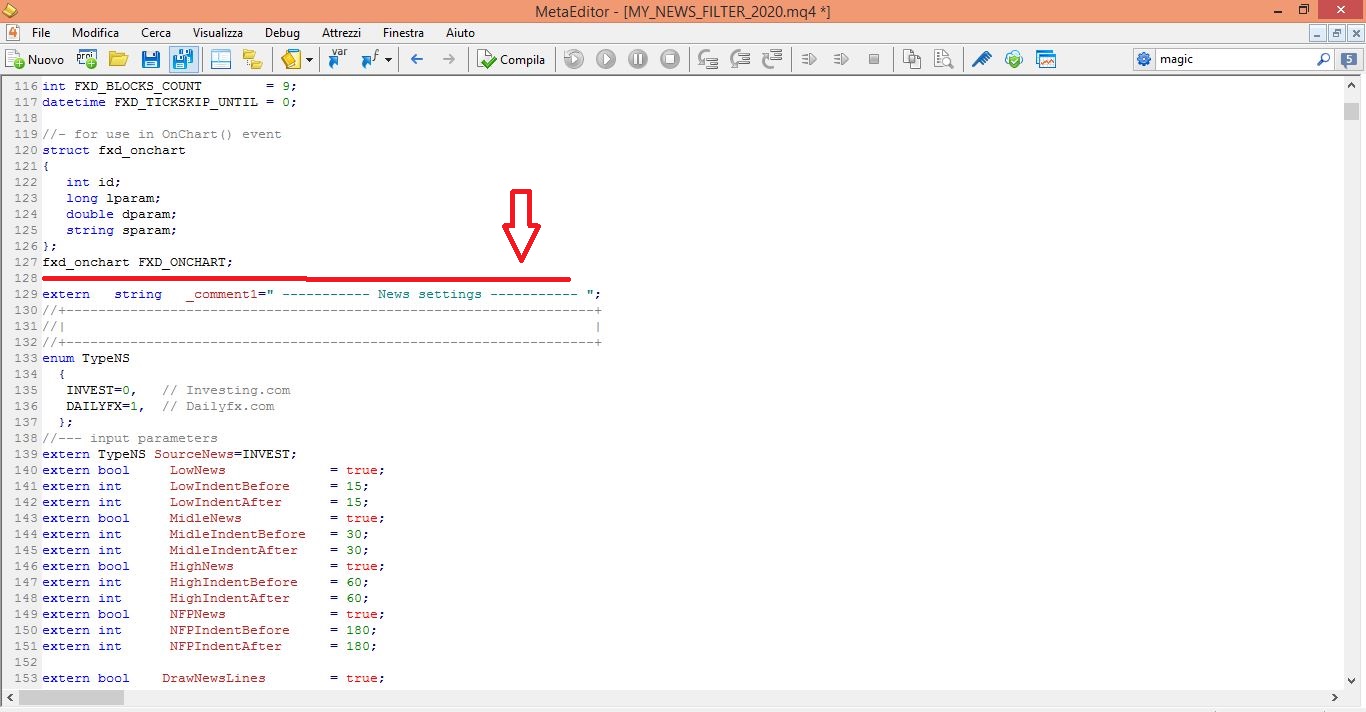
Your project is ready to be tested.
BUT REMEMBER: if you reload the new modified .mq4 file in the fxdreema builder you will lose the content copied from the 2020 block, and you will have to redo the steps above. -
@ambrogio Hello, Thank you very much for your reply :).
Here are the steps I did as mentioned by you guideline :
1 Steps compilation wass generated successfully inside the mt4 metaedior
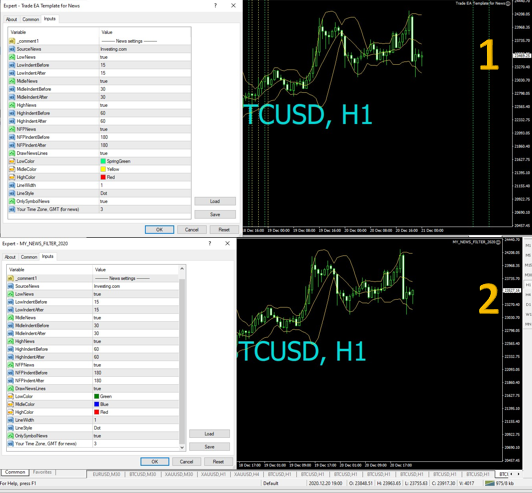
2 But I don't see any line as should be seen on the original ea template (pic 1 was generated by the original ea template, and the pic 2 wass generated by your ea as downloaded on your link here https://fxdreema.com/shared/twV9ZV9zbSo, any problem to my steps of compilation, or is there no vertical line as should be seen as original version?
Thank you very much for your great help