fxDreema

    • Register
    • Login
    • Search
    • Back to the main page
    • Categories
    • Recent
    • Tags
    • Popular
    • Search

    How NOT to open multiple positions in the same condition?

    Questions & Answers
    2
    7
    1328
    Loading More Posts
    • Oldest to Newest
    • Newest to Oldest
    • Most Votes
    Reply
    • Reply as topic
    Log in to reply
    This topic has been deleted. Only users with topic management privileges can see it.
    • F
      fxmich78 last edited by

      Hello to all .
      After the help of some kind friends,i manage to create my EA ,but i came across to another problem.
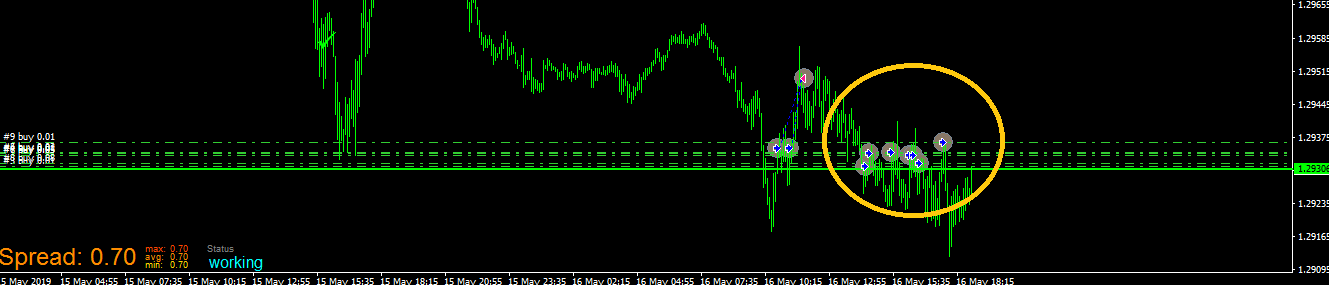
      I have a condition: when candle crosses above a line,then a position is opened.BUT the problem occurs when the candle crosses multiple times from the line.
      In that case i DO NOT want another position to be opened.
      0_1560453039352_dreema.png

      A 1 Reply Last reply Reply Quote 0
      • A
        ambrogio @fxmich78 last edited by

        @fxmich78
        NO TRADE ====> CONDITION====> BUY NOW (or SELL NOW)

        https://fxdreema.com/examples

        F 1 Reply Last reply Reply Quote 0
        • F
          fxmich78 @ambrogio last edited by fxmich78

          @ambrogio
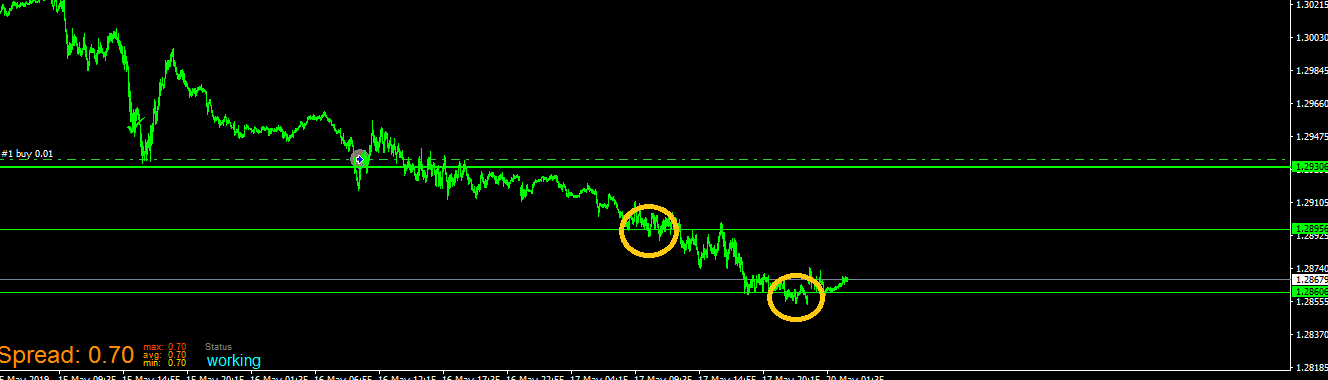
          I tried that but now it opens only one position.Till now all good.But my EAs conditions are "when candle crosses the lines ,them a position must be opened.With the {no trade block), i have one position,as i wanted in the cross of the first line,BUT NO other positions in the cross of the other lines.
          0_1560454747513_dreema.png

          A 1 Reply Last reply Reply Quote 0
          • A
            ambrogio @fxmich78 last edited by

            @fxmich78 oh yes, put "ONCE PER BAR" instead "NO TRADE"

            F 1 Reply Last reply Reply Quote 0
            • F
              fxmich78 @ambrogio last edited by

              @ambrogio
              unfortunately,i already have this 'once per bar',that is why it opens multiple positions.
              It needs sthg else my friend.

              A 1 Reply Last reply Reply Quote 0
              • A
                ambrogio @fxmich78 last edited by

                @fxmich78 can you take a screenshot of your project?

                F 1 Reply Last reply Reply Quote 0
                • F
                  fxmich78 @ambrogio last edited by

                  @ambrogio
                  i just solved it.I used "no trade nearby" block!

                  thank you although for the concern!!!

                  1 Reply Last reply Reply Quote 0
                  • 1 / 1
                  • First post
                    Last post

                  Online Users

                  A
                  E
                  R

                  14
                  Online

                  146.7k
                  Users

                  22.4k
                  Topics

                  122.6k
                  Posts

                  Powered by NodeBB Forums | Contributors