Getting values from other Indicators
-
@roar can you please take a look at this , if its the right way to put the Risk to reward ratios? because some thing is wrong
https://fxdreema.com/shared/sSdL4sk9b
i am trying to put price labels at 1:1 1:2 1:3
-
@zackry said in Getting values from other Indicators:
will it be possible to use other indicators entirely into the project like this so that we don't have to give the indicator along with the EA when giving the ea to someone?
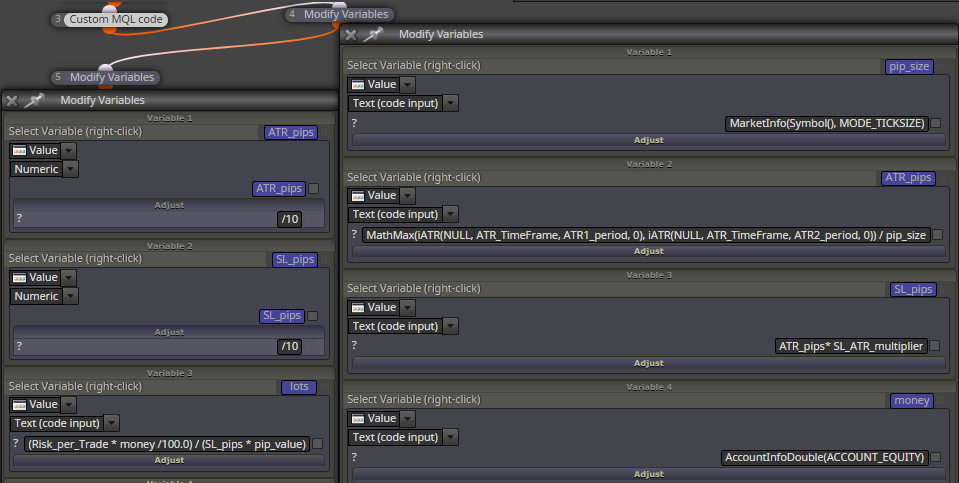
Yes. The functions utilized (MarketInfo(), MathMax(), AccountInfoDouble(), etc...) are just reqular mql4 code, nothing is "tied" to the indicator
@zackry said in Getting values from other Indicators:
@roar can you please take a look at this , if its the right way to put the Risk to reward ratios? because some thing is wrong
https://fxdreema.com/shared/sSdL4sk9b
i am trying to put price labels at 1:1 1:2 1:3
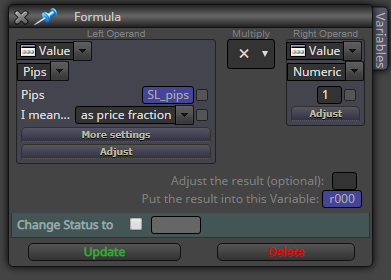
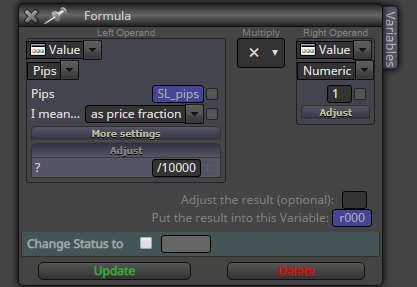
I think you must first convert the SL pips to a raw price number, even though you selected "as price fraction".
The EA is now trying to calculate the final level (ask price + SL) as something like 1.1123 + 20 = 21.1123Need small help? Tag me in your post
Need big help? https://www.fiverr.com/big_algo/automate-your-winning-strategy-in-mql4-or-mql5 -
@roar i tried other options as well, like Numeric value , text(code input), pips->value as it is etc but nothing worked
-
See the "adjust", now the pips is raw price. For example, 20 -> 0.0020
Need small help? Tag me in your post
Need big help? https://www.fiverr.com/big_algo/automate-your-winning-strategy-in-mql4-or-mql5 -
@roar but wouldnt it cause problems for the jpy pairs?
BTW, i just tried that and still no levels
https://fxdreema.com/shared/tDVy8qtYd -
@zackry Yes, it definitely will cause problems with JPY. This is why I try to avoid pip values altogether.
Anyway, when you get it working on EURUSD, you can generalize the pips with the function MarketInfo(Symbol(), MODE_TICKSIZE)). I don't exactly know how to do it, but I think this is what the custom indi uses.
https://docs.mql4.com/constants/environment_state/marketinfoconstantsNeed small help? Tag me in your post
Need big help? https://www.fiverr.com/big_algo/automate-your-winning-strategy-in-mql4-or-mql5 -
@roar interesting and strange, i am not getting any object
-
@zackry
What is the plan here, again? Do you need a horizontal level or text? If level, how should it be calculated?Need small help? Tag me in your post
Need big help? https://www.fiverr.com/big_algo/automate-your-winning-strategy-in-mql4-or-mql5 -
@roar here is what i am trying to do when the trade opens then there should be three price labels or lines printed on the screen , let say the stooploss is 10 pips then the first object 10 pips above the trade and second 20 pips and third 30 pips above in case of a buy and 10, 20, 30 pips below the trade for sell
its easy to do when the stoploss is fixed but its a nightmare when the atr is involved -
@zackry
I see. Well, at that point we already know the open - SL difference, lets just use that... a secNeed small help? Tag me in your post
Need big help? https://www.fiverr.com/big_algo/automate-your-winning-strategy-in-mql4-or-mql5 -
@roar yes and as you might remember we calculated the sl in pips yesterday i thought i can use that but no luck
-
My approach:
When buying, select the order with loop block, then use OrderOpenPrice()+OrderStopLoss() functions to calculate the 1:1 level.
1:2 level would be OrderOpenPrice()+OrderStopLoss() * 2 and so on...
Bonus: no pip values, universal symbol compatibilityYou can just copy-paste these blocks after your buy: https://fxdreema.com/shared/2jZ5X59Qd
I'm getting an error though, not sure if it is just my demo accountNeed small help? Tag me in your post
Need big help? https://www.fiverr.com/big_algo/automate-your-winning-strategy-in-mql4-or-mql5 -
@roar thanks bro I am gonna give it a go
-
@roar a quick question bro
what if i want to use price labels instead of text, then where do i put the code?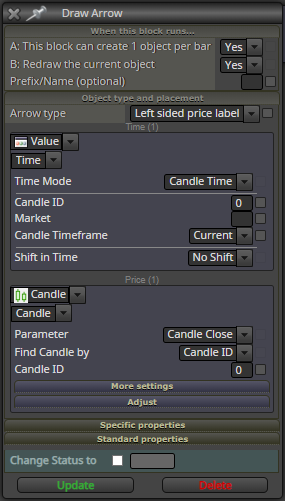
-
@zackry
The Price section, replace Candle with Value, and then select text(code input)Need small help? Tag me in your post
Need big help? https://www.fiverr.com/big_algo/automate-your-winning-strategy-in-mql4-or-mql5 -
@roar nope still nothing
-
It seems OrderStopLoss() is actually a level, not price fraction.
This line calculates the 1:1 level:
OrderOpenPrice()+(OrderOpenPrice()-OrderStopLoss())*1
1:2 level:
OrderOpenPrice()+(OrderOpenPrice()-OrderStopLoss())*2Now it works with the text object. I don't really know how the price label works.
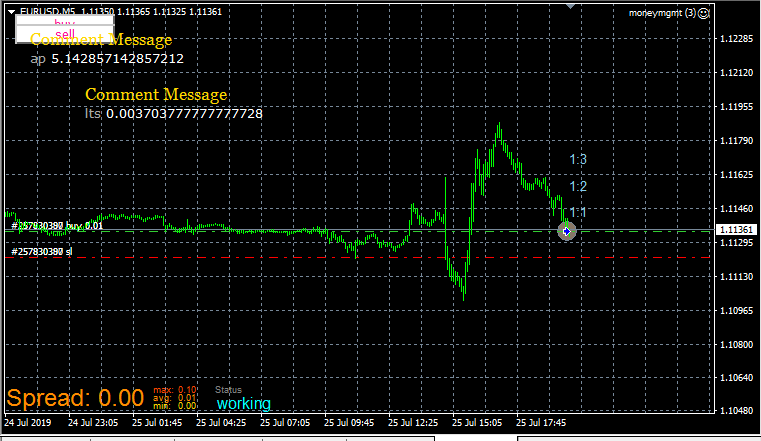
-
@roar finally
https://fxdreema.com/shared/DjiYkYSNb
its working i had to change the approach a little bit
and roar thank you very much for staying till the end.
wouldnt have been possible without your help