Trade Manager
-
Hello,
I am looking for some guidance on a issue with a trade manager i am working on. I have it draw the buttons on the chart as well as it being able to pull pending orders both ways and delete them from the charts. The issue i am having is the modify the stop lose button i have. The button shows it is pressed but it does not change the trades i have going already with stop loses or take profits. I wanted to have 2 buttons to do this. So each could have different settings. Maybe its something with the button settings? Any help would be great.Thank you
Tintman7 -
Please excuse me for not answering your specific question, but I'm curious about your break even button. Does it work as designed with your current structure?
-
@l-andorrà
Yes all features work so you can use it, and after more testing i did find that the EA would modify orders that were filled by the EA but not orders that were already filled. I used it today for trading and it worked great.Good luck using it, hope it works well for you. This was something i could not find on MT4 that worked for me. I am going to add some more buttons to it so it has different SL levels to choose from and some other ideas i have as well.
Let me know how it works for you.
Here is the updated version i am testing now.
-
Re: Trade Manager
Here is a updated version of it. Still seems to have a problem tho with random trades not being updated with the new stop loose. Can anyone look at this for me for some pointers? -
I tried this way as well
@fxdreema can you take a look at this for me when you have a chance please?
I can get the orders input when DP BUY 1 or DP SELL 1 is pushed. As well as the DELETE PD button works fine. THe second buttons DP BUY2 and DP SELL2 dont unpress when clicked on the screen. The orders stil show up but the button does not reset.
Also the stop loose button dont change the orders on all of them when pushed. Any ides as to why or what i can clean up?
-
Re: [Trade Manager](/forum/topic/7529/trade-mananger
Hello all,
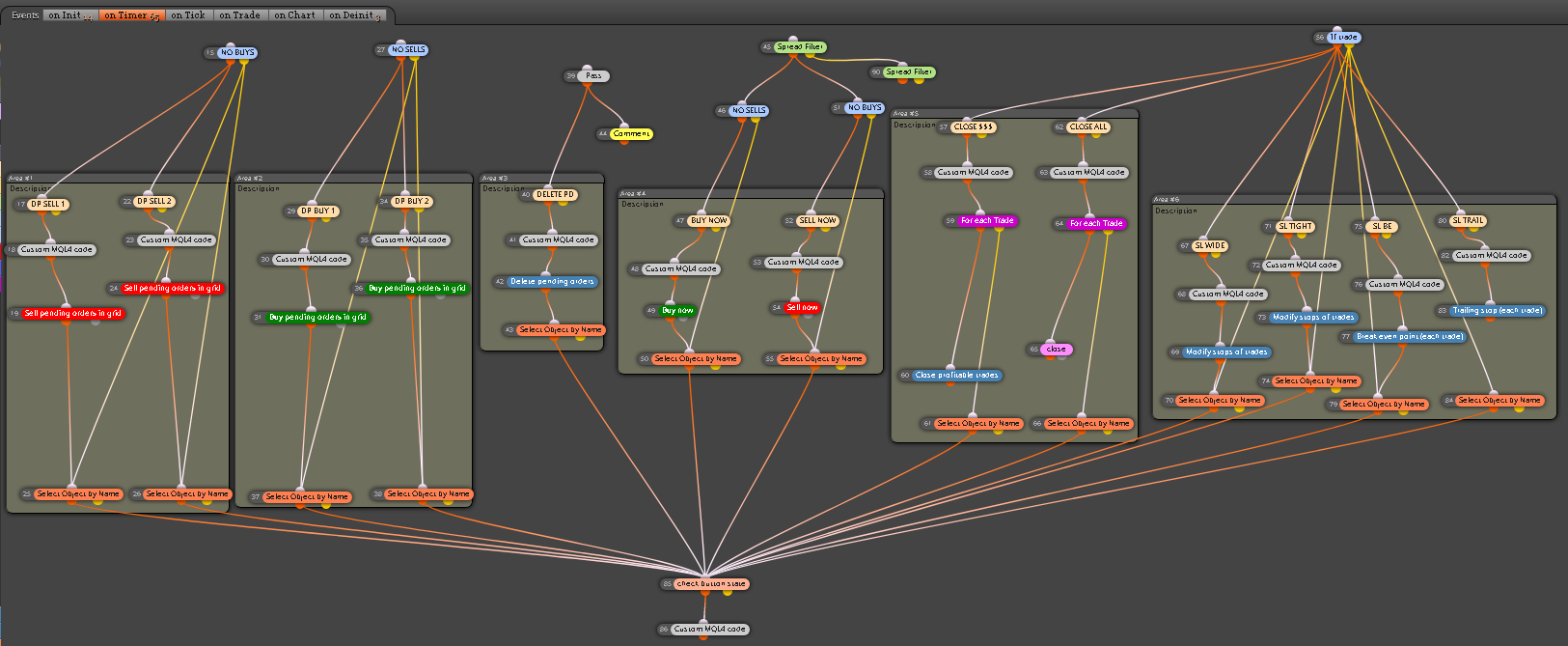
Here is a updated version of the trade manager. Looks like i have it all working correctly. I was testing all weekend and will be running a demo on it today.Can anyone look this over and give it a shot as well for any tips or ideas that can be added. Let me know anything you think.
Thx,
Tintman7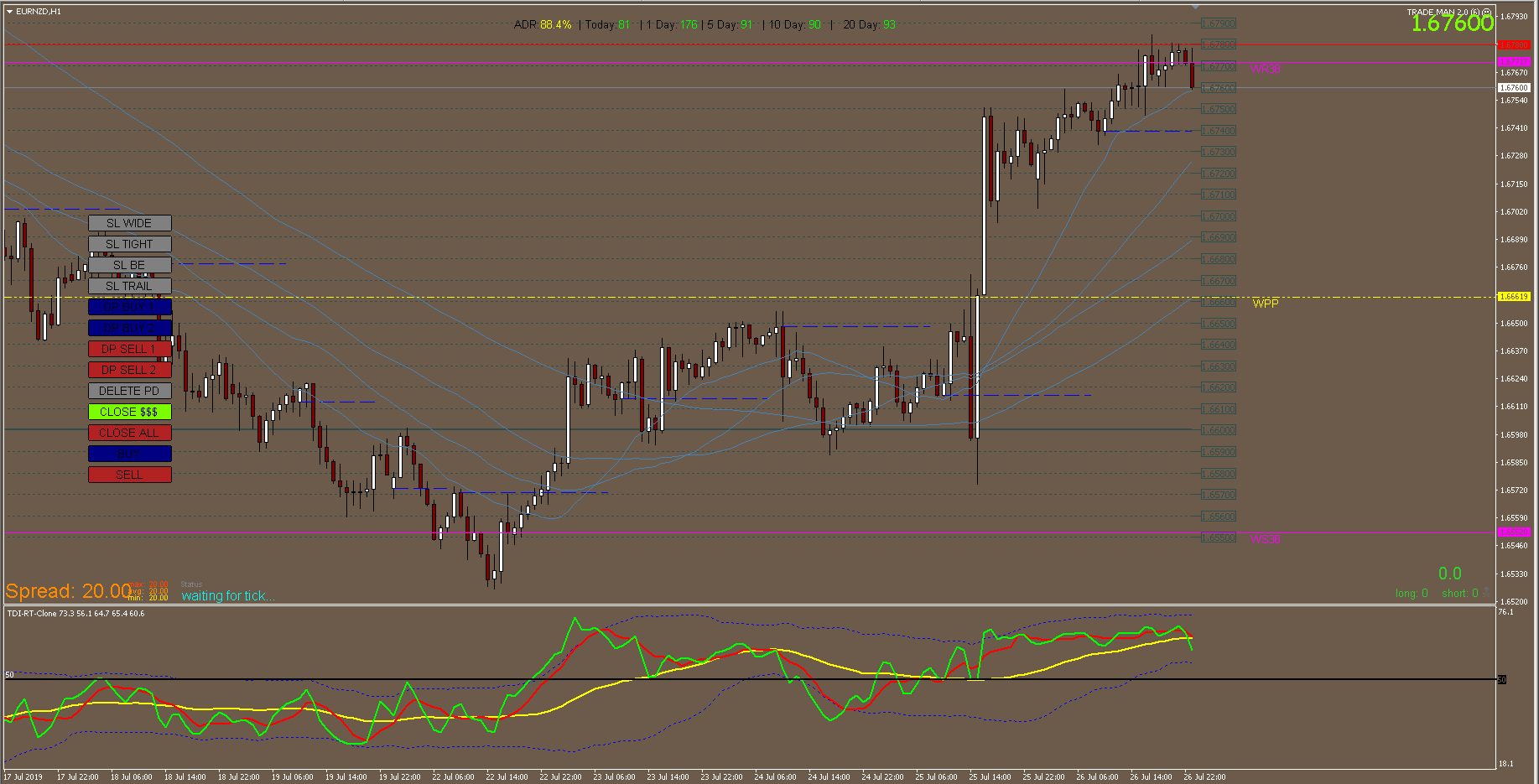
-
Impressive! Congratulations. I have never seen so many blocks on the 'On timer' tab!!!

-
@l-andorrà Thx my thought was that i did not want to wait for a tick for these to execute, so rather the timer set to 1 second.
-
Ok so after some more testing i cant get the CLOSE ALL buttons or the CLOSE $$$ buttons to work. I get a FIFO violation from both of them. I have the blocks to check for the oldest to newest trades first them a block to close them.
Maybe its the block itself that i am using that is not filtering the trades correctly.
Heres what i am lookin for:
CLOSE ALL- Close all trades running in profit or loss
CLOSE $$$-Close all profitable trades
Hope someone can help with this one.
Here is the recent version:
-
@tintman7 I tried to backtested it on mt4 it does not work
-
@nacim Back test wont work due to this running on a timer. If you put all the blocks on the TICK tab then it works fine in the back test. Also you can try it on a demo and it works fine. Just having a issue with the close features not closing the oldest trades first. Working on fixing that now.
-
I'm afraid this EA surpasses my fxDreema knowledge, sorry :(. Maybe roar or miro would be able to shed some light on it.
-
@l-andorrà Ok great thank you for the reply. I am actively tring to fix this tring different things but no good so far. I can run it the back test and it works but not on a real or demo account. Odd
-
Ok so i got it working. All buttons seem to be good. Gonna keep testing it.
New version
-
I can't see the project. Did you paste the whole URL?
-
Here you go some got cut off. This has a few more updates since the last post
-
Absolutely impressive! Congratulations.
-
Thank you. Here is a updated screen shot.!