Parse WebRequest response and store into Variables
-
Hi all,
I am trying to make a trading bot with Broker integration.
Right now have Node.js local server which gets a request from MT5 and sends requests via API to Broker.
Right now have a major problem to analyze responses.The question is:
How i can store WebRequest response into variables?
Here is an example of a response to my request:
{"balance":5704.45,"currency":"USD","id":"548853a0-0bec-a46d-dc34-7cd3f9xxx","loginid":"VRTC15912xx"}Looking for a way to store array separated into the variables, like:
balance=5700
currency=USD
id= etc,.Please advice.
-
Wow. I lost my mind after the words 'broker integration'. I have no idea what is that. Could please explain a bit more? Just curious.
-
@gsmtricks Interesting project you have. What you are looking for is a JSON deserializer. You may start here and follow the links.
There seem to be a custom library that has to be included in your project in order to use it. Unfortunately that is beyond my esperiences with fxdreema. -
Broker integration I do mean that I have NODE.js app which can connect to binary.com and open trades.
This local APP can send answers from broker to MT and now i can save the WEBrequest answer into a variable as a text string. But this is not useful for me, I need to get the answer parsed -
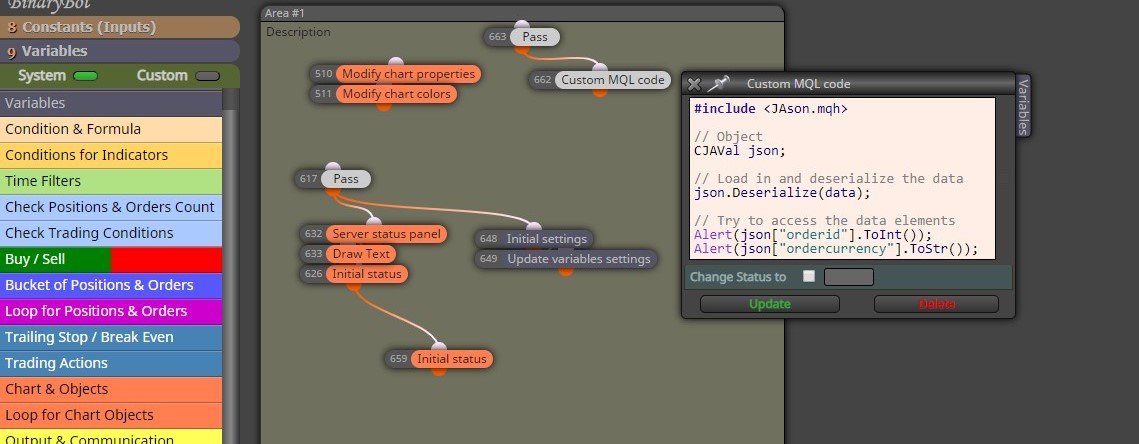
But this example can't compile.
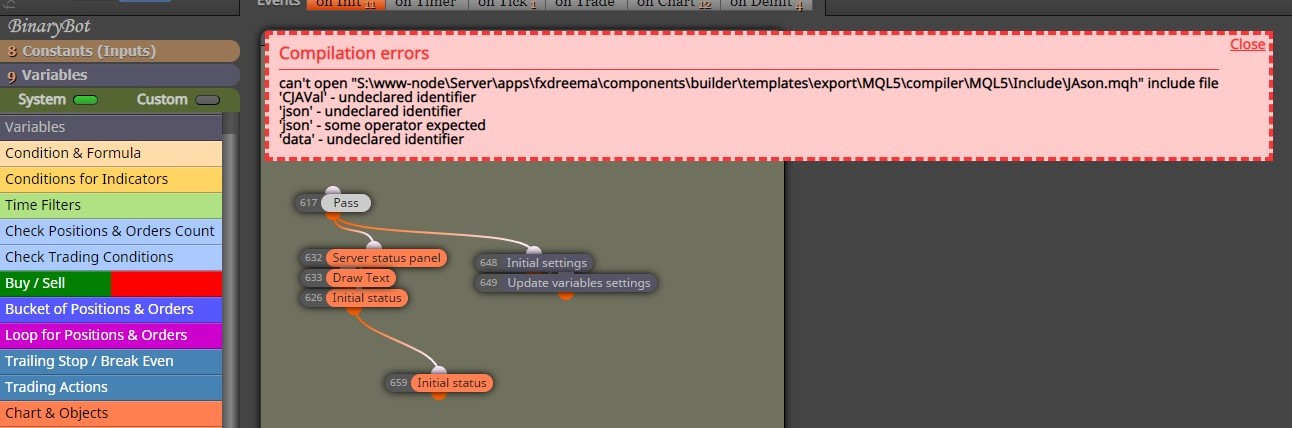
-
@gsmtricks Did you copy the mqh file in the include folder of your mt4 instance?
Additionally set project properties to.point to your mt instance. -
Did you copy the mqh file in the include folder of your mt4 instance?
- Yes, also just for test i have create some example:
//+------------------------------------------------------------------+
//| Test1.mq5 |
//| Copyright 2019, MetaQuotes Software Corp. |
//| https://www.mql5.com |
//+------------------------------------------------------------------+
#property copyright "Copyright 2019, MetaQuotes Software Corp."
#property link "https://www.mql5.com"
#property version "1.00"
//--- input parameters
#include <JAson.mqh>
input string data="dd";
//+------------------------------------------------------------------+
//| Expert initialization function |
//+------------------------------------------------------------------+
int OnInit()
{
//--- create timer
EventSetTimer(5);//---
return(INIT_SUCCEEDED);
}
//+------------------------------------------------------------------+
//| Expert deinitialization function |
//+------------------------------------------------------------------+
void OnDeinit(const int reason)
{
//--- destroy timer
EventKillTimer();}
//+------------------------------------------------------------------+
//| Expert tick function |
//+------------------------------------------------------------------+
void OnTick()
{
//---}
//+------------------------------------------------------------------+
//| Timer function |
//+------------------------------------------------------------------+
void OnTimer()
{
// Object
CJAVal json;// Load in and deserialize the data
json.Deserialize(data);// Try to access the data elements
Alert(json["orderid"].ToInt());
Alert(json["ordercurrency"].ToStr());}
//+------------------------------------------------------------------+I can compile it and it works.
Additionally set project properties to.point to your mt instance.
- what do you mean? As I can see error comes from FxDremma.
I did another test:
- Downloaded blank expert advisor in mq5 format generated by FxDremma
- Opened it in editor - compile - works
- Added same line of code: #include <JAson.mqh>
- Compile - a lot of error and as a result - can't compile it.
-
@gsmtricks I meant the global options in the project.
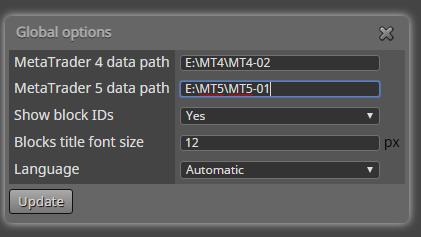
-
@trader-philipps
Yes, sure I have it done.
You can try your self. Open any Expert generated by FxDreema and try to add line:
#include <JAson.mqh>You will see - no way to compile it after that.

