my Martingale EA have problem with layer . Please Help me
-
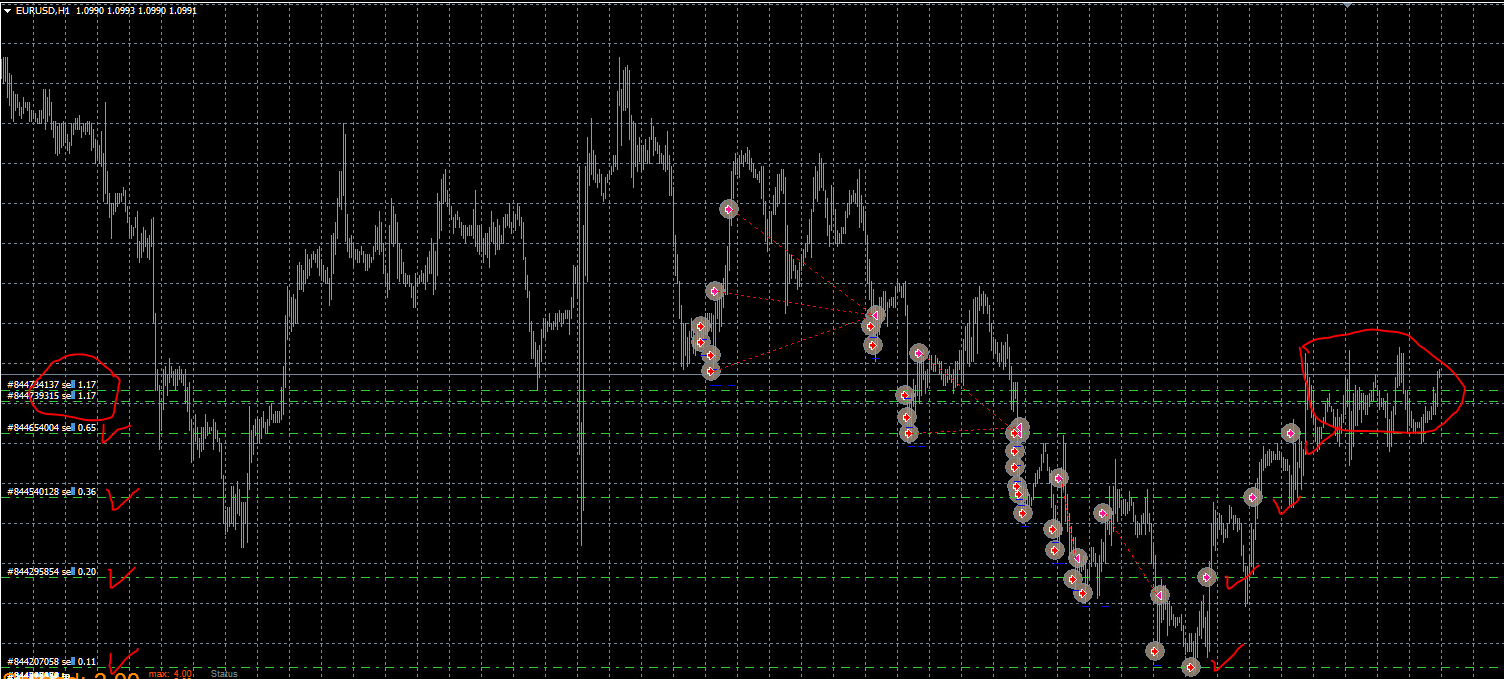
hi everyone
I just created a simple EA martingale.
each layer is 30 pips.
the problem now is that my EA has opened the initial order and opened 2 lots.
(on sell lot 1.17)
this trading uses 100% EA .. the red arrow is also missing on the wrong entry.
ask a kind friend to help me why this is happening and how to resolve itthank you and your help is very much appreciated
-
Sure! Can you please share your project to take a look at the issue?
-
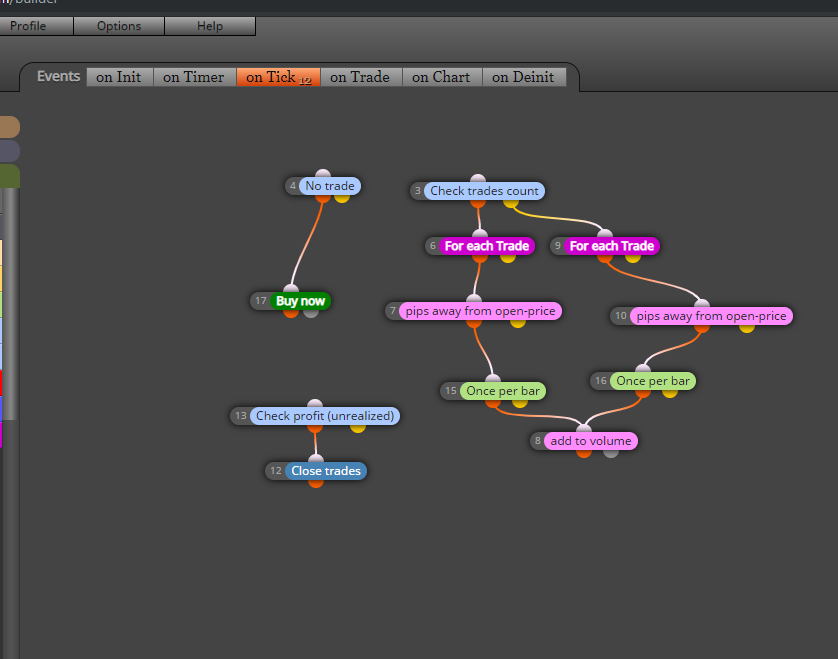
Hi My friends
this is my project .
TQ for responding -
@fairos Thanks for the screenshot. However, @l-andorrà meant a link to the project share.
-
Exactly. Could you please share a link so that we can see how the blocks are configured?
-
thanks @l-andorrà and @trader-philipps .. i try to share it today.
thanks for respond -
hi Mr @l-andorrà .. Sorry for delay time because my internet have problem
here is my link
https://fxdreema.com/shared/pofyIS1Mdim copy from existing EA
tq for helping me -
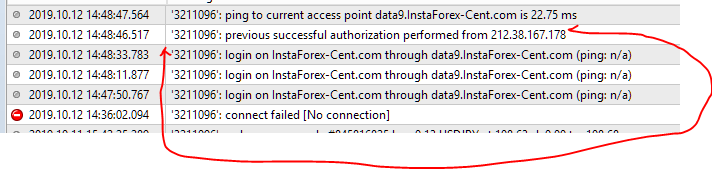
The problem I'm facing right now.
The EA will make a lot of entries after there is NO INTERNET CONECTION on my vps systemhere i include once ea link i copied existing
I hope you can solve this problemthank you so much for being so helpful

-
You could check the last trades size and then increase from that or maybe this thread will help ?. https://fxdreema.com/forum/topic/5164/example-save-variables-into-file-and-read-them-back-advanced
-
I don't understand the logic behind blocks ID 1, 4 and 7. Why the first 3 trades are supposed to add volume 15 pips away and then all other trades at 30 pips away? I find it's a very weird kind of martingale. In other words, are you fully aware of the effects of connecting blocks ID 1 and 7 that way?
Sadly, I cannot give you an answer for the second problem on your VPS, sorry.
-
@hadees tq for helping .. i will check it and try to fix it . tq so much
-
@l-andorrà ok tq for helping .. i will try to fix it back . tq so much for respond


