Long/Short logic with RSI/MFI
-
I've looked at numerous tutorials, but I'm confused with the short/long logic.
I want the EA to buy into a long trade when RSI > X AND MFI < Y. Then I'd like the EA to exit this long trade (sell) and enter a short trade when RSI < A AND MFI > B. Both trades should be protected with a stop loss of 0.50%.
Would somebody mind linking me to a template of some sorts that meets this criteria?
Many thanks,
Jack

-
Sure, I can help you. Just one question. What is MFI?
-
@l-andorrà Thank you so much! It's the Money Flow Index, its in the indicators supported in this platform
-
@l-andorrà here is a link to what i have so far...
https://fxdreema.com/shared/RY8oJ2KPb -
You logic is correct. What you need to do is:
-
Specify candle ID 1 on all condition blocks. Now you are working on cnadle ID 0 and that can lead to weird results.
-
You need to create two Constants called 'A' and 'X' and insert them in teh exact same places you wrote them. Because you wrote them manually the EA doesn't work.
Try it and tell me how it works.
-
-
@l-andorrà Hi again! Thanks for your continued help
I've changed the candle ID to 1, as can be shown here:
https://fxdreema.com/shared/xYXG8kL0d
I'm unsure how to do the constants, will this fix the issue? As in current testing the EA still seems to be buying at the incorrect points and causing significant losses in testing; i.e. it isn't buying where RSI = X AND MFI = Y, and then exiting the trade when RSI = A AND MFI = BThanks again,
Jack
-
Easy. Firstly you create them. Fpr example your X Constant:
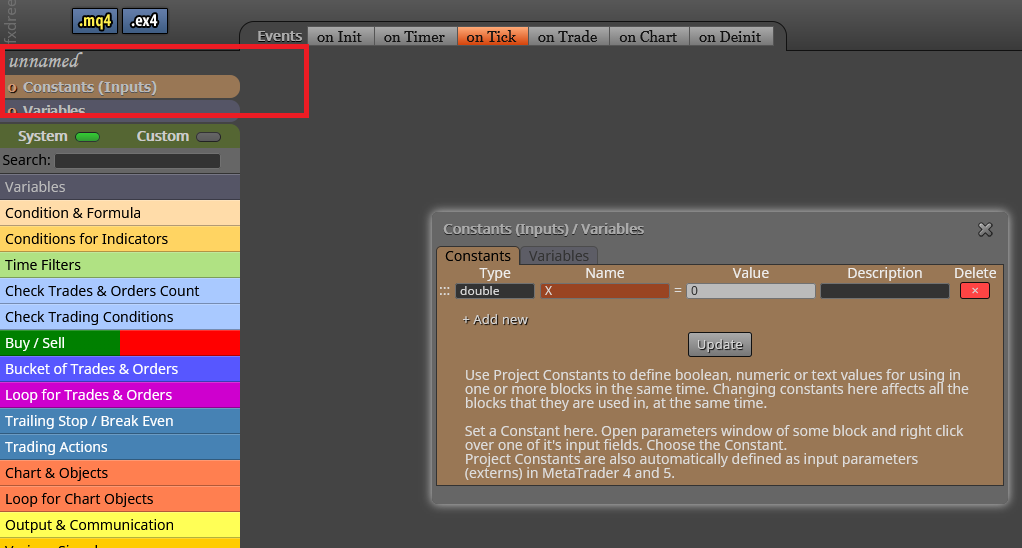
Don't forget to click on the 'Update' button. Otherwise it will not be saved.
Then you open the condition block and right click on its position:
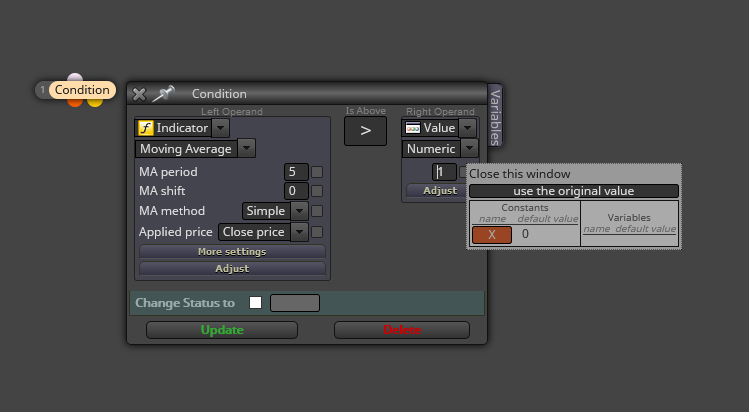
Same with the variables.

-
@l-andorrà thanks again! i've managed to add the variables correctly (i think?). but when testing it doesn't seem to be making trades at all
https://fxdreema.com/shared/WiwwBvQfb
sorry to be a continued pain - but your help is greatly appreciated
-
I think the problem is with blocks 2 and 9. You are asking them to look for a crossing with a constant. I recommend you to substitute block by this:
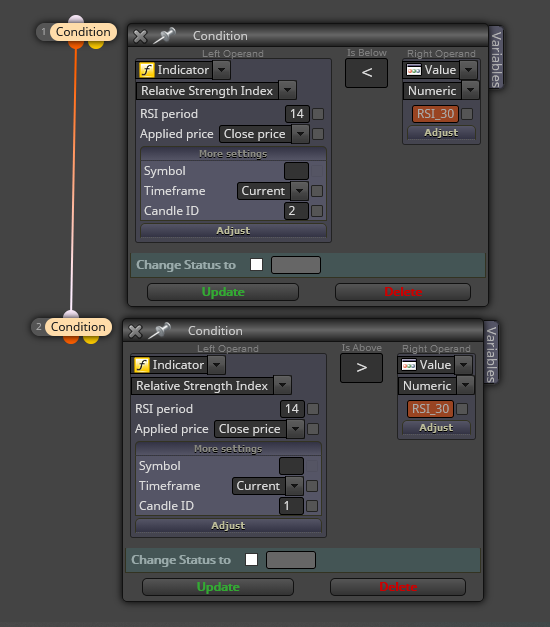
Then do the equivalent for block 9.
-
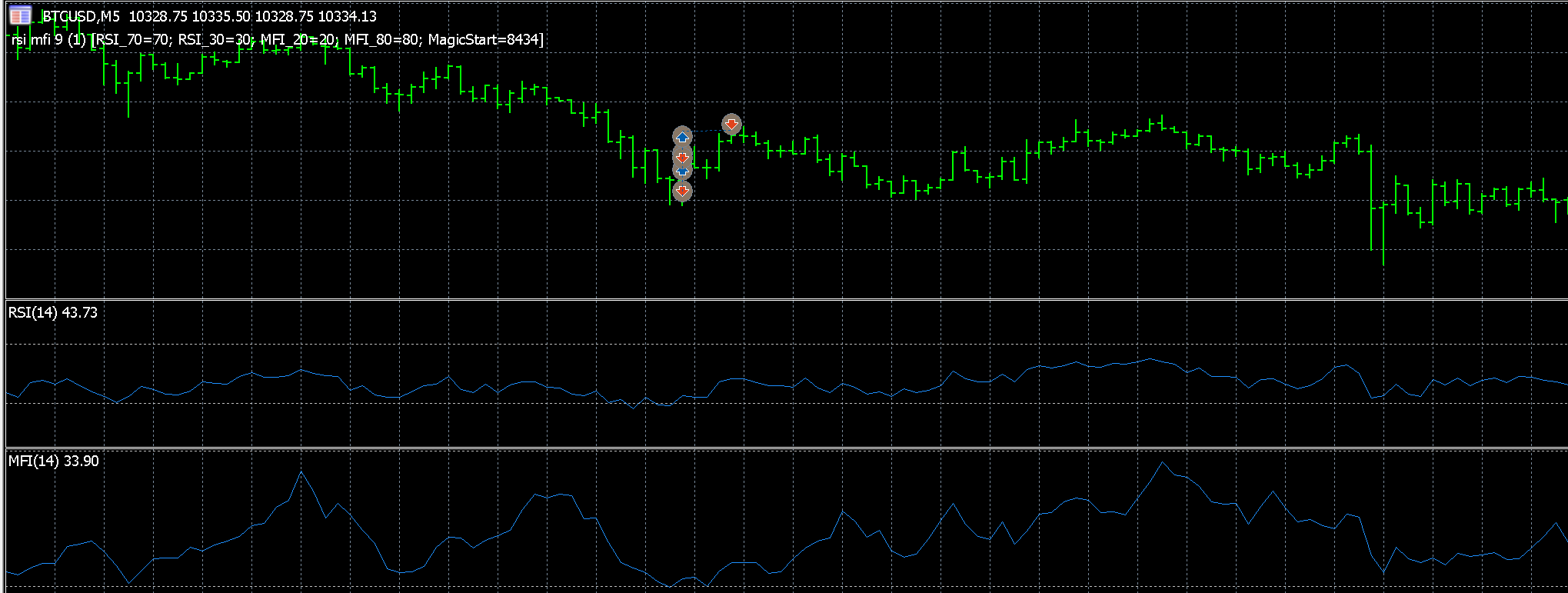
Thanks again, I've made those changes to blocks 2 and 9 but the EA is still buying and selling in incorrect places (see image - hopefully i've attached the image correctly!)
-
@thefaunt clearly it is buying at the right time (although buying more than once) - but not selling at the correct time at all
-
@thefaunt In the shared project there is no sell path, right? So I guess there is some issues caused by copying blocks maybe.
-
What do you exactly mean by 'more than once'? Do you mean on the same bar? Then a 'No trade' block (for buys) and another (for sells) should be put on top of your launching structures.

