Create an operation with an object in a chart.
-
Hi;
I want to trade with blue and red arrows, but I couldn't.
help please.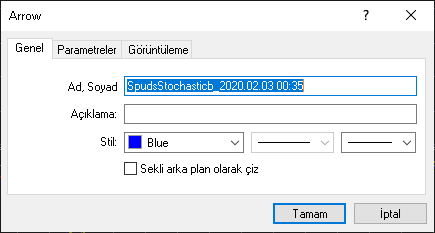
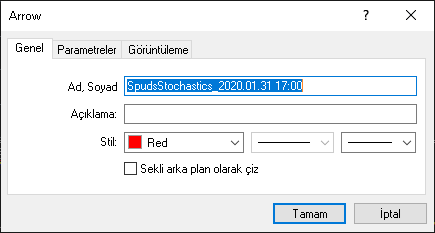
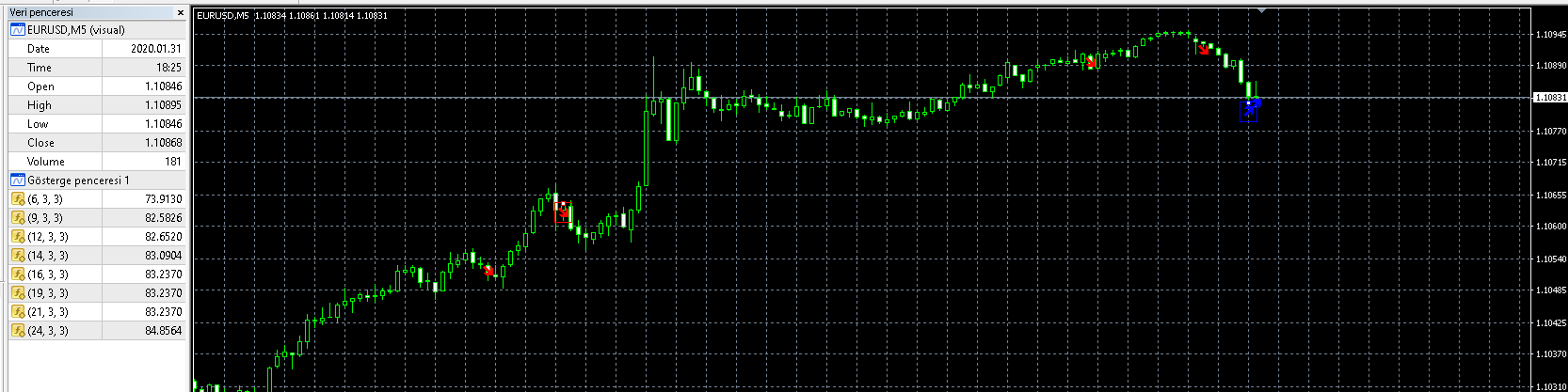
-
Obviously you are using a custom indicator. Probably you shopuld import it to your fxDreema account and then use the 'Indicator appears' block instead. Do you have the .mq4 version of that indicator? It would be easier to see its buffers.
-
Yes ; I share.
Can you check it -
Ok. I see it. Please read this wonderful miro's tutorial about importing custom indicators:
https://fxdreema.com/forum/topic/4208/tutorial-06-my-indicators-in-fxdreema
Once uploaded to your fxdreema account you will have to identify the red and blue buffers corresponding to those arrows. Then you will need an 'Indicator appears' block. Try it and let us know when you get it.
-
@l-andorrà Hello;
I've tried . I can not.
I need to introduce the object. I wrote a new indicator from the mql file but could not get the same data. -
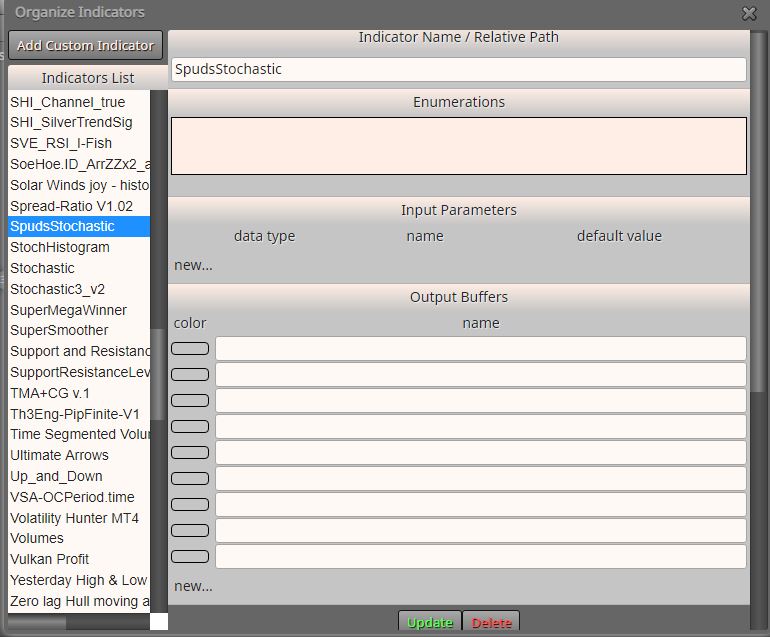
Can you please show a screenshot of your 'My Custom Indicators' window? Just select that indicator and upload it here, please.
-
Hi;
talked here before but no solution was found.
here is the link : https://fxdreema.com/forum/topic/2465/Need-help-with-order-opening-when-my-indicator-draws-arrows/6I know the Arrow code, can it be done with it?
buy:236
sell:238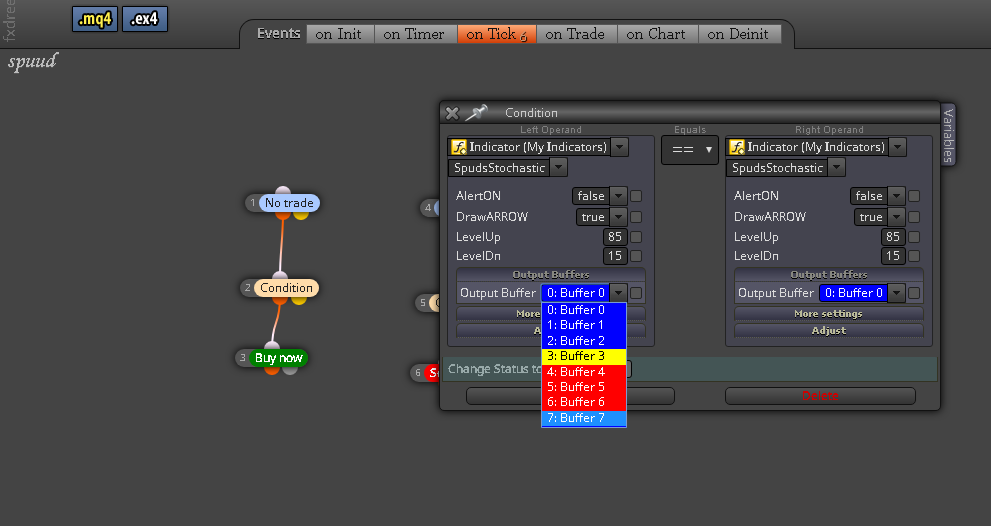
-
Ok. Those buffer numbers are not the ones you need. Look at that display menu in your screenshot I'm sure the bloe arrow should be buffer 0, 1 or 2. Same in red for the other arrow. Can you please confirm which buffer numers belon to each arrow?
-
Hello;
Unfortunately, there is no buffer number. It draws objects in the graph from the combination of several buffers. I gotta get from the object. But I can't.. -
@dragonfly617 I took a look at the indicator. It sets different prefixes for buy and sell signals.
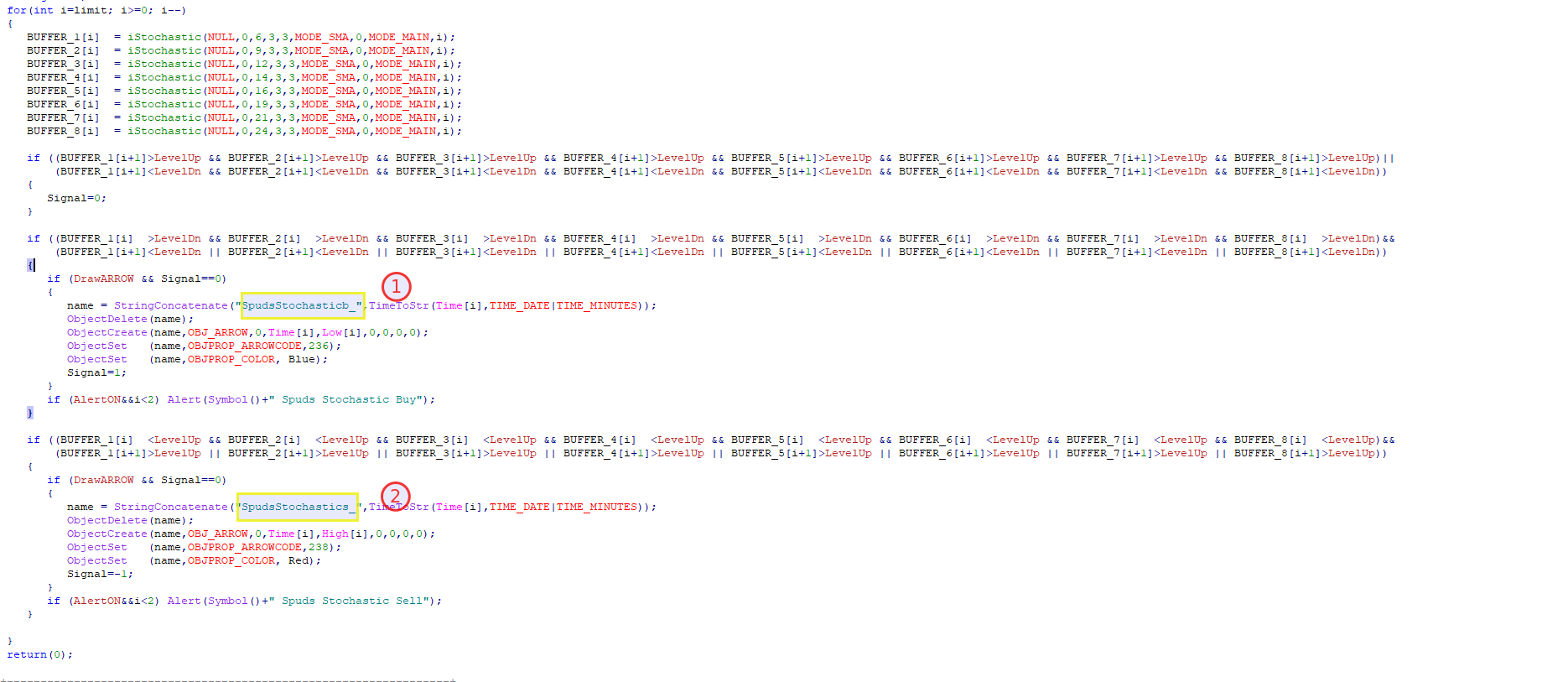
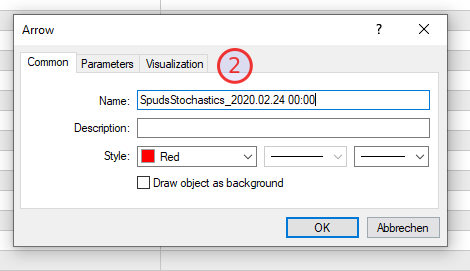
So you can loop for last objects with prefix SpudsStochasticb_ for Buy arrows and SpudsStochasticb_ for sell arrows.
-
trader.philipps
hi thanks for your help;
I tried trading with a few variations, but I wasn't successful. can you share an example? -
@dragonfly617 Havent' tested, but try something like this ..
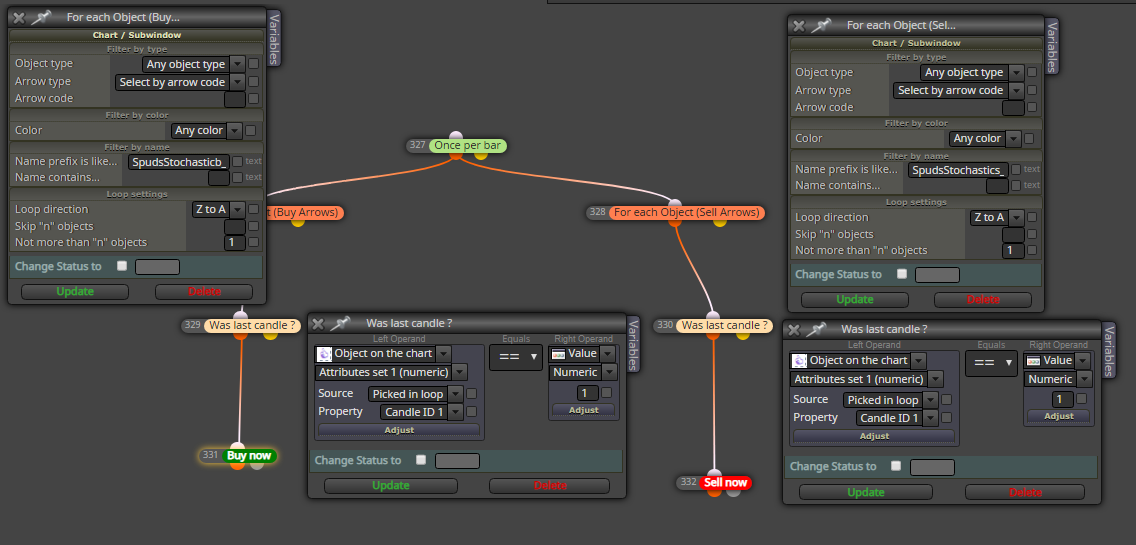
-
@dragonfly617 Ok, as it was not so hard I created an additional buffer that show 1 for Buy signal and -1 for Sell signal for your convenience.
0_1583763512237_spudsstochastic.mq4
Please test before use on real account!!!
-
trader.philips. Did you create the new buffer in the indicator's code?
-
Hello;
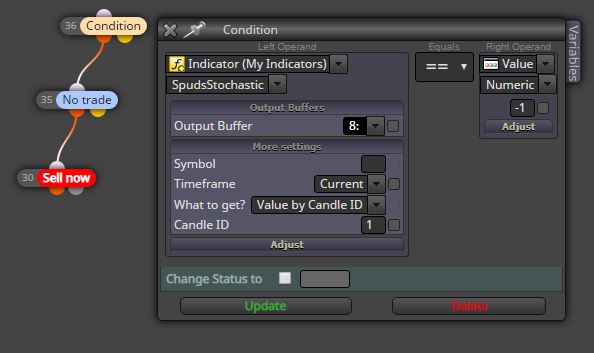
What am I doing wrong here?
the transaction does not open.(I changed the name of the file you edited and used it.)
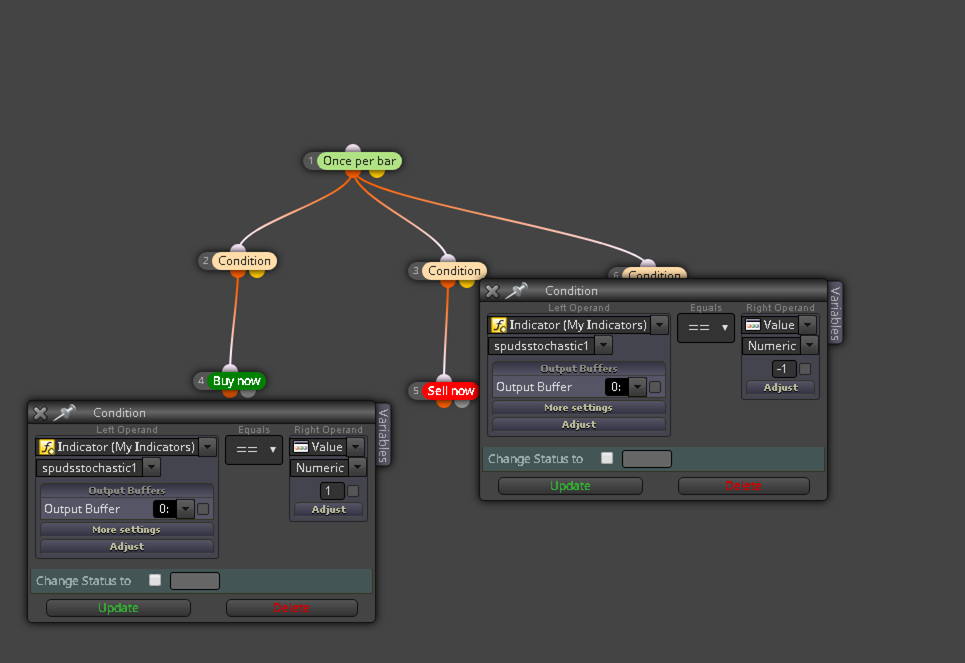
-
@dragonfly617 Hi! You have to select the new buffer that @trader-philipps added, remember to specify the candle ID
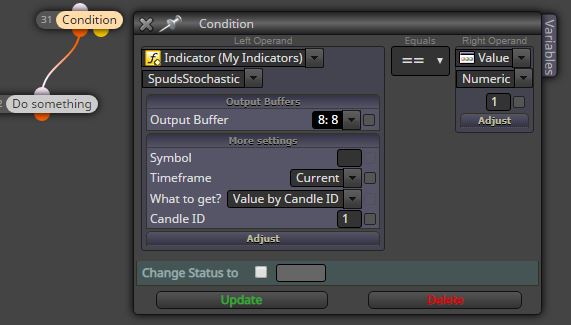
-
For some reason I cannot load it on my indicators.
turns out blank?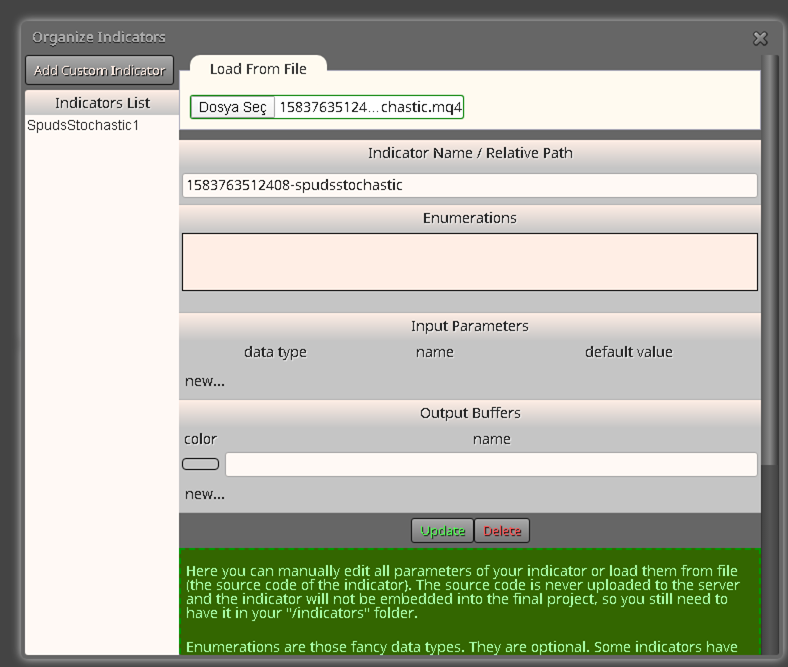
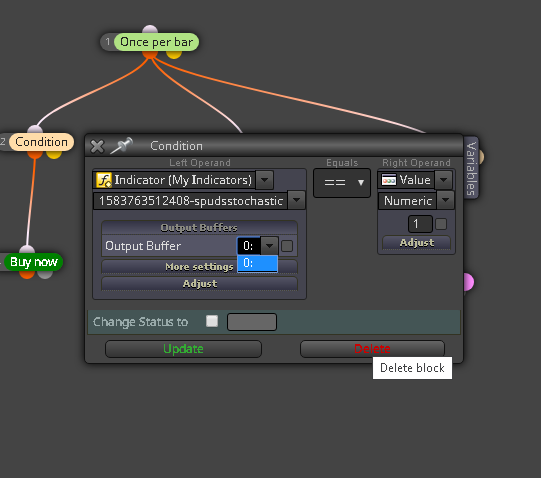
-
@dragonfly617 Just add manually all the buffers from 0 to 8 and save
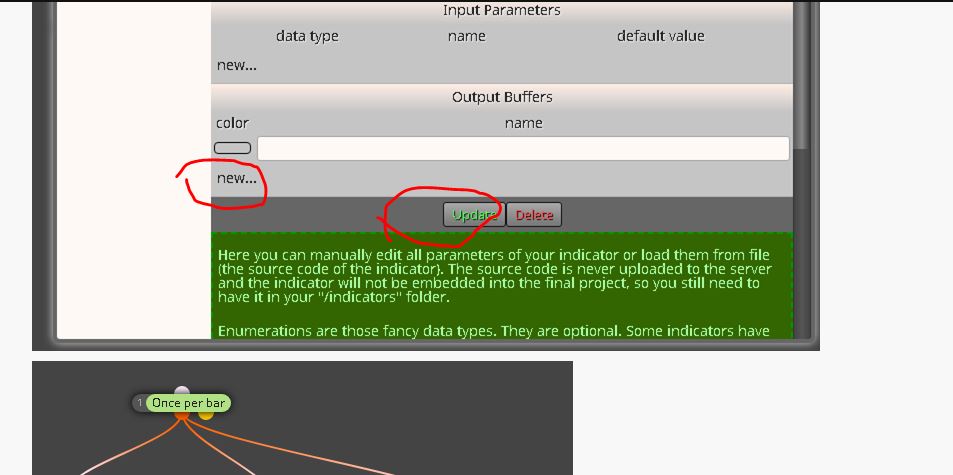
-
I tried, but the process does not open.
-
@dragonfly617 For me works. Check if there is any error in the journal of tester, like "cannot load the indicator" ecc.
This is what I did in a raw manner