Custom Indicator Help
-
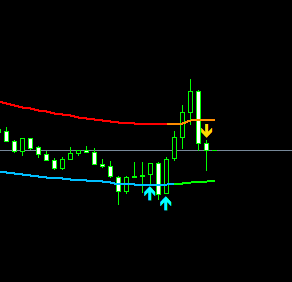
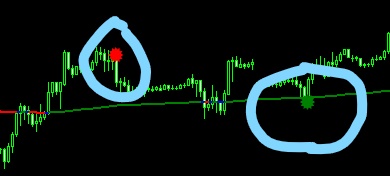
Hi, I have a custom indicator that displays a bubble on top (for sells) and a bubble on the bottom (for buys) of candles. I'm not sure how would I go about doing the check, i already have the custom indicator imported on my project, just need to check if the indicator has put a signal and where (above or bottom of the current candle) . Please help me
-
Bear candle block give you that candle have more that 20 pips and next condition you want that it less 20 pips.
Hmmm. Try something else. Maybe use variables.( i use it very often). -
Oh no, I have an indicator, I just need to check if it created a signal on the current candle. I see there is something called Buffer, so I have set the buffers as per on my indicator Colors settings.
So when i do a check to see if buffer3's value is greater than one I get nothing, and the indicator gets added too many times. I have a Once Per Candle condition, not sure how i would make sure that the custom indicator is added only once to the current chart. and the indicator loads incorrect values than the ones i have set when i was uploading it.
-
@bruno-3 please, upload the indicator
-
@bruno-3 I think you might need to use chart objects and their parameters to compare against candle properties. I've done this with another indicator and it works quite well. You can define a variable from chart object parameters.
-
I think there are too many inputs and maybe fxdreema has a limited number of inputs because when I enter the last input it says "Done" but then the row disappears. Here is the indicator below
@ambrogio 0_1585327152667_OGT Price Action Indicator v1.3.ex4
-
hi, first answer was on something else, sorry.

But back to your problem.
Maybe the indicator is lagging. Many indicators are lagging or repeat.
That nean the bufer is not on curent candle but some candle back. Try it with candle id 1, 2...and so on. -
This is the output buffers i found:
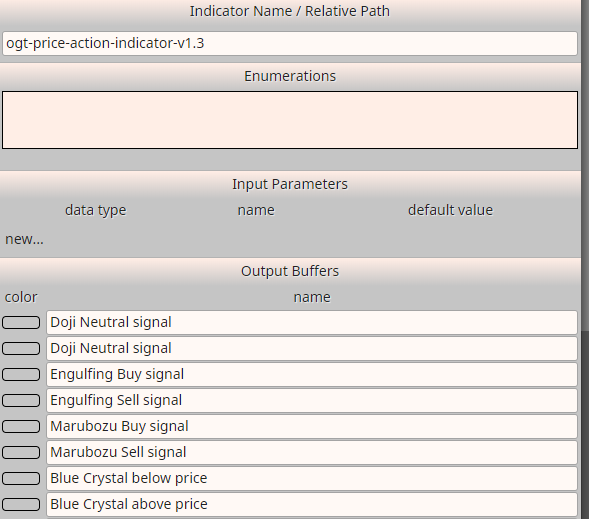
An example buying and selling on engulf signal:
-
@varso thanks, I had it on 0. putting candle index on 1 made small deference
-
@padletut This is so cool :). ok, a few questions.
-
When you imported the indicator did you leave the input values empty and only filled in the Buffers on purpose and it works, or this was just an example to help me with my issue?
-
How did you get the names of the Buffers?
-
Is the ordering of the Buffers enforced?
-
-
1 - Yes you can leave it empty if you don't want to change any standard inputs
2 - I was using Trace and looking where the value was triggered on chart
3 - Yes -
@padletut Thank you, can you please help me again. I have been dealing with custom indicators lately, i have an indicator that displays BUY & SELL signal arrows.
I have added buffers and placed a check for the arrow color buffer if its > 0 on candle index 1, but when i display out all the buffers im checking are zero then change breifly when an arrow appears then change back to zero which is correct. But when i hover over the comment i see the old buffer value eg. 1.221343 instead of 0 on the hover pop up window.
So in a nut shell im trying to create a n EA that will BUY when the aqua arrow appears below the bottom line, and SELL when the gold arrow appears above the top line.
I have attached the indicator and image
-
can anyone else please assist?
-
Don't you have the mq4 version?
-
@l-andorrà Yes. so I'm trying to buy when an aqua arrow appears bellow the bottom line and sell when a gold arrow appears above top line.
-
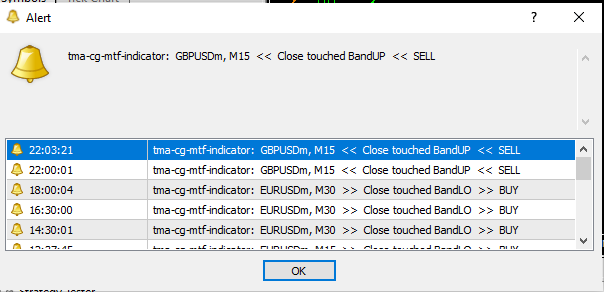
And is it also possible to intercept the idicators alerts in order to trigger a buy\sell from the ea?
-
I uploaded it and I see the problem. No buffers are automatically identified by fxDreema. You will have to create them as explained here:
https://fxdreema.com/forum/topic/4208/tutorial-06-my-indicators-in-fxdreema
-
@l-andorrà Hi, i did create them and set a condition but still no luck.
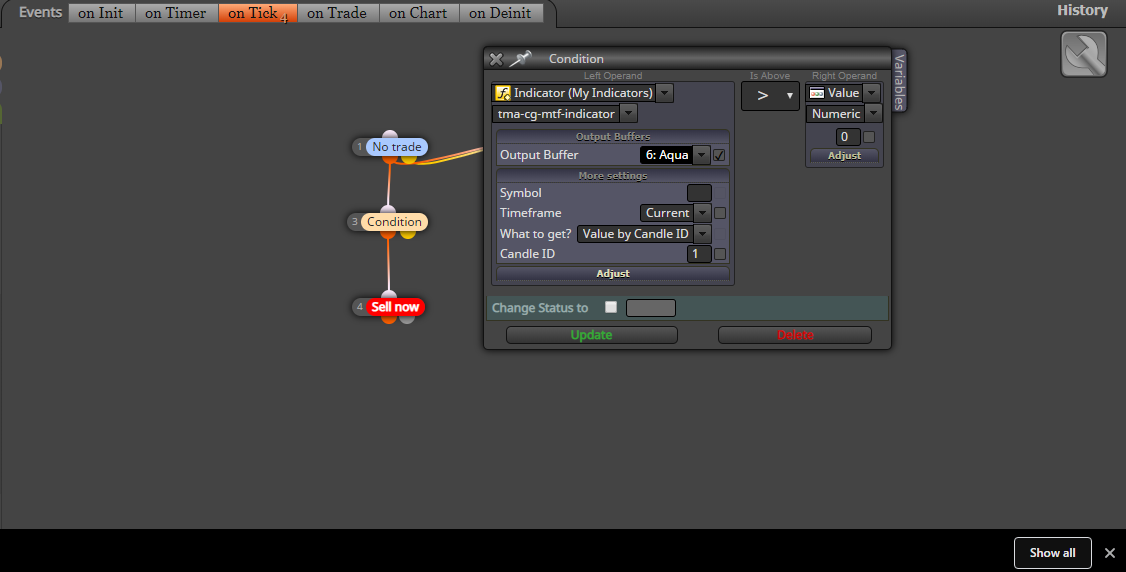
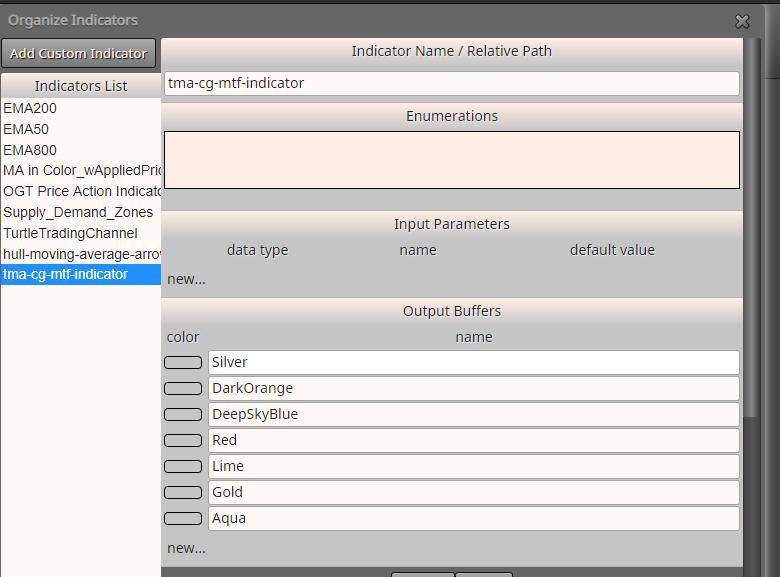
-
What about the input parameters?
-
@l-andorrà said in Custom Indicator Help:
I uploaded it and I see the problem. No buffers are automatically identified by fxDreema. You will have to create them as explained here:
https://fxdreema.com/forum/topic/4208/tutorial-06-my-indicators-in-fxdreema
@Bruno-3 Try to import this indicator. I modified it sometime ago and it should import correctly.
0_1585787032652_TMA_CG_mladen_NRP.mq4