fxDreema

    • Register
    • Login
    • Search
    • Back to the main page
    • Categories
    • Recent
    • Tags
    • Popular
    • Search

    How to execute: Enter when Indicator closes above (Yesterday's High + 100p)

    Questions & Answers
    3
    9
    1143
    Loading More Posts
    • Oldest to Newest
    • Newest to Oldest
    • Most Votes
    Reply
    • Reply as topic
    Log in to reply
    This topic has been deleted. Only users with topic management privileges can see it.
    • K
      ksingh last edited by

      Enter when the candle closes and the Indicator (eg 5MA) is above Yesterday's (DayHigh + 100p) - please show how this is done

      A 1 Reply Last reply Reply Quote 0
      • A
        ambrogio @ksingh last edited by

        @ksingh please upload a picture

        1 Reply Last reply Reply Quote 0
        • l'andorrà
          l'andorrà last edited by

          Yes, more detailed info would be appreciated.

          (English) I will try to help everyone in these fxDreema forums. But if you want to learn how to use the platform in depth or more quickly, I can help you with my introductory fxDreema course in English at https://www.theandorraninvestor.eu.

          (Català) Miraré d’ajudar tothom en aquests fòrums d’fxDreema. Tanmateix, si vols aprendre a fer servir la plataforma amb més profunditat o més de pressa, t’hi puc ajudar amb el meu curs d’introducció a fxDeema en català a https://www.theandorraninvestor.eu/ca.

          (Español) Intentaré ayudar a todo el mundo en estos foros de fxDreema. Sin embargo, si quieres aprender a usar la plataforma en profundidad o más deprisa, te puedo ayudar con mi curso de introducción a fxDreema en español en https://www.theandorraninvestor.eu/es.

          1 Reply Last reply Reply Quote 0
          • K
            ksingh last edited by

            Thank you for replying. I have just started building an EA to test this Software. The concept is simple, just like a line crossover.
            In this case, its only when the 5MA crosses and 'locks' will it be a valid entry. If you put the 5MA on your chart and look at your DataWindow icon on MT4 (Ctrl D) it will show where the MA is on each candle. Meaning of 'lock':- when the candle closes, the MA will either lock above or below the trigger price. In this case the 'trigger price' will be (Yest H + 100p).

            Example, if Yesterday's high is 1684.00, add 100pips = 1685.00
            So, trigger is 1685.00
            Wait for candle to close, then check 5MA - is it above 1685?
            If YES, enter a Buy

            This should be easily programmed, I think. I am not sure how to do it. Thank you and let me know if you need further information.

            A 1 Reply Last reply Reply Quote 0
            • A
              ambrogio @ksingh last edited by

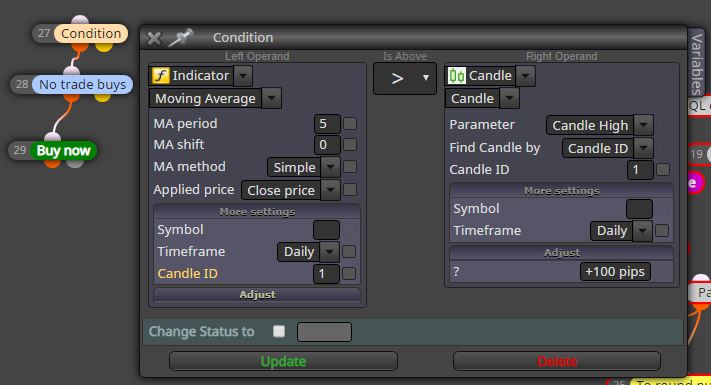
              @ksingh Try this and let me know

              0_1586592181894_Cattura.JPG

              K 2 Replies Last reply Reply Quote 0
              • K
                ksingh @ambrogio last edited by

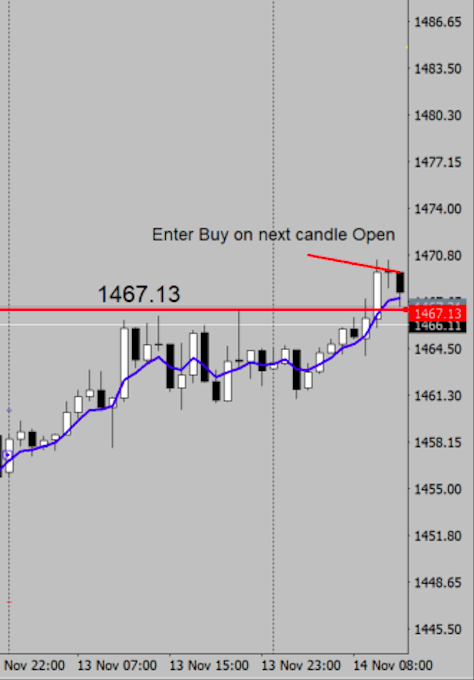
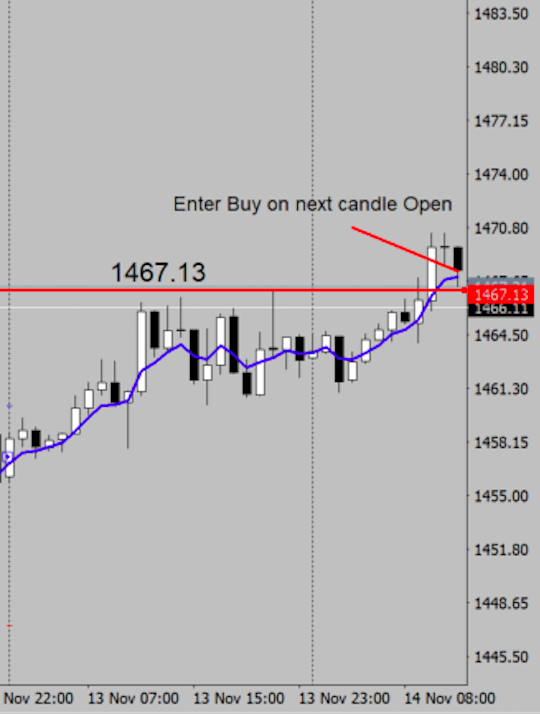
                @ambrogio Thank you for your thoughts.Please have a look here and see how to change your program. i am trading a 1Hr candles.
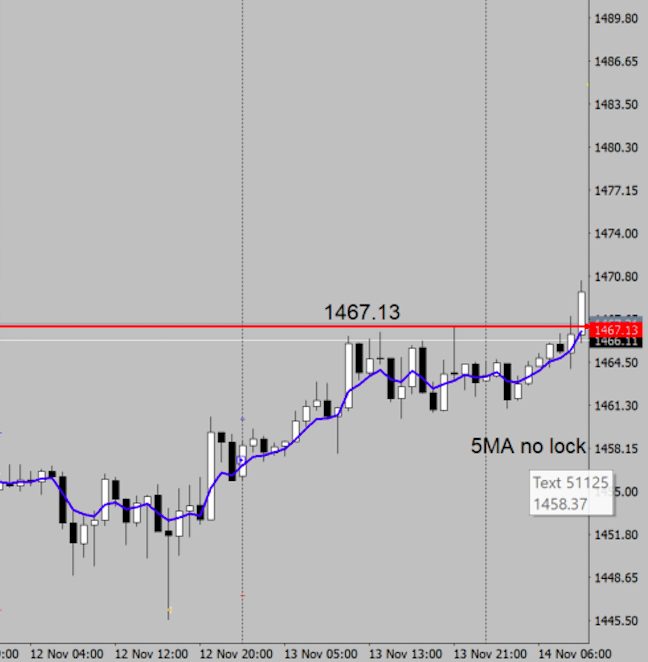
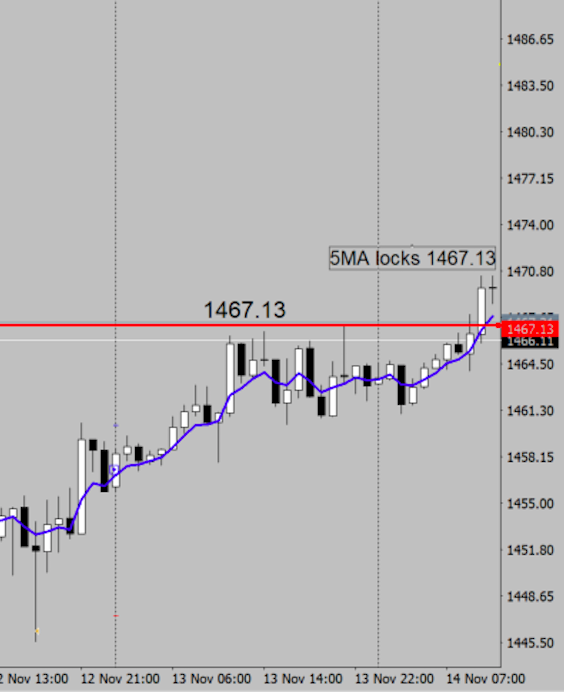
                0_1586613110531_Screen Shot 2020-04-11 at 9.44.19 pm.png

                0_1586613142753_Screen Shot 2020-04-11 at 9.45.10 pm.png !

                0_1586613162208_Screen Shot 2020-04-11 at 9.48.43 pm.png

                0_1586613147618_Screen Shot 2020-04-11 at 9.45.44 pm.png

                1 Reply Last reply Reply Quote 0
                • K
                  ksingh @ambrogio last edited by

                  @ambrogio completes the picture if that makes sense:
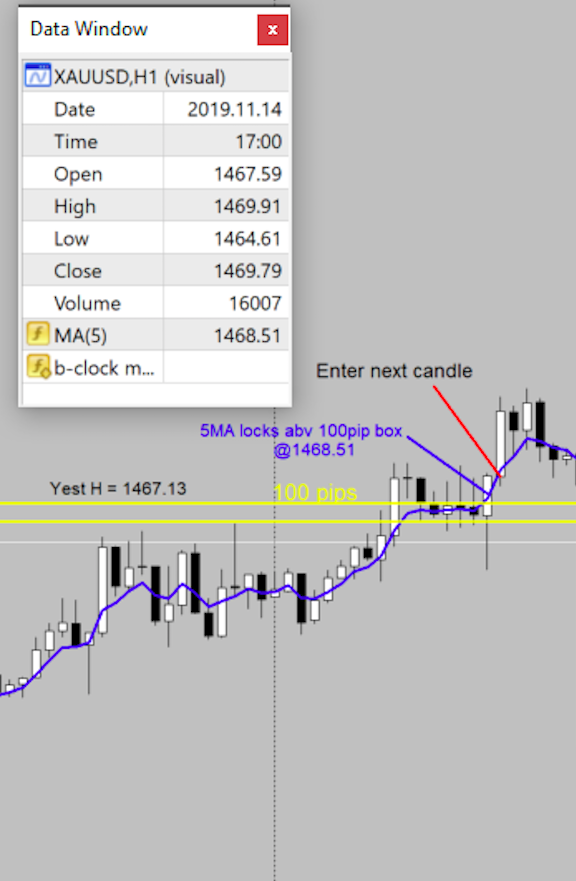
                  0_1586614479619_Screen Shot 2020-04-11 at 10.13.57 pm.png

                  A 1 Reply Last reply Reply Quote 0
                  • A
                    ambrogio @ksingh last edited by

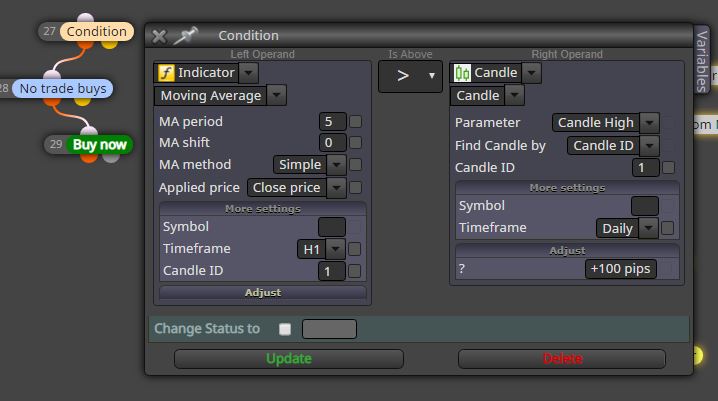
                    @ksingh Like this?

                    0_1586616872618_Cattura.JPG

                    K 1 Reply Last reply Reply Quote 0
                    • K
                      ksingh @ambrogio last edited by

                      @ambrogio Thank you, that seems to work on a rudimentary level. I will have to build on that. Cheers


                      1 Reply Last reply Reply Quote 0
                      • 1 / 1
                      • First post
                        Last post

                      Online Users

                      K
                      M
                      F
                      H
                      S
                      A
                      T

                      16
                      Online

                      146.9k
                      Users

                      22.4k
                      Topics

                      122.6k
                      Posts

                      Powered by NodeBB Forums | Contributors