Use variable, calculated from two price level, as a stop loss level
-
Hello!
I'd like to set my stop loss level this way (in case of long): (SuperTrend value - lowest price of the last 15 candels) >>> this distance divided by 3.
So I made a variable which calculates this distance and than divide it by 3., but when I try to use this variable in the stop loss calculation nothing happens. I tried as custom (price fraction) and custom (pips) as well, but it didn't work!
thank you for your help!
-
Is that the only info you will need from the indicator? I hope so because that stupid line is repainted over and over. Please tell me that the only thing you want, because if not, I will politely ask for you to change it for another one. It's a scam indicator!

-
yes, that is the only info I need from the SuperTrend!
But what I'd like to know really, is how to set a stop loss level if I know two price level's distance and I want to set the stop loss level for example 30% of that distance. -
The supertrend i drawing a line on your chart. That line is uniting points, one for each candled. It is not offering two levels or prices at the same time. Could you pleasse provide more detailed information (a screenshot)?
-
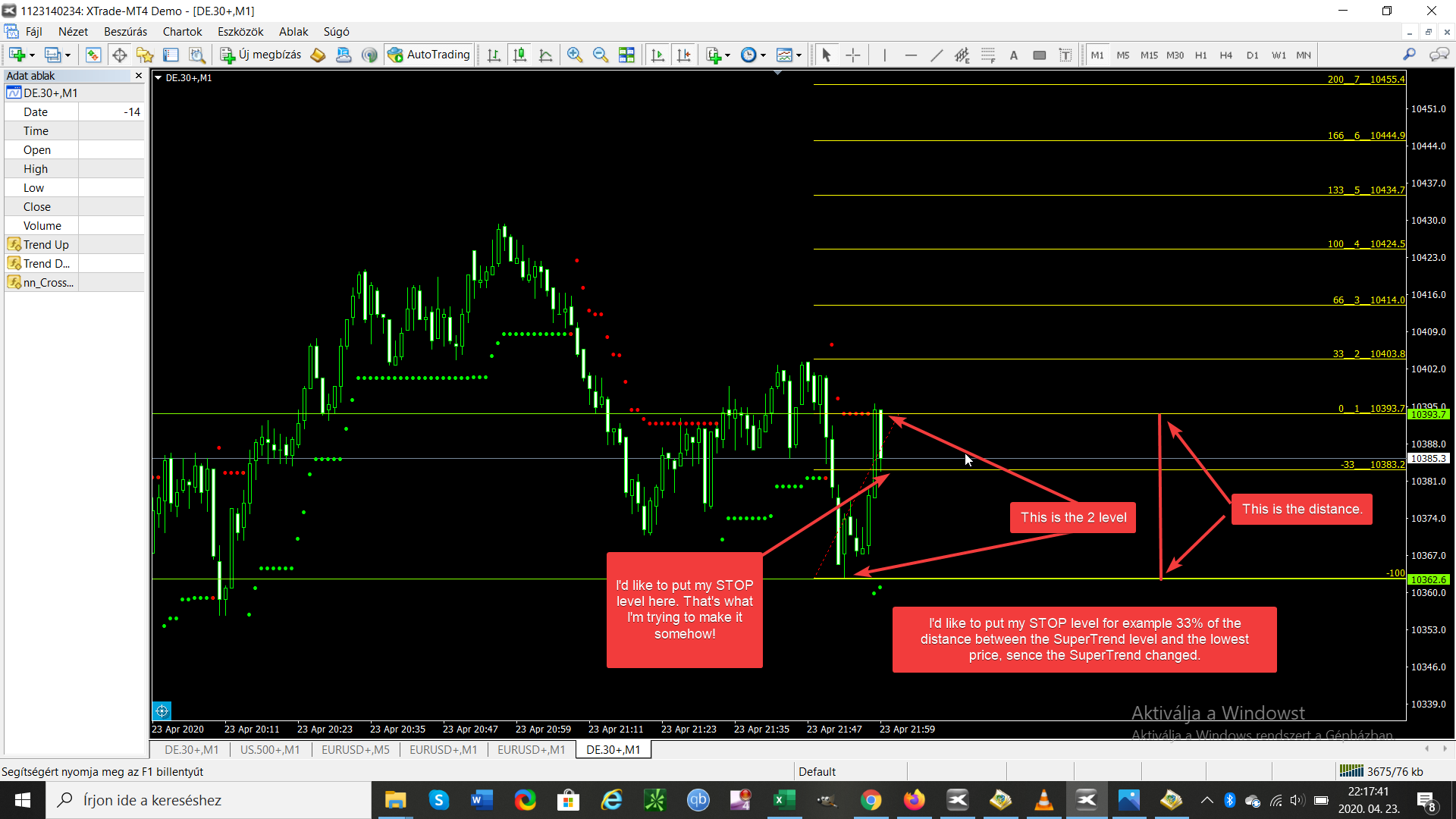
-
And it is accidental that the last candle's low is at that level. That's not why I want to put the STOP level there!

-
I'm noy used to this supertrend indicator variant. Are those red and green dots the supertrend?
-
Ok! Please forget the SuperTrend! My question is: How can I put my STOP level on the for example 33% of a distance, like the current candle high and the last like 10 candles low.
-
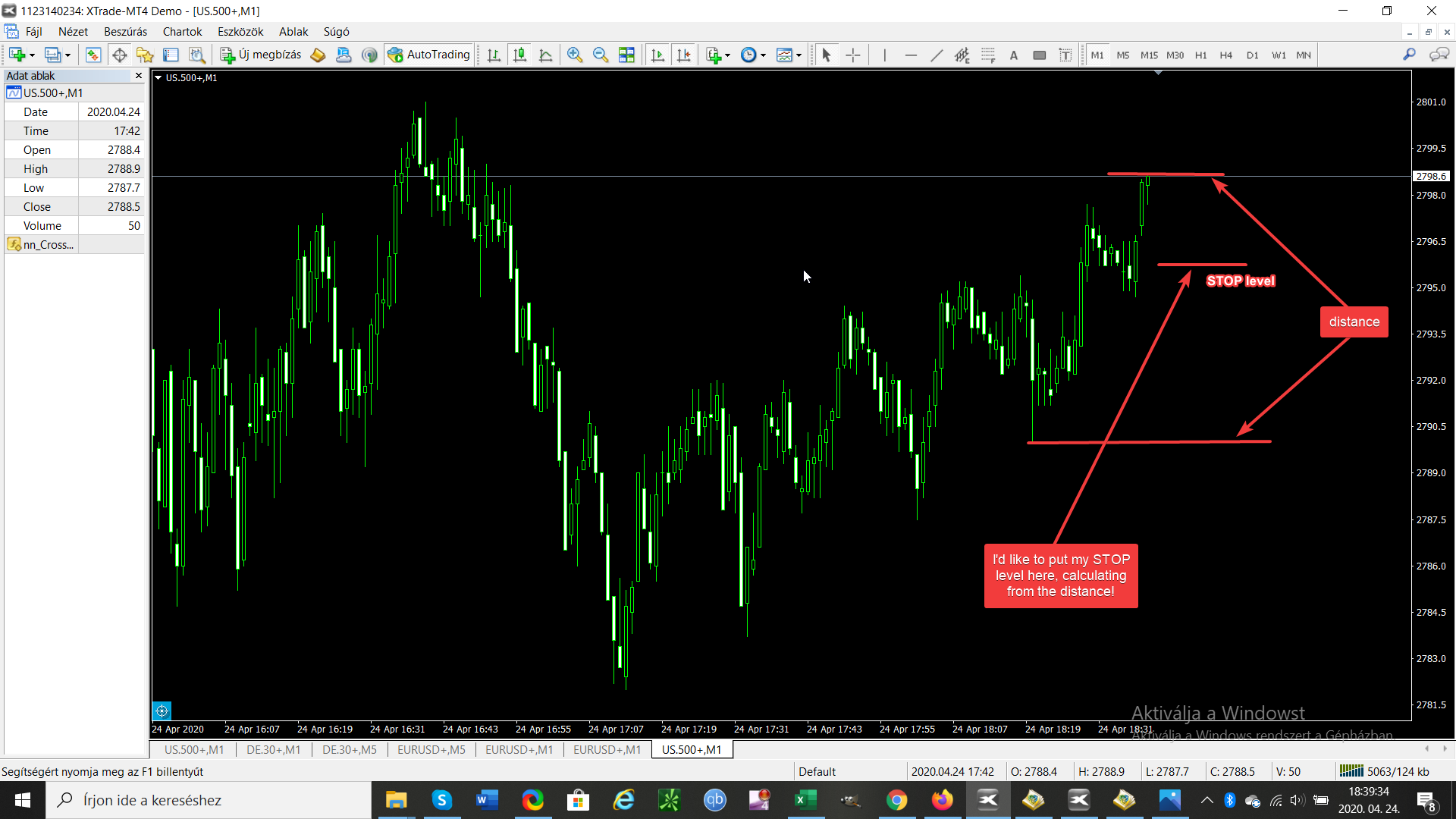
-
Easy. You can use a 'Formula' block. Create a variable to store the final result and then do this:
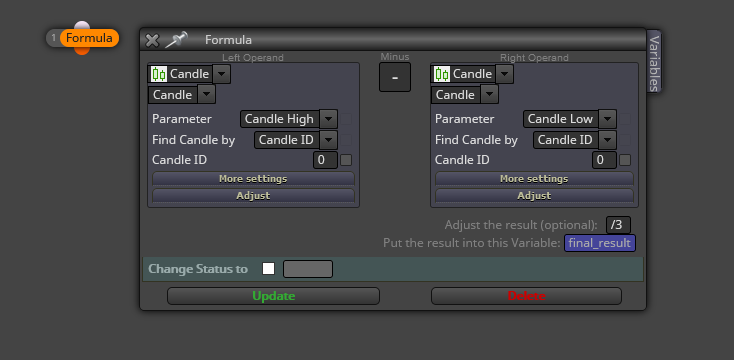
You can do the same for a min/max values within a period of candles.
