Drawing 2 nearest horizontal lines (help)
-
i have a lot of horizontal lines but the robot has to draw the 2 lines which closest to the price and should delete other horizontal line. Fore example: when robot activated on chart it draws 2 horizontal lines which is the colosest to the price when price moves and it approaches to another horizontal line, robot should delete other trend line which is far from price. All horizontal lines are pricedm for example horizontal line - 1 is located in 1.25000......, thanks in advance for your help
-
@temuriy It's not easy without looking at the project and without experimentation. but you may want to try these blocks:
-
q8carpenter is right. Can you please share your project to take a look at it?
-
@l-andorrà
@l-andorrà
https://fxdreema.com/shared/uRAJgxKMbI try to do something but it is now working as I want
I will add additional horizontal lines this projects has only 3 horizontal lines
-
-
- The first block on top is unnecessary when using the EA on the GBPUSD chart. Unless you need it for another reason, you can remove it.
- Block ID 11 will be executed before any other one. Is the order of trees relevant as per ytouyr project? I guess so. Maybe you should review that.
- Are those two lines drawn every day or at a specific period? If the are to be drwan just once the whole structure should be moved to the 'on Init' tab.
-
in the draw object and draw line blocks, on the top, for A: choose "no" and for B: choose "yes"
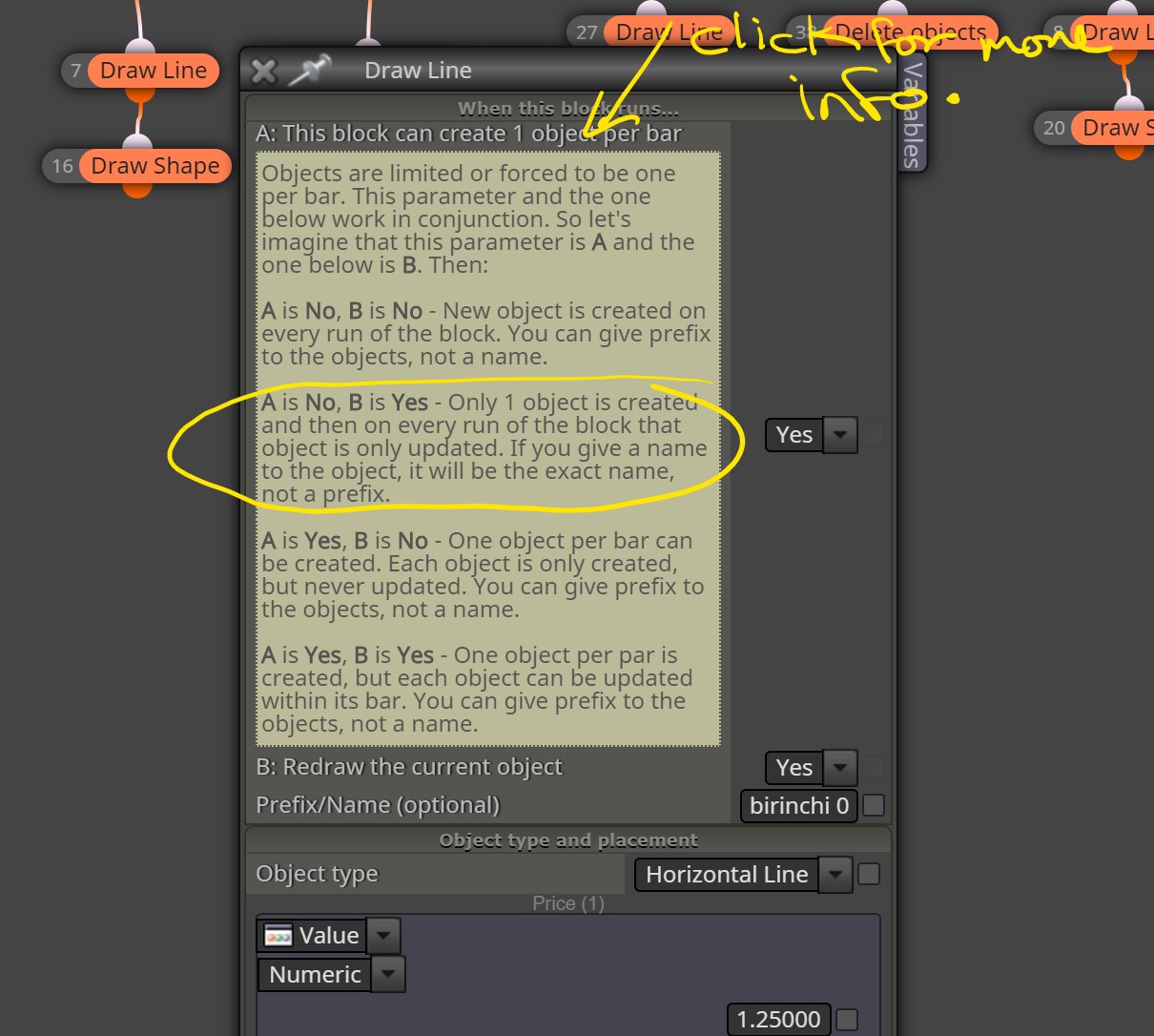
-
thanks it works, another question: is it possible to draw horizontal lines in every x pips
-
Yes, you need to create a variable with that amount of pips and then add that number to the previous line level price.
