fxDreema

    • Register
    • Login
    • Search
    • Back to the main page
    • Categories
    • Recent
    • Tags
    • Popular
    • Search

    EX4 custom indicator with licence key conversion

    Questions & Answers
    3
    10
    3519
    Loading More Posts
    • Oldest to Newest
    • Newest to Oldest
    • Most Votes
    Reply
    • Reply as topic
    Log in to reply
    This topic has been deleted. Only users with topic management privileges can see it.
    • G
      GeoFX last edited by GeoFX

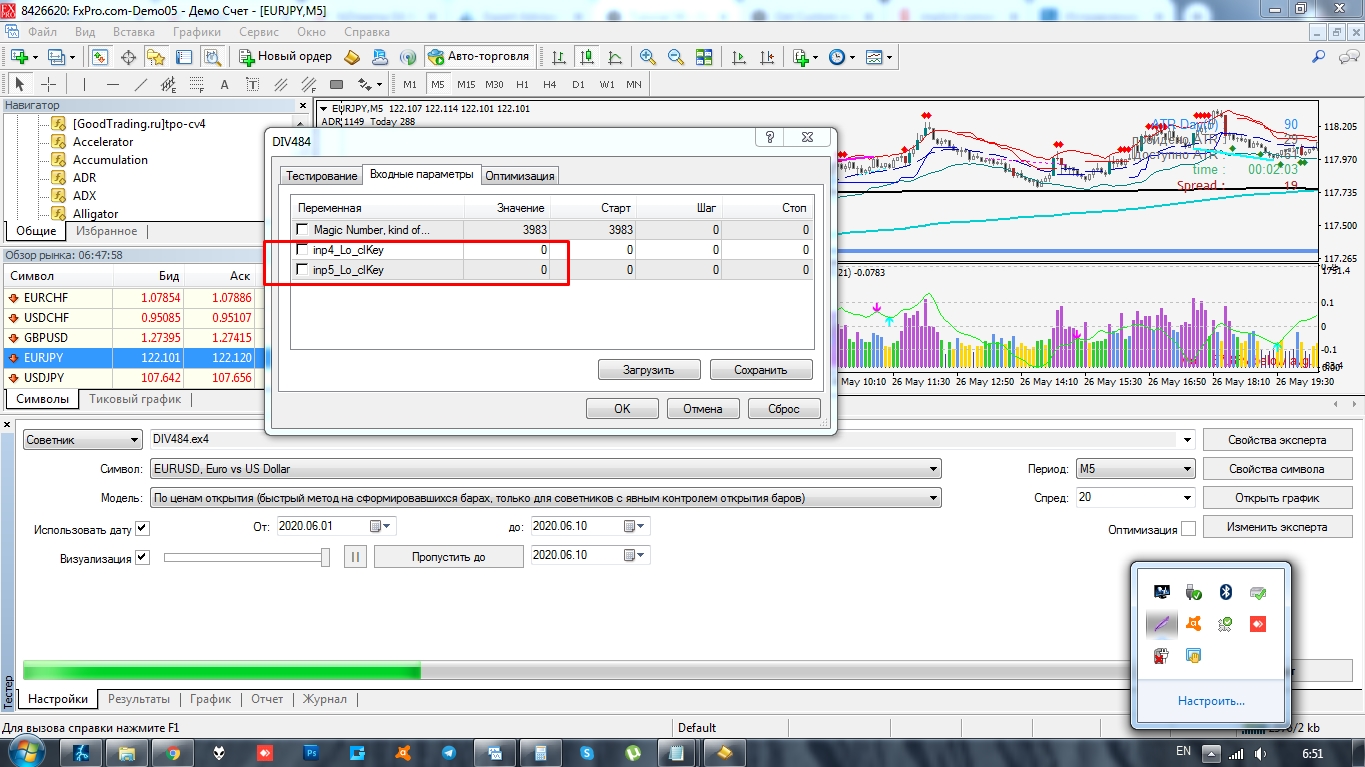
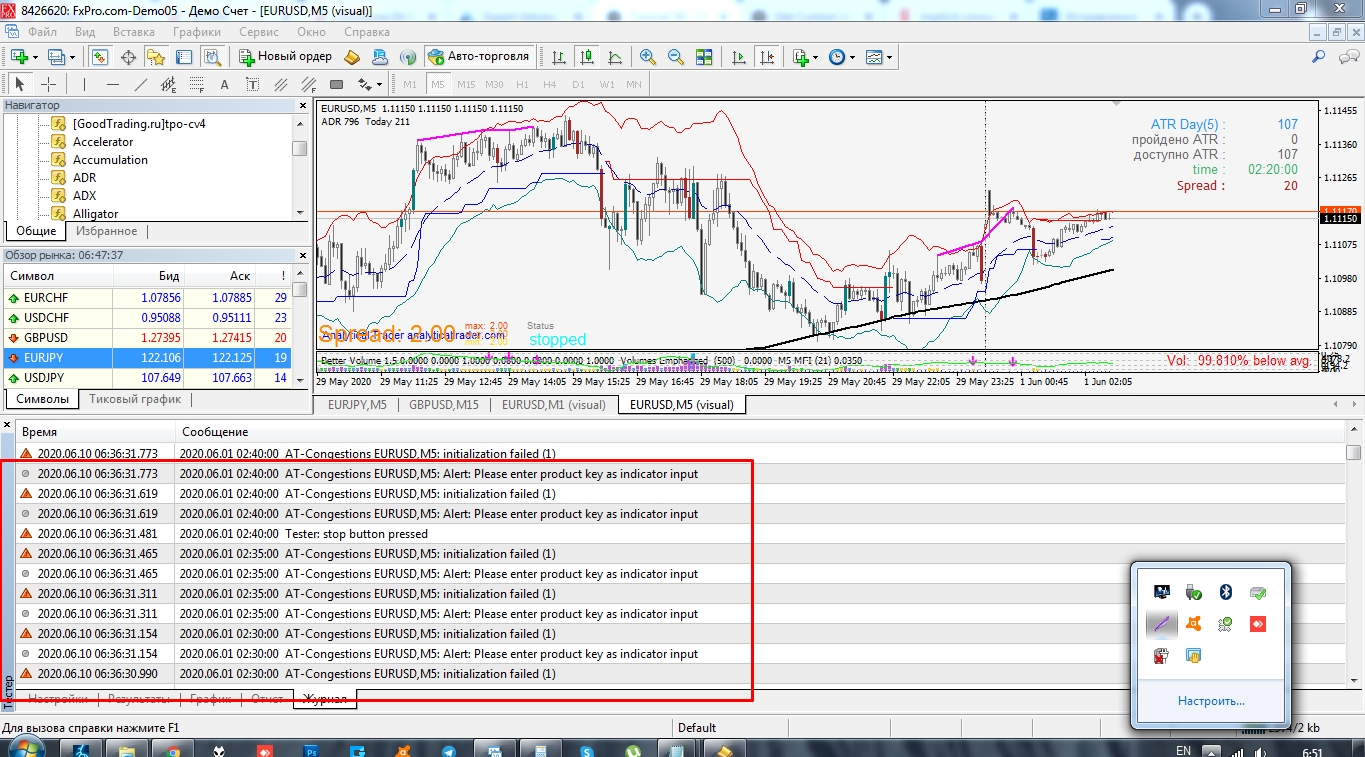
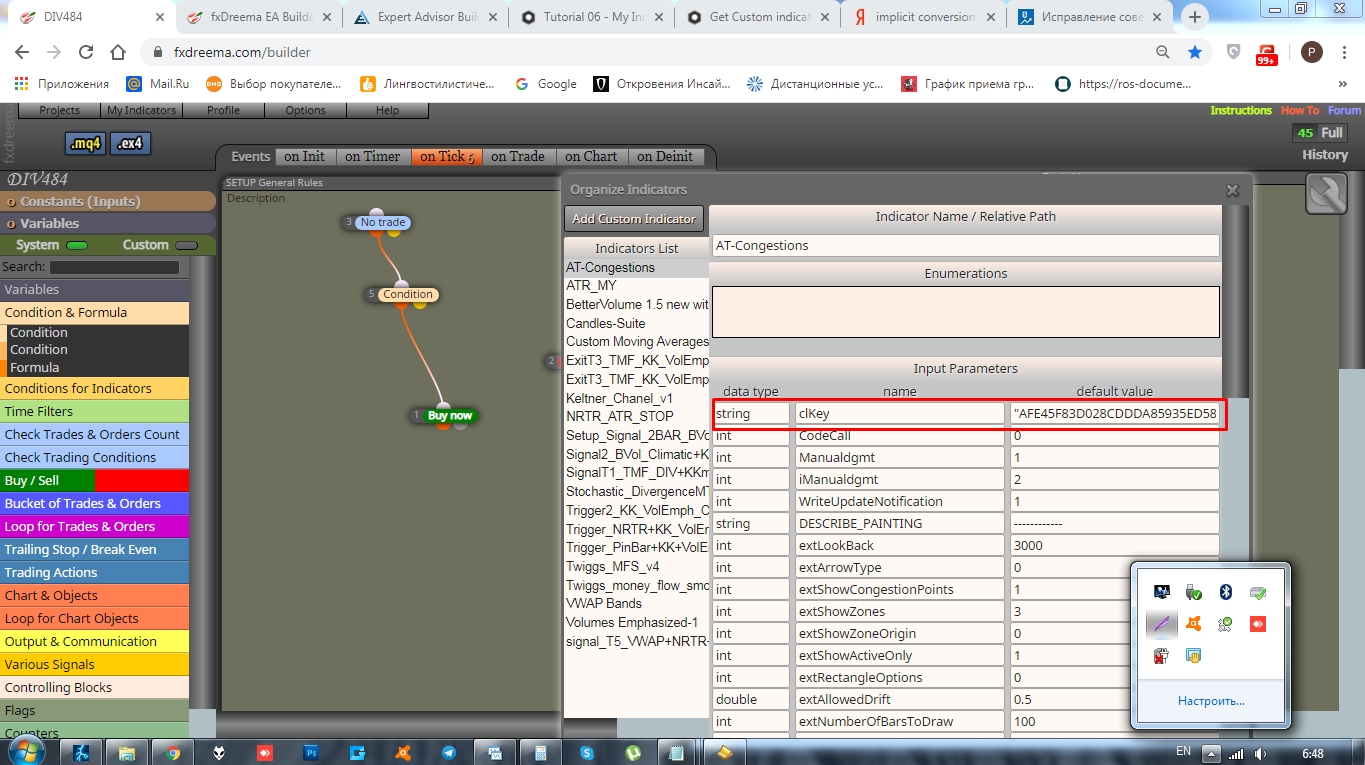
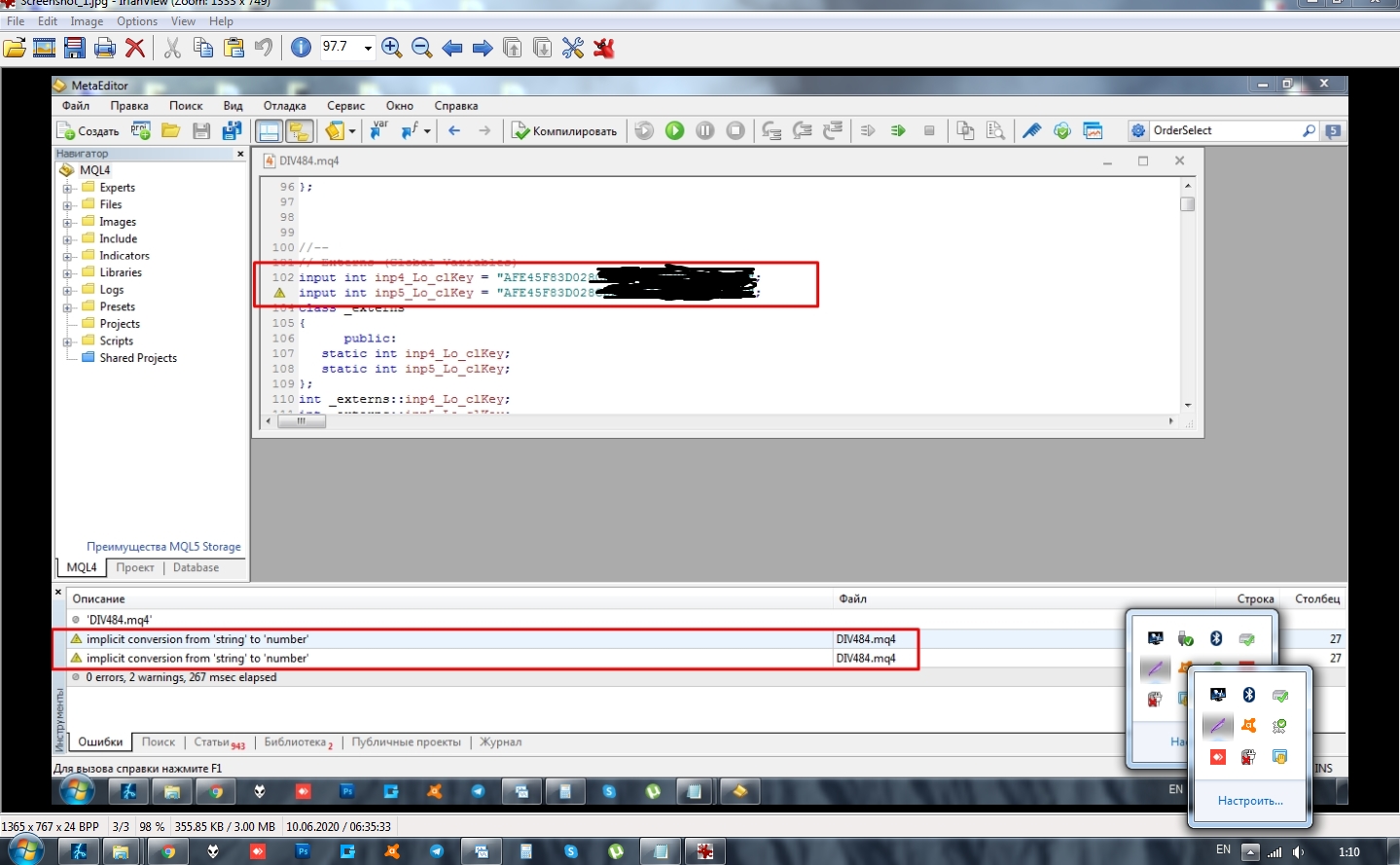
      Hello guys! I think my question will add to the value here. I try to add to "My indicators" EX4 custom indicator with STRING value and it gives "implicit conversion from 'string' to 'number" error on the compilation.

      The parameter value is an indicator licence key and it comprised of letters and digits. The problem is the Metatrader tries to convert the whole key to digits only for some reason, so what I get after the compilation is done is "0" in the value field instead of the complete licence code!

      Here is the project: https://fxdreema.com/shared/CKrrO9yXd

      Does anyone know a workaround for this type of values and how to compile it correctly?

      Thank you!

      0_1592087016526_Screenshot_5.jpg
      4_1591921494820_Screenshot_4.jpg 3_1591921494820_Screenshot_3.jpg 2_1591921494819_Screenshot_2.jpg !
      0_1592086360615_Screenshot_2.jpg

      0_1591921494815_AT-Congestions.ex4

      1 Reply Last reply Reply Quote 0
      • l'andorrà
        l'andorrà last edited by

        That is programmer's stuff. Maybe miro or roar can help.

        (English) I will try to help everyone in these fxDreema forums. But if you want to learn how to use the platform in depth or more quickly, I can help you with my introductory fxDreema course in English at https://www.theandorraninvestor.eu.

        (Català) Miraré d’ajudar tothom en aquests fòrums d’fxDreema. Tanmateix, si vols aprendre a fer servir la plataforma amb més profunditat o més de pressa, t’hi puc ajudar amb el meu curs d’introducció a fxDeema en català a https://www.theandorraninvestor.eu/ca.

        (Español) Intentaré ayudar a todo el mundo en estos foros de fxDreema. Sin embargo, si quieres aprender a usar la plataforma en profundidad o más deprisa, te puedo ayudar con mi curso de introducción a fxDreema en español en https://www.theandorraninvestor.eu/es.

        1 Reply Last reply Reply Quote 0
        • G
          GeoFX last edited by

          @miro1360 , @roar , if you guys are here, would you enlight us with your valuable expertise, please?

          roar 1 Reply Last reply Reply Quote 0
          • roar
            roar @GeoFX last edited by

            @geofx hi!
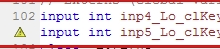
            The keys are declared as integers there. Try changing them to
            input string
            0_1592054440379_6f9a6e42-2e8d-4d29-bfe8-da153d781ad4-image.png

            Need small help? Tag me in your post
            Need big help? https://www.fiverr.com/big_algo/automate-your-winning-strategy-in-mql4-or-mql5

            G 1 Reply Last reply Reply Quote 0
            • G
              GeoFX last edited by GeoFX

              Roar, you r magician! It worked, man! I've just edited int datatype to string .mq4 file fields manually via MT4 editor, and it compiled it with no errors and warnings!

              0_1592086283752_Screenshot_2.jpg
              Roar rules! Thank you!

              Maybe it was a temporary bug or something, but the day before I already had the correct string datatype and correct value entered in fxdreema prior to compilation, yet it kept failing to compile correctly, putting int instead of string, as you've noticed. Now fxdreema compiles it correctly, though.

              1 Reply Last reply Reply Quote 1
              • G
                GeoFX @roar last edited by GeoFX

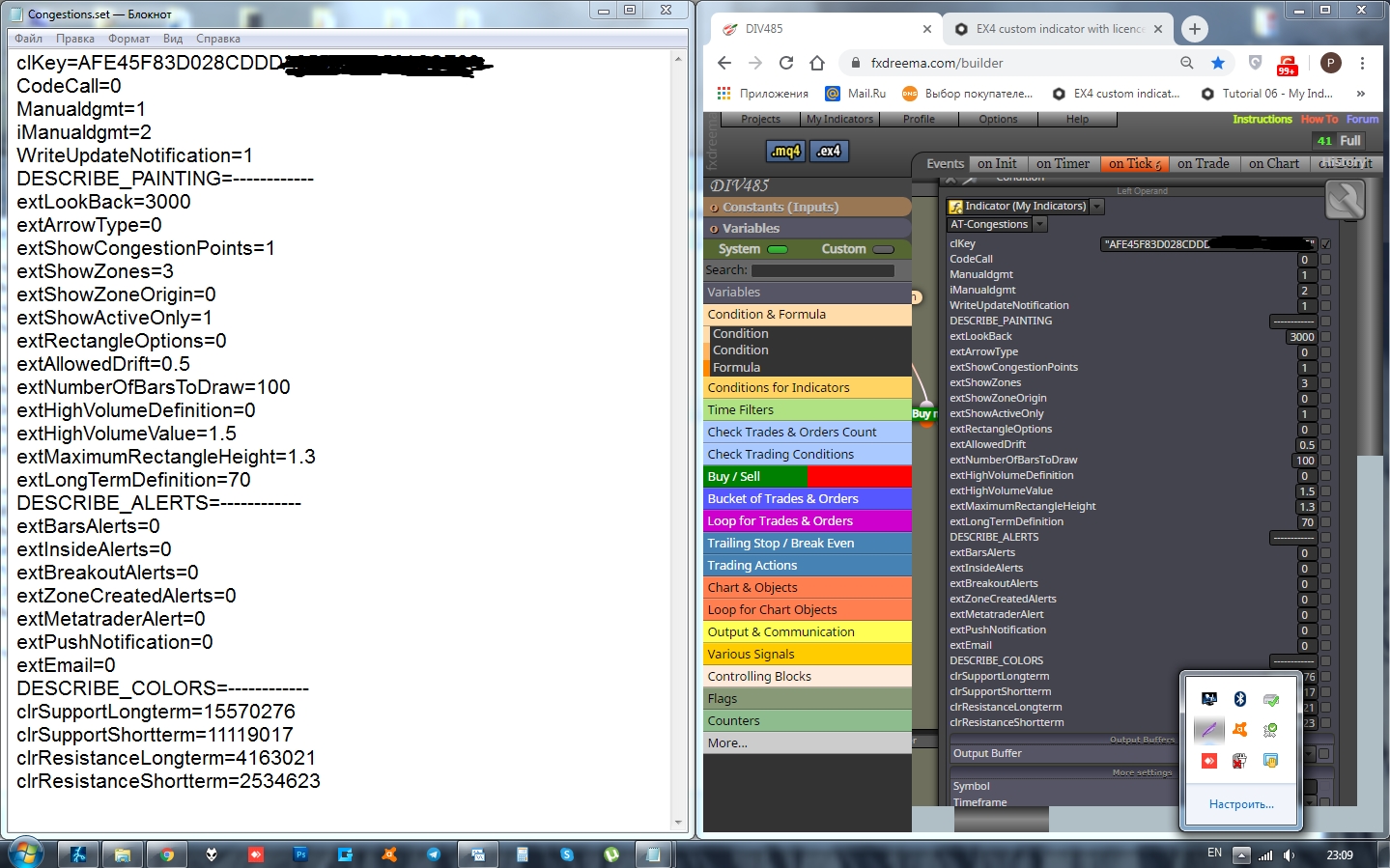
                And to top it off, for all the lazy folks there, like me) an additional valuable contribution to this EX4 custom indicator short uploading guide: if u do not wanna mess with parameter names, just save your custom indicator settings as a preset .set file to this C:\Program Files (x86)\MetaTrader 4\MQL4\Presets location. Then, upon the indicator uploading, open that .set file with a Notepad (Right clcik->Open with) application and copy all the parameter names and values to your fxdreema replication as seen on the screen below.0_1592081531371_Screenshot_1.jpg 0_1592081539970_Screenshot_2.jpg

                G 1 Reply Last reply Reply Quote 0
                • G
                  GeoFX @GeoFX last edited by

                  If you not sure what datatype each parameter in your .ex4 indicator represents, then keep this table:

                  MT4 ICON = DATA TYPE
                  123 = int
                  1\2 = doulbe
                  AB = string (put Value in quoting)
                  Orange Rectangle = color

                  1 Reply Last reply Reply Quote 0
                  • G
                    GeoFX last edited by GeoFX

                    The other nesessary condition for the MT4 licensed indicator to work correcly during the testing and trading, is to actually have it loaded on the chart.

                    For instance: if you need to test the EA that use such indicator with MT4 strategy tester, you need to save it to the tester default template first. Just save your regular template while having your indicator loaded on the chart and replace the default tester.tpl template upon the template saving in this directory: C:\Program Files (x86)\MetaTrader 4\templates keeping the template name "tester.tpl" the same.

                    1 Reply Last reply Reply Quote 0
                    • G
                      GeoFX last edited by GeoFX

                      Folks, if fxdreema builder fails to build the .MQ4 EA file, try to rebuild the block IDs first.
                      Go to: Options -> Project Options -> Project Blocks: Normalize IDs

                      Another bug i've noticed along my fxdreema experience and I suppose the problem lies within the MT4 platform itself and how it keeps its logs and history, is when you save your .MQ4 file, sometimes it is saved with an old modifications from your previous fxdreema edits. You can notice such bugs when you check your latest version EA modifiable parameters over the EA Input Settigs tab which just arent there. All you can observe is an old parameters from your EA previous version, only.

                      I cure it with EA name modification BEFORE of each save + Block IDs rebuilding, so everytime I save my project to the MT4 experts directory, Im confident my EA been saved with the latest parameters I've put.

                      Those tricks can really help, when it seems you have already done everything right, but for the unknown reason your EA doesnt work as expected

                      1 Reply Last reply Reply Quote 1
                      • l'andorrà
                        l'andorrà last edited by

                        Impressive info. Thank you very much for sharing.

                        (English) I will try to help everyone in these fxDreema forums. But if you want to learn how to use the platform in depth or more quickly, I can help you with my introductory fxDreema course in English at https://www.theandorraninvestor.eu.

                        (Català) Miraré d’ajudar tothom en aquests fòrums d’fxDreema. Tanmateix, si vols aprendre a fer servir la plataforma amb més profunditat o més de pressa, t’hi puc ajudar amb el meu curs d’introducció a fxDeema en català a https://www.theandorraninvestor.eu/ca.

                        (Español) Intentaré ayudar a todo el mundo en estos foros de fxDreema. Sin embargo, si quieres aprender a usar la plataforma en profundidad o más deprisa, te puedo ayudar con mi curso de introducción a fxDreema en español en https://www.theandorraninvestor.eu/es.

                        1 Reply Last reply Reply Quote 0
                        • 1 / 1
                        • First post
                          Last post

                        Online Users

                        P
                        T
                        I
                        B
                        A
                        H
                        E

                        18
                        Online

                        146.7k
                        Users

                        22.4k
                        Topics

                        122.6k
                        Posts

                        Powered by NodeBB Forums | Contributors