If at least 2 of 3 conditions are met..
-
I have defined 3 variables that are each set to 1 (int) when the 3 respective conditions give a positive signal. My strategy requires that at least 2 of the 3 conditions are met. Normally I would define a 4th variable that is the sum of the other 3. Thus, if that variable is >1, the strategy would be executed. I just cannot find a function which would allow this, and would be glad for any suggestions.
-
@equinox Sadly, you will need to use as many formula and conditions groups as required. There is no specific funtion doing that, sorry.
-
If have tried again to solve the problem above with variables that are set to 1 if the respective condition is met (blocks 5-7), and another variable ("sum") that is the sum of the first 3 variables.
In block "2 of 3" I have tried to define that the the sum should be > 1 (meaning at least 2 of 3 conditions are met). The code is executing, but there is no arrow printed where there should be one.
https://fxdreema.com/shared/QeAFIWNKd
I have also tried to achieve the same result with AND/OR expressions, but I think I need to hyphenate some blocks together, which I am not sure can be done:
Condition0 (Blocks 1-4) AND
(Condition1 AND Condition2) OR
(Condition1 AND Condition3) OR
(Condition2 AND Conditon3)My apologies for the many edits.
-
It is unclear from the EA you shared where the variable "sum" is adjusted such that it is the sum of the other variables. Also unclear why you are using the custom MQL block (which isn't doing what you think it is doing anyway) when the condition block could be used to compare the "sum" variable to a value.
It is generally best to set the candle id to 1 (the previously completed candle) as the value during the current candle will change frequently.
How are you re-setting the variables if conditions are no longer met? -
@equinox You are working on candle ID 0 whereas your condition blocks are limited to 'once per bar' on top. Remove that block on top and you will get many arrows.
-
@CPBonzo and @l-andorrà Thank you both for your comments. I will try to incorporate all of the mentioned issues in my next version. Just for clarification, if I set candle id = 1, will this be the closing price of the last completed candle?
-
Yes, if you set the candle id to 1 the value obtained will be that when the last completed candle closed.
-
@CPBonzo How can I use the condition block to compare to my "sum" variable? I cannot find anything about variables there. Could it work like this?
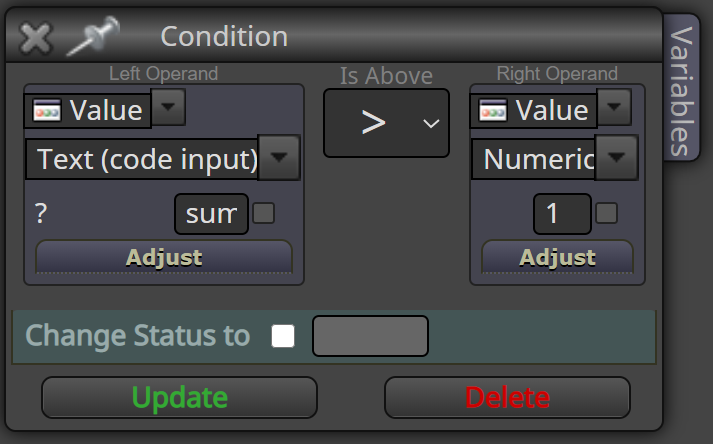
-
@equinox That 'Text(code input option)' is used to add mql4 code. That is not what you need. If you need a variable, you can create it and then use it on the left operand as usual.
-
I cannot find the "sum" variable, or the other ones I created in the dropdown menu:
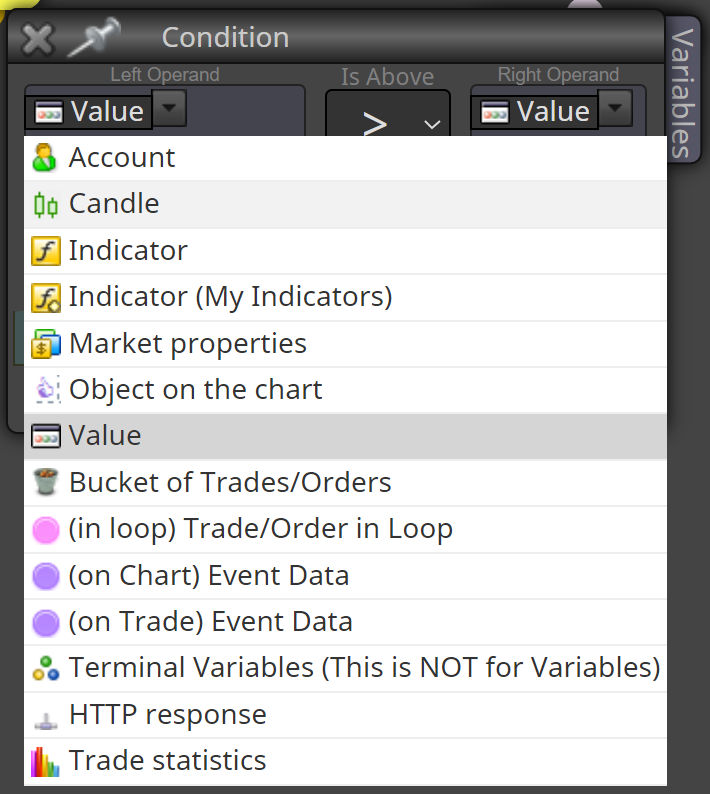
I am probably getting this wrong somehow..
-
@equinox Can you please detail what do you exactly need? Apparently you craeted a variable called 'sum' but what do you exactly need from it?
-
@l-andorrà The variable is defined as the sum of other variables:
sum = condition1+condition2+condition3
The conditions are either 1 (=true) or 0 (false).
If at least tow conditions are met (sum > 1), the block should have a positive output.
-
@equinox Then I suggest you to create two separated block trees. One cheking the conditions and a different one doing the sum. That way should simplify everything.
-
@equinox Value is correct in this box. In the box where you have written "sum", simply right-click and you will be presented with a list of your variables and constants.

