TUTORIAL Create Button Sell And Buy & Execute
-
Hello,
Here we go to code in fxdreema how to create button for sell and buy on the cahrt
But this only buttuon it will not excute till we provide second tutrialhttps://fxdreema.com/shared/yz6G7ViKc
Code
ObjectCreate(0,"button1",OBJ_BUTTON,0,0,0);
ObjectSetInteger(0,"button1",OBJPROP_BGCOLOR,clrBlue);
ObjectSetInteger(0,"button1",OBJPROP_BORDER_COLOR,clrBlue);
ObjectSetInteger(0,"button1",OBJPROP_COLOR,clrWhite);
ObjectSetInteger(0,"button1",OBJPROP_YSIZE,30);
ObjectSetInteger(0,"button1",OBJPROP_XSIZE,100);
ObjectSetInteger(0,"button1",OBJPROP_YDISTANCE,30);
ObjectSetInteger(0,"button1",OBJPROP_XDISTANCE,110);
ObjectSetInteger(0,"button1",OBJPROP_CORNER,CORNER_RIGHT_UPPER);
ObjectSetString (0,"button1",OBJPROP_TEXT,"BUY");ObjectCreate(0,"button2",OBJ_BUTTON,0,0,0);
ObjectSetInteger(0,"button2",OBJPROP_BGCOLOR,clrBlue);
ObjectSetInteger(0,"button2",OBJPROP_BORDER_COLOR,clrBlue);
ObjectSetInteger(0,"button2",OBJPROP_COLOR,clrWhite);
ObjectSetInteger(0,"button2",OBJPROP_YSIZE,30);
ObjectSetInteger(0,"button2",OBJPROP_XSIZE,100);
ObjectSetInteger(0,"button2",OBJPROP_YDISTANCE,30);
ObjectSetInteger(0,"button2",OBJPROP_XDISTANCE,110);
ObjectSetInteger(0,"button2",OBJPROP_CORNER,CORNER_LEFT_UPPER);
ObjectSetString (0,"button2",OBJPROP_TEXT,"SELL");
0_1602265157829_Create Button (2).mq4
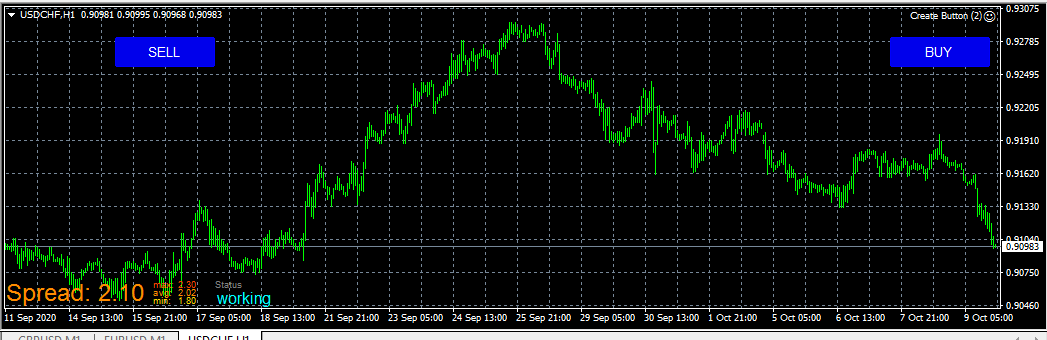
TUTORIAL(2) EXECUTE BUY AND SELL - 10-OCT-2020
1- first of all you need to know that i define ("button1" for BUY ) and ("button2" for SELL ) and you need to know the operation number for buy is (0) and the operation number for sell is (1)
2- Now you need to know that for operation we need to work On Chart only
i will now give the steps 1 by 1 with screenshot
first steps you need to find ( Mouse clicked on object ) from search
you can notice now i filter by object name and i put in object name button1 because button1 it will linked to buy object3- now i will linked buy block to mouse clicked ( you need to notice that that execute will work only with fixed lot ( it will not work with other option)
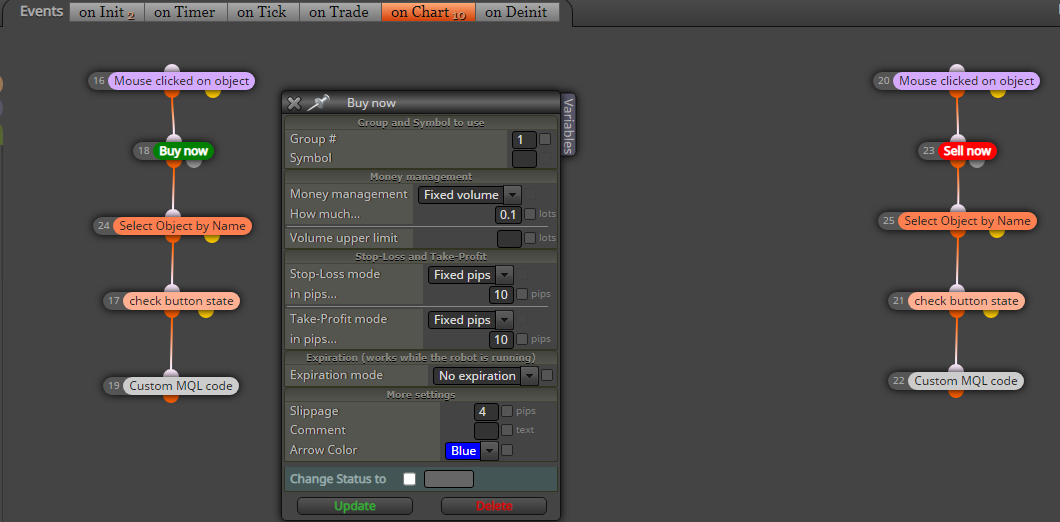
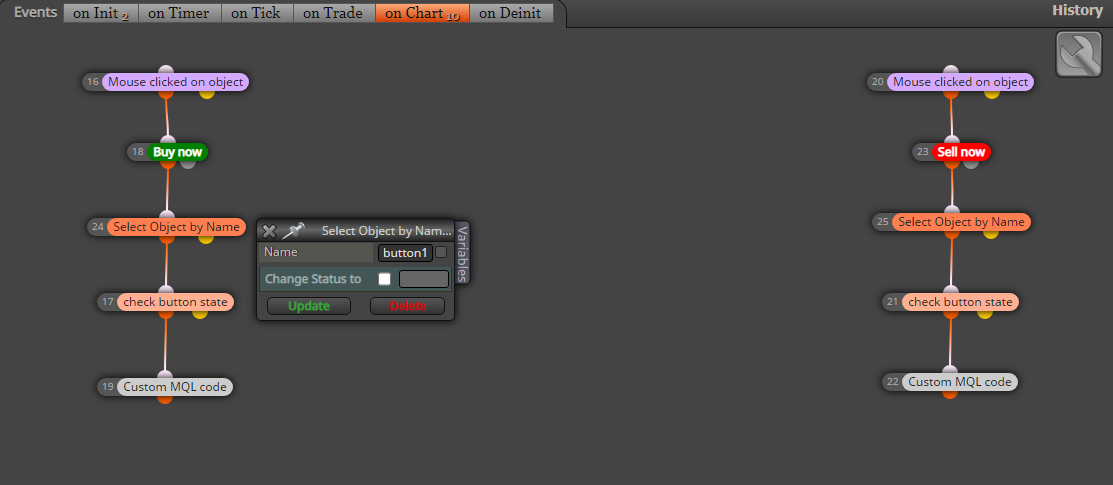
4- i will now select object by name = button1 for ( Buy )
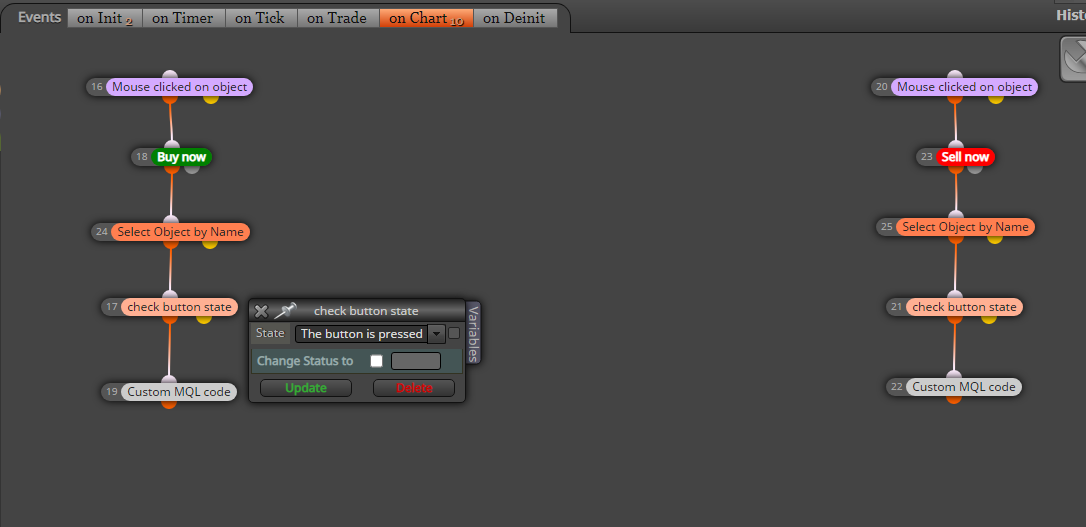
5- Now i need to tell specific button when it is pressed to run my code
6- now i will linked the code
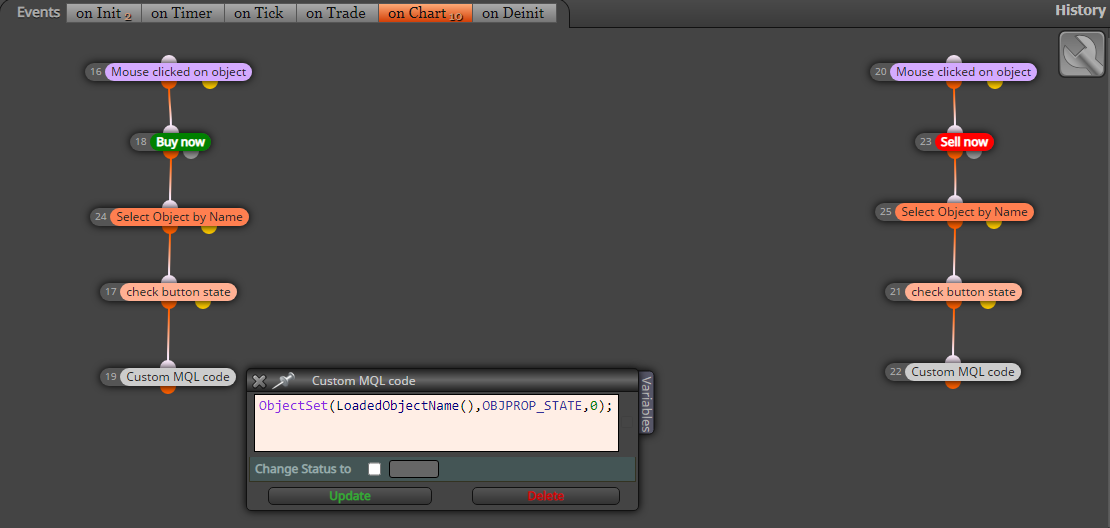
here is the code for buy
ObjectSet(LoadedObjectName(),OBJPROP_STATE,0);you do same steps for sell button1 to button2 and change the code to
sell code
ObjectSet(LoadedObjectName(),OBJPROP_STATE,1);here also the project link
https://fxdreema.com/shared/g6sgduqpc
and here is the MQL4 code
0_1602519166431_Create Button_Buy_Sell_Excute (11).mq4
Good luck
In next tutorial i will try to give codes for close all if i got some time
RAMI.KANAWATI
-
Thanks I will wait for tutorial to Learn about how to Assign specific Operations to these boxes...
-
@ramisignals Excellent initiative ramisignals. Thank you very much for your help. Just one fsmall request. Can you please add the word 'TUTORIAL' (in capital letters) in this thread title? That wahy it will be easier to find by the search engine.
And please keep the good work.

-
-
How to get Mouse Click Button on MT5

