Delete all object on the chart
-
Hello,
Does anybody know how to delete all chart object that was generated automatically by previous logic?
I wanna delete those object on the chart for every 30 minutes
Thank you very much
-
@zedeai2 You need to work with the 'on deinit' tab and use thios block on top of all other blocks used to identify what you need to be deleted:
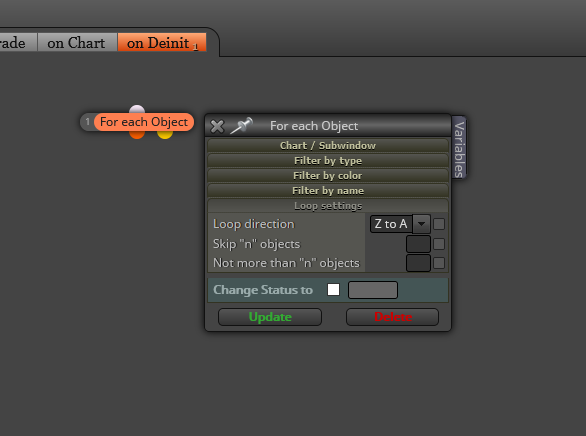
-
@l-andorrà Hello again, I always thank you for your reply

Sorry, I don't understand what you mean : "use thios block on top of all other blocks used to identify what you need to be deleted"
Because I was thinking it's only need to type the object name inside this blok, or is there another new block under this block "for each object"?
-
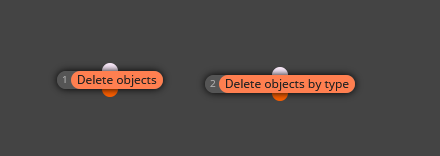
@zedeai2 Well, you will need for sure another block. Any of them:
-
-
@l-andorrà Hello
Any way, how to delete for every 30 minutes? Is there any kind of time filter, or?
Thank you
-
@zedeai2 If you are deleting them every 30 min does it mean they are created within that same period of time? In that case those blocks are NOT supposed to be used on the 'on deinit' tab. but on the 'on tick' tab.
-
@l-andorrà Hello,
I see.. I'll try it... Thank you!
-
@zedeai2 Hello! One question, you need to delete all the objects of your active window continuously or on the contrary that at a given moment you can clean the window by the amount of elements. I ask you if a Script would be good for you to clean the active window when you are interested without having to be in the EA, if so in MQL there are several that do it but I can also pass you the link, if you want the EA will do it, I can assure you that you will need a lot of blocks and some code, I have tried it and finally I use the Script that is most useful to me, quickly and when I need it.
-
@xyon126 Hello,
It's very interesting to see it. Could you please to share it?
Thanks and best regards!
-
-
@xyon126 Thank You. Someday, I am expecting to create it using fxdreema


