I want my EA to only be able to by when price is inside a manually added rectangle, is this possible?
-
Hi all, I keep on learning how to use FXdreema but cant work out how to do this, when you look at a chart the support and resistance sometimes seems obvious, I would like to be able to draw a rectangle on the chart manually which will allow my EA to continue only if the price is inside the rectangle,
Please keep it simple,
any advice please? -
@joemarkey6
the simple answer is, yes it is possible!just think about a naming of the rectangle and a color read price coordinates of that and simply check if the price is within that price range, done!
-
HI bk, thanks for the quick reply, so I drew a rectangle on my chart, in the properties its named "H1 Rectangle 49033", what kind of block would I use to check if market properties(price) is within the rectangle, or which block do I use to get the rectangle properties, thanks for the help
-
@bk7 Are you sure it is so easy? I don't find the way for the proce to distinguish the left and right ends of the rectangle. I can understand how upper and lower ends can be identified bt price level, but not the other two. Can you please share the way to get that info?
-
@joemarkey6
loop for objects store prices in variables
you could check if current mid is above the low of the rectangle & mid is also below the high of the rectangle -> donethe name of the rectangle would have to be all time the same or you go with a specific color.
@l-andorrà
simply store the times to a variable
the higher value is the end
the lower value is the start
current time has to be within the start and enddoes this answer your questions?
-
@bk7 Interesting. Didn't consider storing time as the equivalent for price for the upper/lower levels. Thank you very much.
-
Thanks for keeping the info coming, id put this on the back burner but im going to try again
-
Ok, I put a few blocks together but I cant test it yet as my laptop is in for repair and i'm using a fake chromebook, am I on the right lines with what I put together so far?
I'll need to draw a rectangle to test it.
-
@joemarkey6 Blocks 3 and 8 are innecessary. Otherwise it should work.
-
@l-andorrà @bk7 so i tested it, the rectrangle high and low blocks are working but the time blocks arent, any ideas?
-
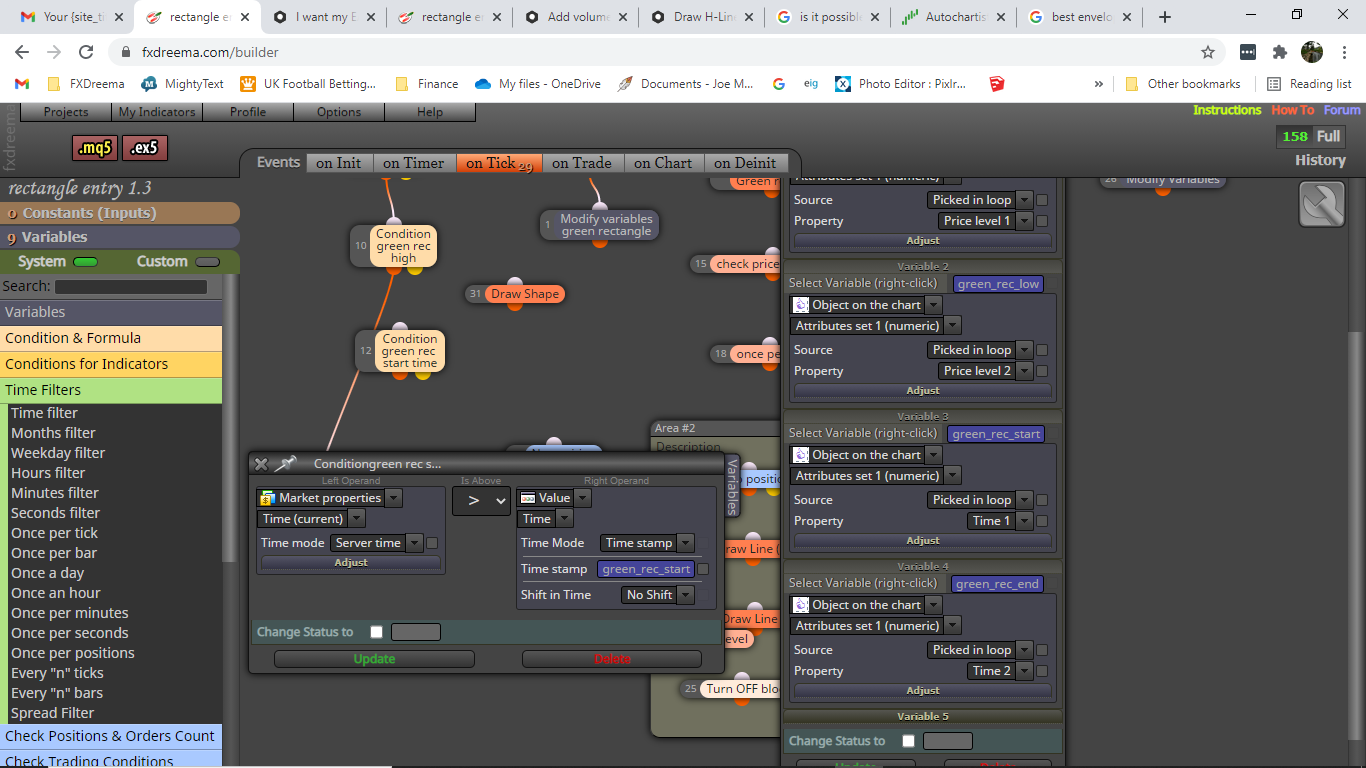
have I stored the time variable incorrectly?
-
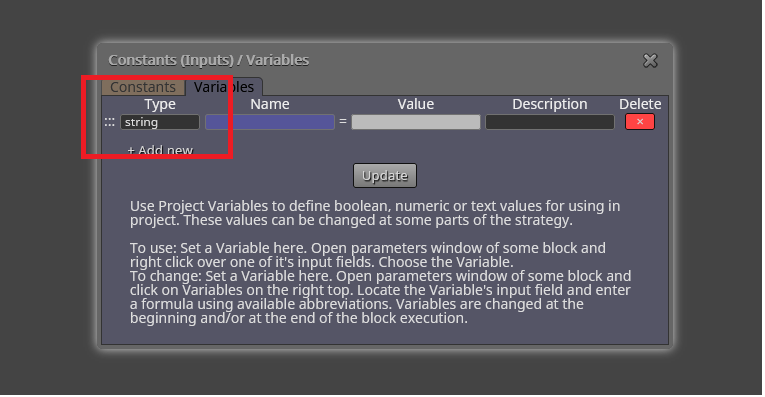
@joemarkey6 Time stamp variables should be of a 'string' type. Are they?
-
@l-andorrà I think you're right, when I compile it on metaeditor I get this message "implicit conversion from 'number' to 'string" Im not familiar with strings at all, what type is a string type? is it a setting in the block?
-
@joemarkey6 No. You just need to modify your variable's settings this way:
-
great thanks, ill try it out and let you know how it goes
-
@l-andorrà @bk7 I made the changes but still have the same issue, I think I did something wrong in blocks 12 and 13, any ideas? cheers


