Finally , Integration of News Filter :) [ MT4 Only ]
-
@zedeai2 If you see the vertical lines it means that you have done the job correctly.
-
@zedeai2 Thank you. I will try it . regards
-
@ambrogio Hello, It's working. Thanks a lot for you help on this ea!

-
@zedeai2 well, you're welcome.
-
@zedeai2 @ambrogio
Hey guys, I followed all steps but neither of these projects worked for me.https://fxdreema.com/shared/sSJwC65Ob
https://fxdreema.com/shared/twV9ZV9zbI didn't edit anything in the project, the News lines are still not showing.
I pasted the code in the global scope:

I also added the web links to the Allowed Request URL's list:

Am I doing something wrong or missing a step?
-
@rafaels919 Hello, sometimes the line will be appear soon after good internet connection
-
@zedeai2 Nothing to do with the internet connection.
In my case, the EA just ignores the blocks that check the news:

No error in the journal. It just executes the buy orders.
-
hello
can any one help me please , i want to set news filter to delete the pending orders and not to stop trading what i should put in the block 05 -condition - -
@itadila Do you mean to add a new filter or adding a 'news' filter?
-
@l-andorrà add news filter , when there is an impostant news the expert delete all the pending orders
-
@itadila That has a problem. You will never be able to backtest that EA because it will be connected to the source of news to get its info, and that cannot be emulated via backtesting.
-
@l-andorrà i ve already test it it gives a good results , but i want to improve it with the news filter
-
@itadila I'm not saying it is a wrong choice. I just say you won't be able to backtest it.
-
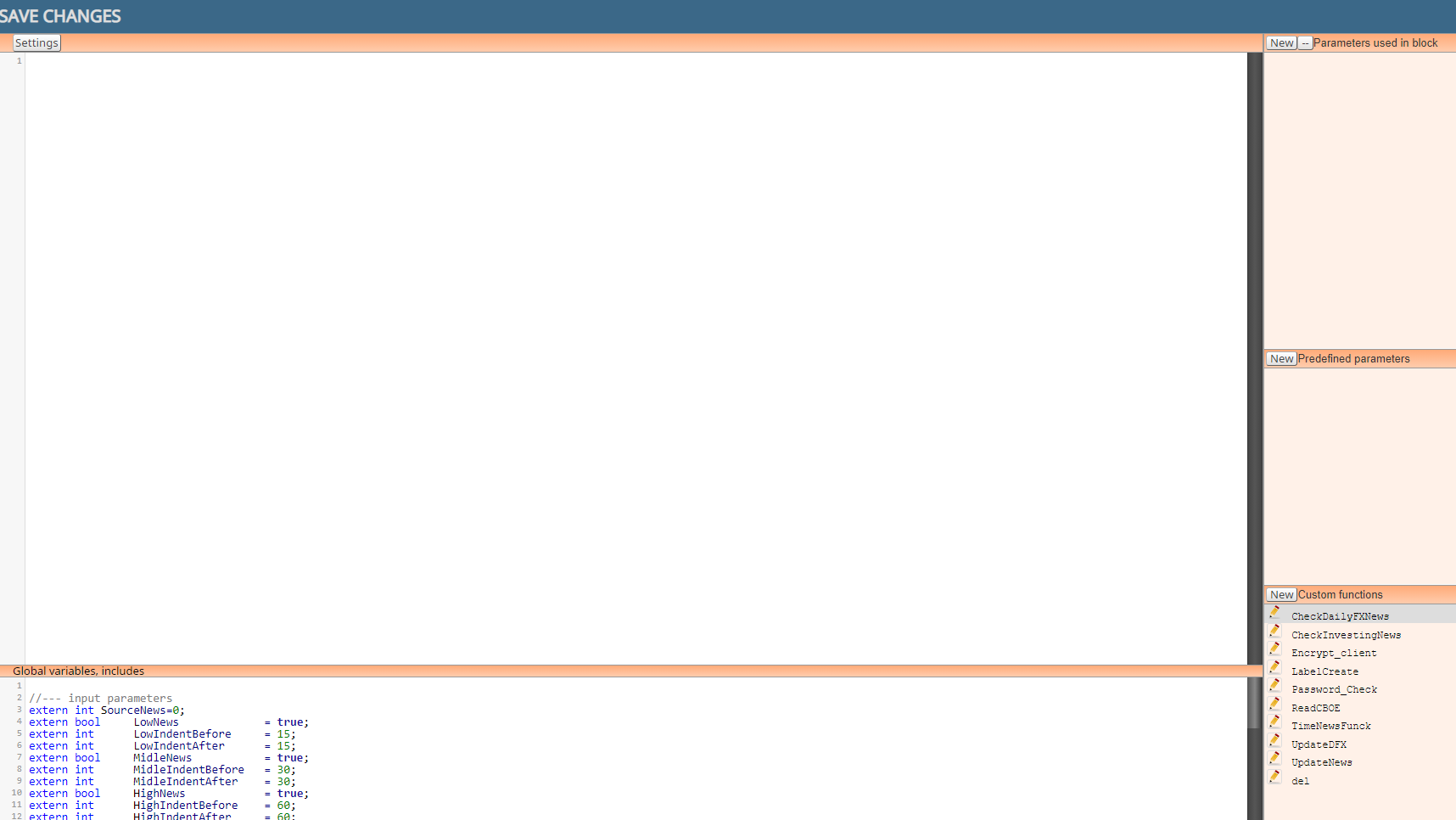
Created custom block for news filter, so I can compile it in FXDreema
https://fxdreema.com/shared/LCnSF6OCd
-
@padletut Impressive!!!
 Thank you very much for sharing.
 -
It works just great. Amazing work.
-
@padletut
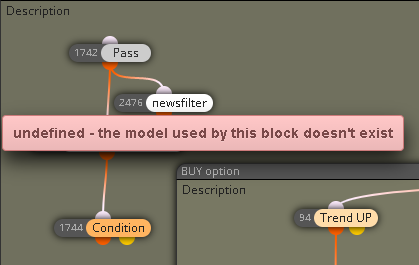
Any idea why that is happening? -
I guess you need to make the block in the custom block maker first
-
@padletut can you explain how to make this custom block? Thanks
-
@ambrogio said in Finally , Integration of News Filter
[ MT4 Only ]:@zedeai2 I don't remember at all if that link works, but in my projects I found this one that MUST BE TESTED
https://fxdreema.com/shared/twV9ZV9zb
This file should be your template to always use when you want to integrate the news filter.

I highlighted where to start with your expert, and also the block # 2020 that we will need after.
STEP 1) When you have finished your expert, save it through the .mq4 button
STEP 2) With the MetaEditor application, open the file you just saved
STEP 3) Copy and paste the content of block #2020 in the place i have indicate in this screenshot
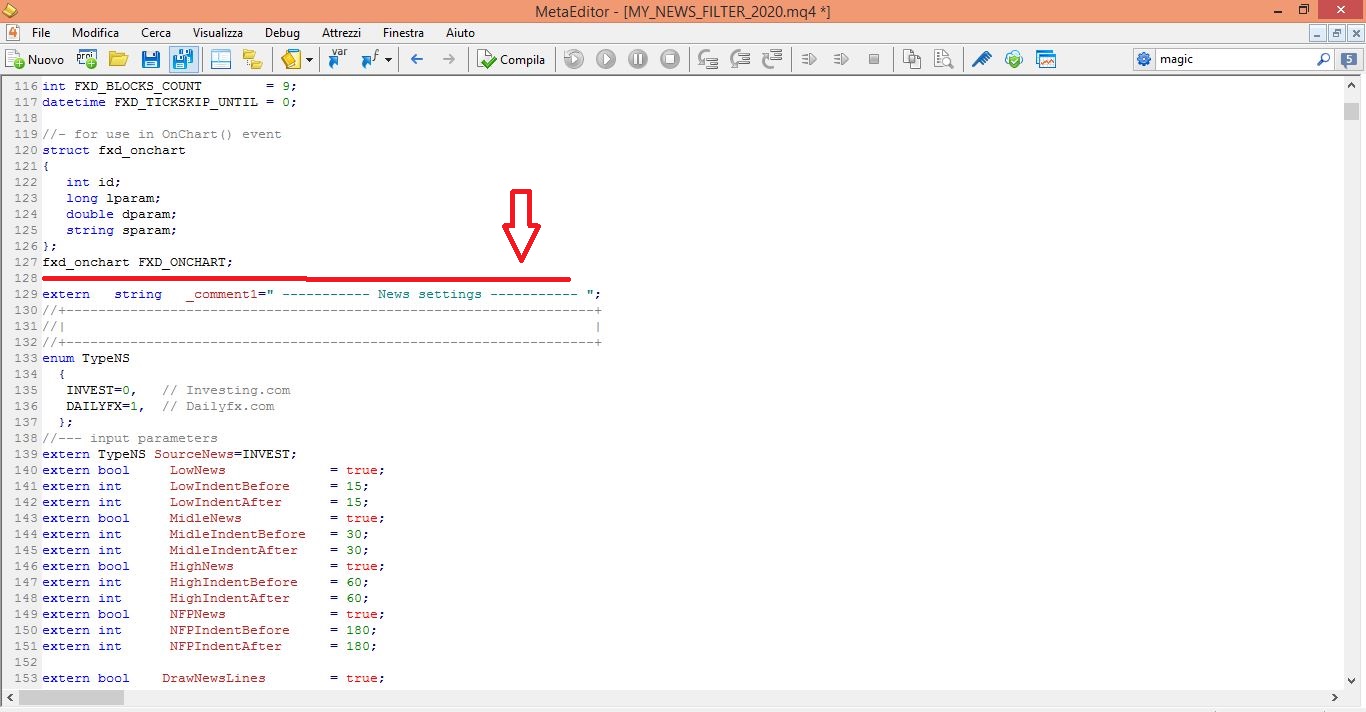
Your project is ready to be tested.
BUT REMEMBER: if you reload the new modified .mq4 file in the fxdreema builder you will lose the content copied from the 2020 block, and you will have to redo the steps above.@ambrogio Hi, I'm currently making a project that will include this news filter. My question is aside from being pasted in the MQL code, does block # 2020 need to be present as well as shown in the screenshot when the MQ4 file is generated, or it won't matter as the block is not connected anyway? Thanks.

