Tip: Copying and renaming an entire project
-
In the builder we do not have the ability to copy and entire project or rename it.
You could select an entire project and then copy the blocks and paste them into a new project. But there is a problem with that and that is that the area regions are not copied.
But we have a work around:Compile the project with the .mq4 button.
It will be downloaded.
Rename the just downloaded file to a new for your new project.
In the builder import the just renamed *.mq4 file.
Now you copied the whole project with areas.Handy for template projects and or multiple version.
-
@lucivuur That is the way to do it, yes. I agree this should be explained in teh Instructions pages.
-
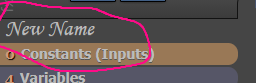
You can easy change the project name by left mouse click on the project name in the builder: