Max number of trade per week/day
-
Hi bro
I finding how to trade "n" orders per week/day
"n": max number of trade is openedThanks Bro
-
@khacdiepvnc This is the way to limit the maximum amount of trades:
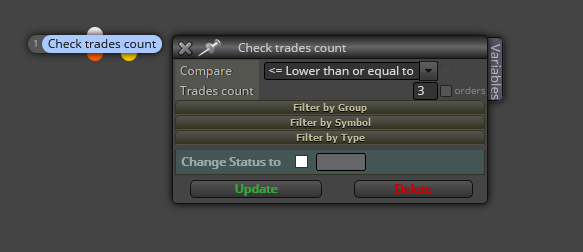
Limiting it to days or weeks will require at least a variable that will depend on your current structure.
-
this way, max number only count trades are opening.
I need count closed and opened order and in a day or a week (importand) -
@khacdiepvnc Then you need to count them with variables. One for open trades, another one for closed one and a third one for the overall result. Then on top of your launching structure you use a condition block requireing the overall variable to be less than or equal the maximum you want. Unless it is true, no more open trades will be executed. At the end of the day/ week all variables should be reinitialized to 0.
-
@l-andorrà said in Max number of trade per week/day:
@khacdiepvnc Then you need to count them with variables. One for open trades, another one for closed one and a third one for the overall result. Then on top of your launching structure you use a condition block requireing the overall variable to be less than or equal the maximum you want. Unless it is true, no more open trades will be executed. At the end of the day/ week all variables should be reinitialized to 0.
Would you be able to show an example of this? Many of us are not wizards when it comes to fxdreema and many learn visually. The explanation you gave confuses me lol
I'm looking for a way to open two trades max for the day and then pause the EA till the next day.
I'm sure it's simple to do, but I cant seem to get it right.
-
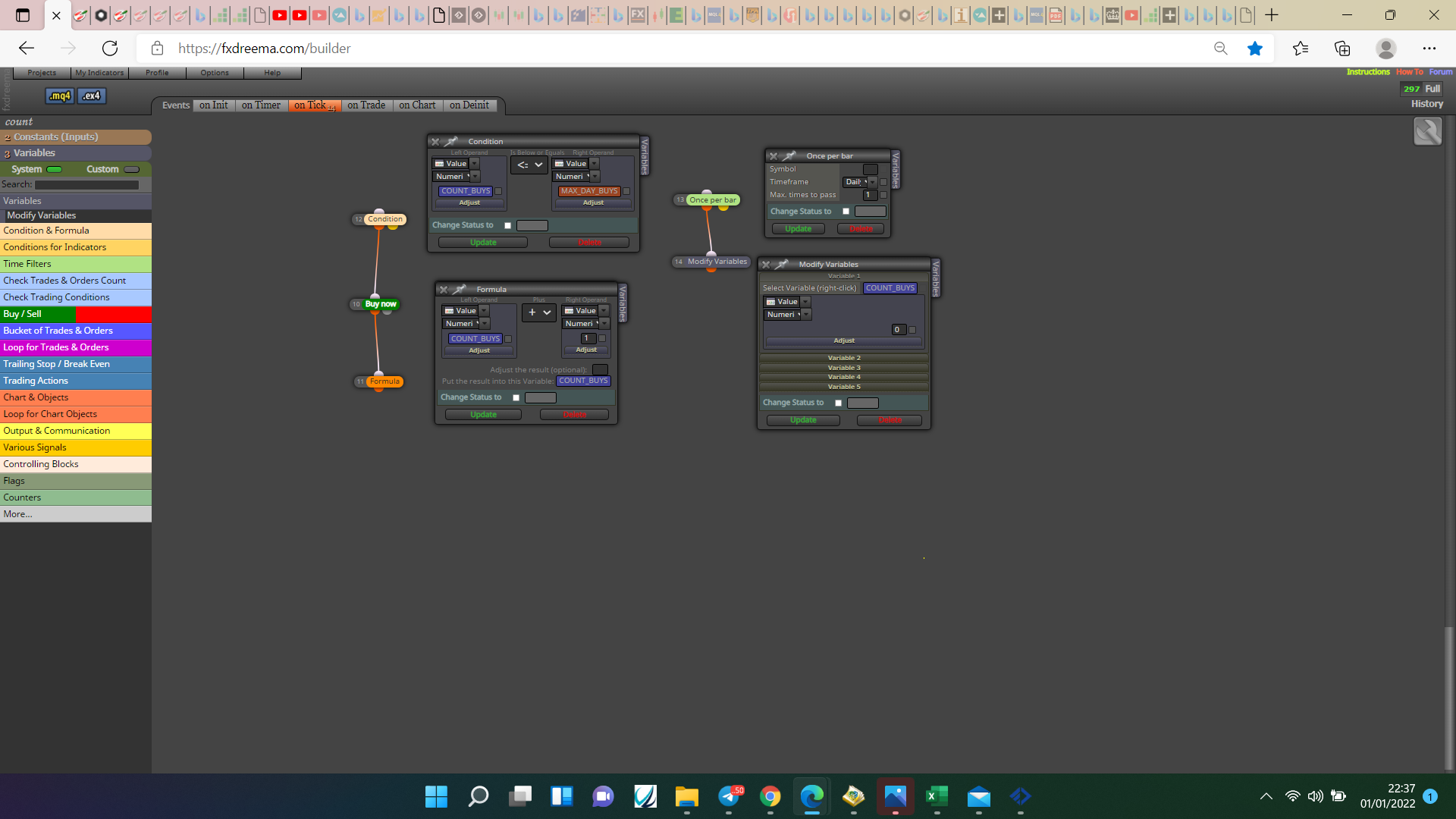
@davidmcc This is how to do buys, replicate it for sells.
-
@jstap can you show me what values you have entered in the list of variables? Please.
My goal is to have the EA take 2 trades max per day and then stop no matter if the trades are both buys, both sells or either one buy and one sell
-
@davidmcc Every blue rectangle is a variable, double or int either will work, the orange is a constant double or int, the variables change them selves and constants are in the input list so you can change if wanted.
-
I have no idea what any of that means. Which is why i asked for a photo of what was put into the boxes next to the variables.
-
@davidmcc In that picture you can see the variable and the constant tabs in the top left, click on constants and create one for your max trades and save, then click on the variable tab and create one to count buys, they are double values standard change the constant value but leave the variable. Back test to check all is working as wanted then mimic for sells, you can use the same constant for buys and sells, if you want the max trade to count for buys and sells connect sell block to same formula block and copy the condition block. If this doesn't work when done put a shared link here and the reason why can be checked.
-
@jstap I got it working! Thank you

-
@davidmcc Your welcome


