Money management option .. 500>1000 = 0.02lot
-
is it possible to have this option of money management ?
500 > 1000 = 0.02
1000 > 1500 = 0.04for every 500$ increasing .. lot size increase 0.02
thanks in advance
-
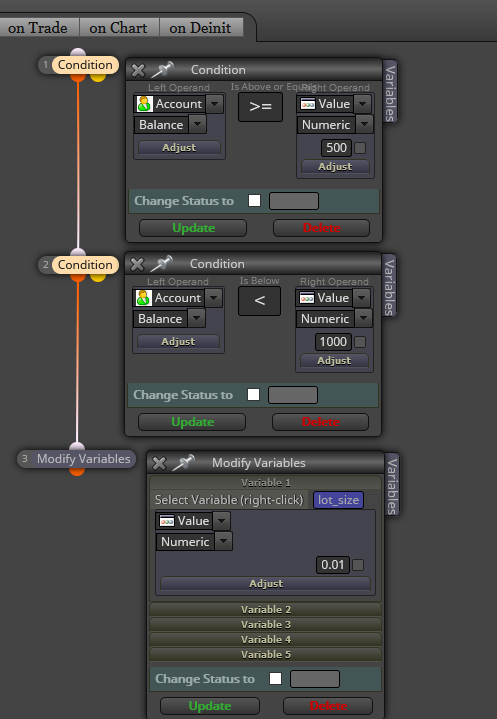
@saeed-2 You can create a variable to store the value of lot size and then do this as many times as you need:
-
thank you Sir
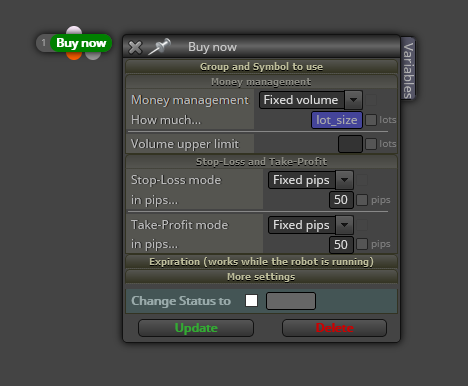
but when i use ( buy or sell ) block .. i use ( fixed lot )
so now i dont need to use buy/sell block .. and i can use these three blocks including modify variables at end of EA block .. thats right ?
no need to use buy/sell here ?
thanks
-
@saeed-2 You need to insert this 'lot_size' variable inside both 'buy/sell now' blocks. Tis way:
-
thank you so much Sir .. this is what i need .. appreciated
-
 )
)
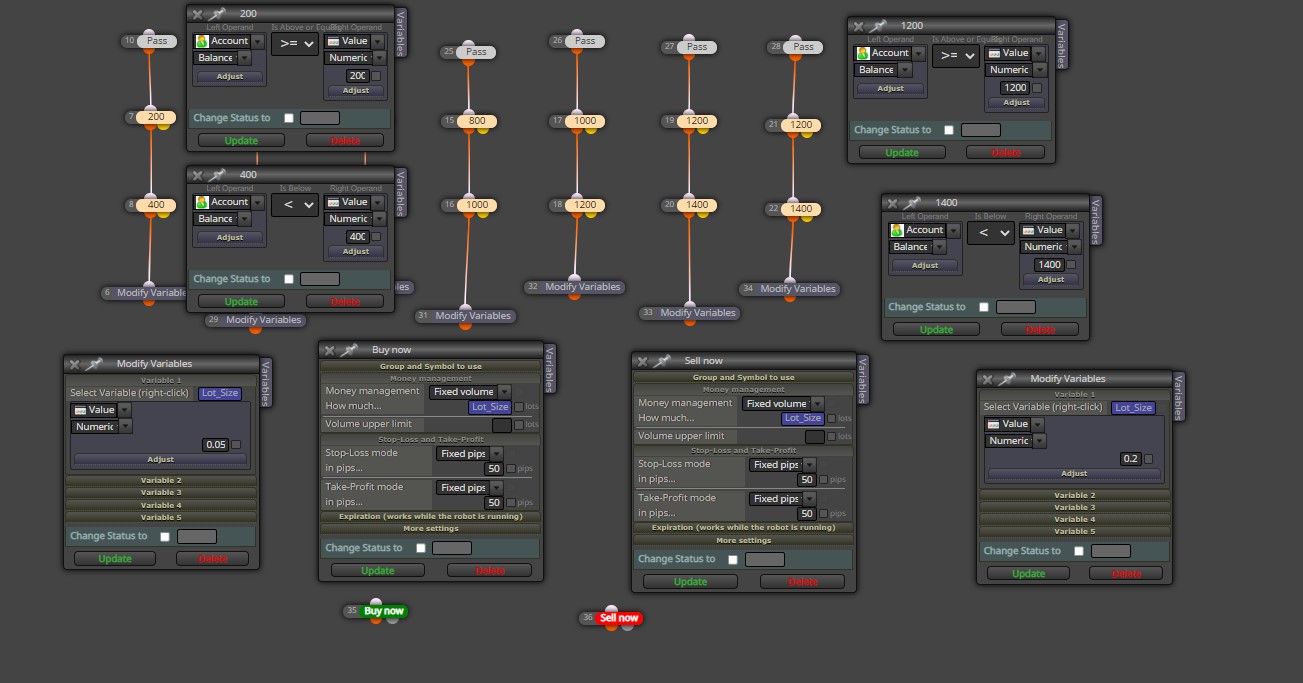
so it will be exactly same as this .. right ?
thanks Sir -
@saeed-2 There is no way to add a condition where variables do the calculation every 200$ >> 0.02 increase in Lot Size ?
thanks again Sir -
@saeed-2 I think you can do all that using a custom MQL code with a few if statements.
You test the account balance and if between the amounts that you want you return the value that you want to your lots size variable.Something like
if account balance >=200 && <400; Lot_Size=0.05 and so on...Hope that makes sense.
-
@albertomtferreira thanks for bypass and replying
i dont understand at these codes and how to rephrase them there
thanks again -
@saeed-2 albertomferreira is right. Unless you create some custom code you will need as many condition blocks as you show in your example.
-
@saeed-2 If you tell me exactly the levels that you want I can write something for you. Just le me know, for example:
0 to 200 --> 0.02 lots
200 to 400 --> 0.04 lots
400 to 600 --> 0.06 lots and so on.
Just let me know and I will try to help you. -
@albertomtferreira thanks for your assistance .. what i need is like this :
200 - 400 >> 0.05
400 - 600 >> 0.06
600 - 800 >> 0.07 And so onthanks alot ..appreciated
-
@l-andorrà Thank you Sir .. i prepared all variable conditions as advised by you
i will use also Mr albertomtferreira custom MQL code
thanks alwys for yr assistance
-
@saeed-2 I think the link below should work just fine for what you asked. I haven't had a chance to test it.
https://fxdreema.com/shared/OMdXX25Qd
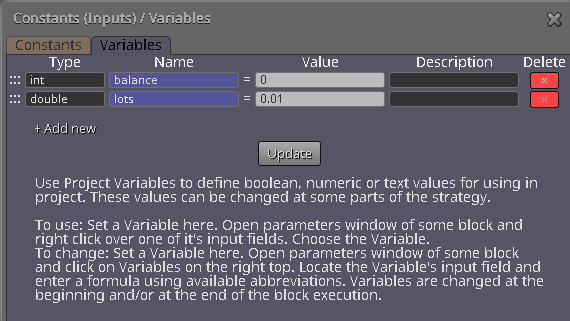
You need to create two variables as below.
-
@albertomtferreira thank you so much for your assistance
appreciated
-
Hi I just saw your solution here. I tried to copy the calculation code, but I ran into errors. Did anyone try this out, and did it work without errors?

