trade comment and comments on chart (two questions)
-
Question 1:
I would like to add a comment to the trade log when closing a position. Similar to using the comment field under "more settings", in the buy/sell blocks.
So for example, if the trade hit stop loss, I would like to write a comment - position closed by stop loss
or if the trailing stop loss closed the position, then comment - position closed by trailing stop
or if position hit take profit target - position closed by take profitIs this possible from within fxdreema?
Question 2:
I would like to write a comment on the chart, where positions has been opened or closed, with information such as profit/loss, position size, slippage and spread etc.The comment should not be printed in a corner, but on the chart, for example above the candle where the position was opened or closed.
The comment should stay on the chart, at least untill the terminal is closed by the user.
Is this possible from within fxdreema?
Cheers
-
@piptheripper This is possible, what do you mean by trade log? There is a log message block that writes on journal/experts tab, condition above will only write when something happens. Printing info on screen is the same but with a draw block.
-
@jstap thank you again. Question 1 is solved. I am now trying to figure out how to draw/write a text on the chart when ever a position is closed. IN this text I want to write:
1: Profit or loss in account currency
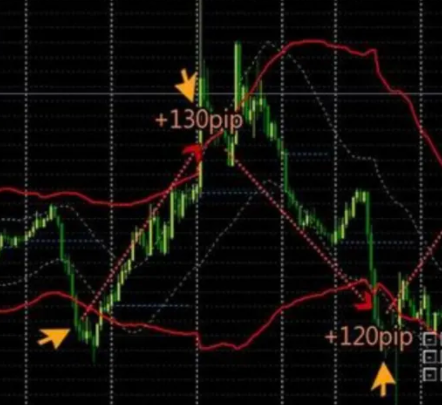
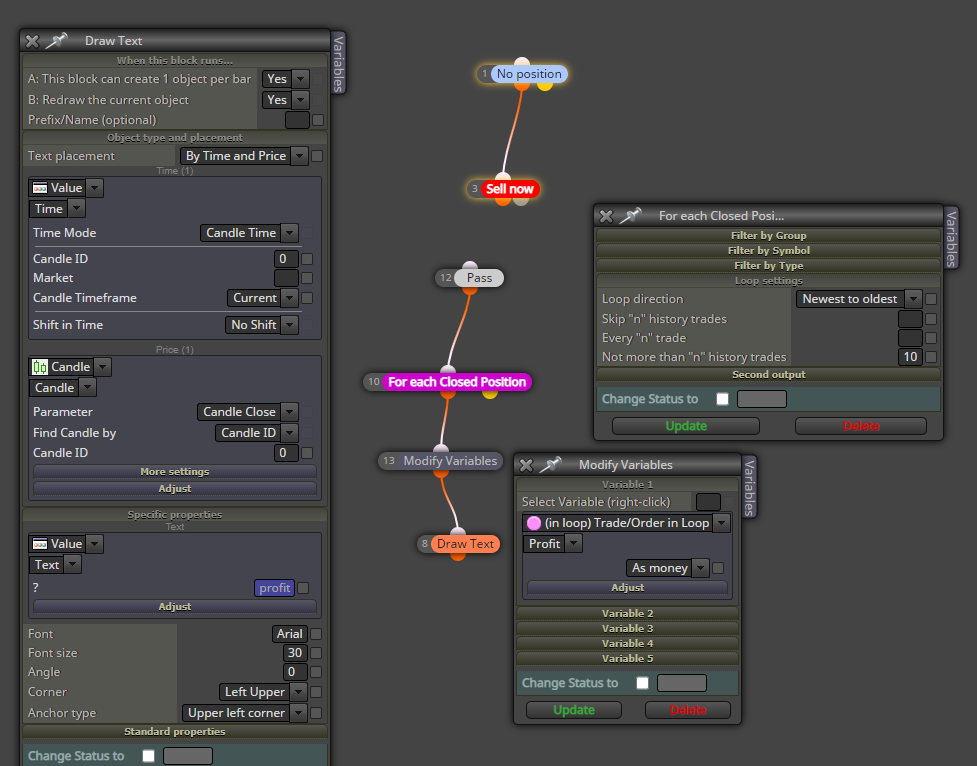
2: Total pips of the trade (If the trade was a loss the number will be negative)I found the "draw text" block, but I cant figure out how to extract the profit/loss and total pips numbers. The "check profit" block does not seem to give an output of the profit or loss to put into a variable. I see the "bucket of positions" and "in loop" settings might be the place to find these values. I been messing around but cant get it to work. I have attached a screenshot of an example of how i would like it to look, and also a screen shot of where I am so far in fxdreema.
and here is a link: https://fxdreema.com/shared/QmUoibHle
-
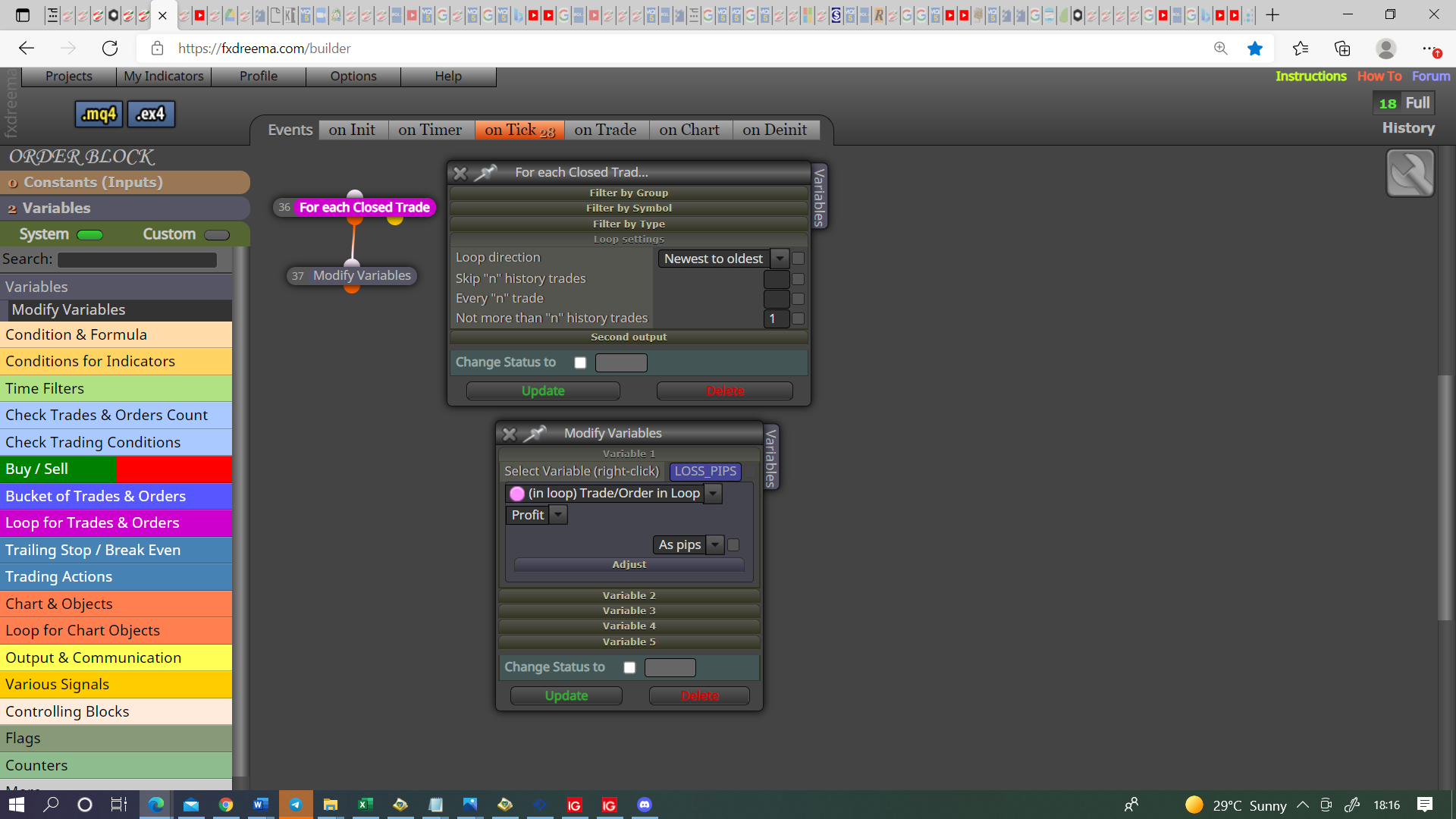
@piptheripper Try this, MT4&5 optimising so can't test, if this does what I think you can use the variable in the draw block, you can use the same principle to save the money. You don't need the pass above pink as the (do something) logic is already in the block.
Learn fxDreema Without the Wait!
My comprehensive book, available on Amazon, is packed with examples and invaluable insights to help you fast-track your learning journey.
The paperback and hardback editions include MT4 & MT5 QR codes for easy access to all prebuilt projects and robots, including my latest gold trading robot!
Don’t miss out
Click here➡️ https://mybook.to/fxDreema to get your copy today!
Enjoy! 😊
-
@jstap Looking again this is what you had done, let me know specifics if doesn't work.
-
@piptheripper Can you share how you solved problem #1? I am tryin to do the same thing. Thank you!
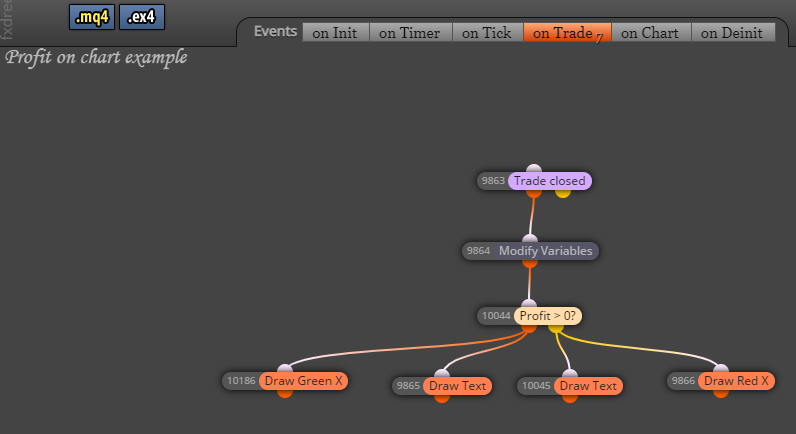
Also, here is a example of how I accomplish problem #2. I put this in the "on Trade" tab.
0_1641397454506_4324705d-a0dd-4f80-8055-dd8322f592c9-0104 BBflat KC Renko TP1 runners .mq4
-
@jjtrader I actually never pursued this any further. Guess I got side tracked with other things:) Will have a look at your solution. looks promising:) Thanks for sharing!
