Lines = Stop or Limit Orders EA
-
I want to create an EA simply where it draws a line and that is the entry, then it gives me an option to click for it to be a stop order or limit order, then a second line appears and I drag that for the stop loss.
I trade on the 1Min chart so it’s use has to be simple and quick. I want to program my lot size to the line and TP when clicked.
It would also know that if the line is dragged above current price the stop order button would be for a buy and limit would be a sell then vice versa for if it’s below price.
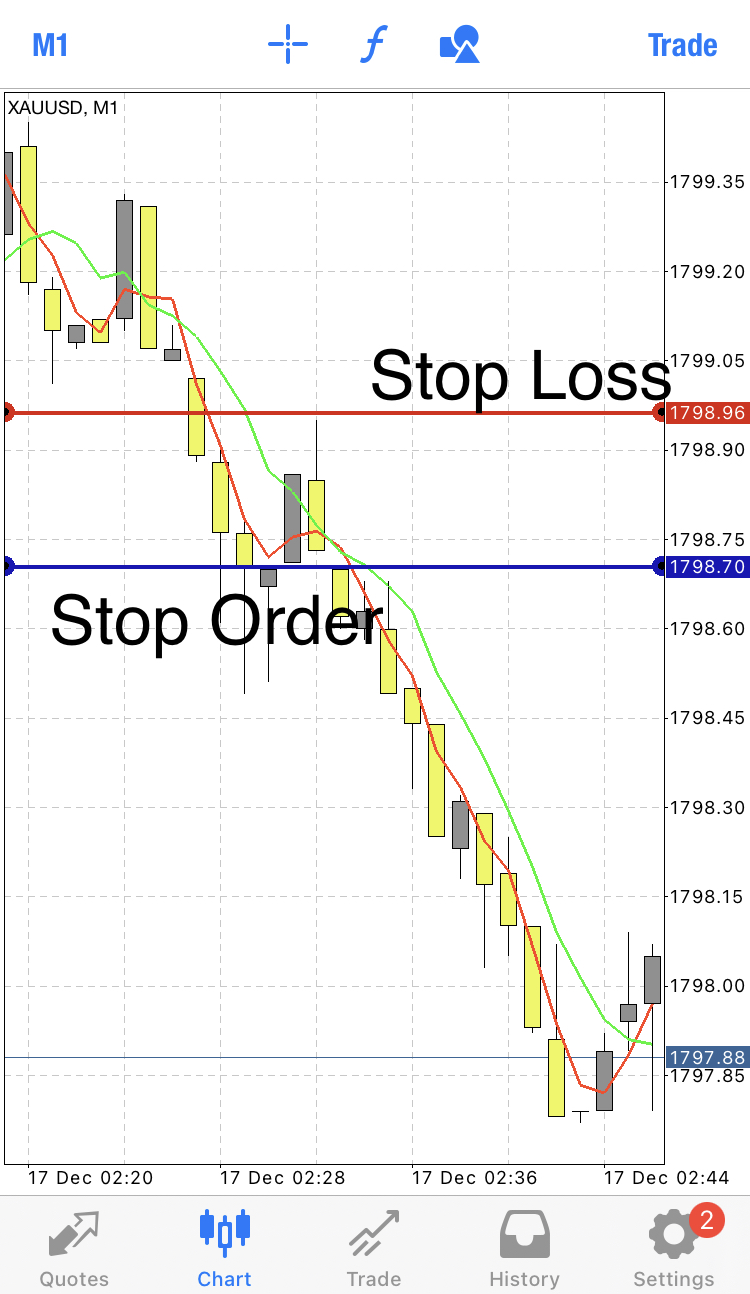
I’ll add a picture just as a quick example
-
@gtoat777 So the picture is a sell stop order trade.
I would have dragged it below that candle, clicked “Stop” button which creates a stop order, then a second line would appear and I would have dragged to make the stop loss above the candle
-
-
@gtoat777 You can do it via buttons. Do you have any initial project to begin with?
-
@l-andorrà No i havent got an initial project started i wouldnt know where to start in regards to this
-
@gtoat777 In that case I strongly recommend you to read the buttons instructions page first and then we can take a look at it.
-
@l-andorrà I cant find it to be honest
-
@l-andorrà its all good i have found this one https://fxdreema.com/forum/topic/10796/tutorial-create-button-sell-and-buy-execute/2
-
@l-andorrà https://fxdreema.com/shared/Cnuqv2BQb I made a start, like i said originally i want to move the line and simply click on the buy stop or sell stop buttons attached to the line, how is it looking so far
-
@gtoat777 You should disconnect blocks 3 and 5 from block 22. Are you drwwing just one line or two? I see you cn select buys or sells? Then you should need two lines and not one.
