Using custom SnD indicator
-
Ello
So i have a strat i want to test
Im using this custom indicator that can draw Support and Resistance level on every timeframe (no repaint)Now i want to utilize it to the EA
Logic:
If candle break above the resistance line, buy
If canlde break below the support, sellThis is the basic project https://fxdreema.com/shared/8Xp1ow3Qb
I have imported the custom indcator there for the first test, but im not sure how to get it working, because if i run the EA, it does wait for the first breakout, but after that happen once, the ea is just doing BUY trade, idk why, no sell, and no wait, just keep buying till hit tp/sl, then buy again without waiting for another breakout
If this is working for the basic, i have another indicator which will be adding the second rule of the trade
But for now, i need help with the SnD indicator first to get it working
This is how the indicator in action
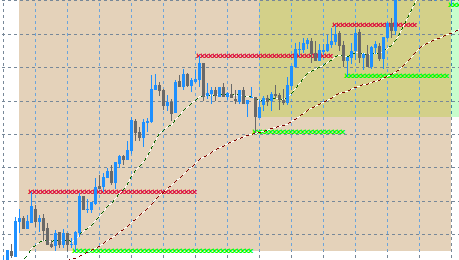
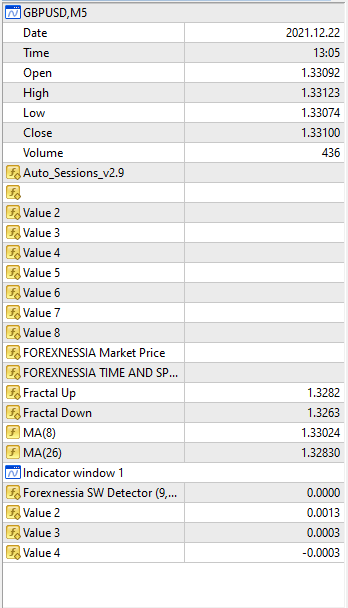
Data Window (the indicator is the fractals)
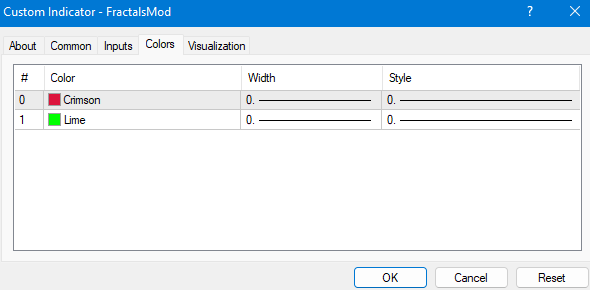
Colors:
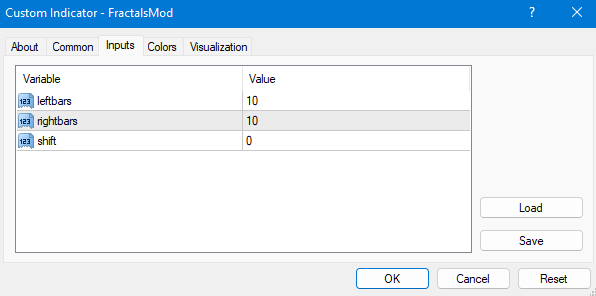
Variable:
-
Would you mind to share the indicator?
You need to start with "Once per bar" block and asign the buffer that you want to use
I cannot see the buffer beause I don't have the indicator, just appears me buffer 0 and on black color. As I see, Buffers are the colors crimson and lime, then to your condition use them and not the buffer 0. Furthermore, the candle to trade I guess that must be 0 and no 1, because you are looking the break to trade, aren't you?
-
Yes im trying to implement the breakout trading strategy here
Here is the indicator: https://1drv.ms/u/s!AkiKVSiT_YUIhtYb7oRyI6PPrJ3_dw?e=OmwVgN
2 indicators, the fractal if for the SnD, and SW indicator is for the confirmation later after the SnD breakout work
I'm also a bit new with the buffer and stuff
If you can make a project solving this problem and share it, I'll be very thankfull
-
@slimmz Well, I can see that the indicator doesn't have source code and to work with it, is necessary that you adjust it on fxdreema, you can check these tutorials that people experienced made:
https://fxdreema.com/forum/topic/4208/tutorial-06-my-indicators-in-fxdreema
https://fxdreema.com/forum/topic/9105/tutorial-working-with-ex4-ex5-indicator-fileSecond, you indicated to me that there are another indicator that is for confirmations, I didn't see it, but I can imagine that them are a type of MA (by the pic that you sent before)
I let you the project with MA condition E.G
-
Okay, i will to follow along the links, thanks
About the confirmation indicator, it's actually not MA. It look like this

the confirmation will be, if the breakout has happened, check if the momentum is also there (as you can see there is 2 lines and bars between them) if breakout happen upward, check if the bars also breaking up the line of SW indicator, then buy, vice versaBut that will be used later, i will see if the breakout work first
-
@uriel-0 said in Using custom SnD indicator:
h MA condition E.G
https://fxdreema.com/shared/ZDEBFDUKci tested your shared, but it also only take BUY trade. Why?
-
@slimmz because fxdreema don't recognize indicators buffers... You need to adjust them
-
@uriel-0
Okay, just found out the my indicator on chart i screeshot was modified, i reinsert them on my chart and this is the data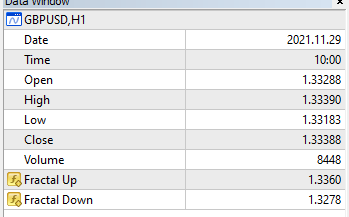
i did import the indicator and put the buffer
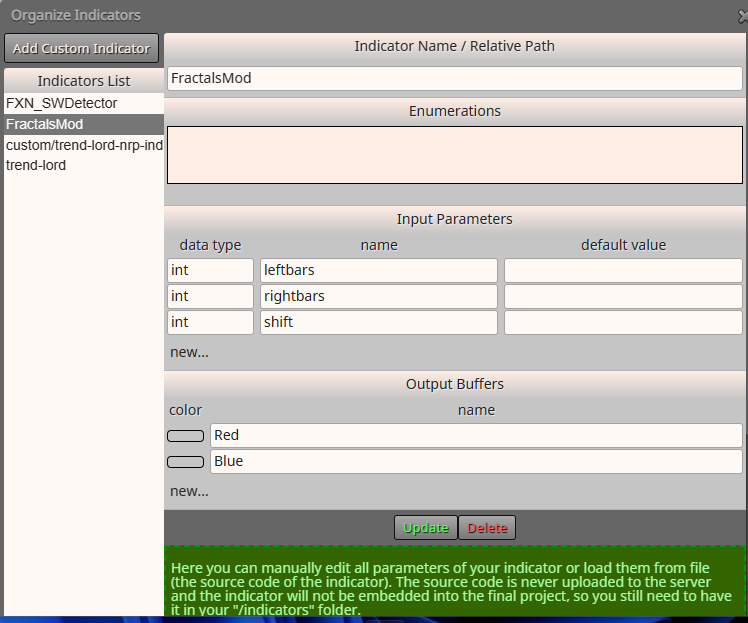
And use it like this
fxdreema.com/shared/ktUtcA5MdBut still, only buy (I tested it on GBPUSD 15 min)
Im missing something?
-
Sorry to mention but, anyone up for solution? @jstap @l-andorrà
-
or maybe you should backtest the ea and watch closely everytime it opens a trade.
-
@biztet Yes i did, I've been watching its behavior.
It only wait for the first breakout, after that happen, the EA will start to trade (BUY) and keep buying and buying and buying after hit tp/sl.
It wont go back and wait for another breakout, or even to sell
-
Does the candle have a chance to be below the Buffer1?
-
One other thing you can try is make buy and sell a different group. Buy group 1, Sell group 2.
Just to create a chance to open both buy and sell trade. -
@biztet Yes it does, it could breakout both buffer
-
"One other thing you can try is make buy and sell a different group. Buy group 1, Sell group 2.
Just to create a chance to open both buy and sell trade."@biztet How can i achieve this?
-
The "check trades count", "Buy now", "Sell now" blocks, on top of it there's a Group option.
Put 1 for buy and 2 for sell. Let see if this helps. -
Is this what you mean? it would be easier to spot with screenshot haha
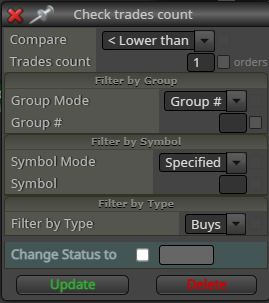
Im also making some changes to the indicator and the project. Here is the update
Project: https://fxdreema.com/shared/Ldy2BIYJb
Indicator:
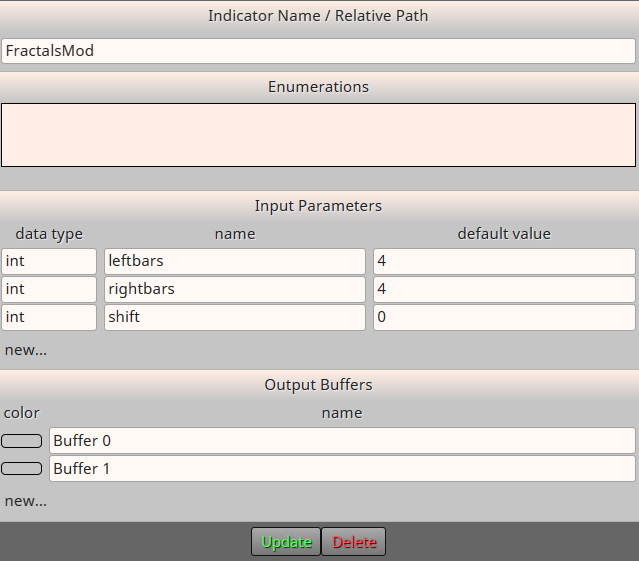
After the changes, now it only taking SELL order even when he EA just start and wont wait for breakout
-
@biztet If this is correct about the Group you mentioned
1 for BUY
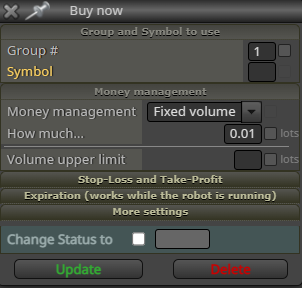
2 for SELL
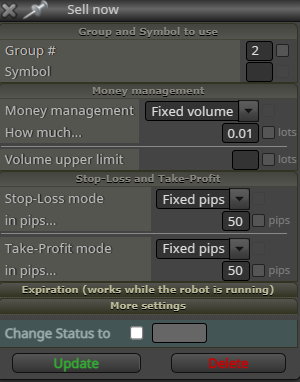
And each related check trades count is marked the same
BUY
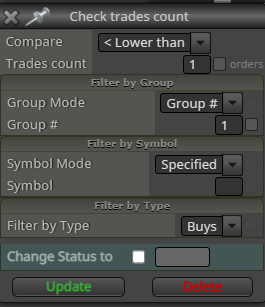
SELL
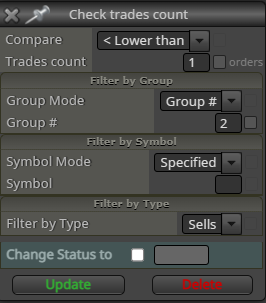
I set it, but still the EA is just selling directly after start and keep selling
-
And now you get only sell trades. Hmm...
Do you think there's a value that should be include with the buffer condition? -
@biztet hmmm,
I don't think there is since the buffer is actually a standalone value from the indicatorIt is actually a fractal that has been moded. The value changed to 4 bars to the left and 4 bars to the right, the fractal itself actually only paint 1 arrow by default, but this indicator is set to drag the arrow to the right as the candle is not breaking the rule of the key level.
But in the data window, the buffer seems to always have value, so it's not temp
Hmmm