Problem of falling MAs.
-
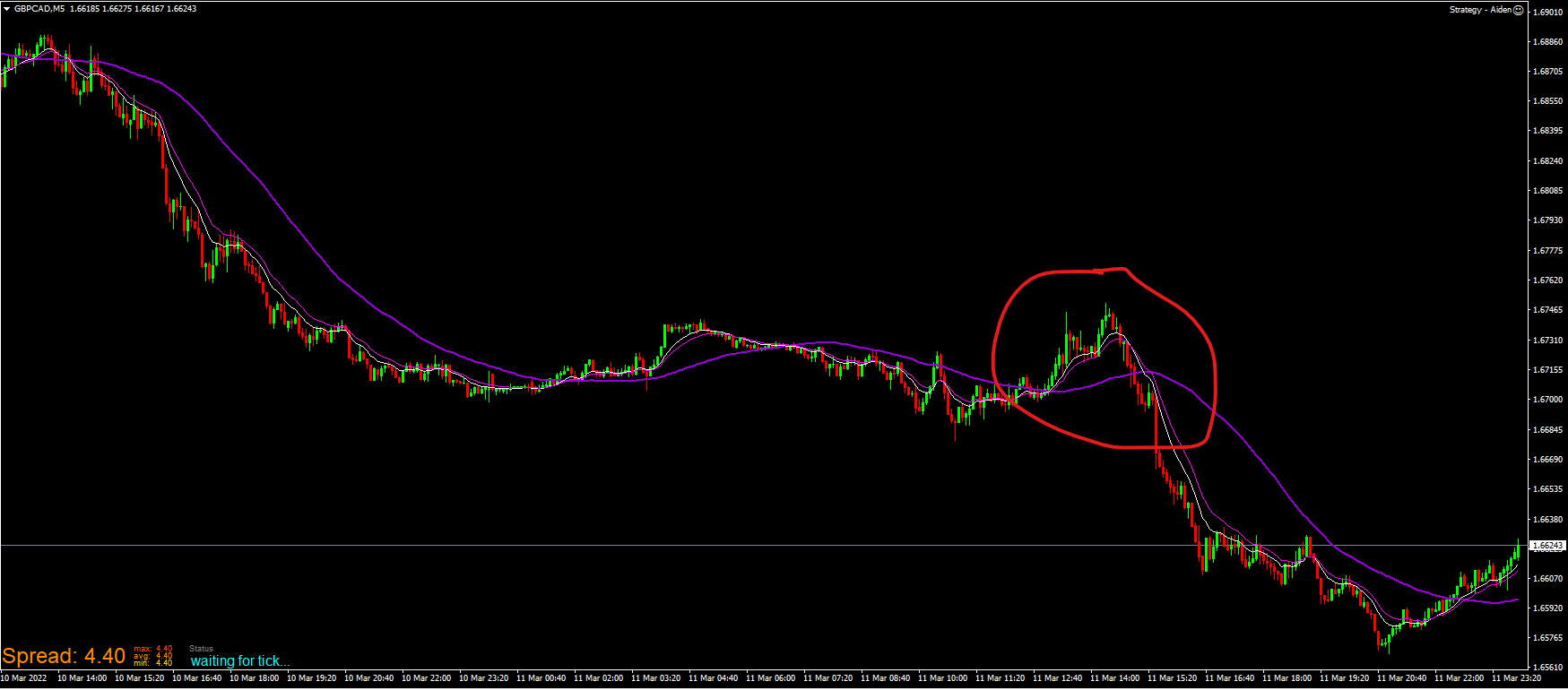 Hi guys, I'm starting a new project and have a question:
To form a valid setup, the 50 simple MA has to come at an angle from top left to down right for short, bottom left to top right for long. Now I know you can't program an angle, so what do you guys see as the best solution? I tried to play with the falling/rising indicator condition...but not to my liking. This EA should run on the 28 major Fx pairs. This condition with pips doesn't really work, since different pairs have different atr...10 pips is much more on AudUsd than GbpNzd. So should I use a condition block 50 MA (candle ID 50) > 50 MA (Candle ID 1) and have multiple conditions like that? Or is there any other solution to this?
I looked through the forum but didn't find any answer that really helps. Glad for any idea how to filter out good setups here. Thanks in advance.
-
@sirluk You can do it like this, just ensure the best numbers are used for pair,
Have changed + to - because it was wrong:
-
@sirluk Have added MA flat:
-
Wow...this is so out of my league!
 And how would I connect that to the rest of my EA? Thanks so much!
 -
@jstap I don't understand, where do I have to use which numbers?
-
@sirluk What I mean about numbers is, each time frame and asset will have a different slope value so put on back test to see what suites, copy the condition blocks and put in your trade trees, a minimum slope value of 0 is easiest to use but it means you don't have a flat value, is either up or down. The candle range number will depend on how quickly you want the up/down to change.
-
@jstap I'm going to have to admit, that I am nowhere near as proficient with Fxdreema to be able to do this. Here you see a copy of my project:
https://fxdreema.com/shared/leopnoLTc
Left tree is long setup, right side is short. You see each has a connection missing where the condition of rising (when long) and falling (when short) MA should go. Any chance you could show me how you connect the missing part you wrote? Also, please tell me in which blocks to play with the numbers? You said minimum is 0...does that mean the MA is basically flat? What is the maximum value?
Thanks so much jstap for your help. When backtesting manually this system has a nice return... NzdCad showed 22 wins to 8 losses this year with a 1:1 risk/reward ratio, EurAud 19 to 7. I have yet to test a pair that would lose. I just can't get an EA to just trade, when the 50 SMA moves diagonal across the screen.
-
@sirluk This should do what you want, have removed the once per bar as will only allow 1 trade of each type, have made the buy and sell tree separate, test and once working add back together if required.
-
woow great
-
@mcvinbabas Sorry, forgot to add the link:
-
@jstap thanks a lot! What about the numbers? Do I have to adjust anything and if yes, in which block? What’s the maximum value?
-
@sirluk as is is set at 0, the comments set on the left will show the slope number at the time, if you watch on back test put the MA on chart you can check what angle changes the number, so you know what is best for settings your using, the slope candle ID range is set to 10, seems best to me but you will have to check, this will change the slope nunmber.
-
@jstap If I copy the whole thing from your link and add it to my project, do I have to write the constants and variables? Could you write them out for me?
-
@sirluk If you add to the project that already has the constants/variables then you don't need to touch, if you add to a project without then you need to add, as long as the type and spelling are the same it will work.
-
@jstap sorry for asking stupid questions...but no variables and constants are added as of yet. How do I know what type a variable or constant is...i.e. "SLOPE" or "MA_SLOPE_RANGE"?
-
@sirluk The one I posted has them in, if you look in there you'll see the type.
-
@jstap ah, I see now. Thanks. I‘ll do some tests tomorrow.
-
@jstap hi it can work in mt5 ?
same us custom code? -
@mcvinbabas Yes it will, most does.

