Entering a number to a variable during active trading
-
Colleagues, is there any way to enter a number of a variable through Chart and change it during the EA is working, according to the trade. By means of a button or another way, I can't think of anything, someone can confirm. Thank you very much.
Affectionate Rodrigo
-
@rodrigo-ortuzar Use a edit field, you can then get this number using object on chart.
-
Thanks, I did not know this block, I have a variable "SL_Size" I have not been able to capture the value entered in with "Draw Edit Field" can you tell me how to correct this mistake of mine.
https://fxdreema.com/shared/XOOlvfUweAffectionate Rodrigo
-
@rodrigo-ortuzar Like picture, put into a comment to see whats happwning.
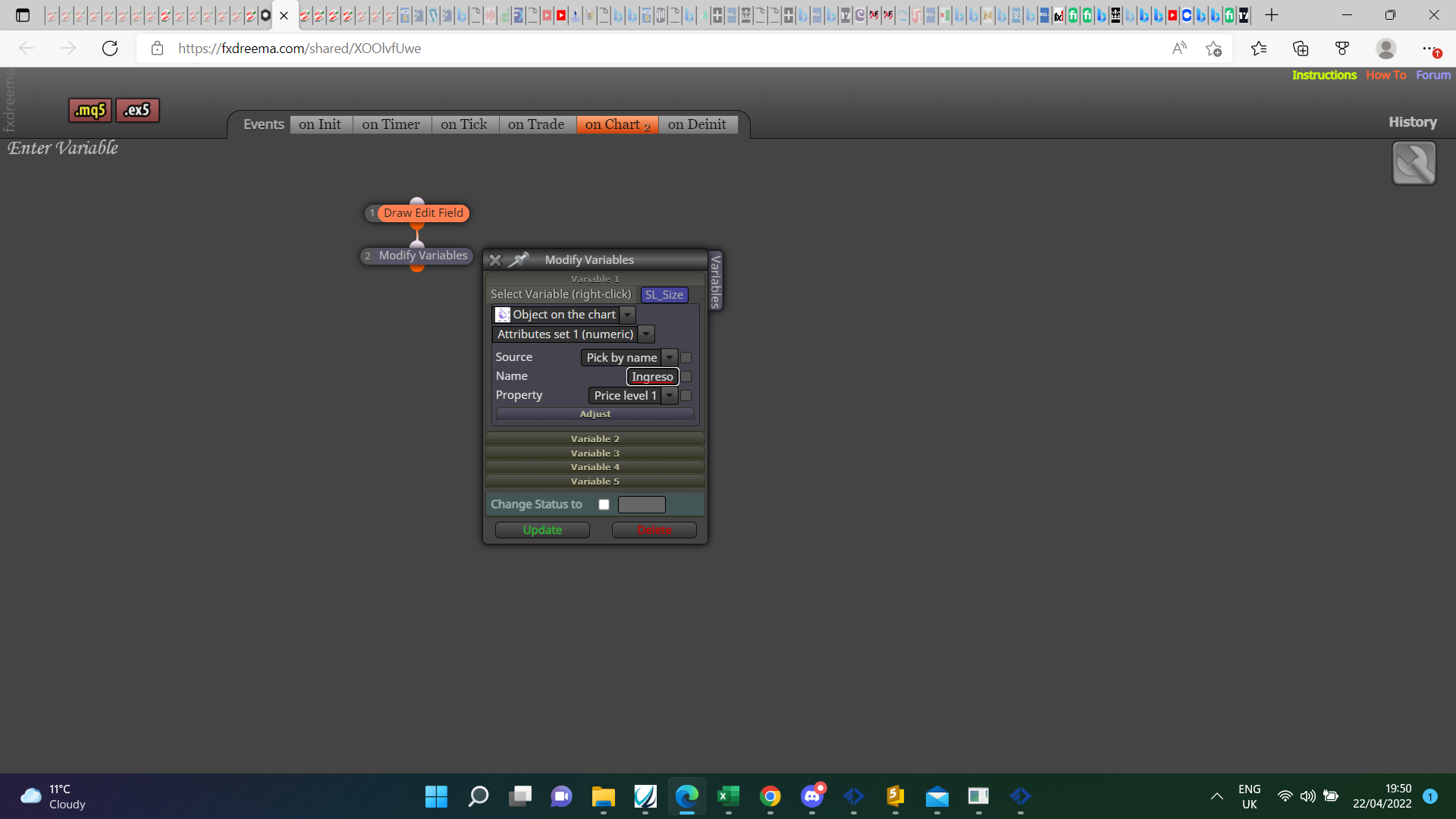
-
So I suppose and what do you mean by placing it in a comment ?
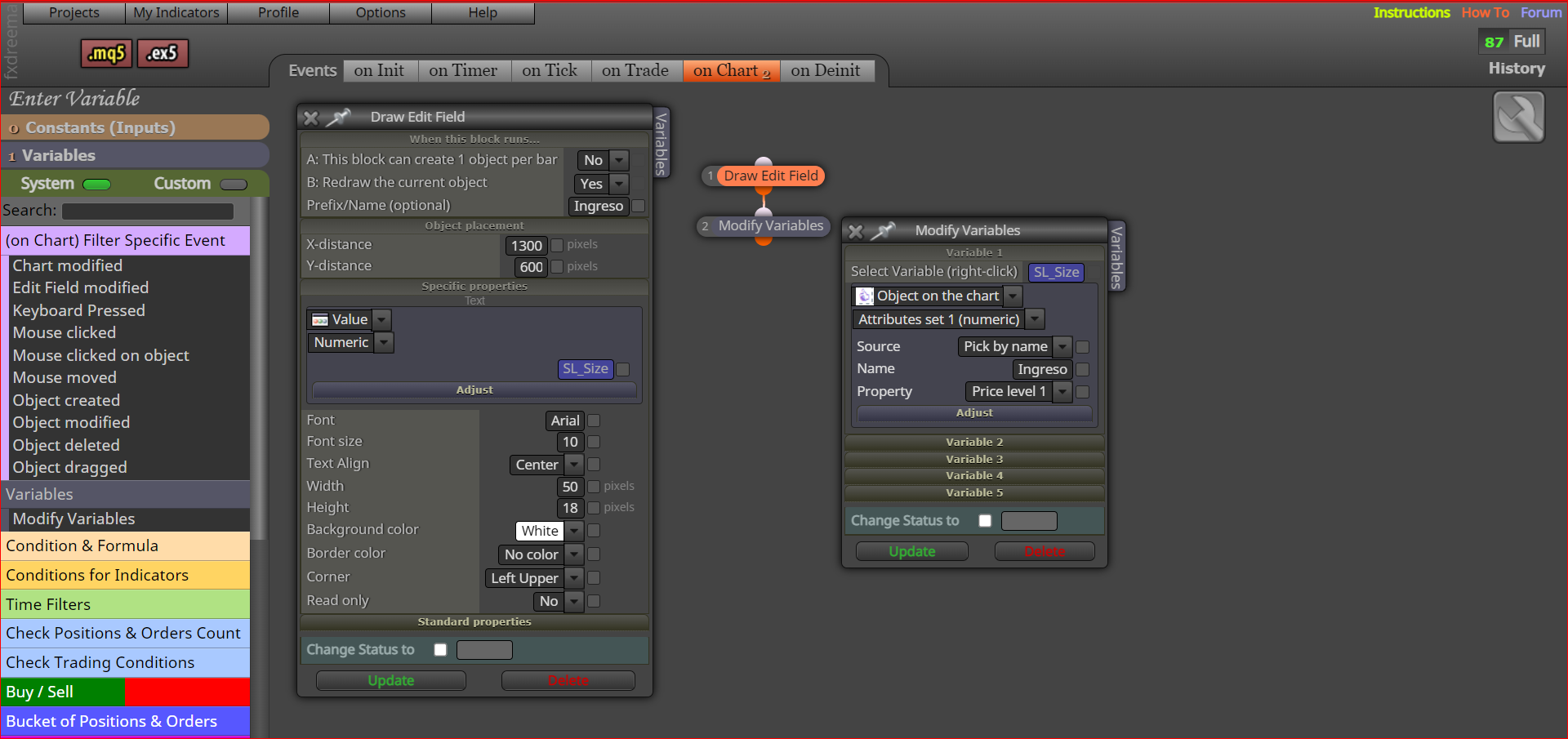
Affectionate Rodrigo
-
@rodrigo-ortuzar Have the edit field with a random number rather than a variable, buy comment I mean pass block>comment block with the variable inside.
-
ok jstap, would it be something like this ?
https://fxdreema.com/shared/5Cn0ZqG5e
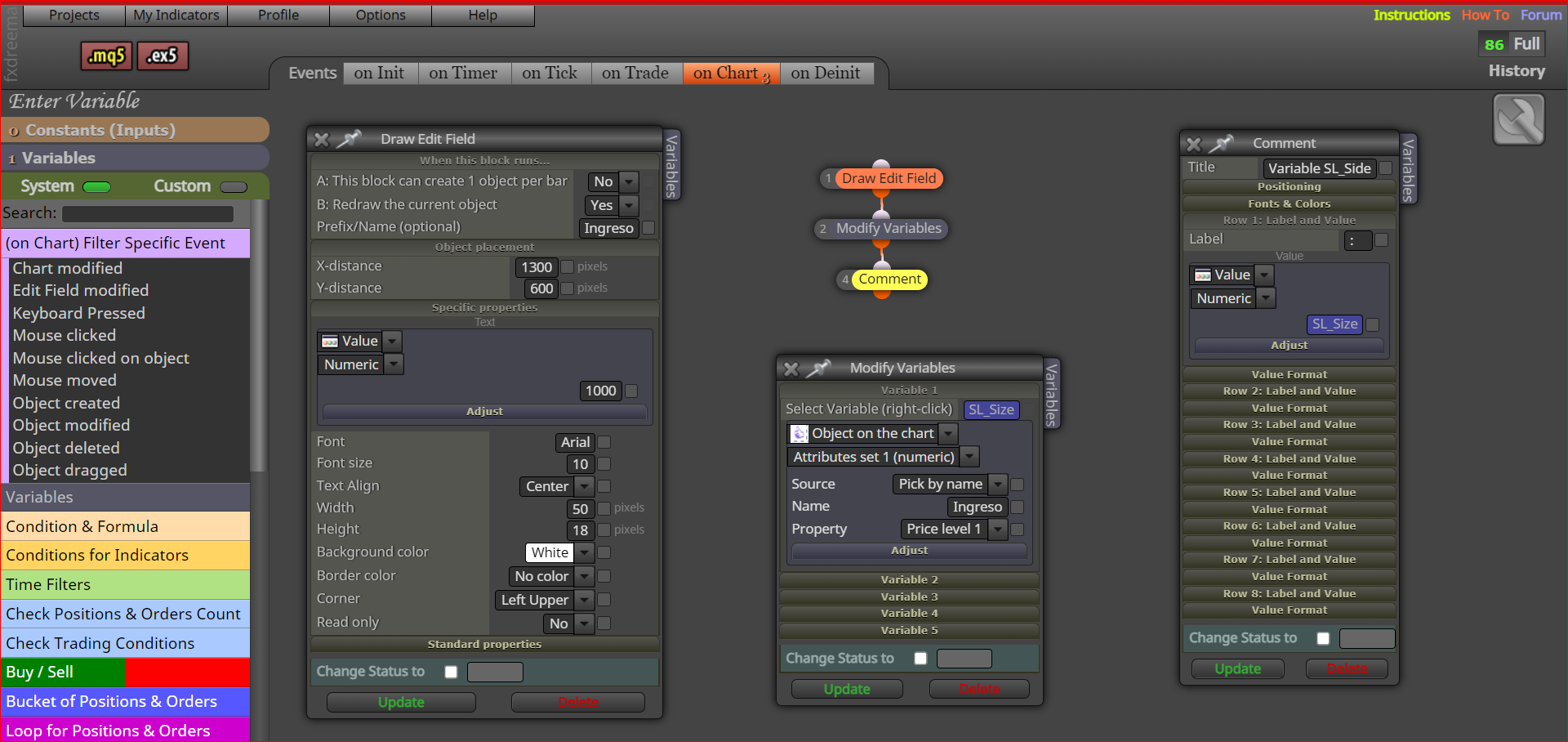
Affectionate Rodrigo
-
@rodrigo-ortuzar I would think this is giving you what you write in the edit field in your comment? let me know if not.
-
I can confirm that variable/input data can be overwritten using modify variables and an edit field on the chart.
I capture the input into the edit field in onchart, with 'edit field modified' event > modify variables ( based on object on the chart..)
-
@simonfx Yes but on chart doesn't work in back test, so worth adding a if testing block to on tick then copying blocks onto on chart so works for both: )
-
@jstap um right, yeah, my view not include back testing..
indeed ontick could be used, too. I like on chart cause it's cheaper performance wise and only doing what it has to on event.. but yes, ontick is fine too. I think we sure covered, the answer is yes!
So that leads to.. couldn't imagine needing to change the variable contents on fly from a human interface input during back testing.
Probably I'm not understanding how it could be used in back test, everytime I try it processes ten years in minutes.. no chance to work with input fields there.
Gosh, If I wanted my bot to work in backtesting I'd have so much to re-write come to think of it now that you point that out.. oh well, I'm happy to tell punters it don't work in back testing lol thanks for that clarification.
-
@simonfx Visual back test allows you to see if all is doing as planned before blindly do so no visual.
-
@jstap I use demo accounts and call ontick with ontimer on weekends
 I'm not sure that will work for me.. but I'd love to get it going if I can pretend to real time trade with what you call .. Visual backtest? If on chart doesn't work.. not much good to me.
I'm not automating much, just making metatrader actually user friendly is my aim here. not a full automated solution, semi.
-
@simonfx and by now ten or so real accounts 245, too... so am sure happy with outcome of testing thus far. I apply ITIL/Agile methodologies to my approach but yes more testing regime is very welcome!! I'll look into that Visual Backtest and again, thank you. I did find backtesting useful for bots that are fully automated back when I was blowing myself up alot lol
-
@simonfx Back test will never be better than live charts, even MT5 forward test but it's a good way to ensure all is doing as wanted before testing further.
-
So it would be ? https://fxdreema.com/shared/cuL8bI8ge
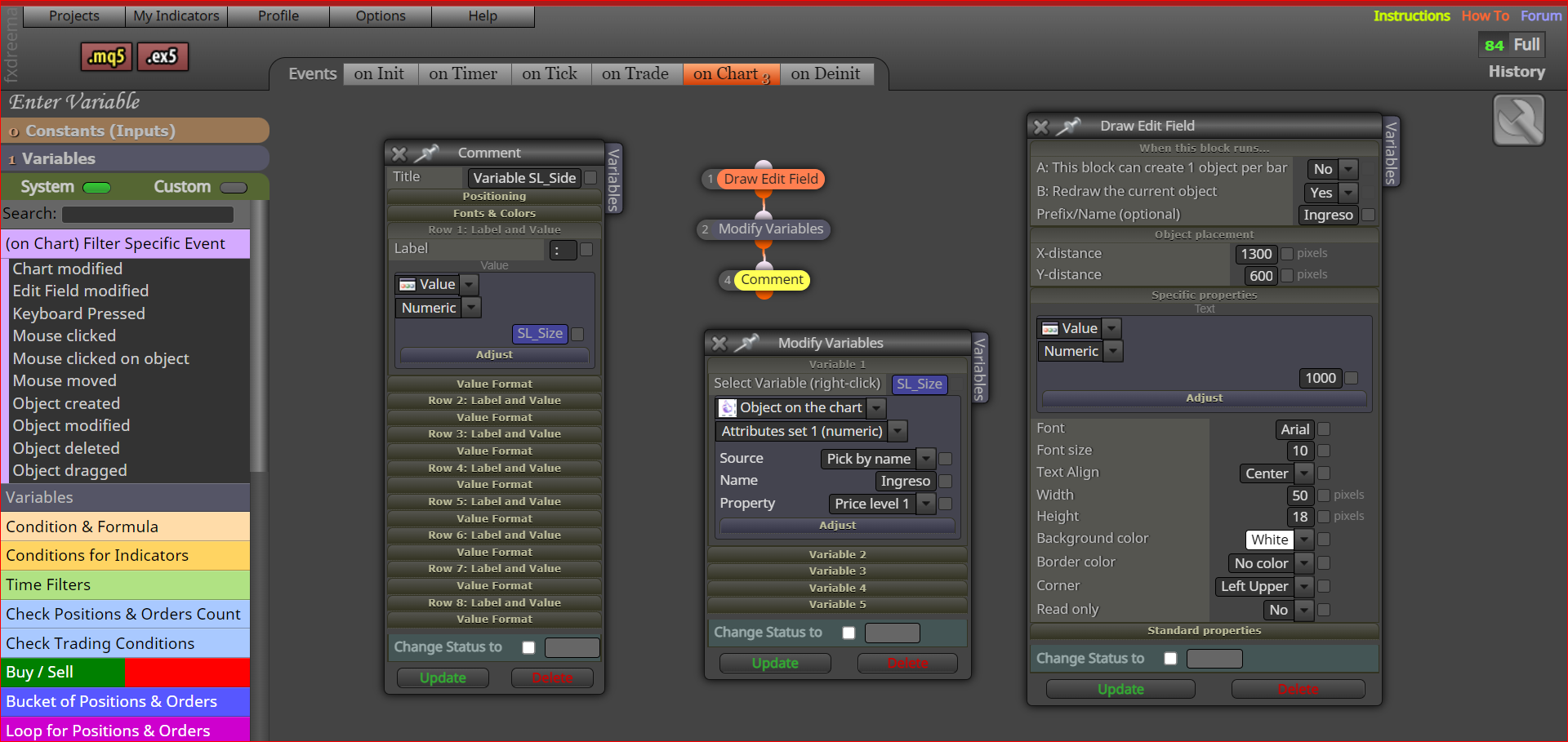
Affectionate Rodrigo
-
@rodrigo-ortuzar Probably but you want to draw on init, then read on another, be careful that you don't get multiple alerts, normally you need something to limit alerts.
-
What do you think so in "on Unit" and "on Chart", when installing the EA it will show the value of the variable and then only when it finds a modification of block 1 "Draw Edit Field".
https://fxdreema.com/shared/OTBm0KzNAffectionate Rodrigo
-
@rodrigo-ortuzar On init draw the edit field, read it with object on chart.
-
You are right always in on chart it should start with a purple block. https://fxdreema.com/shared/u4absnBlb
To make it more complex it would be to be able to choose between several alternative variables, I try and send it.Affectionate Rodrigo
