fxDreema

    • Register
    • Login
    • Search
    • Back to the main page
    • Categories
    • Recent
    • Tags
    • Popular
    • Search

    How do I put Stop Loss on a draw line?

    Questions & Answers
    2
    9
    698
    Loading More Posts
    • Oldest to Newest
    • Newest to Oldest
    • Most Votes
    Reply
    • Reply as topic
    Log in to reply
    This topic has been deleted. Only users with topic management privileges can see it.
    • A
      Adeildo last edited by

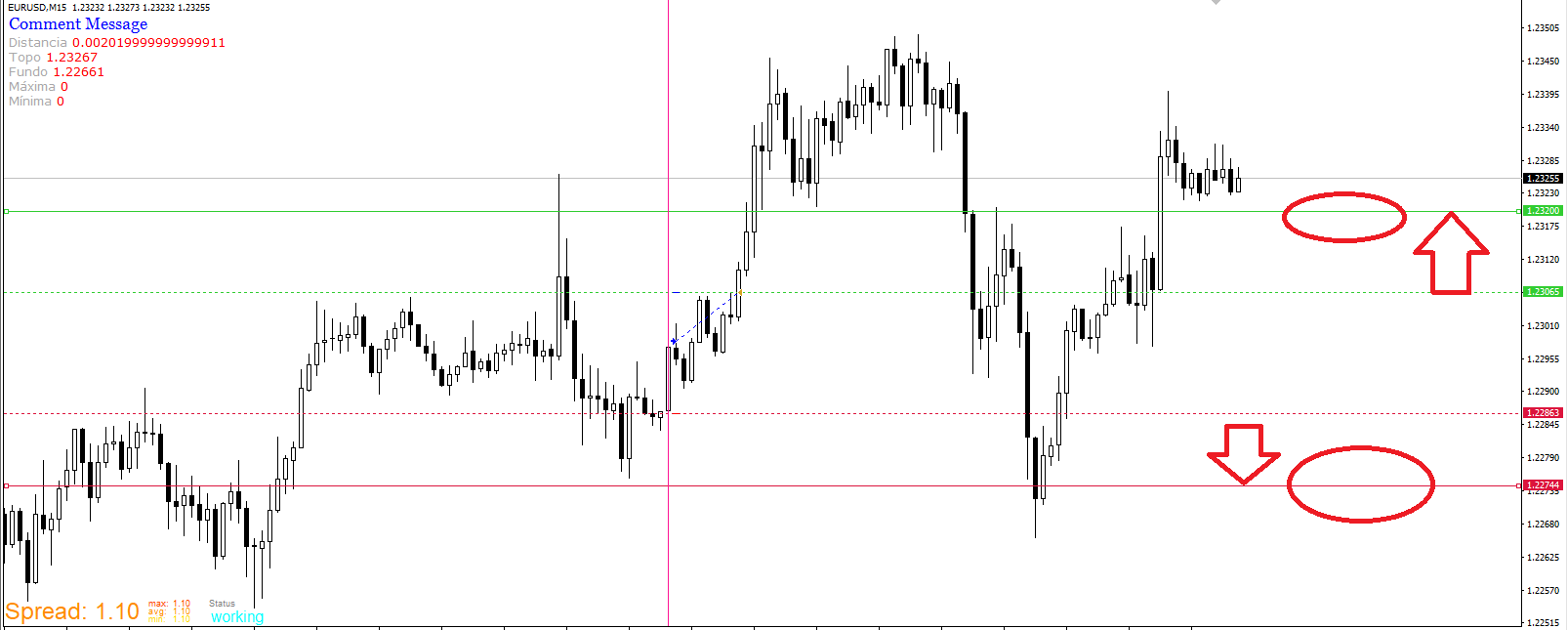
      0_1650899004823_dw.png How do I put Stop Loss on a draw line?

      Example:
      I put 4 draw line:

      Draw line (1) at the top of a candle.

      Draw line (2) on the bottom of a candle.

      Draw line (3) target above the top of the Draw line (1)

      Draw line (3) target below Draw line background (2)

      How do I place stop loss on Draw Line (3) ?

      How do I place stop loss on Draw Line (4) ?

      jstap 1 Reply Last reply Reply Quote 0
      • jstap
        jstap @Adeildo last edited by

        @adeildo Is a lot easier to create the lines on EA start, maybe reset when wanted so they don't go off screen, this way they are called a specific name and you can use object on chart with the name you choose, save level into a variable, when creating object make it selected.

        Learn fxDreema Without the Wait!

        My comprehensive book, available on Amazon, is packed with examples and invaluable insights to help you fast-track your learning journey.

        The paperback and hardback editions include MT4 & MT5 QR codes for easy access to all prebuilt projects and robots, including my latest gold trading robot!

        Don’t miss out

        Click here➡️ https://mybook.to/fxDreema to get your copy today!

        Enjoy! 😊

        A 2 Replies Last reply Reply Quote 0
        • A
          Adeildo @jstap last edited by

          @jstap

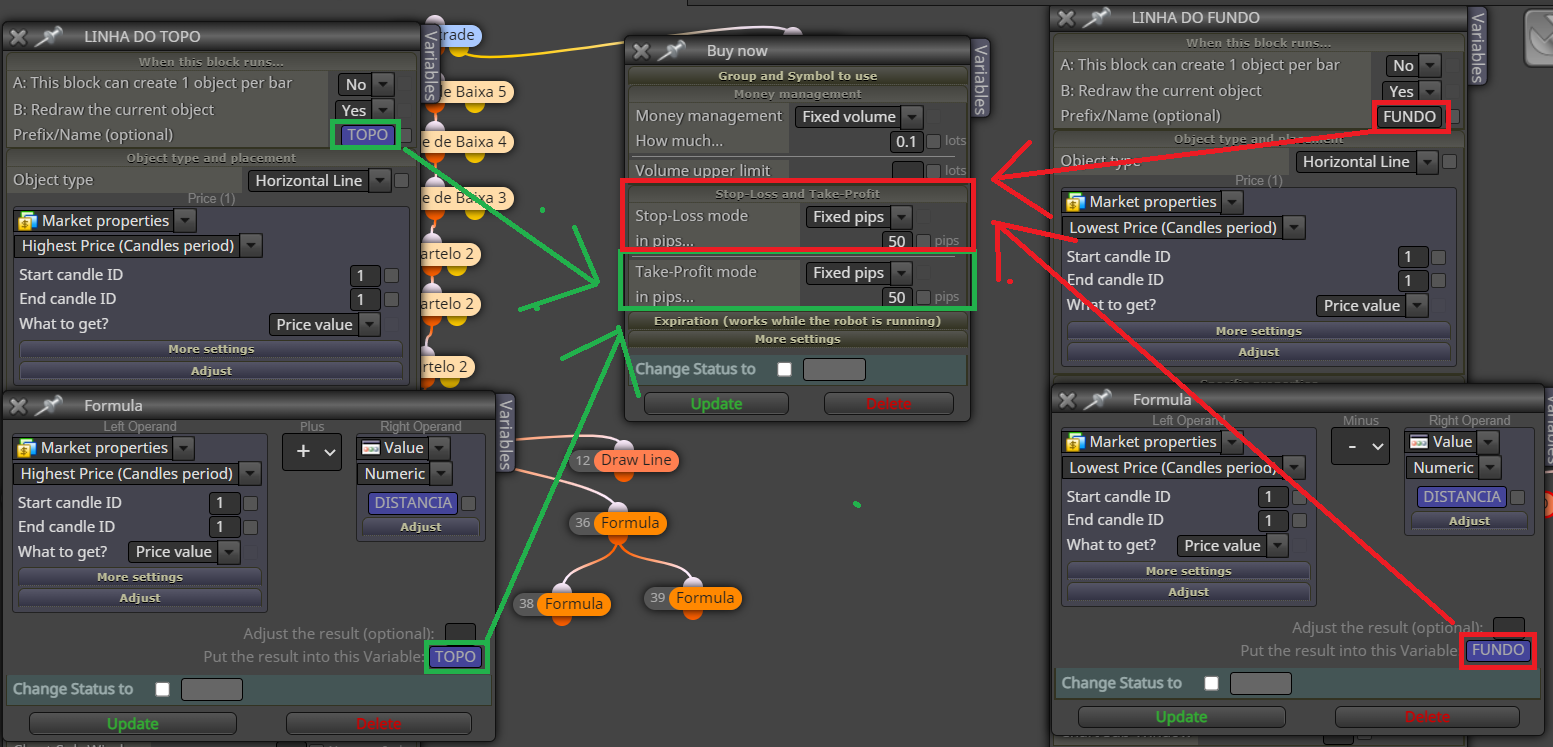
          I've already made the lines, put the references in a variable, but I can't put it in the BUY.
          0_1650919897858_aa.png

          1 Reply Last reply Reply Quote 0
          • A
            Adeildo @jstap last edited by

            @jstap

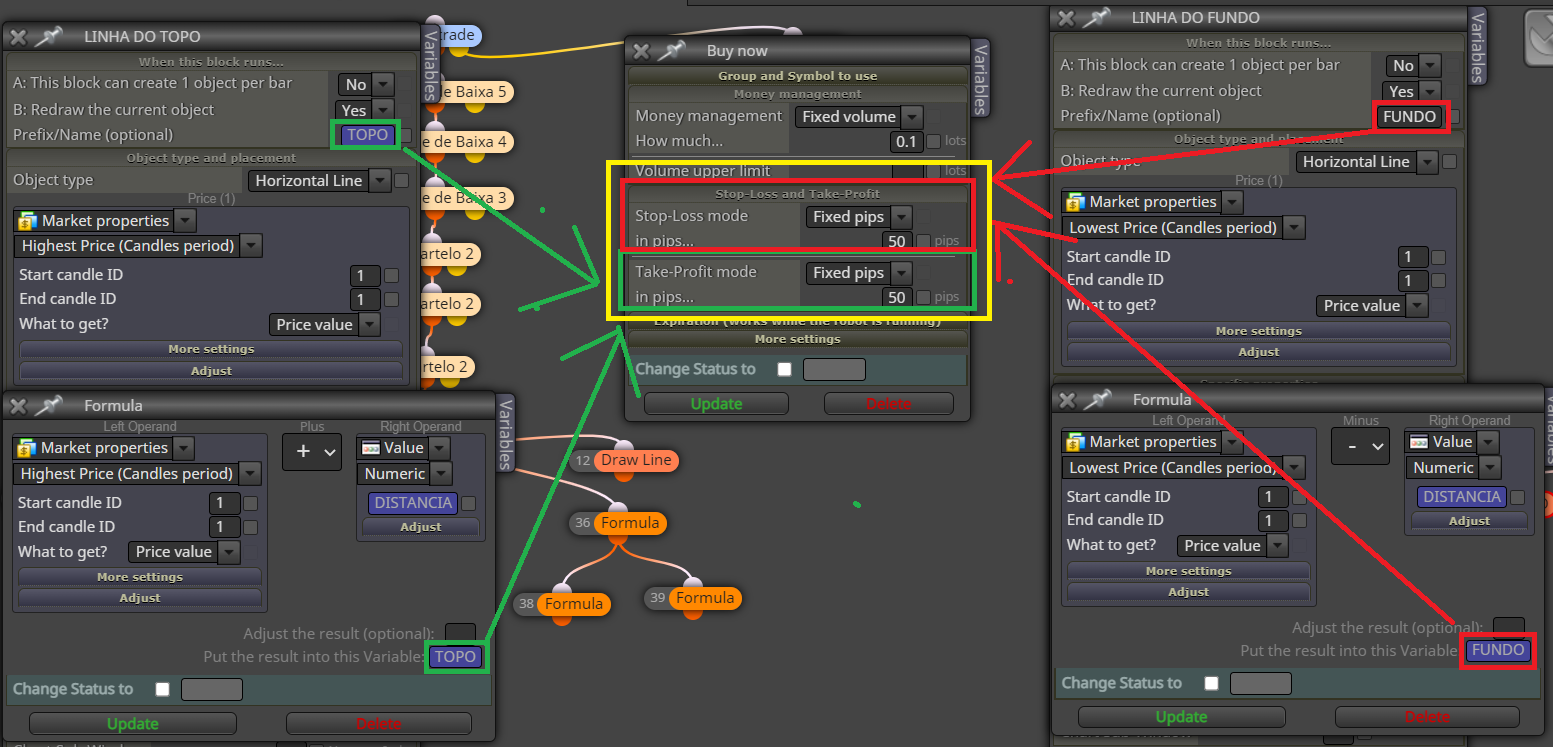
            I've already made the lines, put the references in a variable, but I can't put them in Stop Loss and Take profit. as shown in the figure circled in yellow.
            0_1650920110408_aa.png

            jstap 1 Reply Last reply Reply Quote 0
            • jstap
              jstap @Adeildo last edited by

              @adeildo Use custom level in SL/TP use object on chart with the name of the line, if not working put all in a comment block so you can see what's happening.

              Learn fxDreema Without the Wait!

              My comprehensive book, available on Amazon, is packed with examples and invaluable insights to help you fast-track your learning journey.

              The paperback and hardback editions include MT4 & MT5 QR codes for easy access to all prebuilt projects and robots, including my latest gold trading robot!

              Don’t miss out

              Click here➡️ https://mybook.to/fxDreema to get your copy today!

              Enjoy! 😊

              A 1 Reply Last reply Reply Quote 0
              • A
                Adeildo @jstap last edited by

                @jstap
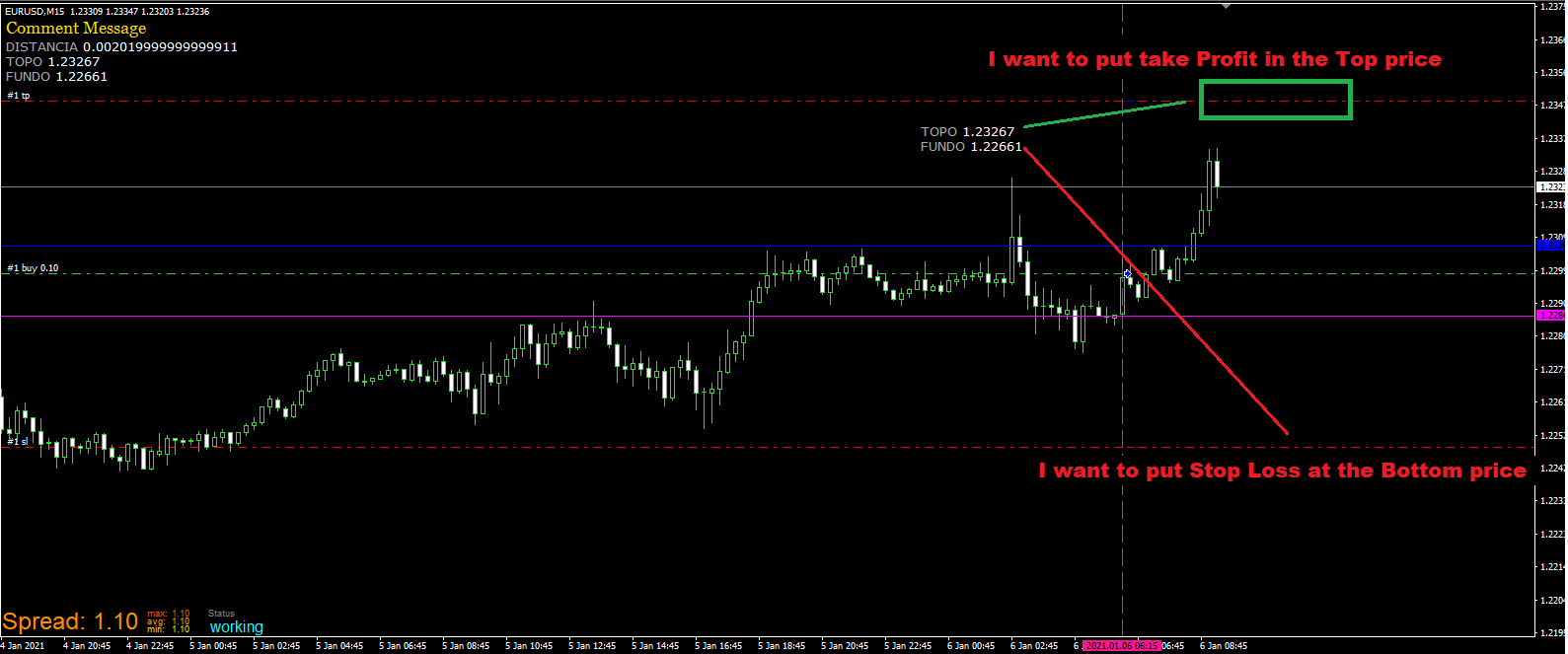
                I want to put take Profit in the Top price

                I want to put Stop Loss at the Bottom price
                0_1650920720988_aaa.png

                A 1 Reply Last reply Reply Quote 0
                • A
                  Adeildo @Adeildo last edited by

                  @adeildo said in How do I put Stop Loss on a draw line?:

                  @jstap
                  I want to put take Profit in the Top price

                  I want to put Stop Loss at the Bottom price
                  0_1650920720988_aaa.png

                  1 Reply Last reply Reply Quote 0
                  • A
                    Adeildo last edited by

                    @jstap 0_1650920961652_Rascunho.mq4
                    I sent the EA to see if you can help me.

                    jstap 1 Reply Last reply Reply Quote 0
                    • jstap
                      jstap @Adeildo last edited by

                      @adeildo I said what to above, make a test project, if you struggle to get working put a shared project here with a description of problem you are having.

                      Learn fxDreema Without the Wait!

                      My comprehensive book, available on Amazon, is packed with examples and invaluable insights to help you fast-track your learning journey.

                      The paperback and hardback editions include MT4 & MT5 QR codes for easy access to all prebuilt projects and robots, including my latest gold trading robot!

                      Don’t miss out

                      Click here➡️ https://mybook.to/fxDreema to get your copy today!

                      Enjoy! 😊

                      1 Reply Last reply Reply Quote 0
                      • 1 / 1
                      • First post
                        Last post

                      Online Users

                      M
                      G
                      D
                      A
                      A
                      R
                      G
                      S

                      18
                      Online

                      146.7k
                      Users

                      22.4k
                      Topics

                      122.6k
                      Posts

                      Powered by NodeBB Forums | Contributors