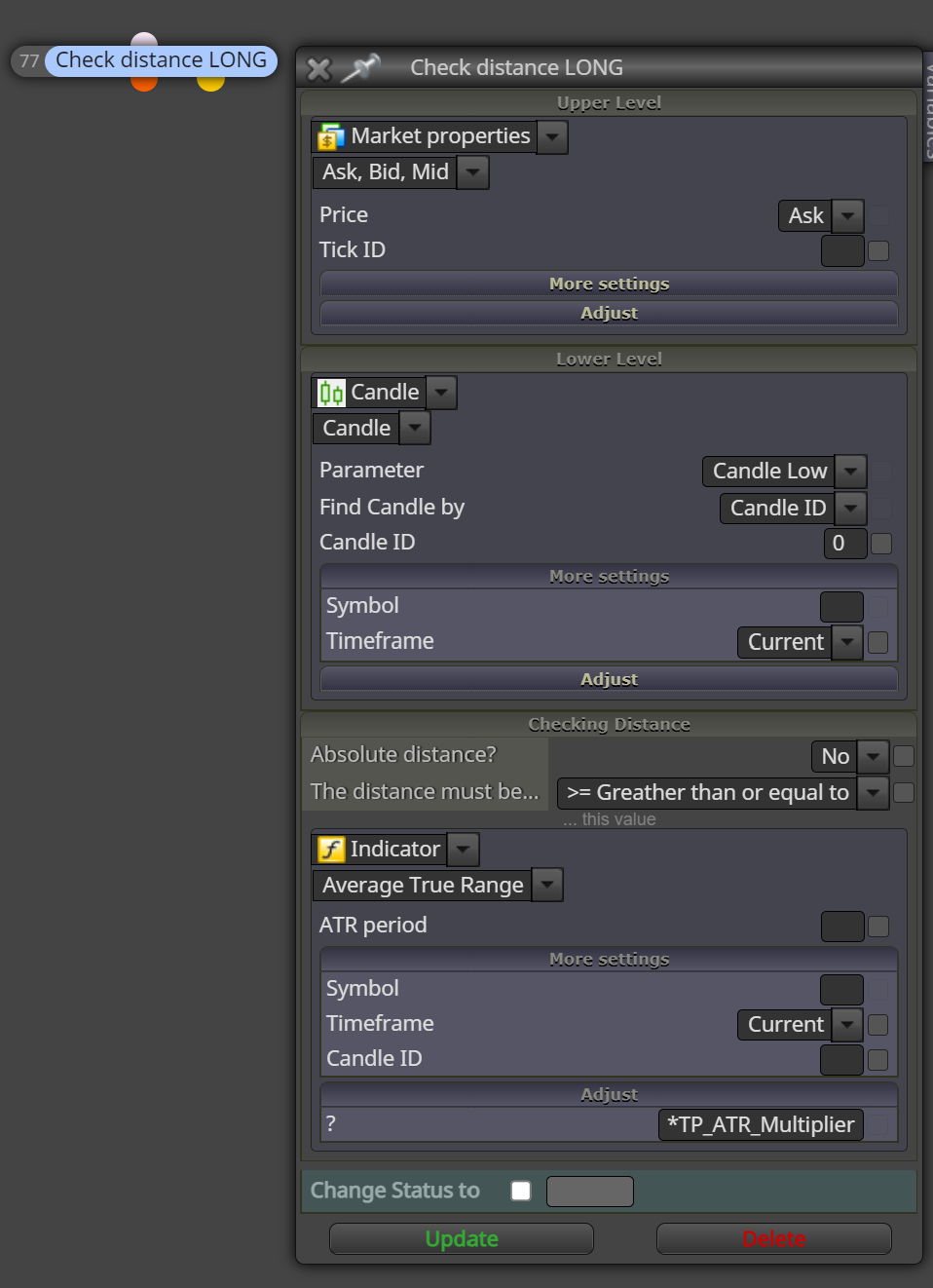
check distance function
-
Hello,
I have a question on how to use the "check distance function"
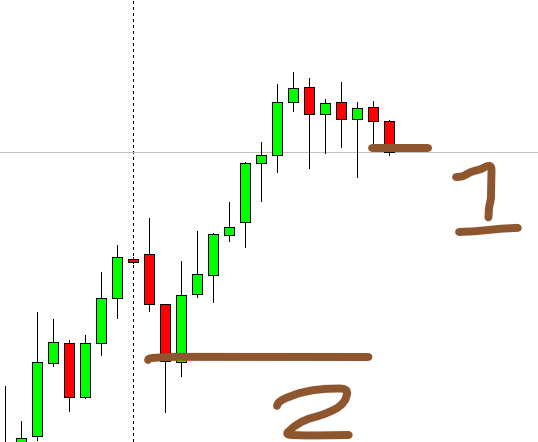
it is calculated by subtracting the upper level from lower level (upper level - lower level)?for example like this below for long direction, lets say where the open price is higher than the candle
- market price and 2 is the candle price. So, for example I want that the distance should not be lower than 2 ATR
and for this short direction, where market price is lower than the candle for instance:

- market price and 2 is the candle price. So, for example I want that the distance should not be lower than 2 ATR
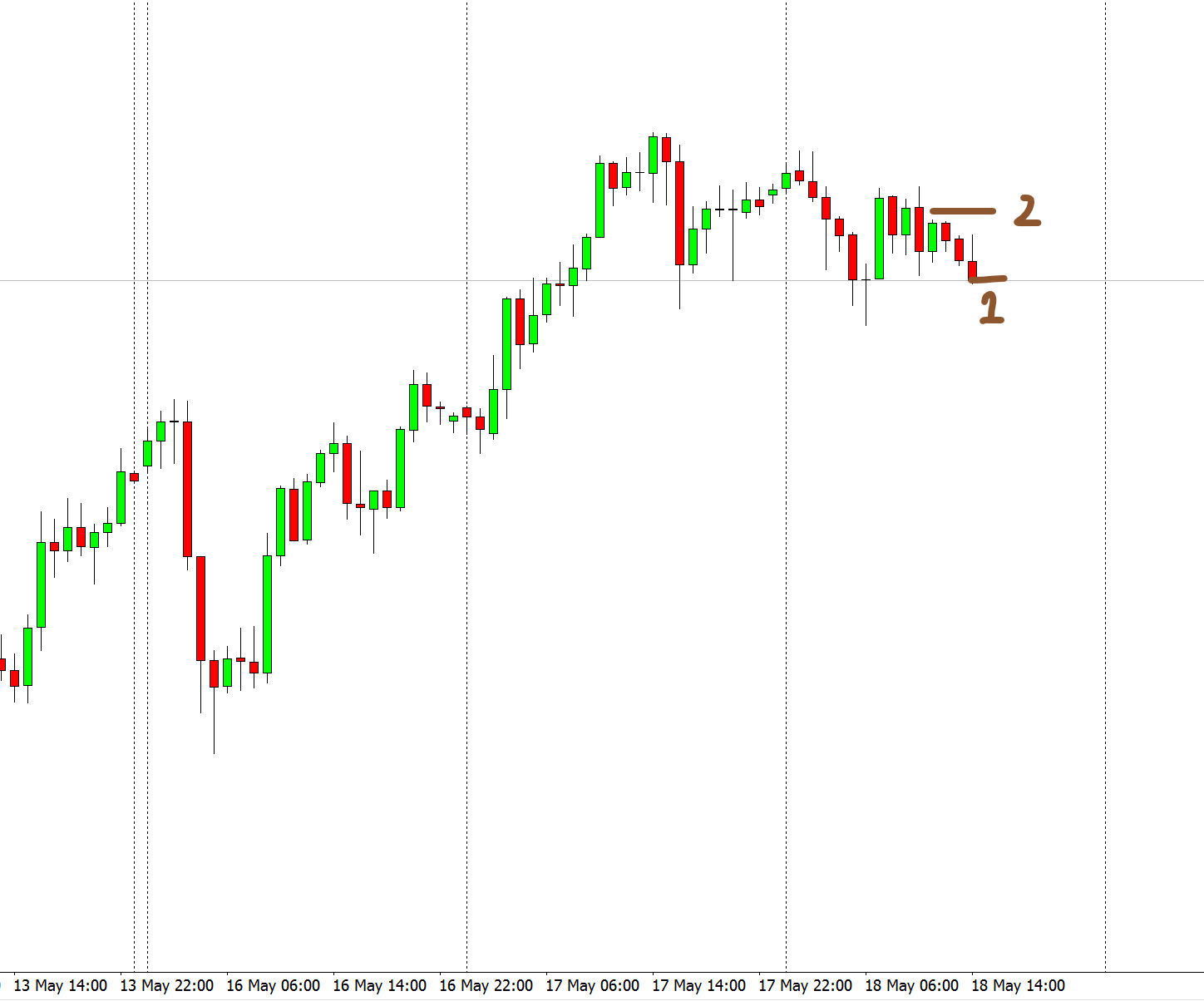
- market price and 2 is the candle price. So, for example I want that the distance should not be lower than 2 ATR
-
@andrewfrank Yes, that should work. Your logic is correct, but I guess something is not working as expected. Right?
-
@l-andorrà
I haven't tried it on demo yet, I am just configuring it right now and trying to understand this function.
I will let you know if it doesnt work
Thanks man!
-
@andrewfrank You're welcome.
-
I f for example I want to know the distance between the current candle and the moving average in real time for each candle, how can I use the check distance function to do that and put it into a comment?
-
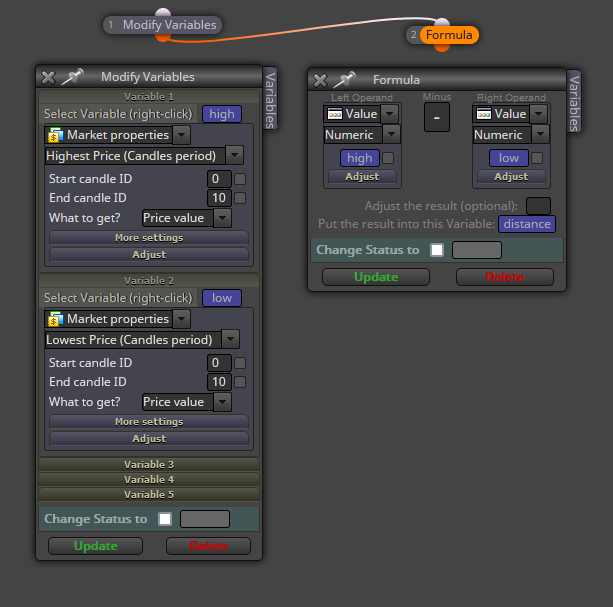
You need to use variables. Each point should be stored into a different variable. Then you subtract the lower value from the higher into a third variable and that can be visualized via the 'comment' block.
-
thanks but I am not sure how to do it, I tried but it did not worked, can you give a quick example of the way I should do it
-
@Gerardoppj1029 You can do something like this: