How to change input variables name?
-
Hello everyone is possible to change input variables names without editing the code in MQL?
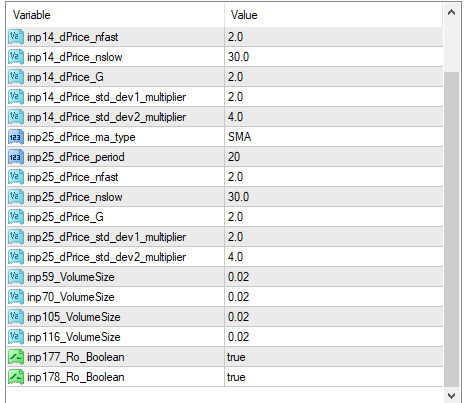
-
Dop you want to change the name or just removing the variables?
-
I want to change the names. But i found a good solution that I want to share.
Export MQL4 file and use the function Find and Replace for each variable.
If there is some option in FXdreema I will be happy to use it.
-
I'm afraid there isn't any, so your suggestion is the only possible solution.
-
@fenixtrading said in How to change input variables name?:
use the function Find and Replace for each variable.
Can you give a walkthrough of how to do that
-
I found an easy way to rename all input variables in FxDrema!! All you have to do is make constants for all the inputs you want to rename and then add a description as your input name! Easy. Please ask if not clear.
-
@fenixtrading
I found an easy way to rename all input variables in FxDrema!! All you have to do is make constants for all the inputs you want to rename and then add a description as your input name! Easy. Please ask if not clear. -
@xsimonleroux That sounds interesting. Could you please elaborate?
-
@l-andorrà @FenixTrading @raiderspaz All you have to do is make a new constant for all the inputs you want to rename. Let's use lot size as and example. To create a constant click on "Constants (Inputs)" in the top left corner. Then under name give it a name that is easy to identify the constant eg "Lot_Size"
Then give it a default value eg "0.1" and under description you can name it anything eg "Pick a lot size" and the description will be your input name when you load the bot.IMPORTANT: When a buy or sell block asks for a lot size value "How much..." then you right click on the input box and select your "Lot_Size" constant.
Hope this helps. Please ask if unclear or uncertain.
-
Interesting. Thank you very much.
-
@l-andorrà Happy to help.
