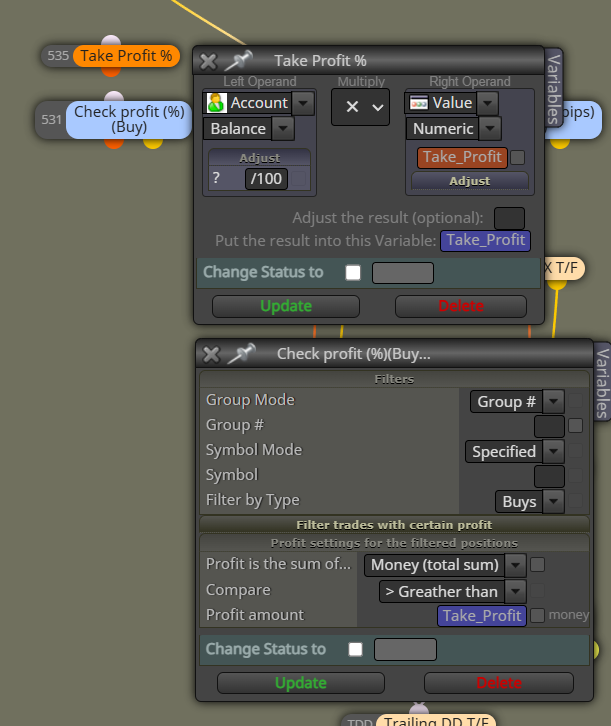
How to have trade(s) Closed in a pre-specified percent(%) of balance
-
Dear traders\programers
Hi,
I hope you're all doing great.
I need to have an EA which closes trade(s) on a prespecified percent (%) of balance, either loss or profit.
is here any one who could guide me through this?here is my approach:
[https://fxdreema.com/shared/oSgtd6pad]Thank you all in advance
-
I see this is the second thread you used to ask for this. Please don't duplicate threads and focus on one only. The problem is that you used a Constant on the 'Adjust' tab. The only way for that to work is selecting a string type constant instead a double or int type. Then you can type the fraction number you need.
-
@l-andorrà
Thank you for your reply
Yes, You're right
Sure, I will.I tried exactly as you suggested in the other thread by Ms. Elham, but it didn't work out.
would you please tell me why that is?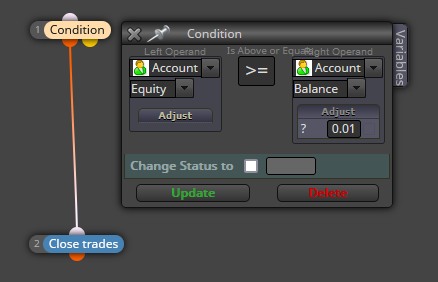
Thanks in advance
-
Oh man! I made a mistake!!
 There is a missing symbol there. You should use '*0.01' instead of '0.01' as I typed. Sorry. My mistake.
 -
@l-andorrà
No Problem Bro!In the box, should I type like '*0.01' or just *0.01 ?
-
@l-andorrà
My final purpose to build this EA as below:check if Equity >= (X% of Balance + Balance) then close the trade.
check if Equity <= (X% of Balance - Balance) then close the trade.Please help me with this
Thank you so much -
Here is my newest approach
Please help me figure out why the EA doesn't close the trade in profit/Loss?
Where might I have entered any thing wrong?https://fxdreema.com/shared/94lRGgEcd
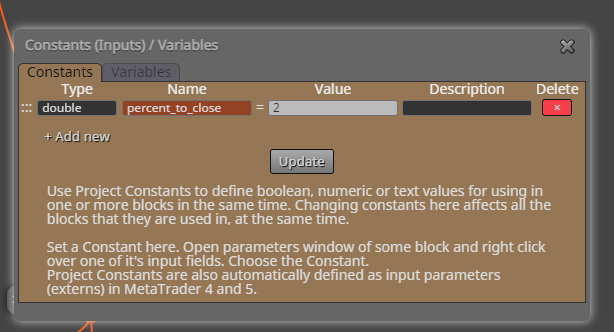
I appreciate any kind of help
-
Dear @l-andorrà
I tested this, but I don't know why it doesn't close the trade as it should do!
any suggestion? -
The problem is that those variables 'final equity profit/loss' need to be a decimal number (0.01, 0.02, etc). And then they should also include the '*' as I explained before. That is not possible to do with formula blocks. I'm afraid you will need some custom code to get it. Sadly I'm not a programmer so I cannot help here,
-
@l-andorrà
Thank you for your time
I've done it! -
@Taho_Trader Seems to me your project works as it is. Only put >= instead of ==
-
@Taho_Trader You're welcome.
-
@Taho_Trader I think the below method is simpler / easier.