EA based on bullish/bearish candle
-
Hello,
I am looking for some assistance on coding an EA, but really cannot figure it out how to and not sure if it could be done with this platform.
The Settings I ant looks like this:
1.Open position on candle closure
2.If the candle is Bullish: open Long position
3.If the candle is Bearish: open short position
4.Time frame: Chart time
5. SL at the bottom/top of the candle
Variables:- SL + XXX pips
2.TP: multiplied by SL as RR (to be entered manually)
3.Time to trade: to be able to specify the time to trade. For example 16:30 to 17:30
4.Open opposite direction position (if the candle closes bullish - open short position and vice versa
Thank you in advance!
- SL + XXX pips
-
Yes, all of that is possible in fxDreema. However, requesting someone else to do all the job without any effort on your side is considered as impolite here.
 Did you try any initial project? We can help you if we see you are trying.
 -
Just so you know, I built an EA almost just like that.....
It wasn't profitable.....
Just saying ;))
-
@l-andorrà said in EA based on bullish/bearish candle:
Yes, all of that is possible in fxDreema. However, requesting someone else to do all the job without any effort on your side is considered as impolite here.
Did you try any initial project? We can help you if we see you are trying.Hello! The last I want is being impolite. Of course I tried to do something on my own. I just couldnt do a lot and wasnt sure if its possible at all, so just wanted to know if its worth the time or its just not achievable on that platform.
-
@Morpheus_0
It is not everything that. There are rules and and much more details in the exact strategy. I am not going to just take every candle on every pair
If you are willing to help me out with creating that EA it will be much appreciated!
-
Well better you learn and try yourself.....
You may want to try some of these blocks...>>
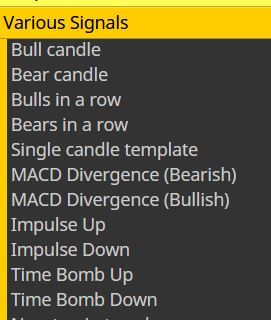
Regards*
-
Yes, This is what I am trying to do.
In general I really enjoy learning things like this and can do it for days until I find out how smth works. I am just curranty too focused on trading itself and developing strategies.Thank you!
-
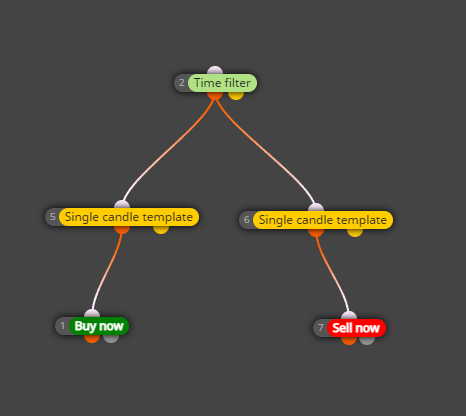
This is what I am trying
-
OK, I finally managed to run the EA. I only cannot figure it out how can I set variable that allows me to add pip to the SL when its set to be on the candle low/high. For example Candle Low +1pip
Any help would be highly appreciated! Thanks in advance!
-
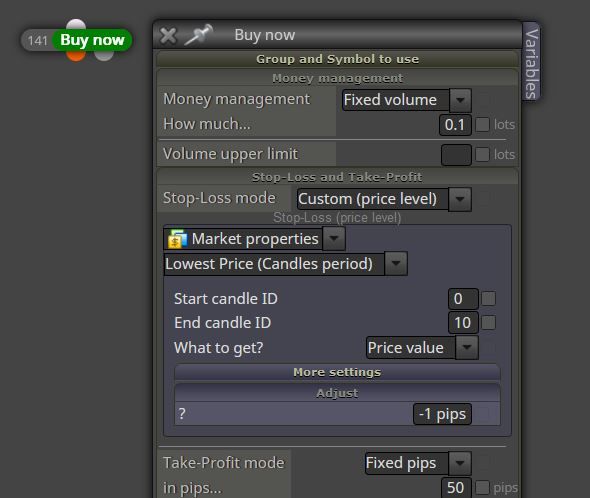
For Candle Low it would be 'Candle Low -1 pips'
-
Yeah, you're right, but I cant find where I can add such rule in general
-
There you go buddy...>>
-
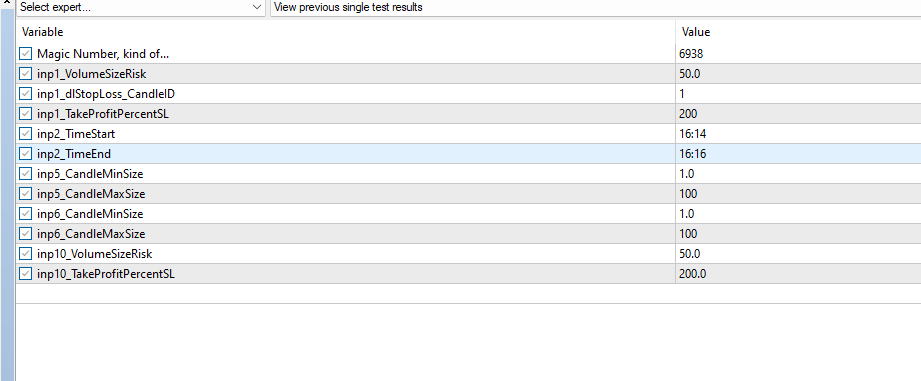
Thank you man! I saw that setting. I am sorry, maybe I didnt specify correctly - I want to have it as variable in my inputs on the EA itself. My omission....
Like in here
-
That's ok. Sorry but it's late here and I've been 'Dreeming' far too long today lol....
So for now maybe try setting the value as a variable and putting that in the field like this...>>
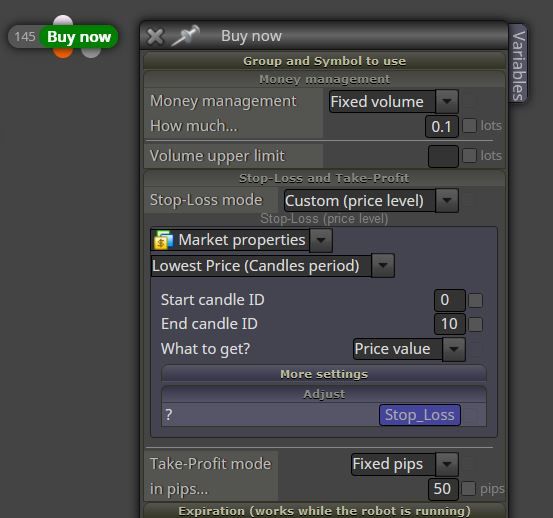
See if that works.
Regards* -
@Morpheus_0 Sorry, I wasnt able to answer earlier!!
Thank you for your help!
I am getting this error when put it like this. Tried different spellings - with and without the underline, but its all the same

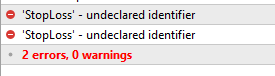
-
No probs.....
Have you first input the value in the Variables here...>>
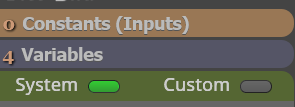
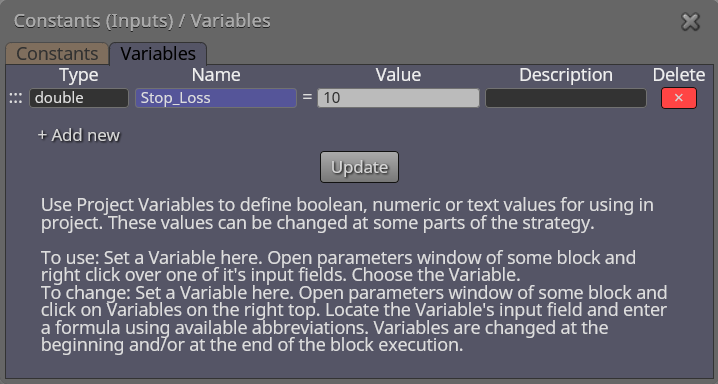
-
It compiled this time, but still dont have it in my variables:
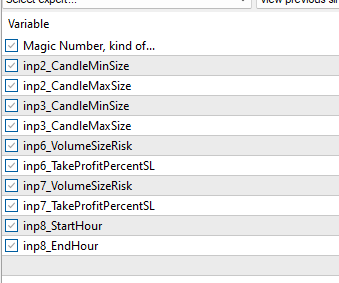
I start to feel a bit stupid and annoying. Are there any good tutorials on how to use the platform as I dont want to bother you on every step?
But highly appreciate your help brother!!
-
Top right there is a ink to the Instructions page, but that can be just as confusing....lol
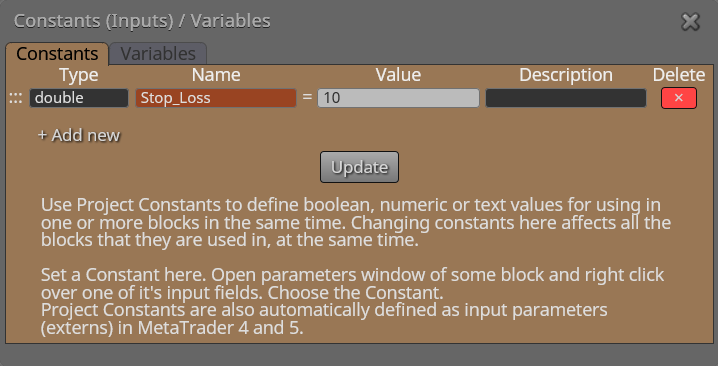
Try inputting the data as a Constant rather than a Variable.....It should then show up in the settings*
-
OMG... it works now, but now it opens trades like crazy... I cannot make it open one trade at a certain time. It opens like 2-3 and sometimes short and long at the same time....a lot to learn obviously.... But I am definetly keen on to learn that thing now lol
-
Can you post a link to the project so we can take a look ya...?
Top Left>Projects>Create a shared link......

