Losing my mind trying to get trailing stop to work! :)
-
Hi Guys,
I have my EA working over the last 8 years at 3.01 profit factor, so I'm pretty happy with it. However, what I did notice is that - when trades do hit the SL (e.g. for a short; highest candle price over the last 7 days) - the losses can be pretty big.
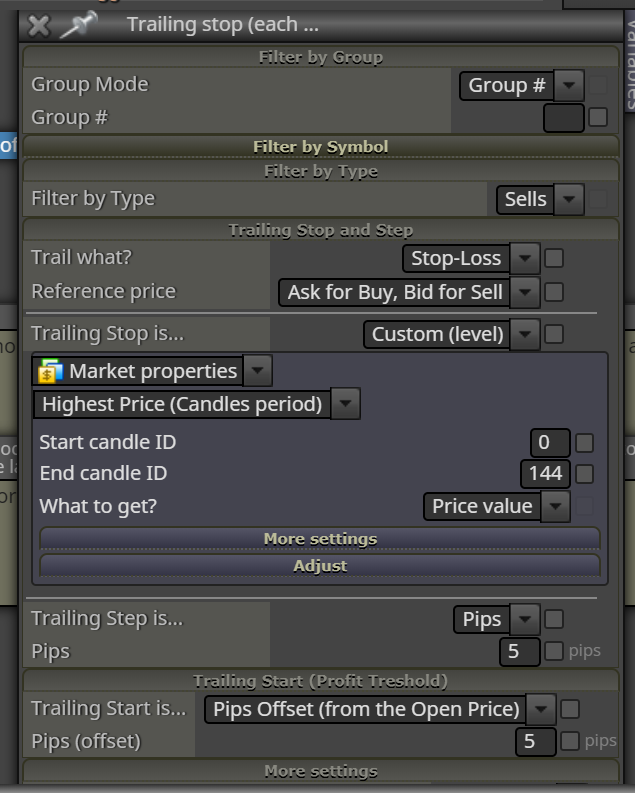
I'm trying to optimise this aspect of my EA still further by adding a trailing stop to cut some of these losses down to size a bit. I added a trailing stop for sell trades and it starts the SL on each trade in the correct place, but no matter what parameters I put in the Trailing Start and Trailing Step, on visual backtesting the SL plots correctly (highest candle in last 7 days) but the SL moves nowhere as the trade plays out.
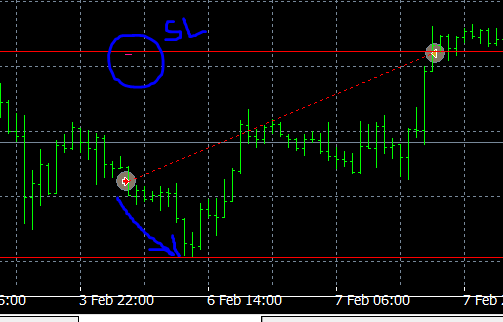
Here is an example where SL is correct, but the price went 50 pips in the direction of the trade but the SL did not modify and the trade ended hitting the original SL for the full loss:
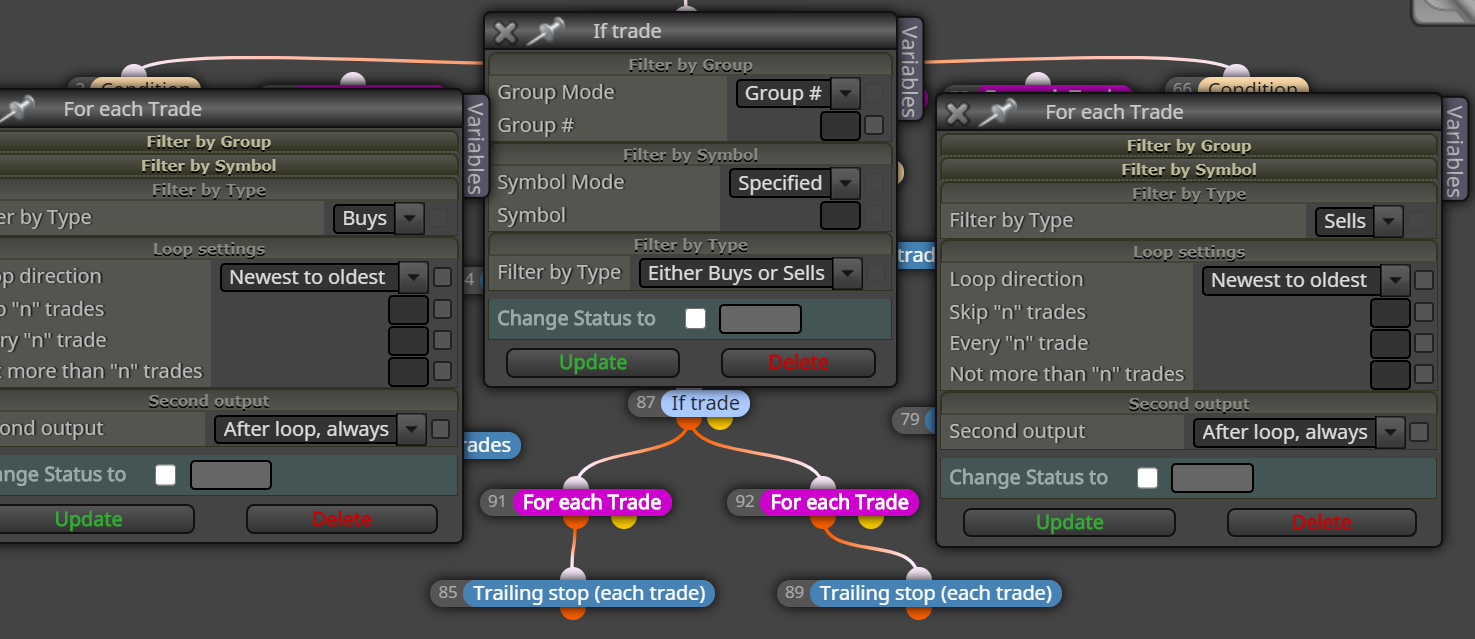
Here is the trailing SL block in the EA:
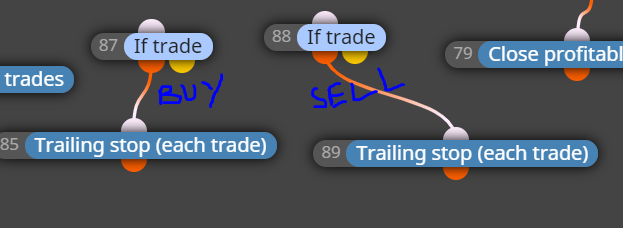
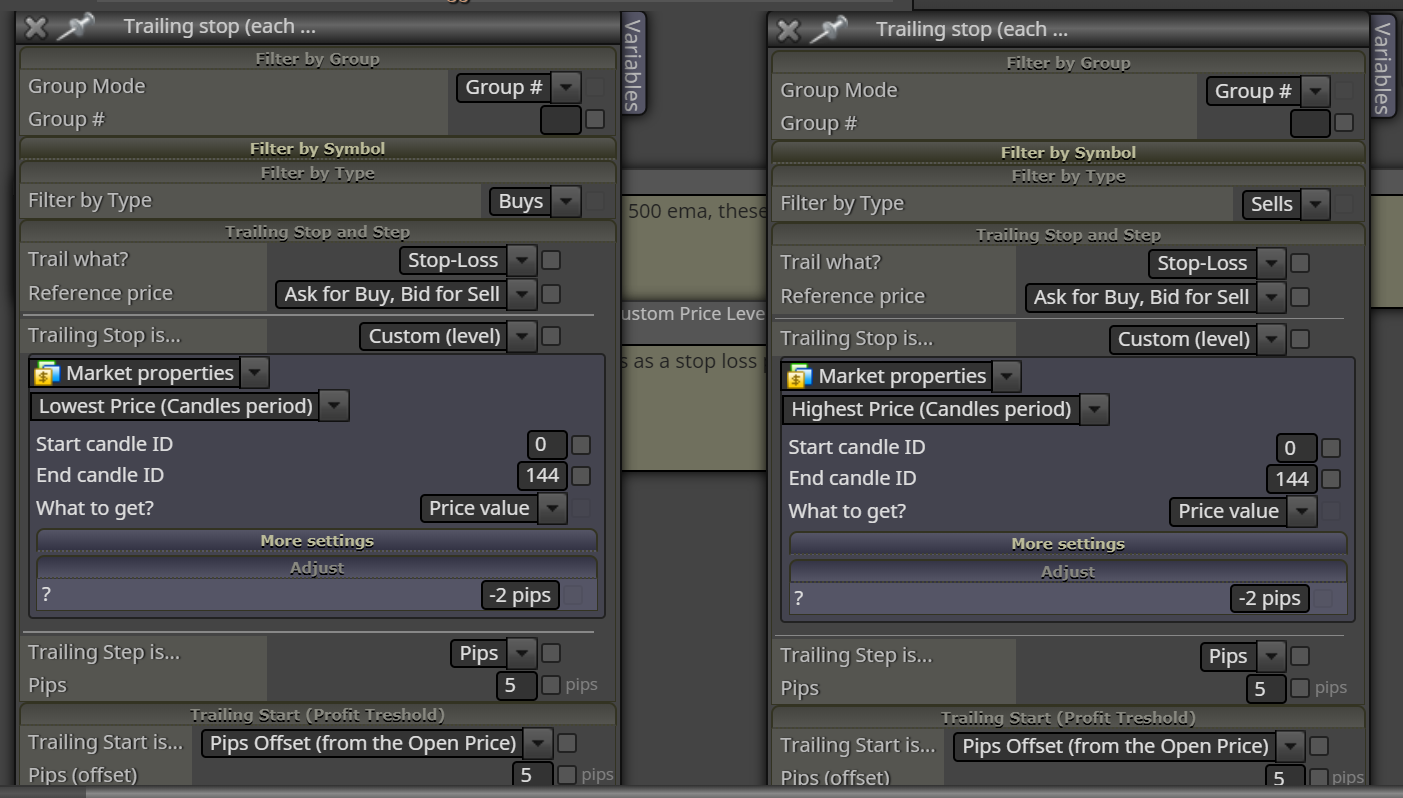
And here is how both buy and sell trailing SL's are set up in the EA:
Can anyone help me nail this?
-
@sirboyce You are one of the cleverest people here... we want advice from you man!! I think your If trade block is wrong for Trailing stop block... Should the trailing stop block not be as part of your strategy not a separate entity?
-
@sirboyce I assume they are trades opened by the EA? If not, you will need to change the Group Mode to all. The only other thing I have found is that trailing stops seem to function best in these situations if the start candle ID is 1. As candle 0 has not closed its highest price is yet to be determined and this seems to impact the trailing stop - one would think it shouldn't because it would take the highest price so far, but I always set it to candle 1. I hope that helps as I can see nothing else that may be an issue.
-
@cpbonzo Thanks for taking a look. However, the Trailing Stop Is...section works absolutely fine and places the SL perfectly. Its just that the SL does not modify (step) during the trade when the trade moves into profit. I am at a loss as to why!
The only way I can get a trailing SL working in FxDreema is if the Trailing Stop is X number of pips rather than the Custom(level) option. But the SL being initially set at (for a sell) the highest price over the last 144 candles is crucial to the success of my EA...and I simply want that SL level to step down in the direction of the trade to lessen the loss on some of the losing trades I have seen in backtesting. The way things are, all my losing trades hit the initial SL (highest price over last 7 days) and quite a few of those are pretty sizeable losses.
-
@sirboyce Hi; You can do it this way, I haven't tried it but it should work.
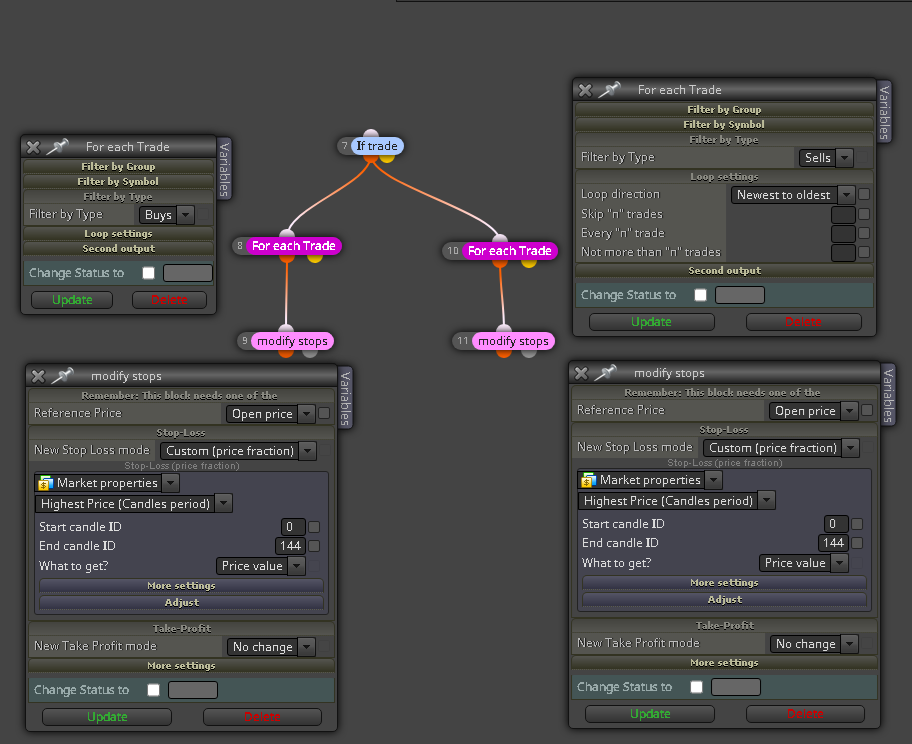
-
@dragonfly617 Hi. Thanks for trying. But as I said before, the problem is not placing the SL at the custom level. It is getting that SL to trail once the trade starts moving into pips in profit. It just remains static (i.e. at the highest price over the last 144 candles).
In the screenshot I previously shared, the SL is at the correct custom level. But it did not modify at all (and the trade went 50 pips into profit at its peak!)...despite me putting in the trailing stop block to start trailing at 5 pips in profit and to step 5 pips.
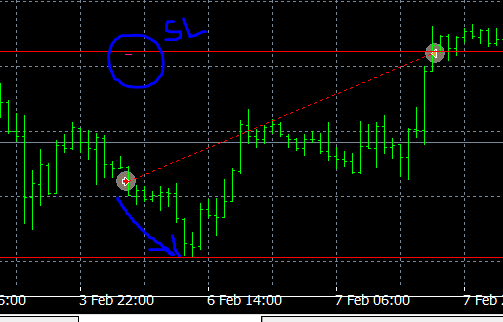
How do I get this custom SL level to step with the trade???
-
@sirboyce In the example you give the stop trailing stop is set to move to the highest price that occurred in the last 144 candles. If the highest price in the last 144 candles is not lower than where the SL was originally set (from the look of the image you attached it looks as though it would be a lot higher) it will not move.
-
@cpbonzo I don't follow I'm afraid. In the example I gave he parameters in the custom level Trailing Stop are absolutely correct to place the initial SL on trade open exactly where I want it. Here is a larger screen shot of that exact same trade.
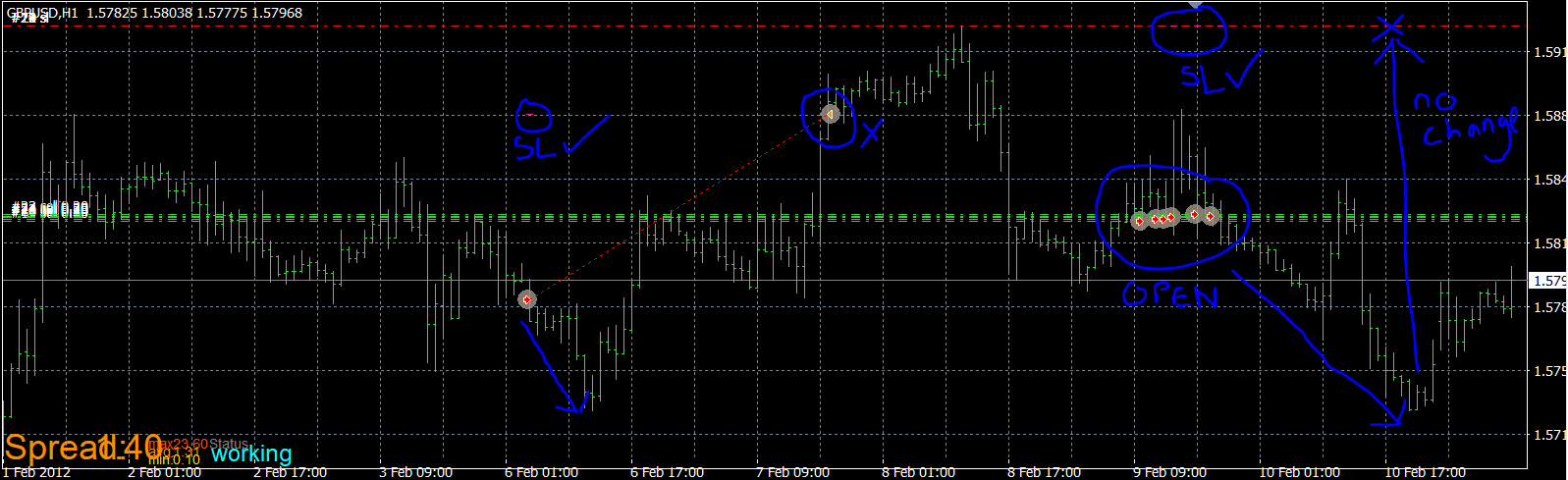
You can also see the next sell trades currently playing out: The SL again is exactly where I want it. But again it has not modified (i.e. stepped down) at all as the trade went into profit. It remains static exactly where it was placed on trade open.
This is the problem. Although I have set Trailing Start to 5 pips offset from Open Price, and Trailing Step to 5 pips...the SL does not move at all!!! It doesn't seem to matter what I put in Trailing Start or Trailing Step...the Custom(level) Trailing Stop does not modify during the trade. Is this a broken aspect of FxDreema?
For the avoidance of any doubt, this is how the blocks are set up in my EA with all the parameters:
-
I don't know what more I can say. You have the level of the trailing stop set to be the highest value of the previous 144 candles. If that value is less than the current stop loss then, yes, the stop will trail in 5 pip steps once the price has moved 5 pips from the open price. But, if the highest value of the past 144 candles is never lower than where the stop loss is now it will not move.
In your example the first trade has, by a rough count, set the SL to the high of candle 52, which one assumes was the highest candle for the past 144. Once the price moves 5 pips from the open price the ea will calculate 144 candles back from the current candle and move the stop loss to the highest value if this is different from the current SL, but in this example it isn't because the same candle is still the highest of the previous 144 and so there is no change. -
@cpbonzo Thank you! Your explanation finally means I understand the way that trailing SL's work in FxDreema and why the stop was not moving. Many thanks again for your time and help!
-
PLS HOW CAN I PUT STOP LOSS AT A PERCENTAGE OF A CANDLE LOWER THAN THE CANDLE. FOR EXAMPLE 50% OF CANDLE ID 1 BODY SIZE LOWER THAN CANDLE ID 1 FROM THE CANDLE OPENING ?

