Create text on Chart
-
Hello all,
Anybody know on how to create a text like below picture?
Thanks a lot in advance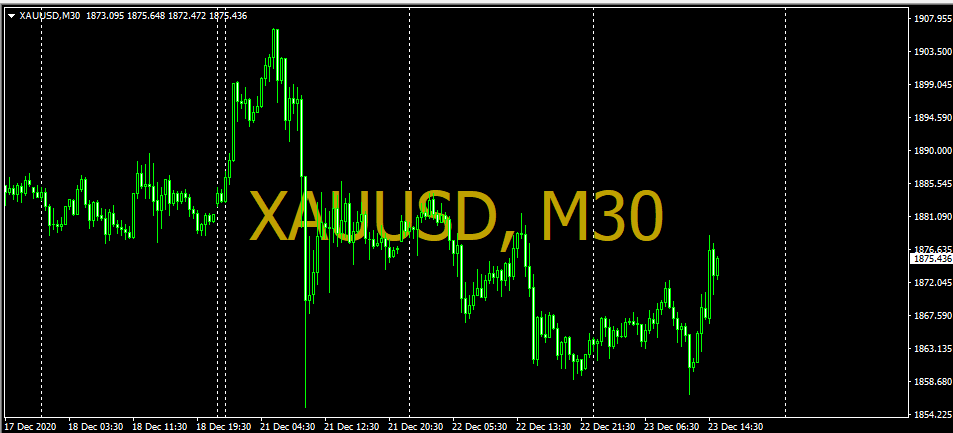
-
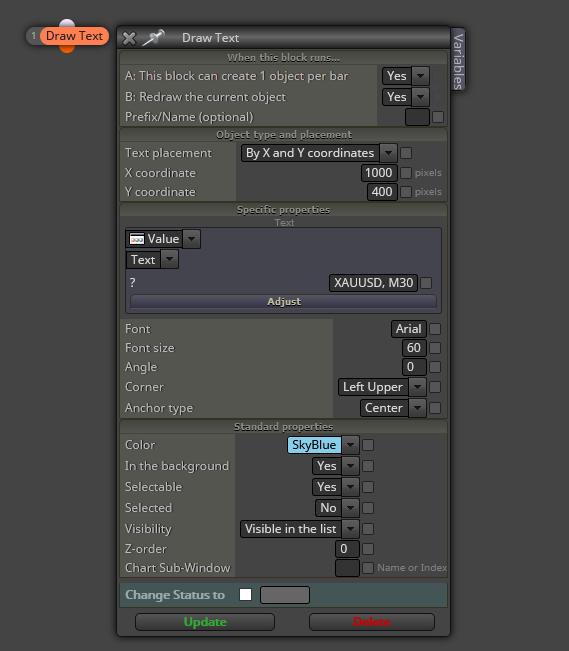
@zedeai2 Try this, but you will need to adjust the X,Y coordinates:
-
@l-andorrà Hello, which tab should I put this block? on init, or?
And there is no need some previous block, right?Thank you
-
@zedeai2 You ALWAYS need at least two blocks connected for them to be ideintified by fxDreema. If you don't know what block to use as a companion, use a 'Pass' block above it.
On the chart to use it, I guess you want to see the text no matter what. Then yes, you should put them on the 'on init' tab.
-
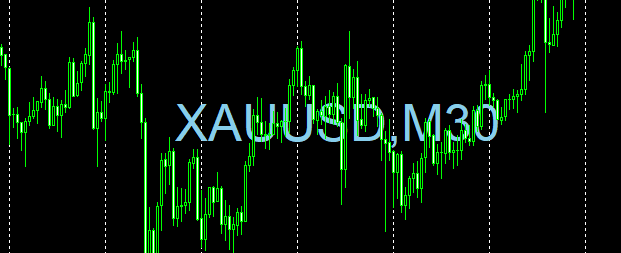
@l-andorrà Hello, It's working well. Thank You very much

Another question, How about the text and time info will be changed automatically once it's attached to any different pairs? Because This block is now fix only for the xauusd, m30
Thank you
-
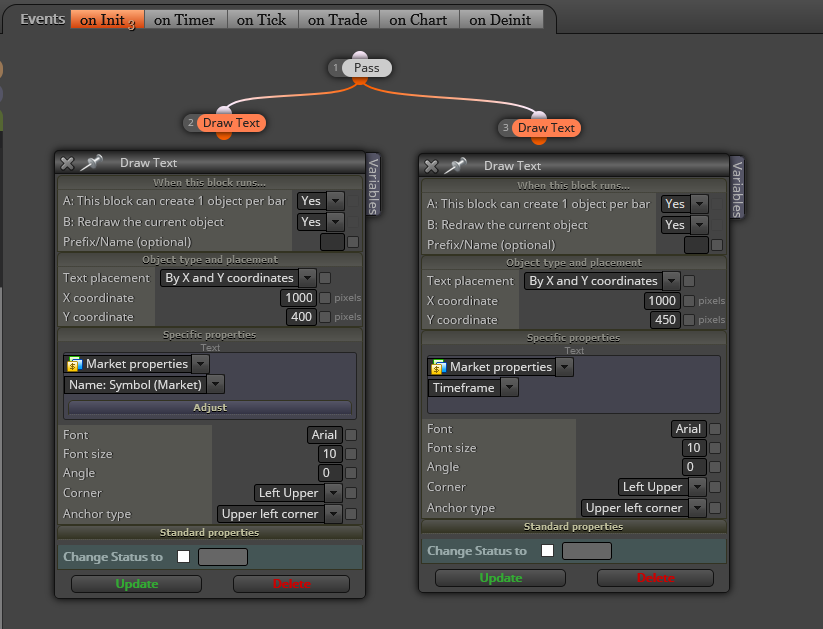
@zedeai2 Do you mean the should automatically identify the symbols and timeframe for every chart without doing it manually?
-
@l-andorrà Yes, it's without dong it manually
-
@zedeai2 Then do this in the 'on init' tab:
(English) I will try to help everyone in these fxDreema forums. But if you want to learn how to use the platform in depth or more quickly, I can help you with my introductory fxDreema course in English at https://www.theandorraninvestor.eu.
(Català) Miraré d’ajudar tothom en aquests fòrums d’fxDreema. Tanmateix, si vols aprendre a fer servir la plataforma amb més profunditat o més de pressa, t’hi puc ajudar amb el meu curs d’introducció a fxDeema en català a https://www.theandorraninvestor.eu/ca.
(Español) Intentaré ayudar a todo el mundo en estos foros de fxDreema. Sin embargo, si quieres aprender a usar la plataforma en profundidad o más deprisa, te puedo ayudar con mi curso de introducción a fxDreema en español en https://www.theandorraninvestor.eu/es.
-
@l-andorrà Hello, Thank you, it's working!
-
@zedeai2 You're welcome.
-
@l-andorrà Can this be used with variables to constantly update tick by tick? Place it on chart on init then right click and set variable in the label?
-
@pan4pips Not sure. Never tried, honestly. I guess it would work, but can't be sure.